コンテンツへスキップ
amagicsoftロゴアイコン
  • ホーム
  • 製品紹介
    • Magic Data Recovery
    • Magic Recovery Key
  • 店舗
  • ブログ
  • もっと見る
    • Amagicsoftについて
    • お問い合わせ
    • プライバシーポリシー
    • 利用規約
    • ライセンス契約
    • 返金ポリシー
  • 日本語
    • English
    • 한국어
    • Deutsch
    • Français
    • Español
    • Italiano
    • 繁體中文
ウィキ

ファイルとファイルシステムの理解

2026年1月1日 Vasilii コメントはまだない
ファイルとファイルシステムの理解

When a drive suddenly becomes とっつきにくい, corrupted, or unreadable, the root cause is often related to the file and file system rather than the data blocks. Don’t panic—the good news is that most situations are 論理的問題, not physical, and can be understood and resolved with the right approach.

In practice, this article explains how files are organized on disk, how storage structures work together, the major storage formats in use, and practical methods to fix logical disk errors without risking further data loss.

目次

What Is a File?

A ファイル is a structured collection of data stored on a storage device. From the operating system’s perspective, a file is not just raw data—it includes メタデータ such as:

  • File name
  • Size
  • Creation and modification timestamps
  • Access permissions
  • Physical location on the disk

As a result, modern operating systems do not directly manage raw disk sectors. Instead, they rely on the file system to map files to physical storage locations efficiently and safely.

What Is a File System?

A logical storage framework controls how files are stored, organized, retrieved, and managed on a storage device. It defines:

  • How data blocks are allocated
  • How directories are structured
  • How file metadata is recorded
  • How free and used space is tracked

Common file systems such as エヌティーエフエス, FAT32, エクストラファット, そして EXT4 follow strict structural rules defined by operating system standards. For example, Microsoft’s NTFS relies on the マスターファイルテーブル(MFT) to track every file and directory on the volume.

Without a functioning storage structure, data may still exist on the disk, but the operating system cannot interpret it.

File System vs. Filing System

Although often confused, these terms serve different purposes:

  • File system: A technical, operating-system-level structure that manages digital data on storage media. In computing, this technical term is the correct and precise term.
  • Filing system: A broader organizational method, which may include physical or digital classification systems used by humans or businesses.

Common Types of File Systems

Different operating systems and storage scenarios require different storage formats.

1. FAT32

  • Widely compatible
  • Limited file size (4 GB maximum)
  • Minimal fault tolerance


2. exFAT

  • Designed for flash storage
  • Supports large files
  • Common on SD cards and USB drives


3. NTFS

  • Default for modern Windows systems
  • Supports permissions, journaling, and encryption
  • Highly resilient against corruption


4. EXT4

  • Standard for Linux systems
  • Efficient and stable
  • Strong journaling support

Each file system balances performance, compatibility, and data integrity differently.

How Disk Structures Organize Data

Modern storage formats rely on internal structures to organize data. The most common include:

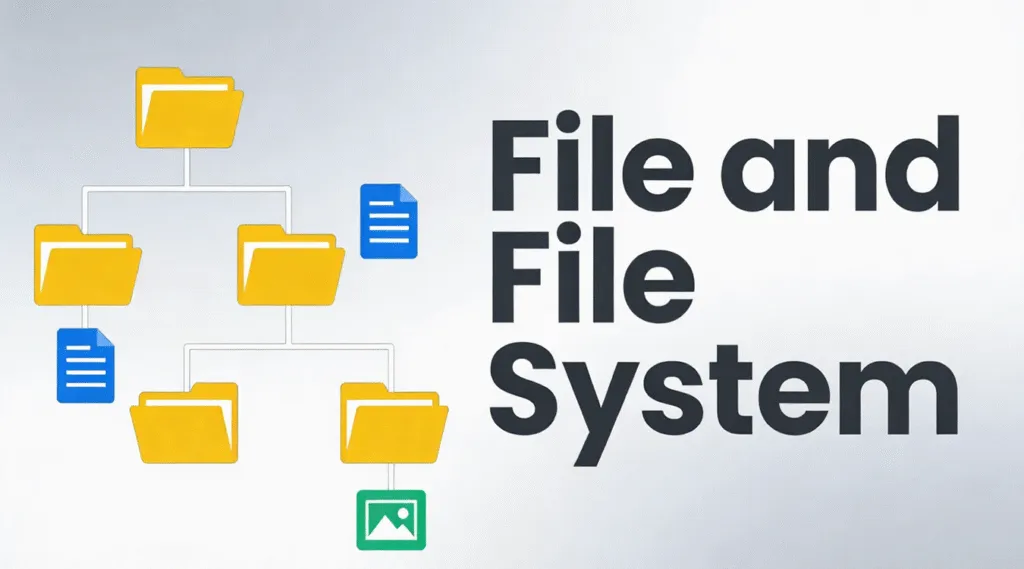
1. Hierarchical structure – Files arranged in directories and subdirectories

2. Flat structure – Minimal organization, used in simple systems

3. Indexed structure – Uses indexes to locate files quickly

4. Linked structure – Data blocks linked sequentially

5. Journaling structure – Tracks changes before committing them, reducing corruption risk

Modern file systems like NTFS and EXT4 primarily use hierarchical and journaling structures for reliability.

How to Check Disk Structure Integrity

If a drive behaves abnormally, checking the disk structure is the first safe step.

1.開く このPC

2. Right-click the drive

3.選択 プロパティ → ツール → チェック

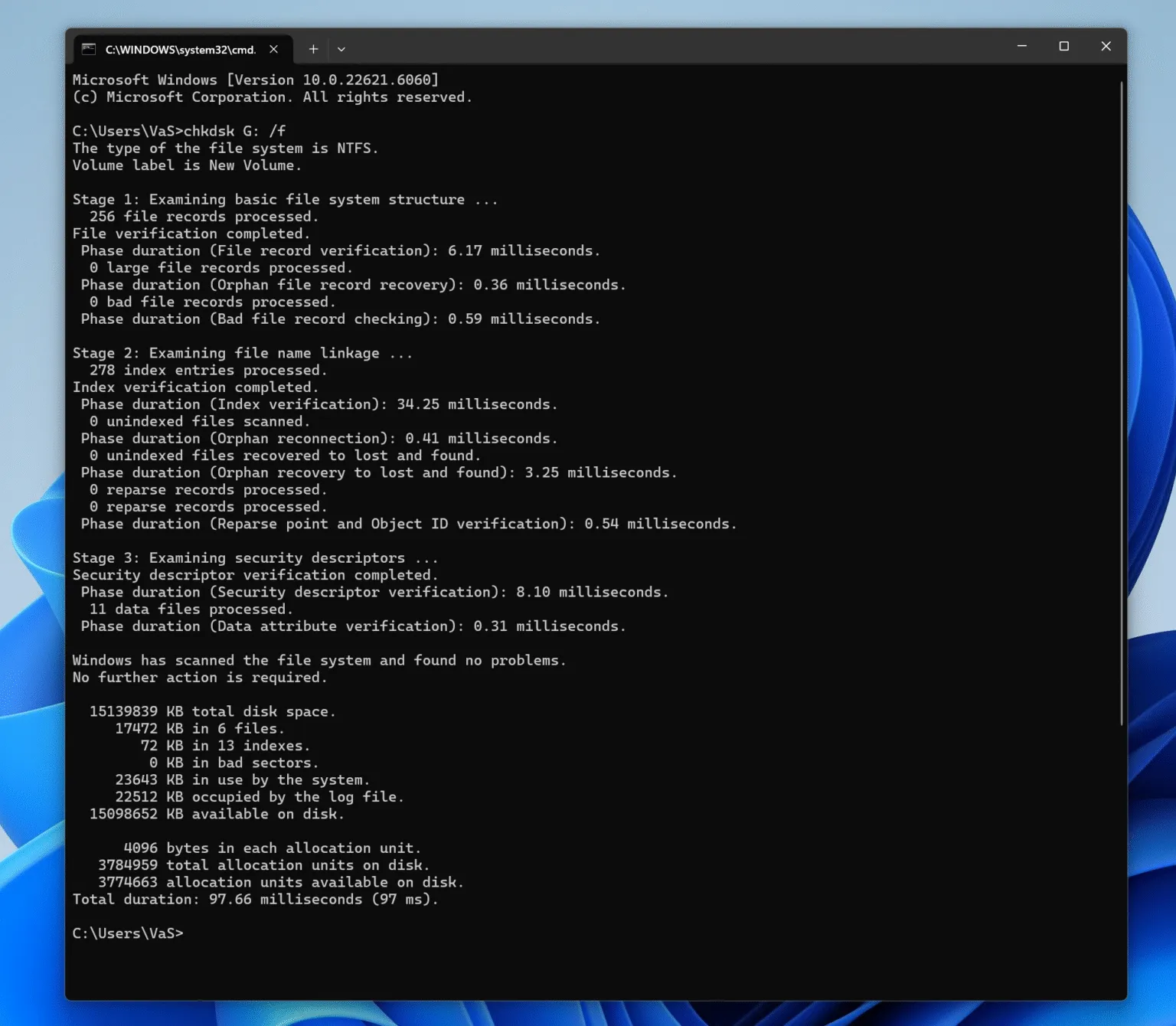
Alternatively, use Command Prompt:

chkdsk X:/f

(Replace X with the drive letter.)

This scans the logical structure for errors without modifying file content unless necessary.

fix file and file system with chkdsk

How to Fix Logical Disk Errors Safely

Logical disk errors typically occur due to improper ejection, power loss, or interrupted write operations. Follow a structured approach:

Step 1: Stop Using the Affected Drive

Continued use may overwrite recoverable data.


Step 2: Identify the File System State

If the drive appears as RAW, the file structure metadata is damaged, but data often remains intact.


Step 3: Attempt Logical Repair

Use built-in tools like チェックディスク for minor issues.


Step 4: Recover Data Before Repair (Recommended)

以下のようなプロ用ツール Magic Data Recovery scan storage in read-only mode, locate disk structure records, and extract files safely—even when the underlying storage structure is corrupted or unrecognized.

This approach minimizes risk and preserves data integrity before any repair or reformatting.

Why Storage Structure Knowledge Matters for Recovery

Understanding how file systems work explains why data is often not permanently lost after 削除, フォーマッティング, あるいは 汚職. In many cases:

  • File entries are removed
  • Data blocks remain untouched
  • Recovery is possible until overwritten

This is why professional recovery software focuses on interpreting disk structure records rather than guessing raw data.

まとめ

Logical disk issues are common, manageable, and often reversible. With a clear understanding of file organization on disk and a careful recovery-first approach, you can restore access to your data safely and efficiently. Download Magic Data Recovery to scan and recover files from damaged or corrupted file systems in a secure, read-only environment.

Magic Data Recoveryをダウンロード

Windows 7/8/10/11およびWindows Serverをサポート

よくある質問

1.What is a file and file system?

A file is a unit of stored data, while a file system is the structure that organizes, manages, and locates those files on a storage device.

2.What is a file and filing system?

A file system is a technical storage structure, while a filing system refers to a broader organizational method, often used in administrative or physical contexts.

3.What are the four types of file systems?

Common examples include FAT32, exFAT, NTFS, and EXT4.

4.Is it a file system or filesystem?

Both are correct, but “file system” is more widely used in technical documentation.

5.How do I check my file system?

Use built-in disk checking tools such as CHKDSK on Windows or equivalent utilities on other systems.

6.What are the 5 file structures?

Hierarchical, flat, indexed, linked, and journaling file structures.

7.How to solve file system error?

Stop using the drive, diagnose the file system state, recover data first with a professional tool like Magic Data Recovery, then perform repairs if needed.
  • WiKi
Vasilii

バシリイは、この分野で約10年の実務経験を持つデータ復元のスペシャリストです。そのキャリアを通じて、彼は削除されたファイル、フォーマットされたドライブ、失われたパーティション、RAWファイルシステムを含む何千もの複雑なケースの解決に成功してきました。彼の専門知識は、16進エディタなどの専門ツールを使用した手動復元方法と、復元ソフトウェアを使用した高度な自動化ソリューションの両方をカバーしています。バシリの使命は、信頼できるデータ復元知識をITプロフェッショナルと一般ユーザーの双方が利用できるようにし、貴重なデジタル資産を保護できるようにすることです。.

投稿ナビゲーション

前へ

検索

カテゴリー

  • ビットロッカーのリカバリ
  • 削除されたファイルの復元
  • ディスクの問題修正
  • ドキュメントの復元
  • フォーマットファイルの復元
  • ハードディスク・ドライブ復旧
  • ライセンスキーの回復
  • 紛失ファイルの復元
  • メモリーカード復元
  • ニュース
  • パスワード復旧
  • フォトリカバリー
  • SSDリカバリー
  • USBドライブ復元
  • ユーザーガイド
  • ビデオ・リカバリー
  • ウィキ
  • Windowsの問題修正

最近の投稿

  • ファイルとファイルシステムの理解
    ファイルとファイルシステムの理解
  • フォーマットされたハードドライブからのデータ復旧
    フォーマットされたハードドライブからのデータ復元方法トップ7
  • フラッシュドライブから削除されたファイルを復元
    フラッシュドライブから削除されたファイルを復元する最善の方法(2026ガイド)

タグ

CHKDSKとディスクツール ディスク修復 エラーのトラブルシューティング どのように Magic Data Recovery Magic Recovery Key WiKi

関連記事

SanDiskドライブが認識されない原因と対処法
ディスクの問題修正, ウィキ

SanDiskドライブが認識されない?原因と対処法

2025年12月31日 Vasilii SanDisk Drive Not Recognized? Causes and Fixes はコメントを受け付けていません

サンディスクドライブがコンピュータに認識されない場合、特にデバイスに重要なファイルがある場合は、イライラしたり、心配になったりすることがあります。サンディスクUSBフラッシュドライブ、SDカード、または外付けハードドライブのいずれを使用している場合でも、検出の問題は明確な警告なしに突然現れることがよくあります。幸いなことに、サンディスクの認識問題のほとんどは、ハードウェアの永久的な故障ではなく、ソフトウェア、接続性、またはファイルシステムのエラーに起因しています。このガイドでは、コンピュータがSanDiskドライブを検出できない理由、ステップごとの問題のトラブルシューティング方法、およびデータを安全に復元する必要がある場合の対処法を説明します。目次 サンディスク・ドライブが認識されない:その意味と[...]について

シーゲイト外付ハードディスク・ドライブが認識されない問題の修正
ディスクの問題修正

シーゲイト外付ハードディスク・ドライブが認識されない問題の修正

2025年12月31日 Vasilii Fix Seagate External Hard Drive Not Recognized Issue はコメントを受け付けていません

シーゲイト外付ハードディスク・ドライブが認識されない場合、通常はオペレーティング・システムがデバイスを正しく検出またはアクセスできないことを意味します。ドライブは物理的に接続されているにもかかわらず、ファイル・エクスプローラ、ディスクの管理、またはデバイス・マネージャに表示されないことがあります。このような状況がストレスになるのは当然です。しかし、慌てないでください。ほとんどの場合、データが永久に失われることはありません。この問題は通常、物理的な損傷よりも、接続の問題、ドライバの競合、ファイルシステムの破損、電源関連の障害に起因しています。原因を理解することが、安全で効果的な解決策への第一歩です。目次 シーゲイト外付ハードディスク・ドライブが認識されない一般的な理由 シーゲイト・ハードディスクが [...]...

NTFSマスターファイルテーブル(MFT)を理解する
ウィキ

NTFSマスターファイルテーブル(MFT)を理解する

2025年12月30日 Vasilii Understanding the NTFS Master File Table (MFT) はコメントを受け付けていません

NTFSマスターファイルテーブル(MFT)は、WindowsオペレーティングシステムのデフォルトのファイルシステムであるNTFS(New Technology File System)の重要なコンポーネントです。NTFSのバックボーンとして機能し、ディスク上のファイルとディレクトリに関する重要な情報を保存します。MFT には、ファイル名、サイズ、作成日、場所などのメタデータが含まれ、オペレーティング システムがファイルにすばやくアクセスして管理できるようになっています。この記事では、NTFS マスター ファイル テーブルの構造、機能、および破損した MFT などの一般的な問題について説明します。また、NTFSファイルシステムのこの重要な部分を理解するために、よくある質問も取り上げます。目次

amagicsoftロゴアイコン

当社のビジョンは、世界的に有名なソフトウェア ブランドおよびサービス プロバイダーとなり、一流の製品とサービスをユーザーに提供することです。

製品紹介
  • Magic Data Recovery
  • Magic Recovery Key
ポリシー
  • 利用規約
  • プライバシーポリシー
  • 返金ポリシー
  • ライセンス契約
会社概要
  • Amagicsoftについて
  • お問い合わせ
  • 店舗
フォローする

著作権©2025 Amagicsoft。無断複写転載を禁じます。

  • 利用規約
  • プライバシーポリシー