コンテンツへスキップ
amagicsoftロゴアイコン
  • ホーム
  • 製品紹介
    • Magic Data Recovery
    • Magic Recovery Key
  • 店舗
  • ブログ
  • もっと見る
    • Amagicsoftについて
    • お問い合わせ
    • プライバシーポリシー
    • 利用規約
    • ライセンス契約
    • 返金ポリシー
  • 日本語
    • English
    • 한국어
    • Deutsch
    • Français
    • 繁體中文
フォトリカバリー

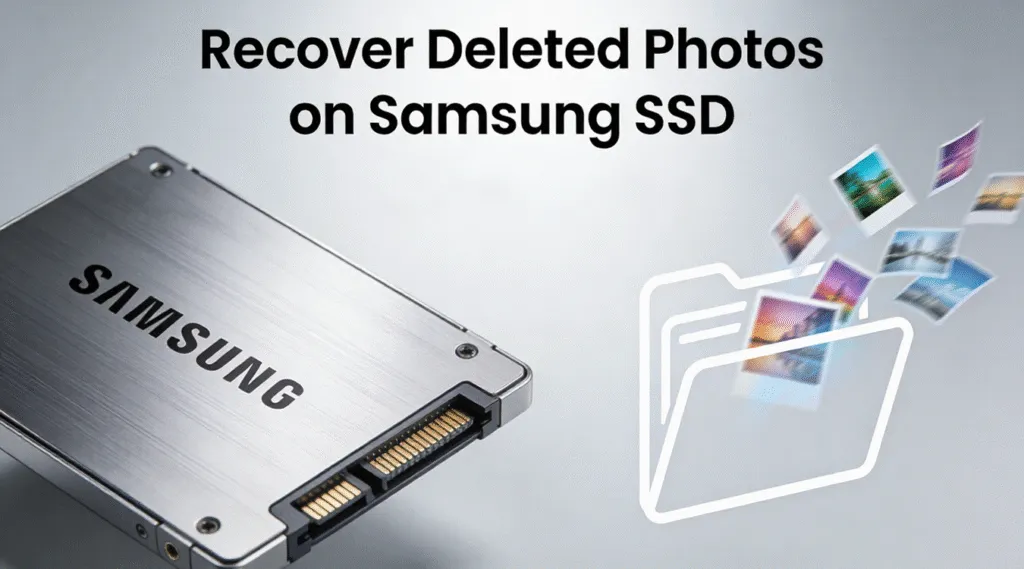
サムスンSSDで削除された写真を復元する方法は?
2025年12月21日 Vasilii コメントはまだない
サムスンSSDで削除された写真を復元する方法

Accidentally deleting photos from a Samsung SSD can be stressful—especially when those images are work-related, personal memories, or irreplaceable files. Many users only realize the problem after emptying the Recycle Bin or disconnecting a Samsung portable SSD, believing the photos are gone forever. Fortunately, the good news is that it is sometimes still possible to recover deleted photos on Samsung SSD, as long as the correct steps are taken early.

However, SSD recovery is very different from traditional hard drive recovery. Factors such as TRIM commands, overwrite behavior, and user actions after deletion directly affect recovery success. This guide explains how Samsung SSD photo deletion works, what you should do immediately after data loss, and how to recover deleted photos safely on Windows using a practical and proven solution—Magic Data Recovery.

Magic Data Recoveryをダウンロード

Windows 7/8/10/11およびWindows Serverをサポート

ファイルが復元できるかどうか心配ですか? 調べる  下記のクイック・チェックで数秒以内に確認できます。.

データ復旧アセスメント
データ復旧の検証 ▼

データ復旧アセスメント

3つの簡単な質問に答えるだけで、回復の可能性が推定できる

1.どのようなデータ損失が発生しましたか?
事故による削除
フォーマット
パーティション損失
システム・クラッシュ
2.紛失後、新しいデータを書きましたか?
はい
いいえ
不明
3.データ損失はどこで発生しましたか?
HDD
SSD
USBドライブ
SDカード
リカバリーソフトウェアのダウンロード

目次

How Photo Deletion Works on Samsung SSDs

When photos are deleted from a Samsung SSD, the files are not erased instantly. Instead, the operating system marks their storage space as available. Until new data overwrites that space, recovery remains possible.

However, SSDs introduce an additional challenge: トリム.

Why SSD Photo Recovery Is Different

  • SSDs use TRIM to improve performance and lifespan
  • TRIM tells the SSD controller which blocks are no longer needed
  • Once TRIM is executed, deleting or formatting actually completely wipes blocks.

これがその理由だ。 Samsung SSD recovery depends heavily on timing and user behavior after deletion.

Can You Really Recover Deleted Photos from a Samsung SSD?

そうだが、特定の条件下でのみだ。. Photo recovery success depends on several factors:

Key Factors That Affect Recovery

  • Whether トリム has already executed
  • How much time passed after deletion
  • Whether new files were written to the SSD
  • If the drive was formatted or repaired

If you stopped using the Samsung SSD immediately, the chances of recovering deleted photos on the Samsung SSD remain realistic.

What to Do Immediately After Photos Are Deleted

Before attempting recovery, follow these best practices:

  • Stop using the Samsung SSD immediately
  • Do not copy or move new files to it
  • Avoid formatting or running repair tools like チェックディスク
  • Disconnect the SSD safely until recovery begins

These steps prevent overwriting and protect recoverable photo data.

How to Recover Deleted Photos from Samsung SSD on Windows

Timing is the key, especially for an SSD. Magic Data Recovery performs a scan fast for the SSD and recover the data as soon as possible before トリム wipes the data. Below is a safe recovery workflow using Magic Data Recovery.

ステップ1: Magic Data Recoveryのダウンロードとインストール

Download Magic Data Recovery and install it on a 別ドライブ than the affected Samsung SSD. Installing recovery software on the same drive increases the risk of overwriting deleted photo data.

Magic Data Recoveryをダウンロード

Windows 7/8/10/11およびWindows Serverをサポート

Step 2: Select the Samsung SSD to Scan

Launch Magic Data Recovery. From the main interface, identify and select your Samsung SSD—whether it is a portable SSD or an internal SSD connected via SATA, M.2 port or USB, then start the scan.

Recover Deleted Photos on Samsung SSD With Magic Data Recovery

ステップ 3: スキャンが完了するまで待つ

Magic Data Recovery automatically performs an advanced scan optimized for SSD file structures. As long as the files haven’t been wiped or overwritten, during the scan process, deleted photos begin appearing in real time, categorized by file type and directory. Allow the scan to finish to ensure deeper detection of photo files.

スキャン待ち

Step 4: Preview Deleted Photos Before Recovery

Before restoring files, preview the detected photos. Previewing helps verify:

  • File integrity
  • Correct photo formats
  • Whether the image is readable

This step avoids recovering corrupted or irrelevant files.

プレビューファイル

Step 5: Recover Photos to a Safe Location

Select the photos you want to restore and recover them to a 別のドライブまたは外部記憶装置. Never save recovered files back to the same Samsung SSD, as this can overwrite remaining recoverable data.

ファイルの回復

Why Magic Data Recovery Is Effective for Samsung SSD Photo Recovery

Magic Data Recovery focuses on safe, read-only scanning, which is critical for SSD environments.

Core Advantages

  • Designed for SSD-friendly scanning logic
  • Supports common photo formats (JPG, PNG, RAW, HEIC)
  • Preview-before-recovery capability
  • No forced repair or write operations
  • Supports major file systems (エヌティーエフエス, エクストラファット, FAT32) and can recover photos from external Samsung SSDs, SD cards, and other removable drives

実際の使用例

A common scenario involves photographers who accidentally delete photos from a Samsung portable SSD after transferring files. Magic Data Recovery allows them to scan the SSD without altering existing data, improving recovery safety.

Compared to risky system tools or generic repair commands, Magic Data Recovery provides a more controlled and predictable recovery process.

When Samsung SSD Photo Recovery Is Not Possible

It is important to understand recovery limitations. Photo recovery may fail if:

  • トリム has fully executed
  • Secure erase was performed
  • The SSD was heavily overwritten
  • Data loss occurred months ago with continued usage

If any of these conditions applys, sending the Samsung SSD to a professional data recovery service company may be your last resort, though success is not guaranteed.

まとめ

Recovering deleted photos from a Samsung SSD is possible—but limited. Acting quickly, avoiding unnecessary write operations, and using a recovery tool designed for SSD environments are critical factors. Magic Data Recovery stands out because it prioritizes data safety, supports photo preview, and adapts well to Samsung SSD recovery scenarios.

If you are looking for a reliable way to recover deleted photos Samsung SSD on Windows without risking further data loss, Magic Data Recovery offers a practical starting point.

Magic Data Recoveryをダウンロード

Windows 7/8/10/11およびWindows Serverをサポート

よくある質問

1.How do I recover deleted photos from my SSD?

Stop using the SSD immediately and use a read-only recovery tool like Magic Data Recovery to scan the drive before data is overwritten.

2.How do I recover deleted files from my Samsung SSD?

Use a dedicated Samsung SSD recovery tool that supports SSD file structures and allows preview before recovery.

3.Can I recover permanently deleted files from SSD?

It depends on TRIM execution and overwrite status. Recovery is possible in some cases.

4.Do deleted files stay on SSD?

They remain until overwritten or erased by TRIM.

5.How to recover permanently deleted photos from a hard drive?

Hard drives are easier to recover from than SSDs because they do not use TRIM. Use a professional data recovery tool like Magic Data Recovery to recover the files before they got overwritten.

6.Is it possible to recover 10 years deleted photos?

Recovery after many years is unlikely if the drive has been used since data loss.

7.Can SSD data be recovered?

Yes, but success rates are lower than HDD recovery.

8.Why is it harder to recover data from SSD?

Because SSDs use TRIM and wear-leveling, which remove data blocks more aggressively.
  • どのように
  • Magic Data Recovery
Vasilii

バシリイは、この分野で約10年の実務経験を持つデータ復元のスペシャリストです。そのキャリアを通じて、彼は削除されたファイル、フォーマットされたドライブ、失われたパーティション、RAWファイルシステムを含む何千もの複雑なケースの解決に成功してきました。彼の専門知識は、16進エディタなどの専門ツールを使用した手動復元方法と、復元ソフトウェアを使用した高度な自動化ソリューションの両方をカバーしています。バシリの使命は、信頼できるデータ復元知識をITプロフェッショナルと一般ユーザーの双方が利用できるようにし、貴重なデジタル資産を保護できるようにすることです。.

投稿ナビゲーション

前へ
次のページ

検索

カテゴリー

  • ビットロッカーのリカバリ
  • 削除されたファイルの復元
  • ディスクの問題修正
  • フォーマットファイルの復元
  • ハードディスク・ドライブ復旧
  • ライセンスキーの回復
  • 紛失ファイルの復元
  • メモリーカード復元
  • ニュース
  • パスワード復旧
  • フォトリカバリー
  • SSDリカバリー
  • USBドライブ復元
  • ユーザーガイド
  • ビデオ・リカバリー
  • ウィキ
  • Windowsの問題修正

最近の投稿

  • WindowsでCHKDSKがスタック
    WindowsでCHKDSKが動かない?すべてのシナリオのための完全な修正ガイド
  • サムスンSSDで削除された写真を復元する方法
    サムスンSSDで削除された写真を復元する方法は?
  • ディスクのエラーチェック ドライブの問題の検出と修正
    ディスクのエラーチェックドライブの問題の検出と修正

タグ

CHKDSKとディスクツール ディスク修復 エラーのトラブルシューティング どのように Magic Data Recovery Magic Recovery Key WiKi

関連記事

windows 11 削除されたファイルの回復
削除されたファイルの復元

削除されたファイルを復元 Windows 11: 完全なステップバイステップガイド

2025年12月21日 Smith, Erin コメントはまだない

Windows 11でファイルを誤って削除してしまうことは、多くのユーザーが思っている以上に頻繁に起こっています。重要なドキュメント、写真、または作業ファイルは、間違ったクリック、ごみ箱が空になった、あるいはフォーマットされたドライブのために、数秒のうちに消えてしまうことがあります。良いニュースは、あなたが迅速に行動し、適切な回復方法を選択した場合、多くの状況で、あなたはまだ削除されたファイルのWindows 11を回復することができるということです。このガイドでは、ファイルの削除がどのように機能するのか、どの無料Windowsツールが試す価値があるのか、そしていつ専門的なソフトウェアが最も安全なオプションになるのかを説明します。また、Magic Data Recoveryが、不要な複雑さや大げさな主張をすることなく、さまざまな実世界のシナリオにわたって、削除、フォーマット、および紛失したファイルを復元するためにユーザーを支援する方法についても説明します。[...]

削除されたごみ箱ファイルを復元する Windows完全ガイド
削除されたファイルの復元

削除されたごみ箱ファイルを復元する:Windows完全ガイド

2025年12月20日 Vasilii Recover Deleted Recycle Bin Files: Complete Windows Guide はコメントを受け付けていません

誤ってファイルを削除してしまうことは、Windowsではよくある問題だ。多くの場合、ごみ箱がセーフティネットとして機能する。多くのユーザーは、削除されたごみ箱ファイルを復元する方法を知りたがっています。たとえば、ごみ箱アイコンがデスクトップから消えてしまったり、ごみ箱が空になった後にWindowsがファイルを永久に削除してしまったり。このような場合、ユーザーはもはや単純な右クリックの「復元」オプションに頼ることはできません。この完全ガイドでは、実際のシナリオで削除されたごみ箱ファイルを復元する方法を紹介します。消えたごみ箱アイコンを復元する方法、削除されたファイルが実際にどこにあるのかを理解する方法、ごみ箱を空にした後でもデータを復元する方法などを紹介します。

削除されたフォルダを復元する方法
削除されたファイルの復元

削除されたフォルダを復元する方法:包括的なガイド

2025年12月20日 Smith, Erin How to Recover Deleted Folder: A Comprehensive Guide はコメントを受け付けていません

誤ってフォルダを削除してしまうのは悔しい経験です。それが重要な仕事の文書であれ、大切な写真であれ、重要なプロジェクトファイルであれ、その喪失感は圧倒的なものです。しかし、データが上書きされていない限り、削除されたフォルダは復元可能な場合が多いという朗報もあります。この記事では、誤って削除、フォーマット、ファイルシステムのエラー、またはパーティションの問題によって失われたものを含む、削除されたフォルダを回復する方法をご案内します。また、さまざまなデータ損失のシナリオでファイルを復元するために設計された包括的なソリューション、Magic Data Recoveryを紹介します。ダウンロード Magic Data Recovery Windows 7/8/10/11とWindows Serverをサポート 目次 [...]した後、データはどうなるのか?

amagicsoftロゴアイコン

当社のビジョンは、世界的に有名なソフトウェア ブランドおよびサービス プロバイダーとなり、一流の製品とサービスをユーザーに提供することです。

製品紹介
  • Magic Data Recovery
  • Magic Recovery Key
ポリシー
  • 利用規約
  • プライバシーポリシー
  • 返金ポリシー
  • ライセンス契約
会社概要
  • Amagicsoftについて
  • お問い合わせ
  • 店舗
フォローする

著作権©2025 Amagicsoft。無断複写転載を禁じます。

  • 利用規約
  • プライバシーポリシー



