
M3 データ復元 レビューと代替ツール
Choosing recovery software involves more than comparing advertised features. Your storage condition, operating system, file-loss scenario, and budget all affect the outcome. M3 データ復旧 remains a familiar name, but its website now distributes iBoysoft products, while many reviews describe older software versions.
これは M3 Data Recovery review examines its features, pricing, independent test evidence, and practical limitations. We also compare a Windows alternative and explain how to evaluate recovery results without relying on unsupported success-rate claims. For additional storage guidance, visit our ハードドライブ・ソリューション.
目次
M3 Data Recovery Review: Quick Verdict
M3 データ復旧 historically offered recovery tools for deleted files, formatted partitions, and RAW drives. However, its current download center now lists iBoysoft-branded software instead of the original standalone application.
簡単な答え: Its documented recovery functions remain relevant, but you should verify the current installer, trial restrictions, and licensing terms before purchasing.
The safest decision depends on your situation:
- Considering M3: Check the current iBoysoft installer rather than relying on outdated tutorials.
- Recovering deleted files: Compare compatible recovery tools and verify their actual free restoration limits.
- Dealing with physical drive damage: Stop software scanning and consider professional recovery assistance.
Importantly, no available evidence establishes a universal recovery success rate for the current M3 offering.
What Is M3 Data Recovery Today?
M3 データ復旧 originally referred to Windows software that searched for deleted files, inaccessible partitions, and damaged file-system records.
However, its distribution has changed.
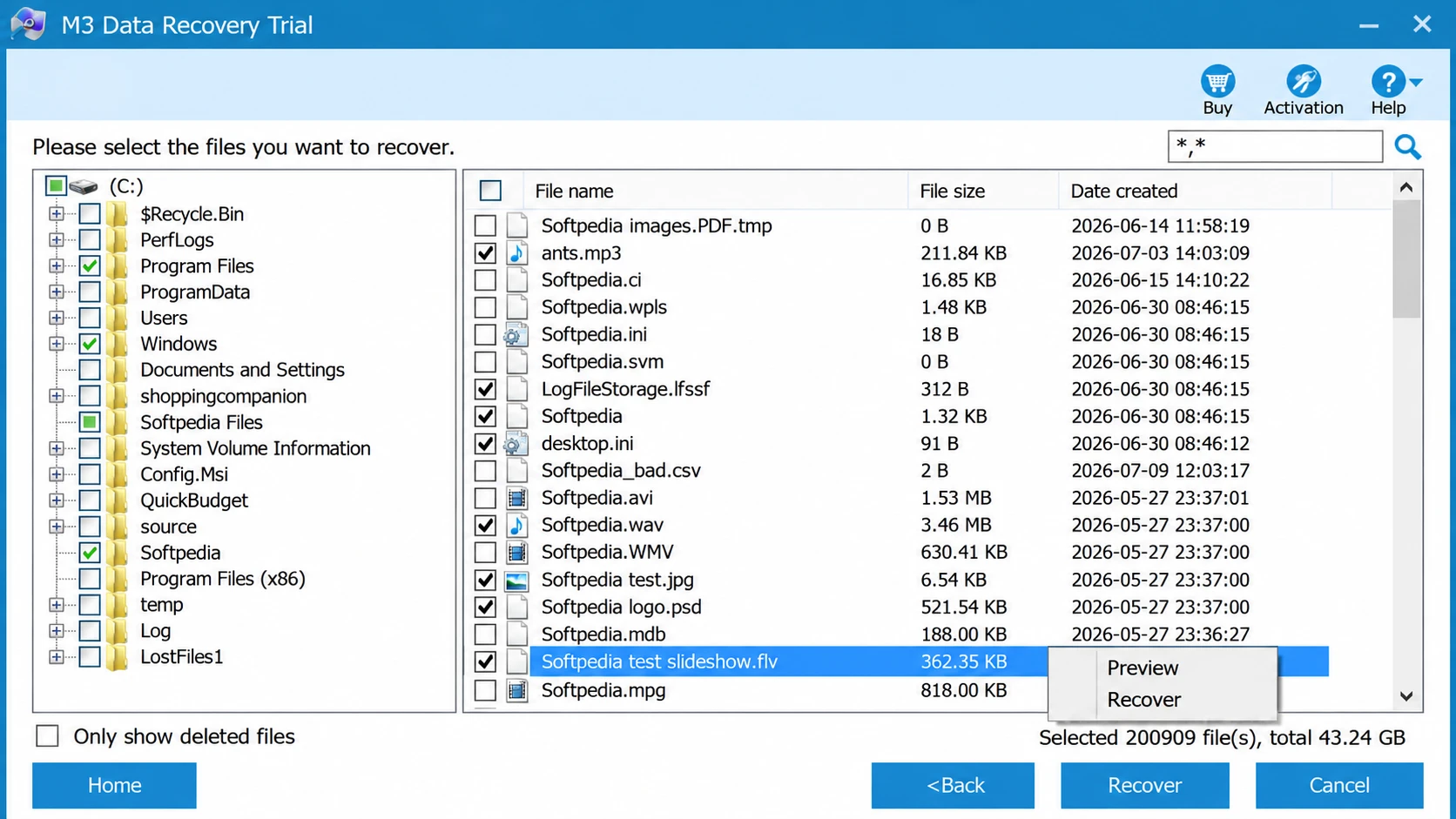
によると、 official M3 support center, m3datarecovery.com now operates as an affiliate seller of iBoysoft products. Furthermore, the M3 download center lists iBoysoft Data Recovery for Windows V4.3.
Is M3 Data Recovery the Same as iBoysoft?
The historical M3 application and the current iBoysoft download should not automatically be treated as identical. Although both target common recovery problems, their interfaces, licenses, and trial capabilities may differ.
For example, an older review might describe a free recovery allowance or interface that no longer matches today’s installer. Therefore, always check the exact product name and version before purchasing.
For a more detailed evaluation of the current iBoysoft software, see our separate iBoysoft Data Recovery for Windows review. This article focuses specifically on the M3 brand, its historical evidence, and what current users should consider.
M3 Data Recovery Features and Compatibility
The M3 website describes recovery capabilities for several logical data-loss situations.
Deleted Files, Formatted Drives, and RAW Recovery
Its documented functions include:
- Recovering accidentally deleted documents, photos, and videos.
- Scanning quick-formatted partitions.
- Finding files on RAW or inaccessible volumes.
- Locating data associated with missing partitions.
- Supporting common Windows file systems, including NTFS, FAT32, and exFAT.
For instance, damaged NTFS metadata can prevent Windows from displaying files even when some content remains intact. Our NTFS recovery guide explains how these records affect recovery.
Similarly, a RAW partition may still contain recoverable data. Therefore, follow a safe RAW partition recovery procedure before formatting or repairing the volume.
However, recovery depends on whether the original data remains accessible.
BitLocker Recovery and Windows Compatibility
The M3 website also provides separate BitLocker recovery products. However, encrypted files require valid access. In most situations, you need the correct password or 48-digit recovery key.
The current download center lists Windows 11, Windows 10, and earlier Windows versions for its recovery offerings. Nevertheless, compatibility depends on the exact application and edition.
M3 Data Recovery Free Trial and Pricing
を検索している多くのユーザーがいる。 M3 data recovery free download want to know whether the software can actually restore files without payment.
However, free scanning and free recovery are different capabilities. The M3 homepage describes scanning and preview functions in its trial edition. Consequently, users should verify the actual free restoration allowance before purchasing.
As checked on October 12, 2026:
版 | Advertised price | ライセンス |
Trial | Free download | Trial limitations apply |
ベーシック | US$59.95 excluding VAT | 1 month, 1 PC |
プロフェッショナル | US$159 excluding VAT | 1 month, 1 PC |
Meanwhile, the separate M3 Store page advertises iBoysoft Data Recovery for Windows starting at US$69.95. These prices refer to different sales-page offers and should not be compared without verifying the exact editions.
Before paying, check the final checkout price, renewal conditions, covered computers, and refund policy. For more context, our データ復旧フリーウェアガイド explains why free scanning does not always mean free restoration.
How We Evaluated M3 Data Recovery
To assess M3 Data Recovery, we examined the current product documentation, recovery capabilities, licensing conditions, and technical limitations. Our evaluation uses five consistent criteria: recovery coverage, free restoration limits, compatibility, usability, and pricing.
However, historical test results cannot establish the performance of the current iBoysoft download.
Recovery Testing Methodology
A controlled comparison should use identical files and equivalent storage conditions. Our proposed test covers two Windows 11 scenarios:
シナリオ | テスト環境 | Key measurements |
削除されたファイルの復元 | NTFS HDD | Found, recovered, and intact files |
クイックフォーマットの復元 | exFAT USB drive | Recovered files and folder integrity |
The proposed dataset contains 40 DOCX, JPG, MP4, and ZIP files. Each test would run three times from equivalent baseline disk images.
Results should distinguish Found, Previewable, Recovered, and Intact files. Additionally, SHA-256 checksums can verify whether recovered files exactly match their originals.
Evidence limitation: We have not conducted this head-to-head test. Therefore, this article does not report comparative recovery rates. The following section presents separately sourced historical M3 testing instead.
Our M3 Data Recovery Evaluation: Features, Limitations, and Verdict
私たちの M3 Data Recovery review focuses on the factors that matter most when choosing Windows recovery software: supported recovery scenarios, file preview, usability, licensing, and recovery limitations.
We evaluated the product’s published capabilities and current distribution information. However, we did not conduct a new hands-on recovery benchmark, so the findings below represent our technical assessment rather than measured recovery success rates.
Recovery Capabilities and File Integrity
M3 データ復旧 targets common logical data-loss scenarios, including accidental deletion, formatted partitions, and RAW drives.
Its recovery approach is suitable for examining storage devices that Windows can still recognize. However, the software’s ability to locate files depends on the condition of the original data and file-system metadata.
From a technical perspective, we consider three factors particularly important:
- File detection: Whether the scan identifies the missing files rather than unrelated entries.
- Preview availability: Whether users can inspect supported files before purchasing.
- File integrity: Whether recovered documents, photos, and videos remain usable after restoration.
Importantly, finding a file does not guarantee successful recovery. Users should open recovered files to verify their contents.
Usability and Licensing Considerations
The historical M3 software organized recovery tasks into dedicated scanning modes. However, the current M3 website distributes iBoysoft-branded applications, so older interface descriptions may no longer match the available installer.
Additionally, free scanning and file restoration are not necessarily the same benefit. Users should verify the trial’s export restrictions before purchasing a license.
Our Verdict
Based on our evaluation, M3-related recovery software remains an option for common Windows logical data-loss scenarios.
However, the differences between historical M3 versions and current iBoysoft downloads make product verification especially important.
We recommend checking the actual installer, supported file systems, preview capabilities, and licensing conditions before deciding whether the software meets your recovery needs.
Without a controlled comparison, we cannot conclude that M3 recovers more files or performs faster than competing applications.
What Can We Conclude?
These observations support three conclusions.
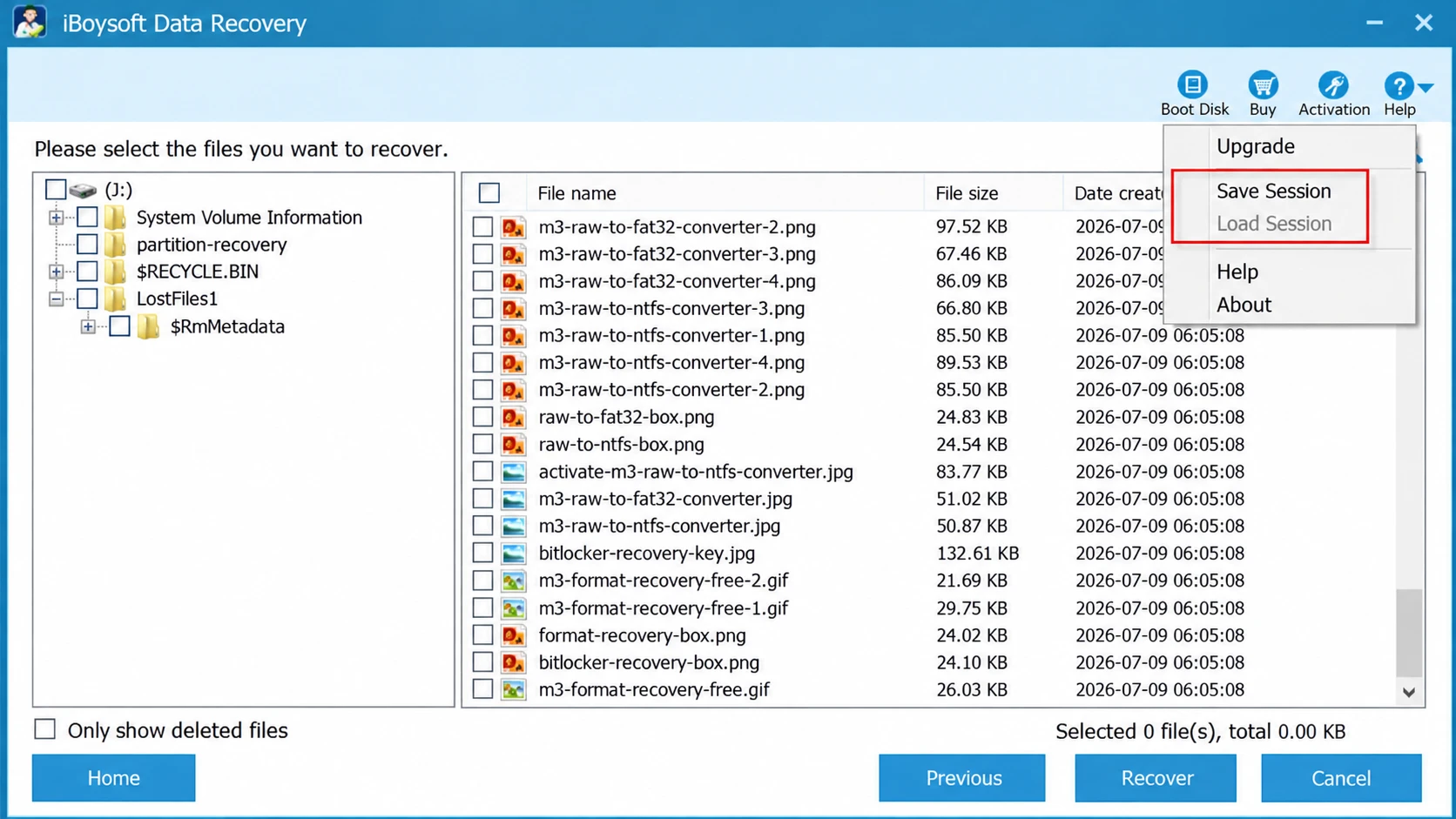
First, a quick scan can identify numerous file entries without successfully locating the user’s target files.
Second, scanning speed does not establish whether recovered files remain intact.
Third, older results cannot establish performance for the current iBoysoft software.
Therefore, this review does not claim that M3 performs better or worse than Magic Data Recovery without equivalent independent testing.
M3 Data Recovery Pros and Cons
Based on official documentation and the historical independent evaluation, M3 データ復旧 has several strengths and limitations.
長所
- Covers common logical recovery scenarios.
- Provides scanning functions for deleted and inaccessible files.
- Supports widely used Windows file systems.
- Has historical independent testing available for reference.
短所
- Historical M3 versions differ from current iBoysoft downloads.
- Trial restrictions and prices require careful verification.
- Historical testing reported missing target files and incomplete fragments.
- Current comparative recovery performance remains unverified.
評決: The current M3 website offering may suit common logical recovery tasks, but users should verify the exact product and trial conditions before paying.
M3 Data Recovery vs. Magic Data Recovery
For Windows users considering M3 data recovery alternatives, Magic Data Recovery provides another option for accidental deletion, formatting, and applicable logical storage errors.
Developed by Amagicsoft, it offers up to 500MB of free file recovery. However, that advantage concerns the free recovery allowance, not a proven difference in success rates.
Feature and Licensing Comparison
特徴 | Current M3 website offering | Magic Data Recovery |
ウィンドウズ11 | サポート | サポート |
削除されたファイルの復元 | 利用可能 | 利用可能 |
フォーマットされたドライブの回復 | 利用可能 | 利用可能 |
RAW recovery | Related functions available | Supported logical scenarios |
無料スキャン | 利用可能 | 利用可能 |
Free restoration | Verify downloaded edition | 最大500MB |
Physical damage repair | Not supported | Not supported |
Head-to-head performance | Not verified | Not verified |
によると、 Magic Data Recovery 購入ページ, the advertised PRO offers on October 12, 2026, included:
版 | Advertised price | ライセンス |
無料 | 無料 | Up to 500MB recovery |
PRO — 1 Year | US$49.95 promotional price | 1 year, 1 PC |
PRO — Perpetual | US$69.95 promotional price | Perpetual license, 1 PC |
These prices may change. Furthermore, a monthly M3 license and an annual or perpetual Magic Data Recovery license represent different purchasing commitments.
Magic Data Recovery Strengths and Limitations
最高だ: Windows users who want a guided process for restoring smaller collections of files.
強み
- Up to 500MB of free restoration.
- Straightforward drive selection, scanning, preview, and recovery.
- Support for common file types and logical data-loss scenarios.
- Annual and perpetual purchasing options.
制限事項
- Larger restoration tasks may require a paid license.
- Overwriting and SSD TRIM can make recovery impossible.
- The software cannot repair physically damaged drives.
- It cannot bypass properly implemented BitLocker encryption without valid access.
評決: Magic Data Recovery is worth considering when its free allowance and Windows workflow match your needs. Nevertheless, current evidence does not establish superior recovery performance.
どの復旧ツールを選ぶべきか?
The right choice depends on the data-loss scenario.
状況 | 推奨される対応 |
Evaluating historical M3 | Verify the current iBoysoft installer |
Recovering less than 500MB on Windows | Consider Magic Data Recovery |
Recovering after formatting | Compare compatible tools and preview results |
Working with RAW storage | Recover important files before repair |
Accessing BitLocker-encrypted data | Locate the correct key first |
Dealing with a clicking HDD | Seek professional recovery assistance |
For example, someone who accidentally deletes several Word documents from a healthy NTFS drive may prioritize a clear free restoration allowance.
Conversely, a failing mechanical drive requires a different response. Additional software scans may increase the risk of further damage.
When You Should Not Buy Recovery Software
Before purchasing M3 データ復旧 or an alternative, confirm that software recovery is appropriate.
Existing backups: Check the Recycle Bin, OneDrive version history, and Microsoft File History 第一に.
Physical drive problems: Clicking noises, repeated disconnections, or unstable detection may require professional recovery.
Overwriting or SSD TRIM: Once the storage device removes the original content, software cannot reconstruct it. Microsoft’s TRIM documentation explains the underlying behavior.
Additionally, damaged NTFS metadata may require careful analysis. Our Master File Table recovery guide explains the difference between recovery and file-system repair.
まず回復、次に修復。.
Magic Data Recoveryで失われたファイルを復元する方法
If Magic Data Recovery fits your situation, follow these five steps. Throughout the process, avoid writing new data to the affected drive.
ステップ1: Magic Data Recoveryのダウンロードとインストール
ダウンロード Magic Data Recovery より 公式製品ページ. Then install it on another drive to reduce the risk of overwriting recoverable files.
ステップ2:選択 その Drive Containing Lost Files
Open the software and locate the affected drive or partition. Next, select the location where your files disappeared and begin scanning.
ステップ3:スキャン 回復可能 ファイル
The software automatically starts an Advanced Scan and displays discovered files as it progresses. Allow the scan to finish while avoiding new writes to the source drive.
ステップ4: プレビュー 復旧前のファイル
Review the results and preview supported files. For example, inspect important documents or photos to identify the content you need.
However, a successful preview does not guarantee complete file integrity.
ステップ5: 回復する ファイルを安全な場所へ
Select the target files and click 回復する. Save them to another healthy drive rather than the original source. Finally, open the restored files to verify their contents.

Conclusion: Is M3 Data Recovery Worth It?
M3 データ復旧 remains relevant for users investigating deleted files, formatted drives, and RAW partitions. However, its connection with iBoysoft makes product identity, licensing, and version verification essential.
If you want to evaluate M3, start with the current trial and examine its scanning capabilities before paying.
For smaller Windows recovery tasks, we recommend considering Magic Data Recovery because it offers up to 500MB of free restoration, a straightforward recovery workflow, and clearly published license options.
Nevertheless, neither application can guarantee recovery of overwritten data or files lost through physical damage. For additional guidance, visit our ハードドライブ・ソリューション.
Windows 7/8/10/11およびWindows Serverをサポート
FAQs About M3 Data Recovery
M3 Data Recoveryは安全にダウンロードできますか?
M3データ復元は完全に無料ですか?
M3 Data RecoveryはiBoysoftと同じものですか?
M3 Data RecoveryはWindows 11に対応していますか?
M3 Data Recoveryでは、RAWドライブからファイルを復元できますか?
M3 Data Recoveryでは、キーがなくてもBitLockerで暗号化されたファイルを復元できますか?
Windows向けのM3 Data Recoveryに代わる最適なツールは何ですか?

バシリイは、この分野で約10年の実務経験を持つデータ復元のスペシャリストです。そのキャリアを通じて、彼は削除されたファイル、フォーマットされたドライブ、失われたパーティション、RAWファイルシステムを含む何千もの複雑なケースの解決に成功してきました。彼の専門知識は、16進エディタなどの専門ツールを使用した手動復元方法と、復元ソフトウェアを使用した高度な自動化ソリューションの両方をカバーしています。バシリの使命は、信頼できるデータ復元知識をITプロフェッショナルと一般ユーザーの双方が利用できるようにし、貴重なデジタル資産を保護できるようにすることです。.