
Flash Memory vs HDD: Which Is Better in 2026?
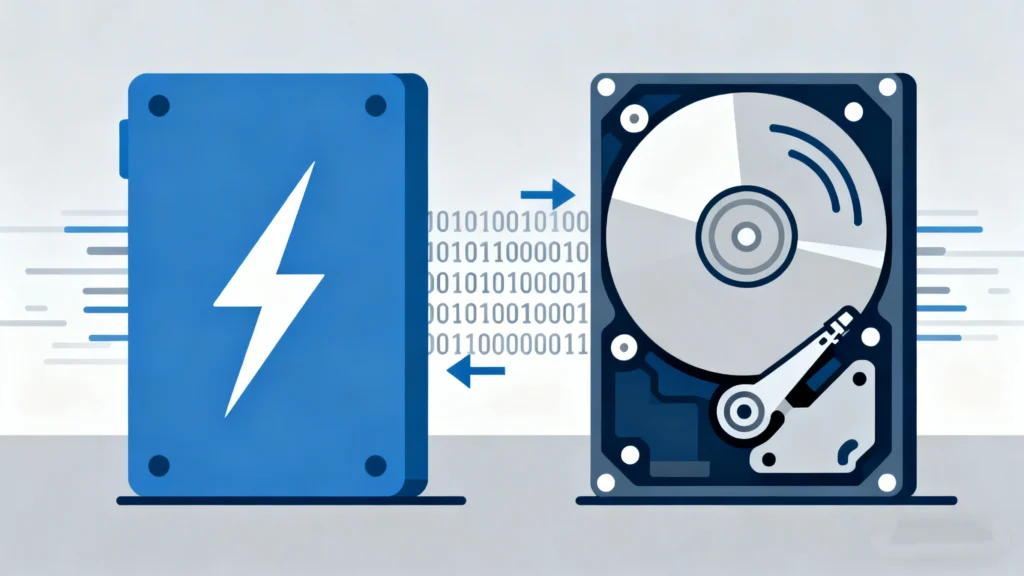
Choosing between flash memory vs hdd has become a pivotal decision for anyone buying a new computer, upgrading a server, or managing professional data. While the tech world has largely shifted toward solid-state solutions, the traditional mechanical drive still holds its ground in specific industries. Understanding the fundamental differences between these two is not just about speed; it is about reliability, longevity, and protecting your digital assets.
In this guide, we will break down the technical architecture of both mediums, compare their real-world performance, and address the critical issue of data loss. Whether you are dealing with a corrupted USB flash drive or a clicking mechanical hard drive, knowing how these devices work—and how to rescue your files—is essential.
Table of Contents
What is Flash Memory? An Overview
Flash memory is a type of non-volatile electronic storage that uses NAND chips to retain data without moving parts. Unlike older storage forms, it can be electrically erased and reprogrammed. You most commonly encounter this technology in SSDs (Solid State Drives), USB flash drives, and SD cards.
Because it relies on electrons trapped in floating gates rather than physical motion, flash storage is incredibly fast and resistant to physical shock. This makes it the gold standard for mobile devices, high-end laptops, and enterprise-level data centers where latency is a deal-breaker.
What is an HDD (Hard Disk Drive)?
The HDD (Hard Disk Drive) is the “old guard” of the storage world. It stores data on rapidly rotating magnetic platters. A mechanical arm with a read/write head moves across these platters to access information, much like a vinyl record player.
While the presence of moving parts makes the HDD more susceptible to mechanical failure, it remains the most cost-effective way to store terabytes of “cold data”—information that you do not need to access instantly but want to keep long-term, such as surveillance footage or massive media archives.
Flash Memory vs. HDD: The Ultimate Comparison
To help you make an informed decision, we have compared these technologies across four critical performance metrics.
Feature | Flash Memory (SSD/USB) | HDD (Mechanical Drive) |
Read/Write Speed | Extremely High (up to 7,000+ MB/s) | Moderate (up to 150-250 MB/s) |
Durability | High (Shock resistant) | Low (Sensitive to movement) |
Noise Level | Silent | Audible (Spinning/Clicking) |
Cost per GB | Higher | Significantly Lower |
1. Speed and Performance
When comparing flash memory vs hdd performance, the winner is clear. Flash memory offers near-instantaneous boot times and file transfers. An SSD can load a heavy application like Adobe Premiere or a modern AAA game in seconds, whereas an HDD might take minutes due to “seek time”—the physical time it takes the head to find the data on the spinning platter.
2. Durability and Portability
Because a flash drive has no moving parts, it can survive a drop from a desk without losing data. In contrast, an HDDis fragile. If a hard drive is bumped or dropped while the platters are spinning, the read/write head can “crash” onto the surface, causing permanent physical damage and data corruption.
3. Lifespan and Reliability
Interestingly, both have unique failure points. Flash storage has a limited number of write cycles (P/E cycles). Once a cell is “worn out,” it can no longer store new data. Conversely, HDDs suffer from mechanical wear and tear. Over several years, the motor may fail or the lubricant on the spindle may dry up, leading to drive failure.
Use Case Analysis: Which One Suits You?
Why Choose Flash Memory?
You should prioritize flash memory if you are a professional who requires high-speed data throughput. This includes photographers, video editors, and gamers. Furthermore, if you travel frequently, the shock resistance of a USB flash driveor an external SSD provides peace of mind that an HDD simply cannot offer.
Why Choose an HDD?
Traditional hard drives are the superior choice for massive storage needs on a budget. If you need to store 20TB of movie files or backup your entire office’s history, an HDD array is significantly more affordable than an equivalent flash memory setup.
The Dark Side of Storage: Data Loss Risks
Despite the technological marvels of modern storage, neither is invincible. Data loss remains a constant threat, though the causes vary between the two.
- Flash Memory Risks: These devices are prone to file system errors, controller failure, and “bit rot.” Because they are frequently plugged and unplugged, USB flash drive users often face “Drive not formatted” or “RAW” errors due to improper ejection.
- HDD Risks: Beyond mechanical crashes, HDDs often develop bad sectors. Over time, these sectors become unreadable, leading to corrupted files or a system that refuses to boot.
Introducing Magic Data Recovery: Your Safety Net
If you find yourself staring at an empty folder or a “disk needs to be formatted” prompt, don’t panic. Regardless of whether you chose flash memory vs hdd, data recovery is often possible with the right tools.

Magic Data Recovery is a professional-grade solution designed to bridge the gap between technical complexity and user-friendly restoration. It excels in scenarios where the operating system can no longer “see” your files.
- Versatile Recovery: Whether you accidentally deleted photos from a USB flash memory stick or formatted a secondary HDD partition, this tool scans the deep layers of the storage medium to reconstruct lost data.
- Fixing Logical Errors: It is particularly effective at resolving file system errors and recovering data from “RAW” drives that Windows or macOS refuse to open.
- Optimized for Flash: Unlike generic tools, Magic Data Recovery uses advanced algorithms to handle the way SSDs and flash chips manage data, ensuring a higher success rate for flash-based media.
If you are currently experiencing data loss on your flash storage or hard drive, trying a specialized recovery tool is the most reliable first step before considering expensive physical lab services.
Supports Windows 7/8/10/11 and Windows Server
Conclusion
FAQs
Is flash memory the same as a hard drive?
What's better, a hard drive or a flash drive?
What is the advantage of flash memory over a hard disk?
What are the disadvantages of flash storage?
Is flash memory better than SSD?
How long can data be stored on a flash drive?
What has replaced flash drives?
Can I use a flash drive as a hard drive?
Can you delete stuff off of a flash drive?

Jason is a data recovery and technical support specialist with over 15 years of hands-on experience. He has worked extensively with frontline users, troubleshooting difficult data loss cases and providing practical recovery solutions for accidental deletion, formatted drives, damaged file systems, lost partitions, system failures, and other recovery emergencies. His expertise also includes backup and restoration, file repair, and disaster recovery, with a strong emphasis on safe, reliable, and technically accurate guidance.