
Kingston Flash Memory Drive: Features & Fixes

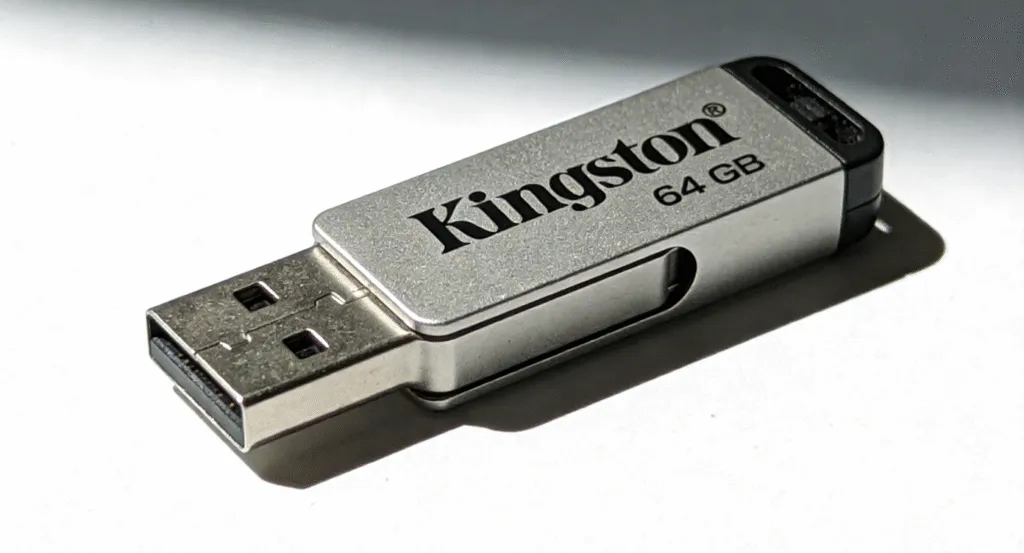
Kingston flash memory drives are some of the most trusted and widely used portable storage devices available today. Known for their reliability and affordability, Kingston offers a wide range of flash drives that cater to various needs, from basic file storage to high-performance data transfer. Whether you need a simple device for storing documents or a high-capacity drive for media files, Kingston’s flash memory solutions offer speed, convenience, and durability.
In this article, we’ll explore the benefits, features, and use cases of Kingston flash memory drives. We’ll also dive into troubleshooting tips for common issues, ensuring you get the most out of your Kingston USB storage solution.
Table of Contents
Key Features of Kingston Flash Memory Drives
Kingston flash memory drives come packed with features that make them ideal for personal and professional use:
1. Speed and Performance
Kingston flash memory drives are equipped with USB 3.0 and USB 3.1 technology, providing fast data transfer rates. Whether you’re working with large video files, high-resolution images, or multiple documents, these drives significantly reduce wait times and enhance workflow. For instance, the Kingston DataTraveler series offers speeds up to 100MB/s read and 70MB/s write, ensuring a fast and efficient transfer experience.
2. Durability
Kingston flash memory drive designs its flash drives with durability in mind. Their drives are shock-resistant, making them ideal for travel or on-the-go use. These drives can withstand drops and bumps, ensuring that your data remains intact even if the device experiences physical impact. Additionally, many models are water and dust-resistant, providing extra protection against the elements.
3. Compatibility
Kingston flash memory drives are compatible with a variety of operating systems, including Windows, macOS, and Linux. This makes them a versatile option for anyone who needs a reliable storage solution that works across different devices. Whether you’re using a laptop, desktop, or even certain smartphones and tablets, Kingston drives are ready to go.
4. Multiple Capacities
Kingston offers flash drives in various capacities to suit different needs. Whether you need a small 8GB drive for basic file transfer or a 256GB model for large-scale media storage, Kingston has options for every requirement. Their drives also offer an excellent balance between price and storage, ensuring you get great value for your money.
5. Security Features
Many Kingston flash memory drives come equipped with security features, such as password protection and hardware-based encryption. This is crucial if you need to store sensitive information on the go. The Kingston IronKey series, for example, is designed with military-grade encryption to keep your data safe from unauthorized access.
Why Choose Kingston Flash Memory Drives?
Kingston has been a leader in the memory and storage solutions industry for over 30 years. Their dedication to innovation and quality has earned them a strong reputation for providing dependable products. Here are some reasons why Kingston flash memory drives continue to be a top choice for both personal and professional use:
- Proven Reliability: Kingston’s products undergo extensive testing to ensure they meet the highest standards of quality and performance.
- Affordable Pricing: Kingston offers flash drives at competitive prices, making them a cost-effective option for those who want reliable storage without breaking the bank.
- Wide Range of Options: From budget-friendly models to high-performance drives with advanced features, Kingston’s product range caters to a variety of needs.
- Trusted Brand: Kingston is recognized globally as a trusted provider of flash memory products, making it easy to rely on their products for secure and efficient data storage.
Troubleshooting Common Kingston Flash Drive Issues
While Kingston flash memory drives are generally reliable, users may occasionally encounter issues. Here are some common problems and how to troubleshoot them:
1. The Drive Not Detected
If your computer cannot recognize Kingston flash drive, try these troubleshooting steps:
- Check the USB port: Try plugging the Kingston flash memory drive into a different USB port to rule out the possibility of a faulty connection.
- Update drivers: Ensure that your system’s USB drivers are up to date.
- Test on another device: try connecting the drive to another computer or laptop to see if the issue persists.
- Format the drive: If the drive appears in Device Manager but is not accessible, you may need to format the drive (note that this will erase all data).
2. Slow Transfer Speed
- Use a USB 3.0 or USB 3.1 port: Ensure that you’re using a compatible USB 3.0 or 3.1 port for maximum speed.
- Check for malware: Sometimes, malware or viruses can slow down transfer speeds. Run an antivirus scan to ensure your system is clean.
- Try a different cable: A faulty or low-quality USB cable can reduce transfer speeds. Use the cable provided with the drive or a high-quality replacement.
3. Data Loss
If you accidentally delete files, formatted the drive, or your Kingston flash memory drive becomes corrupted, a professional software like Magic Data Recovery can help recover your lost data. This reliable software can retrieve lost files from the drives, even if the drive is not detected by your computer.
Conclusion
Kingston flash memory drives remain an excellent choice for users who require dependable, fast, and portable data storage solutions. With a range of capacities, enhanced security features, and a solid reputation for reliability, Kingston continues to meet the needs of users across the globe. If you encounter any issues with your Kingston drive, tools like Magic Data Recovery can help recover lost files and get your data back.
Supports Windows 7/8/10/11 and Windows Server
FAQs about Kingston Flash Memory Drive
Is there a difference between a USB stick and a flash drive?
Why are flash drives becoming obsolete?
Which brand of USB flash drive is the best?
Why is my Kingston flash drive not detected?
What is the lifespan of a flash drive?
Should I get a USB A or C flash drive?
Do flash drives go bad if not used?
What has replaced flash drives?

Vasilii is a data recovery specialist with around 10 years of hands-on experience in the field. Throughout his career, he has successfully solved thousands of complex cases involving deleted files, formatted drives, lost partitions, and RAW file systems. His expertise covers both manual recovery methods using professional tools like hex editors and advanced automated solutions with recovery software. Vasilii's mission is to make reliable data recovery knowledge accessible to both IT professionals and everyday users, helping them safeguard their valuable digital assets.