
Hard Drive Recovery After Format: Step-by-Step Guide
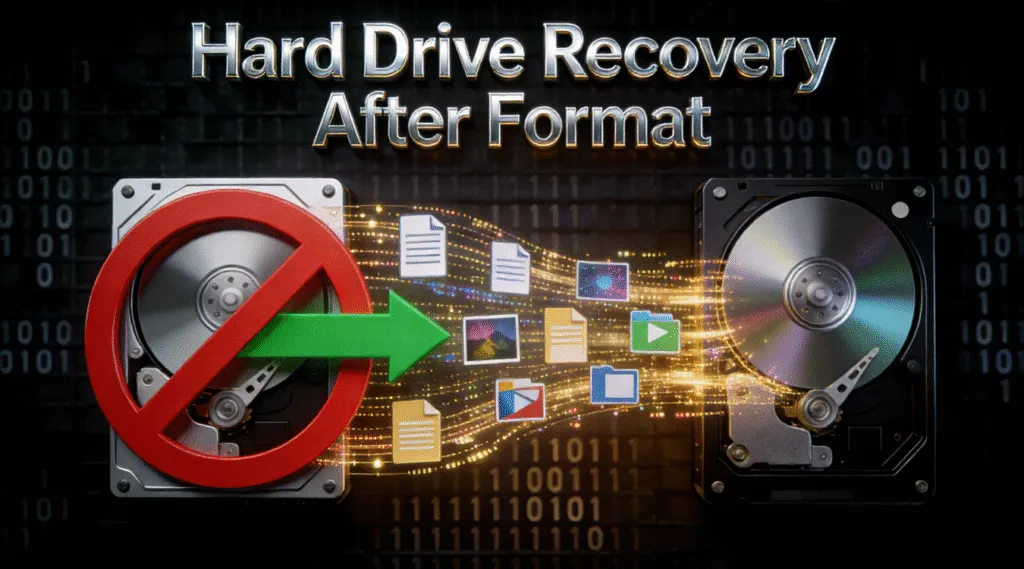
Formatting a hard drive often feels like a point of no return. Whether it happened during a system reinstall, disk cleanup, or by mistake, many users immediately assume their files are permanently gone. In reality, hard drive recovery after format is often still possible—if the right steps are taken early.
When you format a drive, most operating systems only rebuild the file system structure rather than instantly erasing the underlying data. This means photos, documents, videos, and even entire partitions may remain recoverable until they are overwritten. Understanding how formatted data loss works is the key to choosing a safe and effective recovery method.
In this guide, you will learn how formatted data loss happens, what affects hard drive recovery success, and how to recover files safely using reliable solutions such as Magic Data Recovery, without risking further damage to your hard drive.
Supports Windows 7/8/10/11 and Windows Server
Wondering if your files can be recovered? Find out in seconds with our quick check below.
Data Recovery Assessment
Answer 3 quick questions to estimate your recovery chances
Table of Contents
What Happens to Data After a Hard Drive Is Formatted
When a hard drive is formatted, the operating system removes references to existing files and recreates a clean file system structure. However, the actual data blocks usually remain untouched at first.
In simple terms:
- The files become invisible, not immediately destroyed
- The storage space is marked as “available”
- New data can overwrite old data at any time
This is why hard drive recovery after format depends heavily on timing and user behavior. The sooner recovery starts, the higher the chance of success.
Can You Really Run Hard Drive Recovery After Format?
Yes, but recovery success depends on several critical factors. Not all formatting scenarios are the same, and understanding the difference can help you decide whether recovery is worth attempting.
Quick Format vs Full Format
A quick format only deletes file system records and leaves data intact. In most cases, recovery software can scan the drive and rebuild lost files.
A full format, on the other hand, may overwrite sectors with zeros, especially on newer systems. While recovery becomes more difficult, partial recovery may still be possible if overwriting was incomplete.
In general:
- Quick format → high recovery potential
- Full format → limited but possible recovery
Factors That Affect Recovery Success
Several variables determine whether recovering data after formatting a hard drive will succeed:
- Whether new files were written after formatting
- The type of drive (HDD vs SSD)
- The file system used (NTFS, FAT32, exFAT)
- How long the drive continued to be used
For SSDs, features like TRIM may reduce recovery chances. Traditional HDDs usually offer better results.
What You Should Immediately Do for Hard Drive Recovery After Format
Taking the wrong action after formatting can permanently destroy recoverable data. To protect your chances of hard drive recovery after format, follow these best practices:
- Stop using the formatted drive immediately
- Do not reinstall an operating system on the same drive
- Avoid copying or saving new files
- Do not attempt repeated formatting
These steps prevent overwriting, which is the most common reason recovery fails.
How to Perform Hard Drive Recovery After Format (Step-by-Step)
Manual recovery methods cannot reconstruct lost file systems after formatting. Reliable recovery requires advanced scanning algorithms capable of locating raw data and rebuilding file structures.
Professional tools are designed to:
- Detect lost partitions and file signatures
- Scan deeply beyond deleted indexes
- Preview files before recovery
This is where specialized software becomes essential.
How to Run Hard Drive Recovery After Format with Magic Data Recovery
Magic Data Recovery is designed specifically for scenarios like formatted disks, deleted partitions, and corrupted file systems. It balances deep scanning capabilities with an interface that remains accessible to non-technical users. Here are the steps:
Step 1: Download and Install Magic Data Recovery
Start by downloading Magic Data Recovery and installing it on a disk other than the formatted or affected hard drive. This is a critical precaution, as installing software on the same drive may overwrite recoverable data and reduce the success rate of hard drive recovery after format.
Supports Windows 7/8/10/11 and Windows Server
Step 2: Choose the Formatted Hard Drive to Scan
After launching the program, you will see all detected storage devices on the main screen. Select the formatted hard drive or partition where data was lost, then initiate the scan process.

Step 3: Scan the Drive for Recoverable Data
Magic Data Recovery automatically performs an in-depth scan to locate files remaining after formatting. During the scan, it displays recoverable files and folders in real time, allowing you to monitor progress without interrupting the process.

Step 4: Preview Files Before Restoring
Once the scan is complete, use the built-in preview feature to verify file integrity. Previewing documents, images, or videos helps confirm that the data is still usable and ensures you only recover what is truly needed.

Step 5: Recover Files to a Secure Location
Select the files you want to restore and save them to a different drive or external storage device. Avoid restoring data to the original formatted hard drive, as this could overwrite remaining data and compromise further recovery attempts.

This approach minimizes risk while maximizing recovery accuracy.
Why Magic Data Recovery Is a Reliable Choice for Hard Drive Recovery After Format
Magic Data Recovery addresses the most common challenges of hard drive recovery after format:
- Supports formatted NTFS, FAT32, and exFAT drives
- Advanced scan mode for formatted and inaccessible disks
- File preview reduces unnecessary recovery attempts
- Stable performance even on large-capacity drives
For users who value safety, transparency, and controlled recovery, it provides a dependable solution without unnecessary complexity.
Common Mistakes That Reduce Recovery Success
Many recovery attempts fail due to avoidable errors rather than technical limitations. The most frequent mistakes include:
- Installing recovery software on the formatted drive
- Repeated scanning with multiple tools
- Continuing normal usage before recovery
- Saving recovered files back to the same disk
Avoiding these errors significantly improves recovery outcomes.
Conclusion
Formatting a hard drive does not automatically mean your data is lost forever. In many cases, hard drive recovery after format remains achievable when the right steps are taken early and carefully.
By avoiding common mistakes, understanding how formatting affects data, and using reliable tools, users can significantly improve their chances of success. Among available solutions, Magic Data Recovery stands out for its balance of recovery depth, usability, and controlled restoration process. If you are looking for a practical and trustworthy hard drive recovery solution to recover files from a formatted hard drive, Magic Data Recovery offers a proven path forward without unnecessary risk.
Supports Windows 7/8/10/11 and Windows Server
FAQs About Hard Drive Recovery After Format
How to recover data from hard drive after formatting?
Can you recover data after a full format?
What to do after formatting a hard drive?
How do professionals recover data from a hard drive?
How do I unformat a hard drive?
Is it possible to recover data from a wiped hard drive?
How to restore after formatting?

Vasilii is a data recovery specialist with around 10 years of hands-on experience in the field. Throughout his career, he has successfully solved thousands of complex cases involving deleted files, formatted drives, lost partitions, and RAW file systems. His expertise covers both manual recovery methods using professional tools like hex editors and advanced automated solutions with recovery software. Vasilii's mission is to make reliable data recovery knowledge accessible to both IT professionals and everyday users, helping them safeguard their valuable digital assets.