
How to Recover CHK Files from FOUND.000 on Windows

Found files such as FILE0000.CHK inside a FOUND.000 folder after running CHKDSK? These files may contain recoverable data from photos, documents, videos, or other files. This guide explains how to recover CHK files and restore them to their original format using Magic Data Recovery with hard drive recovery or manual file-extension changes.
Supports Windows 7/8/10/11 and Windows Server
Table of Contents
1. What Causes CHK Files?

2. Are CHK Files Permanently Lost?
3. How to Recover CHK Files
a. Using Magic Data Recovery Software

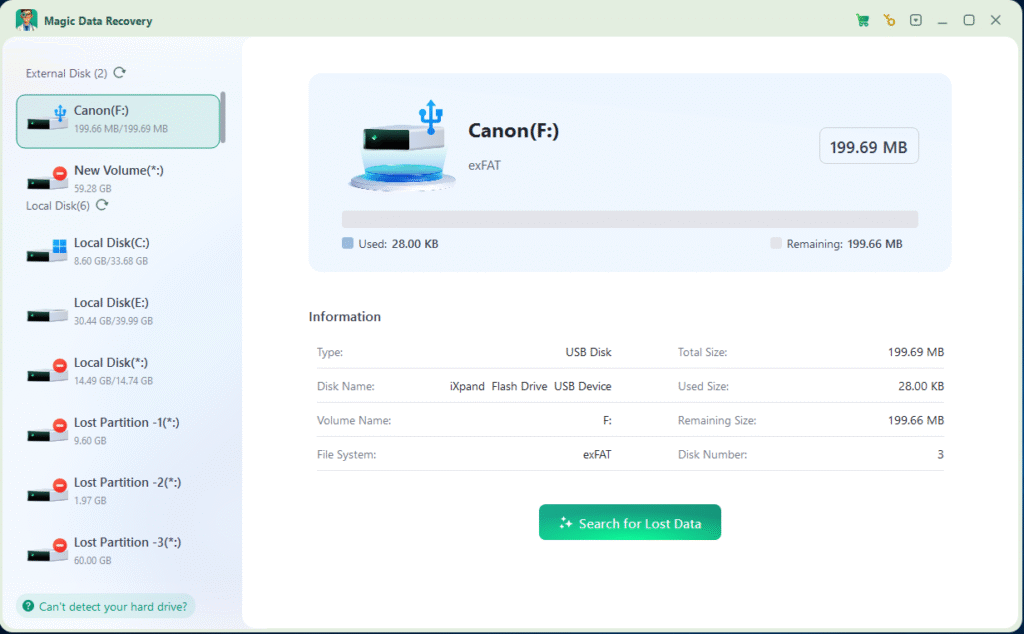
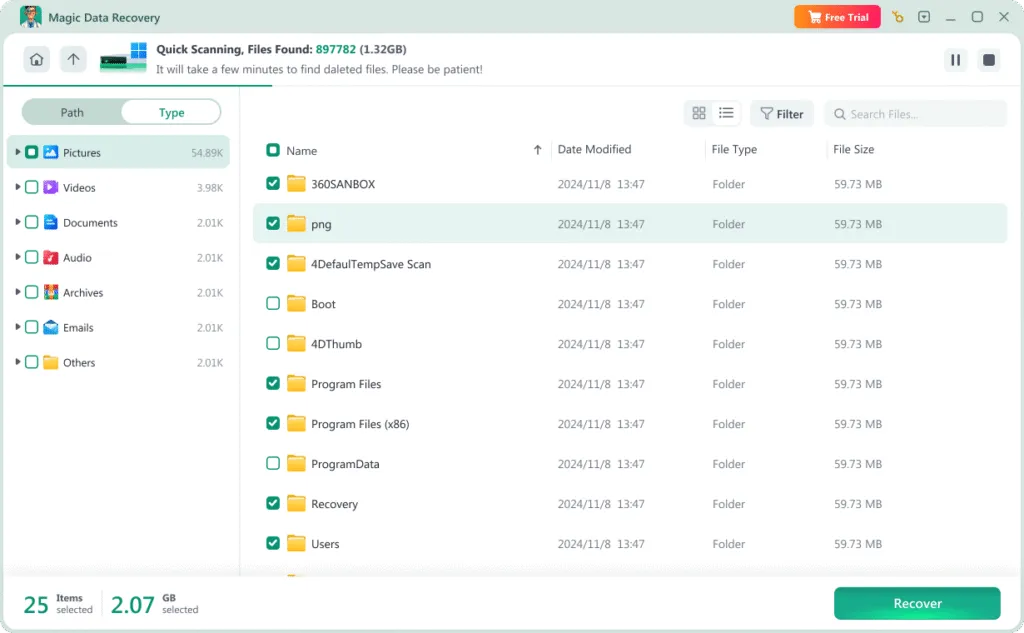
Magic Data Recovery scans the affected drive for recoverable original files when CHKDSK has replaced file names or directory entries with CHK fragments. It supports preview and batch recovery, allowing you to restore selected files to a safe location.
i. Advantages:
Supports batch recovery, allowing users to restore multiple CHK files at once.
Intuitive interface makes it easy for non-technical users.
Often includes built-in preview and file identification features.
ii. Steps to Use:
① Download and install Magic Data Recovery.
Supports Windows 7/8/10/11 and Windows Server


b. Manually Changing File Extensions
If you know the original file type of the CHK file, you can try manually renaming the extension.
i. Disadvantages:
Time-consuming and impractical when dealing with a large number of files.
Requires prior knowledge of the original file type (e.g., .docx, .jpg, .mp4).
Incorrect extension changes may lead to further data corruption.
ii. Manual Steps:

① Open the folder containing the CHK files (usually FOUND.000).
② Enable file extension visibility in Folder Options.
③ Right-click the CHK file, select “Rename,” and change the extension to the correct format.
④ Test the file by opening it with an appropriate application.
4. Conclusion
Supports Windows 7/8/10/11 and Windows Server
FAQ
What is a CHK file?
Can I recover CHK files for free?
Is it safe to use a CHK file converter?
Where are CHK files stored in Windows?
Can I convert a CHK file back to JPG, DOCX, or MP4?
Can CHK files be recovered with their original names?
Should I delete the FOUND.000 folder and its CHK files?
What should I do if renaming a CHK file does not work?

Erin Smith is recognized as one of the most professional writers at Amagicsoft. She has continually honed her writing skills over the past 10 years and helped millions of readers solve their tech problems.