

Magic Recovery Key
License Key Recovery
License key recovery is a specialized process designed to retrieve product keys, serial numbers, and activation information from computers where software has already been installed. While the original key may no longer be easy to find, the activation data often remains stored in the system. With a professional key recovery solution like Magic Recovery Key, many product keys can still be recovered before reinstalling Windows, replacing hardware, or migrating software to another device.
At Amagicsoft, we understand that losing a product key can quickly interrupt software reinstallation and system maintenance. Magic Recovery Key offers a secure and practical product key recovery approach, helping users regain access to Windows keys and software serial numbers stored on active systems or external hard drives from inaccessible computers.
What Is License Key Recovery?
License key recovery refers to the method of locating and extracting stored activation information from a Windows computer. These keys may belong to the operating system or to installed software such as Microsoft Office, Adobe products, SQL Server, and many other applications. When the original purchase email, packaging, or activation record is no longer available, software license key recovery remains possible with dedicated recovery software.
Common Scenarios Lead to License Key Loss
- Reinstalling Windows without backing up the original key
- Replacing a hard drive or moving to a new computer
- Losing access to purchase emails or software records
- Needing to reinstall Office or other paid programs
- Preparing a system for clean installation or hardware changes
- Accessing activation from an old or non-bootable computer

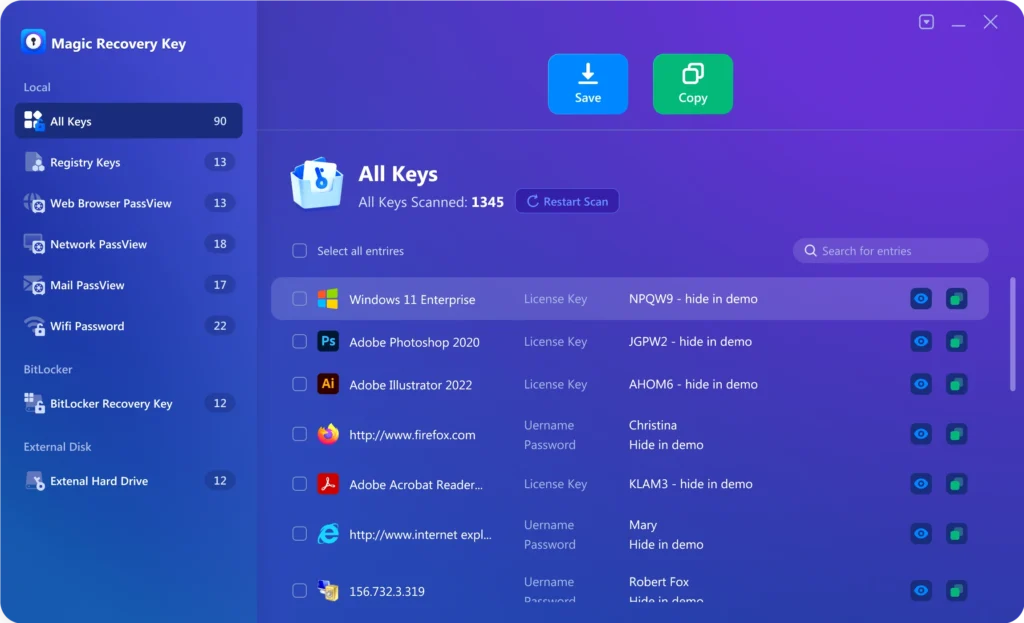
Why Magic Recovery Key Is the Right Choice
Magic Recovery Key is designed specifically for software license key recovery scenarios, combining broad key detection capabilities.
- Recover Windows and Windows Server product keys
- Retrieve license information for Office, Adobe and other
- Support software license key recovery from installed systems
- Extract product keys from external hard drives
- Simple and efficient license key finder workflow
Steps to Recover Keys Using Magic Recovery Key
Recovering software activation information does not need to be complex. Magic Recovery Key simplifies the license key recovery process into clear steps:

Step 1: Download and Install Magic Recovery Key
Download Magic Recovery Key from the official website and complete the installation.
Step 2: Select the Current System or External Drive
Launch the software and begin scanning the installed Windows environment for stored product keys.

Step 3: Review the Found Product Keys
After scanning, review the discovered license information and locate the keys associated with the software you need.

Step 4: Recover and Save Keys Securely
Select the keys you want to keep and save them to a secure location. You'd better save all keys together.
Recover Keys from Different Software Environments
License key recovery is not limited to one program type. Magic Recovery Key supports product key recovery across various software environments:
- Windows computers and laptops
- Windows Server systems
- Microsoft Office installations
- Adobe software products
- SQL Server environments
- Many other activated programs
- External hard drives from damaged or non-bootable computers
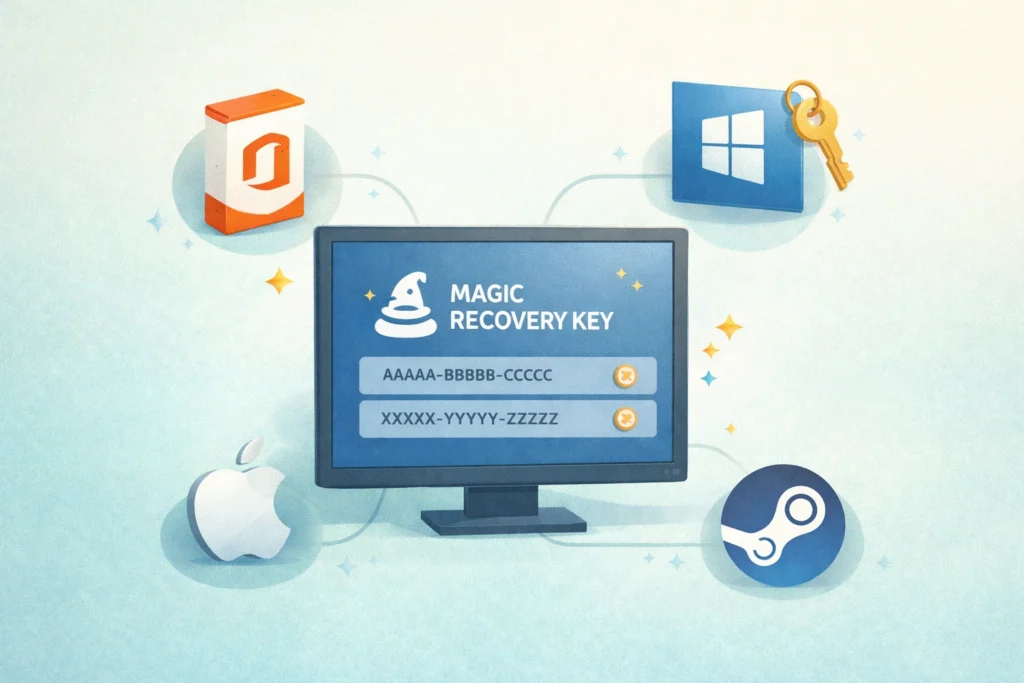
Tips to Improve License Key Recovery Success
To increase the chance of successful software license key recovery, it is important to take the right steps before changing the system.
Recover Keys Before Reinstalling Windows
Before reinstalling the operating system, retrieve and back up important activation information first. This helps preserve windows license key recovery data before it becomes harder to access.
Back Up Product Keys Before Hardware Changes
If you are planning to replace a hard drive, migrate to another PC, or upgrade your system, save your license information in advance. This reduces the risk of losing access to paid software.
Do Not Rely Only on Old Purchase Records
Emails, invoices, and packaging are often incomplete or unavailable. Product key recovery directly from the existing system is usually faster and more practical than searching for old purchase details.
Save Recovered Keys to a Separate Location
After recovery, keep the results in a secure place outside the original computer. This makes future installation, migration, and system restoration much easier.
Use External Drive Recovery for Non-Bootable PCs
If the original computer can no longer start, remove its hard drive and connect it to another working PC. This can make recover license key operations possible.
Organize Product Information Carefully
Before reinstalling or moving software, make sure the recovered key matches the correct product and edition. Clear records help avoid activation errors.
Frequently Asked Questions About License Key Recovery
License key recovery often raises specific questions related to software activation, system reinstallations, and inaccessible computers. The answers below help clarify the recovery process.
Recover and back up your current product keys first. This helps prevent activation issues after reinstalling Windows or setting up software again.
Yes. In many cases, license key recovery is possible because activation information is still stored in the installed system, even if the original purchase record is missing.
Yes. Magic Recovery Key supports windows license key recovery and office product key recovery, along with license retrieval for many other supported applications.
Yes. The software can analyze an external hard drive from a non-bootable computer, making product key recovery possible even when the original system cannot start normally.
Yes. Magic Recovery Key is designed to retrieve existing activation information without requiring risky manual system changes, helping users recover license data more safely.
The duration depends on the system environment and the number of installed programs being analyzed. In most cases, scanning is straightforward and efficient.

Magic Recovery Key
Start Your License Key Recovery Now
Losing access to a product key does not always mean losing your software license forever. With Magic Recovery Key, you gain a dependable license key recovery solution for retrieving Windows keys and software serial numbers from active systems and external hard drives. Download Magic Recovery Key today and recover your activation information safely, accurately, and efficiently.
Related Guides
Explore more license key recovery guides to understand how to retrieve software activation information from Windows systems, old computers, and external drives before reinstalling or migrating licensed applications.
Losing a Windows activation key is more common than many users expect. In fact, many users only realize …
If you’ve ever lost or misplaced the license key for your favorite software, you know how frustrating it can be …
When reinstalling software or transferring programs to a new computer, having your product key is essential …
4K Video Downloader Plus is a powerful tool for downloading high-quality videos, playlists, and audio from …
A Windows 11 activation key is essential if you want to unlock the full functionality of Microsoft’s latest operating …