
Recover Files Deleted from Recycle Bin After Emptying (Windows 11/10 Guide)
-1024x569.webp)
When files are deleted from the Recycle Bin, Windows does not immediately erase the actual data. Instead, the system removes the file reference and marks the storage space as available for reuse.
This means that in many cases, it is still possible to recover files deleted from the Recycle Bin after emptying it—especially if the disk has not been overwritten.
However, recovery success depends on several factors, including:
- whether the drive is HDD or SSD
- whether TRIM is enabled
- whether the files were deleted from an internal or external drive
- how much new data has been written after deletion
In this guide, we’ll explain exactly how Recycle Bin recovery works and show the safest methods to restore permanently deleted files on Windows 11 and Windows 10.
Table of Contents
Supports Windows 7/8/10/11 and Windows Server
Can You Recover Files Deleted from Recycle Bin After Emptying?
Yes — in many cases, files deleted from the Recycle Bin can still be recovered if they have not been overwritten.
Recovery is usually easier on HDDs than SSDs because SSDs use TRIM technology, which may permanently erase deleted data faster.
For the best recovery chance:
- stop using the drive immediately
- avoid installing new software
- recover files to another drive
Why Windows Recycle Bin Recovery Matters

Recycle Bin Recovery on HDD
On traditional hard drives (HDDs), the chances of recovering emptied Recycle Bin files are relatively high.
- How it works: When files are deleted, their clusters remain intact until overwritten.
- Recovery success rate: High, especially if no new data has been written.
- Methods: While advanced users may attempt manual recovery with hex editor tools like WinHex, this is complex and risky. For most users, professional software is the safer and faster choice.
Recycle Bin Recovery on SSD
Due to the TRIM command, Solid-State Drives (SSDs) handle file deletion differently. This command improves SSD performance by instantly clearing unused data blocks, making the recovery of deleted files very challenging. This process was authoritatively explained by Neal Christiansen, a Microsoft Principal Development Lead, in a seminal 2009 presentation at the Storage Developer Conference.
- Recovery challenges: If TRIM is enabled, deleted data is usually wiped instantly, making recycle bin recovery difficult.
- Possible exceptions: In rare cases, if TRIM is not executed right away, files may still be recoverable.
- Recommendation: Stop using the drive immediately and try recovery software as soon as possible.
Differences Between Deleting Files on Internal vs. External Drives
- Internal Drives (HDD/SSD inside your PC):
When a file is deleted, it is first moved to the Recycle Bin. You can easily restore it from there at any point before the bin is emptied. Even after the Recycle Bin has been cleared, recovery is often still possible using specialized tools, provided that the space the file occupied on the disk has not yet been overwritten by new data.
- External Drives (USB sticks, portable HDDs, external SSDs):
Files deleted from external drives bypass the Recycle Bin and are permanently deleted right away. There is no way to recover the files deleted from external drives from Recycle Bin.
A professional tool like Magic Data Recovery can recover the deleted files, no matter from internal or external drives.
The Best Solution for Recycle Bin Recovery: Magic Data Recovery
Manual recovery requires advanced knowledge, and built-in Windows tools cannot restore files once the Recycle Bin is emptied. For a practical and professional approach, Magic Data Recovery is one of the best options:
- Specialized in Recycle Bin Recovery, even after emptying.
- Works with internal and external drives, allowing users to scan portable devices directly.
- User-friendly interface with preview mode.
- Safe and cost-effective compared to manual hex editing or professional labs.
How to Use Magic Data Recovery
Using Magic Data Recovery is straightforward, even for beginners:
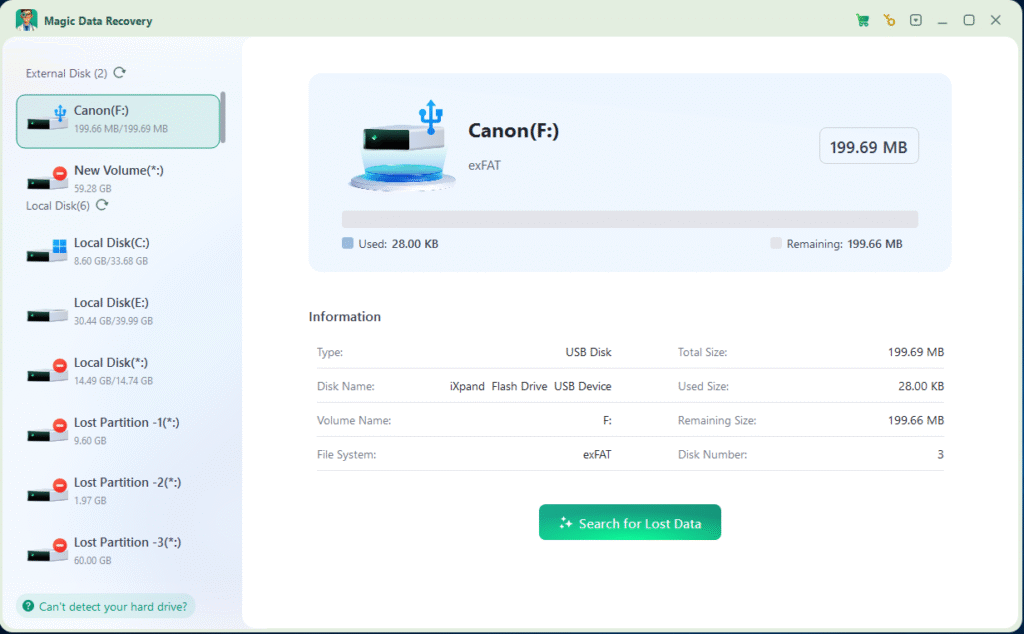
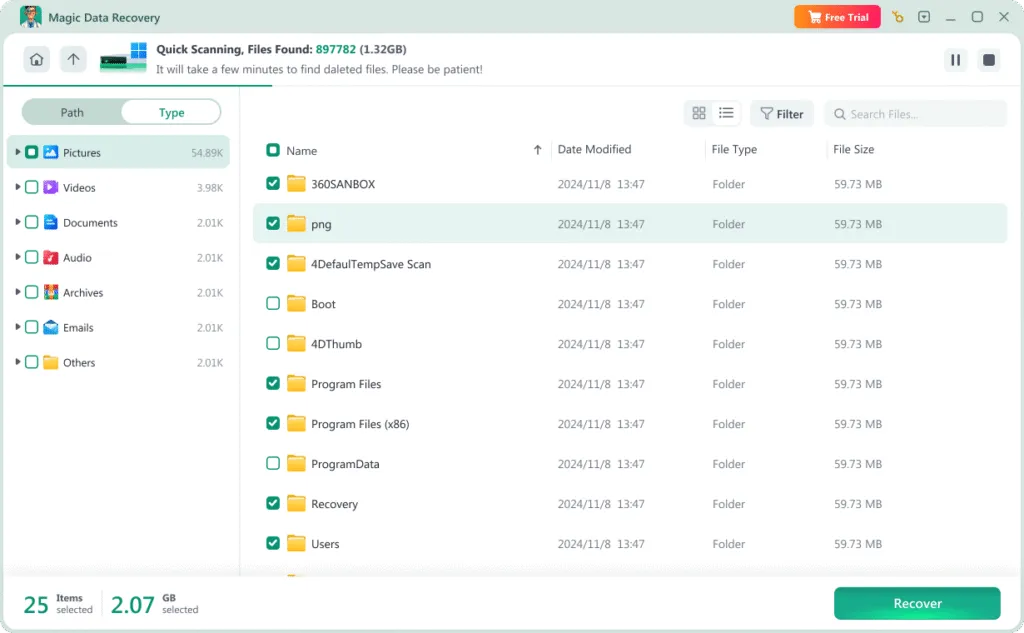
1.Download and Install the software to another drive. Do Not install it to the drive where the deleted files located.
Supports Windows 7/8/10/11 and Windows Server


Conclusion
Data recovery from Recycle Bin is often possible, but the success depends on the type of drive and where the files were deleted from. On HDDs, recovery rates are generally high, while SSDs pose challenges due to TRIM technology. For internal drives, deleted files usually pass through the Recycle Bin before permanent deletion, but files on external drives bypass it entirely and require direct scanning.
Instead of relying on complex manual methods, using professional software like Magic Data Recovery offers the safest and most effective way to recover deleted files from recycle bin or external devices. Acting quickly and choosing the right tool significantly increases your chances of a successful recovery.
Where do deleted files go after emptying the Recycle Bin?
Can permanently deleted files be recovered without software?
How do I recover Shift + Deleted files?
Can I recover deleted files from Recycle Bin on SSD?
Why are files deleted from USB not in Recycle Bin?
How long do deleted files stay recoverable?
Can Windows File Recovery restore emptied Recycle Bin files?
Is professional recovery software safe?

Vasilii is a data recovery specialist with around 10 years of hands-on experience in the field. Throughout his career, he has successfully solved thousands of complex cases involving deleted files, formatted drives, lost partitions, and RAW file systems. His expertise covers both manual recovery methods using professional tools like hex editors and advanced automated solutions with recovery software. Vasilii's mission is to make reliable data recovery knowledge accessible to both IT professionals and everyday users, helping them safeguard their valuable digital assets.