コンテンツへスキップ
amagicsoftロゴアイコン
  • ホーム
  • 製品紹介
    • Magic Data Recovery
    • Magic Recovery Key
  • 店舗
  • ブログ
  • もっと見る
    • Amagicsoftについて
    • お問い合わせ
    • プライバシーポリシー
    • 利用規約
    • ライセンス契約
    • 返金ポリシー
  • 日本語
    • English
    • 한국어
    • Deutsch
    • Français
    • Español
    • 繁體中文
ウィキ

フラッシュカードメモリ:完全ガイドと復旧ソリューション
2025年12月27日 Smith, Erin コメントはまだない
フラッシュカードメモリのすべてを知る

目次

Introduction: Understanding the Importance of Flash Card Memory

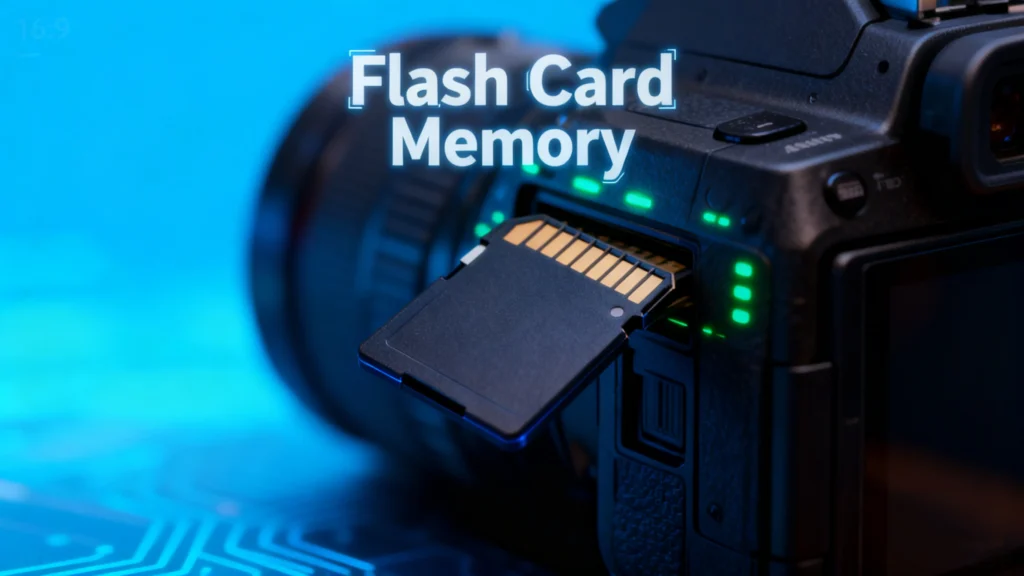
Flash card memory has become a ubiquitous storage solution in modern digital life. From cameras and smartphones to gaming consoles and industrial equipment, these small, portable memory devices store critical data in compact formats. However, users often encounter issues such as 誤削除, corruption, or device malfunction. Losing valuable photos, videos, or documents can be frustrating, and understanding flash card memory management and recovery options is essential.

This guide explores everything about flash card memory, including types, common problems, tips for safe usage, and practical recovery solutions. For users facing data loss, we’ll also introduce a reliable tool—Magic Data Recovery—that can help restore lost information quickly and safely.

Magic Data Recoveryをダウンロード

Windows 7/8/10/11およびWindows Serverをサポート

What is Flash Card Memory?

A flash card memory is a type of non-volatile storage device that retains data without requiring power. Unlike traditional hard drives, it uses NANDフラッシュ技術, making it faster, lightweight, and highly portable. Typical forms include SD cards, microSD cards, CompactFlash, and Memory Stick formats.

Key characteristics of flash card memory include:

  • Portability: Small size, easy to carry.
  • 耐久性がある: No moving parts, resistant to shocks and vibration.
  • Versatility: Compatible with cameras, smartphones, tablets, and gaming consoles.

Common Issues with Flash Card

Despite their convenience, flash card memory devices are prone to several problems:

1.事故による削除

Deleting files unintentionally is a frequent issue. Photos or documents may be removed permanently if the device is not backed up.

2. File Corruption

Files can become corrupted due to sudden power loss, improper ejection, or malware attacks, rendering them inaccessible.

3. Compatibility Issues

Some devices may not recognize certain flash card memory formats, especially when switching between cameras, computers, or gaming consoles.

4. Physical Damage

Water, heat, or mechanical impacts can damage the card, leading to partial or total data loss.

Tips for Protecting Flash Card

To minimize risks and extend the life of your flash card memory, consider these best practices:

  1. 定期的なバックアップ: Store copies of important files on cloud services or external drives.
  2. Safe Ejection: Always eject cards properly from computers or devices.
  3. Avoid Overuse: Limit frequent formatting or writing large files continuously.
  4. Use Quality Cards: Opt for reputable brands to reduce the risk of failure.
  5. Keep Cards Dry and Cool: Protect against environmental damage.

How to Recover Lost Data from Flash Card Memory

Even with precautions, data loss can happen. Understanding the recovery process can save critical files.

1. Check for Hidden or Recoverable Files

Sometimes deleted files are not permanently lost. Using the computer’s built-in file recovery tools or enabling “Show hidden files” might reveal accidentally hidden content.

2. Free Methods to Recover Data

  • Recycle Bin or Trash: Files deleted from some flash cards may temporarily appear in the system’s recycle bin.
  • Command Prompt (Windows): 使用 チェックディスク そして attrib commands can help fix minor corruption and restore files.
  • Disk Utility (Mac): Mac users can verify and repair disk errors with built-in tools.

3. Professional Recovery Tools

Recover lost data from Flash Card Memory

For severe cases, relying on professional software is the safest option. Tools like Magic Data Recovery offer:

  • Recovery from deleted, formatted, or corrupted flash cards.
  • Support for multiple file types: photos, videos, documents, and more.
  • User-friendly interface suitable for both beginners and advanced users.
  • Faster and safer recovery compared to manual methods.
Example Use Case: If your SD card from a recent photography trip gets corrupted, Magic Data Recoverycan scan the device, preview recoverable files, and restore them without overwriting existing data.

Why Magic Data Recovery is Recommended

Magic Data Recovery stands out due to its combination of reliability and versatility. Unlike some free tools that only recover limited file types or fail with severely corrupted cards, Magic Data Recovery:

  • Handles multiple data loss scenarios: accidental deletion, formatting, virus attacks, and system errors.
  • Maintains data integrity: Recovers files without damaging original content.
  • Supports a wide range of devices: SD cards, microSD, CompactFlash, USB drives, and more.

If you are looking for a robust solution to retrieve lost files from your flash card, Magic Data Recovery provides a trustworthy, practical, and efficient method.

Magic Data Recoveryをダウンロード

Windows 7/8/10/11およびWindows Serverをサポート

まとめ

Flash card memory is a vital tool for storing digital data, but it is not immune to failure. Understanding its characteristics, common problems, and preventive measures can reduce the risk of データ損失. However, when accidents happen, tools like Magic Data Recovery offer a safe and reliable way to restore valuable files.

Whether you’re a photographer, gamer, or general user, using プロフェッショナル・リカバリー・ソフトウェア ensures that your flash card remains a dependable and secure storage solution.

よくあるご質問

1. What is a flash memory card used for?

A flash memory card is used to store digital data such as photos, videos, documents, and software. It is commonly used in cameras, smartphones, gaming consoles, and other portable devices due to its compact size and portability.

2. Are flashcards good for memory?

If the question refers to digital storage, flash card memory is reliable and fast for storing and transferring data. It is durable and can withstand shocks better than traditional hard drives. However, like any storage device, it is prone to data loss if not properly managed.

3. Is a flash card an SD card?

Yes, an SD (Secure Digital) card is one type of flash card memory. Other types include microSD cards, CompactFlash, and Memory Stick cards. All use non-volatile flash memory to retain data without power.

4. What type of memory are flash cards?

Flash cards use NAND-based non-volatile memory, which retains data even when the device is powered off. This type of memory is faster, portable, and durable compared to magnetic hard drives.

5. How long will data stay on a flash drive?

Data on a flash card memory can remain for many years if stored properly. Environmental factors such as heat, humidity, or physical damage may shorten its lifespan. Regular backups are recommended to prevent data loss.

6. Can photos disappear from an SD card?

Yes, photos can disappear from an SD card due to accidental deletion, corruption, formatting, or physical damage. Using a professional recovery tool like Magic Data Recovery can help restore lost photos safely.
  • WiKi
Smith, Erin

エリン・スミスは、Amagicsoftで最もプロフェッショナルなライターの一人として認められています。過去10年にわたりライティングスキルを磨き続け、何百万人もの読者の技術的な問題解決に貢献してきました。.

投稿ナビゲーション

前へ
次のページ

検索

カテゴリー

  • ビットロッカーのリカバリ
  • 削除されたファイルの復元
  • ディスクの問題修正
  • ドキュメントの復元
  • フォーマットファイルの復元
  • ハードディスク・ドライブ復旧
  • ライセンスキーの回復
  • 紛失ファイルの復元
  • メモリーカード復元
  • ニュース
  • パスワード復旧
  • フォトリカバリー
  • SSDリカバリー
  • USBドライブ復元
  • ユーザーガイド
  • ビデオ・リカバリー
  • ウィキ
  • Windowsの問題修正

最近の投稿

  • 削除したDropboxファイルを30日後に復元する方法
    削除したDropboxファイルを30日後に復元する方法
  • フラッシュカードメモリのすべてを知る
    フラッシュカードメモリ:完全ガイドと復旧ソリューション
  • 永久に削除された写真を復元
    永久に削除された写真を復元する方法:完全ガイド

タグ

CHKDSKとディスクツール ディスク修復 エラーのトラブルシューティング どのように Magic Data Recovery Magic Recovery Key WiKi

関連記事

WDドライブが認識されない問題の解決方法
ディスクの問題修正

WDドライブが認識されない:この問題の解決方法

2025年12月27日 Vasilii コメントはまだない

WD(ウェスタンデジタル)ドライブがコンピュータに認識されなくても、慌てないでください。この問題はよくあることです。USBポートの不具合、古いドライバ、論理エラーなど、いくつかの要因がこの問題を引き起こす可能性があります。幸いなことに、この問題をトラブルシューティングして解決する方法は複数あります。このガイドでは、WDドライブへのアクセスを回復し、重要なデータを復元するためのいくつかの手順を説明します。目次 WDハードドライブが認識されないのはなぜですか?WD ハードドライブがコンピュータに表示されない場合、いくつかの原因が考えられます:1.USB ポートの問題:USBポートの問題:USBポートに問題がある場合もあります。

ハードドライブが認識されない?修理方法はこちら
ディスクの問題修正

ハードドライブが認識されない?修理方法はこちら

2025年12月26日 Vasilii Hard Drive Not Recognized? Here’s How to Fix it はコメントを受け付けていません

ハードディスク・ドライブがコンピュータに認識されないと、すぐにデータ損失の可能性が懸念されます。内蔵ハードディスク・ドライブまたは外付けHDDのいずれに問題が発生しても、多くの場合、状況は回復可能です。多くの場合、ドライブ自体はまだ機能していますが、論理的な問題によってファイル・エクスプローラやディスク管理に表示されません。朗報なのは、ハードディスク・ドライブが検出されないからといって、必ずしもデータが消えてしまうわけではないということです。根本的な原因を明確に理解し、構造化されたトラブルシューティング・アプローチを使用すれば、ほとんどの検出問題を安全に解決できます。このガイドでは、ハードディスク・ドライブが認識されない理由を説明し、実用的な解決策を提供します。

Windows 10でUSBドライブが認識されない場合の対処法
ディスクの問題修正

Windows 10でUSBドライブが認識されない場合の対処法

2025年12月26日 Vasilii How to Fix USB Drive Not Recognized on Windows 10 はコメントを受け付けていません

Windows 10でUSBドライブが認識されない場合、特にそのデバイスに重要な文書や写真、作業ファイルが含まれている場合は心配になります。しかし、USBドライブが検出されなかったり、読めなかったりしても、自動的にデータが失われるわけではありません。多くの場合、この問題は物理的な障害ではなく、ドライバの競合、ファイルシステムのエラー、またはディスクの設定が正しくないことが原因です。このガイドでは、Windows 10がUSBフラッシュ・ドライブや外付けハードディスク・ドライブの検出に失敗する理由を説明し、安全にアクセスを復元するための明確な解決策をステップごとに説明します。各手法は、基本的なチェックから高度な復元オプションまで、プロセス全体を通して確実にコントロールできるように進行します。表 [...]

amagicsoftロゴアイコン

当社のビジョンは、世界的に有名なソフトウェア ブランドおよびサービス プロバイダーとなり、一流の製品とサービスをユーザーに提供することです。

製品紹介
  • Magic Data Recovery
  • Magic Recovery Key
ポリシー
  • 利用規約
  • プライバシーポリシー
  • 返金ポリシー
  • ライセンス契約
会社概要
  • Amagicsoftについて
  • お問い合わせ
  • 店舗
フォローする

著作権©2025 Amagicsoft。無断複写転載を禁じます。

  • 利用規約
  • プライバシーポリシー

