
5 Top Recovery Software for PC in 2026: Tested and Compared
Losing important files can happen after accidental deletion, formatting, partition errors, system crashes, or a corrupted external drive. If your files were lost from an HDD, SSD, USB drive, or external storage device, choosing the right top recovery software matters because the wrong operation may reduce your chance of successful recovery. For users who need to recover data from hard drives, it is important to stop using the affected drive first and use reliable recovery software before attempting any repair or formatting.
In this guide, we compare five top data recovery software tools for PC in 2026: Magic Data Recovery, Disk Drill, EaseUS Data Recovery Wizard, Recoverit, and 4DDiG Data Recovery. The comparison focuses on recovery scenarios, supported devices, ease of use, pricing value, and whether each tool is suitable for common users or more complex recovery cases.
Supports Windows 7/8/10/11 and Windows Server
Table of Contents
Best Overall Pick: Magic Data Recovery
For most Windows users, Magic Data Recovery is the best overall choice because it supports common data loss scenarios such as deleted files, formatted drives, lost partitions, corrupted USB drives, SD cards, HDDs, and SSDs. It also keeps the recovery process simple: scan the affected drive, preview recoverable files, and save them to another safe location.
How We Tested the Top Recovery Software
To fairly compare the top recovery software in this list, we focused on the most common recovery needs for Windows users:
Recovery scenarios: deleted files, formatted drives, corrupted partitions, lost folders, USB drives, SD cards, HDDs, and SSDs.
File preview: whether users can preview recoverable files before paying or saving them.
Ease of use: whether beginners can complete a scan and recovery without technical steps.
Device and file system support: whether the software supports common Windows drives and external storage devices.
Pricing value: whether the license model is clear and reasonable for one-time or long-term use.
Support and refund policy: whether users can get help if the software cannot recover the files they need.
1. Magic Data Recovery – The Undisputed Leader for Power & Value
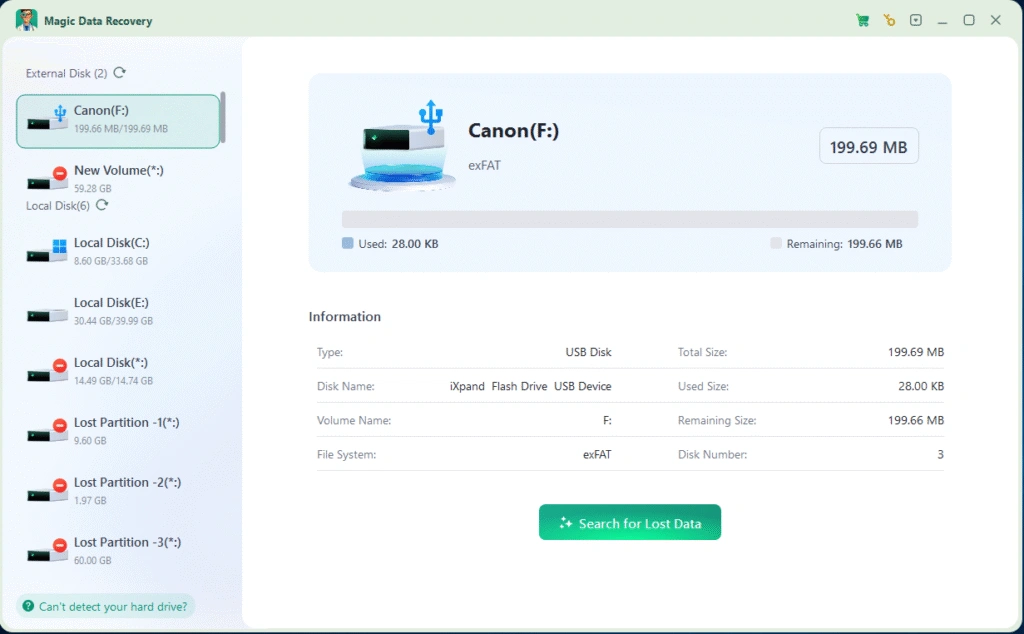
Magic Data Recovery leads our list as the definitive top data recovery tool for PC thanks to its exceptional recovery rate, broad format support, and unmatched user-friendly design.
Key Features & Why It Wins:
Industry-Leading Recovery Success Rate: In our tests, it consistently recovered more files, especially from formatted drives and corrupted sectors, than any other tool.
Supports All File Types & Devices: From documents and photos to videos and system files, it handles them all across HDDs, SSDs, USB drives, and memory cards.
Unbeatable Value & Transparent Pricing: Offers cost-effective lifetime licenses where others only sell subscriptions, providing exceptional long-term value.
Instant “No-Questions-Asked” Refund Guarantee: If recovery fails, users can request a full refund immediately — a policy that builds immense trust.
24/7 Professional Technical Support: Get fast, personalized help for any recovery issue, day or night.
Whether you’ve lost a few images or a full partition, Magic Data Recovery delivers professional-grade results without complexity. It’s the ideal blend of performance, reliability, and value.
👉 Try Magic Data Recovery Now – The #1 Choice for 2025
Supports Windows 7/8/10/11 and Windows Server
2. Disk Drill – Smart Scanning with Simple UI
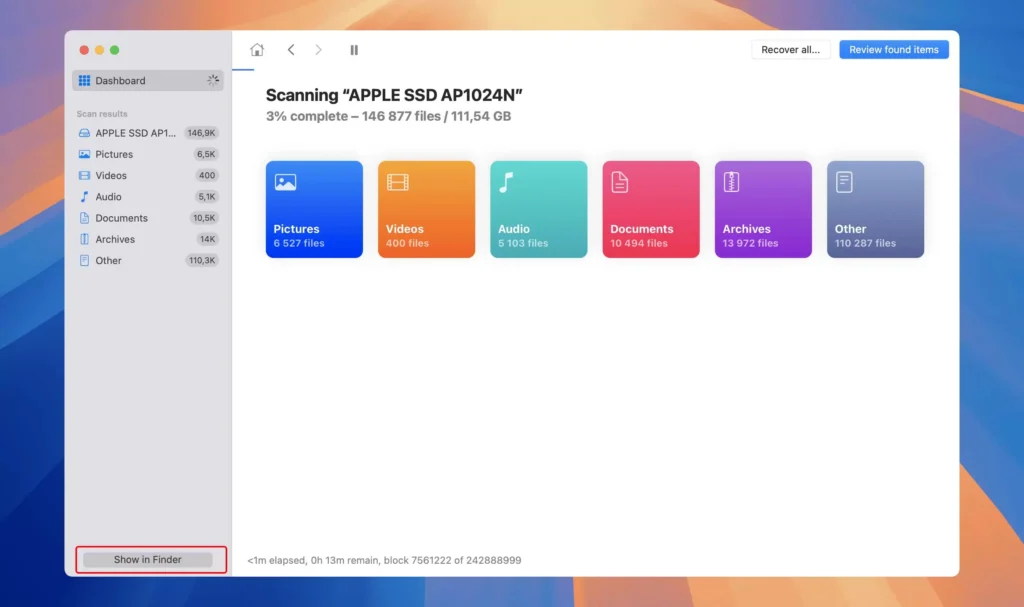
Disk Drill is another well-known name, offering a clean interface and smart recovery algorithms that make it easy for beginners to get started.
Pros:
Intuitive interface suitable for non-technical users.
Offers free recovery for small file sizes.
Supports multiple file systems (NTFS, FAT32, exFAT).
Cons:
Deep scan is significantly slower than Magic Data Recovery’s advanced algorithm.
Lacks the round-the-clock professional technical support that comes standard with our top pick.
Verdict: Disk Drill is a solid choice for quick, small-scale recoveries — but not ideal for large drives or complex data loss scenarios where Magic Data Recovery excels.
3. EaseUS Data Recovery Wizard – Versatile but Pricey
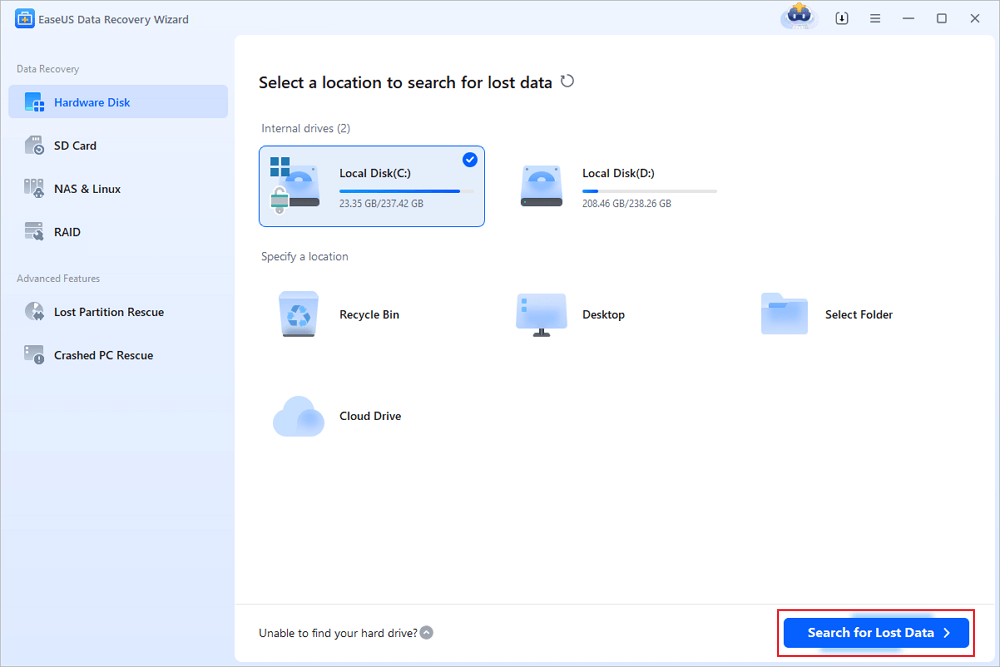
EaseUS Data Recovery Wizard is a long-standing player in the recovery market, offering robust features and consistent updates.
Pros:
Reliable recovery for a wide range of file formats.
Helpful preview function before recovery.
Cloud and remote recovery support.
Cons:
Subscriptions are relatively expensive compared to the lifetime value of Magic Data Recovery.
Scanning process can be slow on large disks.
Verdict: EaseUS performs well overall, but its pricing structure and slower support make Magic Data Recovery a better value for most users.
4. Recoverit – User-Friendly Interface with Good Media Recovery
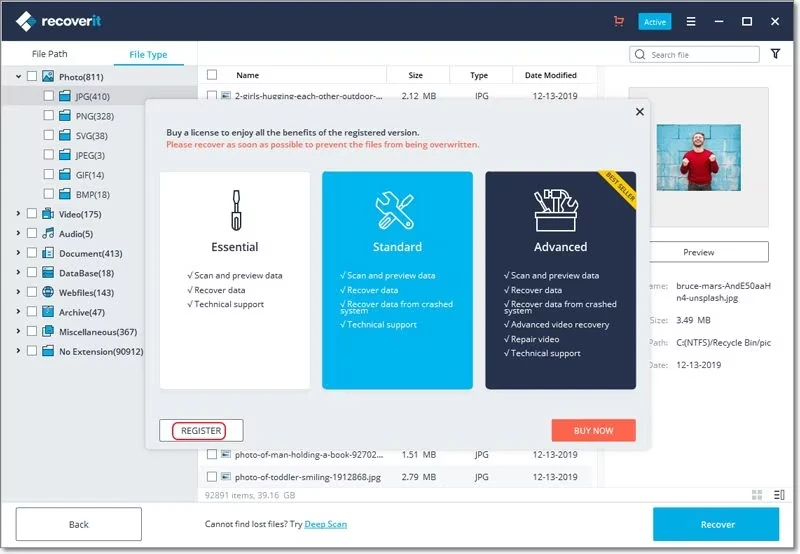
Recoverit by Wondershare focuses on simplicity and speed. It’s particularly good at recovering photos, videos, and media files from consumer devices.
Pros:
Easy navigation and fast scanning.
Excellent photo and video recovery performance.
Cloud backup integration available.
Cons:
Limited file type detection on damaged drives.
Its recovery engine isn’t as robust for complex scenarios, falling short of the success rate achieved by Magic Data Recovery.
Verdict: Recoverit is great for casual users recovering media, but professionals may find its recovery depth less impressive.
5. 4DDiG Data Recovery – Modern Interface and Decent Results
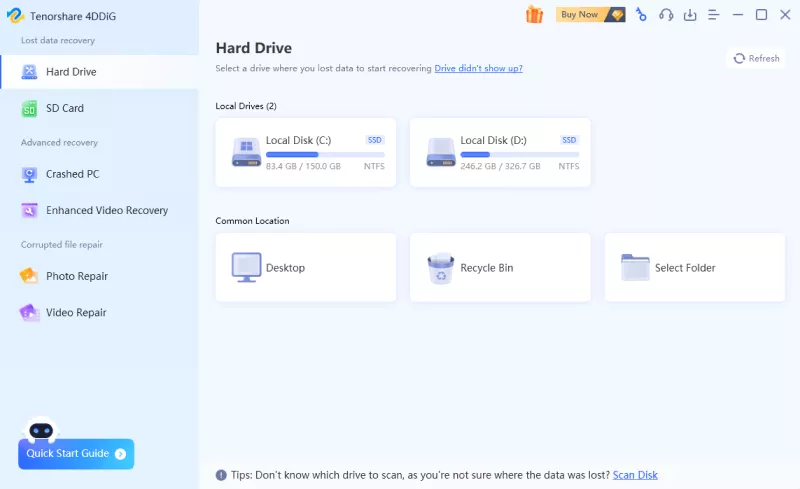
4DDiG Data Recovery offers a modern design and a streamlined recovery process that appeals to everyday users.
Pros:
Sleek interface with clear recovery steps.
Good balance between speed and accuracy for simple cases.
Supports formatted and corrupted disk recovery.
Cons:
In our tests, some recovered files could be located but were not fully openable, especially in more complex data-loss scenarios.
The post-purchase policy information could be clearer, as users may expect more transparent guidance during the refund process.
Verdict:
4DDiG performs well for everyday recovery tasks and offers a clean, beginner-friendly experience. However, based on our test results, its ability to restore severely damaged or deeply hidden data was less consistent, and a few recovered items were partially unreadable. For users who need higher success rates in complex cases, top-tier alternatives may offer more robust results.
Quick Comparison of the Top Recovery Software
Before reading the full reviews, here is a quick comparison of the five top recovery software tools for PC. Use this table to choose the right tool based on recovery needs, ease of use, pricing value, and suitable scenarios.
| Feature | Magic Data Recovery | Disk Drill | EaseUS Data Recovery Wizard | Recoverit | 4DDiG Data Recovery |
|---|---|---|---|---|---|
| Our Rating | 5/5 | 4/5 | 4/5 | 3.5/5 | 3.5/5 |
| Best For | Windows users who need simple and complete recovery | Beginners and small recovery tasks | General recovery with broad brand recognition | Photo and video recovery | Simple everyday recovery |
| Recovery Scenarios | Deleted files, formatted drives, corrupted partitions, partition loss, USB drives, SD cards, HDDs, and SSDs | Deleted files, media recovery, and external drives | Deleted files, formatted drives, and partition recovery | Media files, photos, videos, and external devices | Deleted files, formatted drives, and simple disk issues |
| Ease of Use | Very Easy | Very Easy | Very Easy | Easy | Easy |
| Pricing Value | Excellent | Good | Fair | Fair | Fair |
| Free Scan / Preview | Yes | Limited free recovery | Limited free recovery | Limited free recovery | Limited free recovery |
| Best Use Case | Best overall choice for Windows users who need reliable recovery from common data loss situations | Best for users who want a simple interface for quick deleted file recovery | Best for users who prefer a well-known recovery brand with broad recovery features | Best for users mainly recovering photos, videos, or media files | Best for everyday users with basic deleted file or formatted drive recovery needs |
Final Verdict: Which Top Recovery Software Should You Choose in 2026?
After comparing these five top recovery software tools, Magic Data Recovery is the best overall choice for most Windows users. It offers a simple recovery workflow, broad device support, useful file preview, and strong value for users who need to recover deleted, formatted, corrupted, or lost files from common storage devices.
Choose Magic Data Recovery if you need:
✅ A simple recovery process for Windows PC users.
✅ Support for deleted files, formatted drives, lost partitions, USB drives, SD cards, HDDs, and SSDs.
✅ File preview before recovery.
✅ Clear pricing and long-term value.
✅ Helpful support when recovery questions come up.
If you are looking for top recovery software that balances ease of use, recovery coverage, and pricing value, Magic Data Recovery is a strong choice to try first in 2026.
Supports Windows 7/8/10/11 and Windows Server
Top Recovery Software FAQs
What is the best data recovery software for PC?
Can I recover deleted files for free using top recovery software?
Why choose Magic Data Recovery over other top data recovery tools?
Is it possible to recover files from a formatted hard drive?
Can data recovery tools retrieve files from a corrupted USB or SD card?
Will file recovery overwrite my existing data?
Do I need technical skills to use recovery software?
How long does a typical recovery scan take?
Can recovery software restore old deleted files?
Is it safe to install recovery software on the same drive where data was lost?

Erin Smith is recognized as one of the most professional writers at Amagicsoft. She has continually honed her writing skills over the past 10 years and helped millions of readers solve their tech problems.