
Master File Table Location: Where Is MFT Stored?
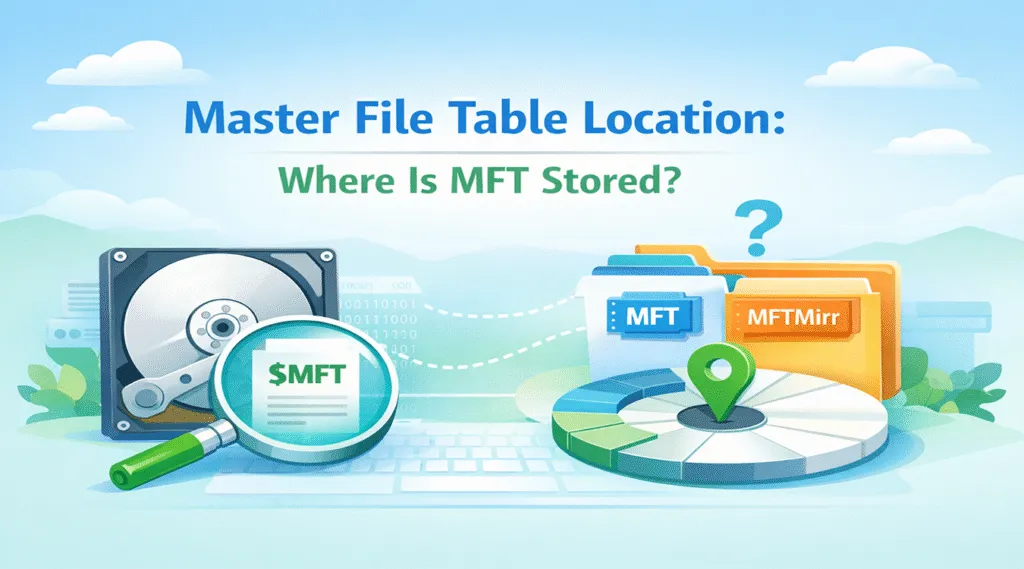
When users search for master file table location, they usually face a real issue. Either they want to understand NTFS internals, or they are trying to fix missing files or an unreadable drive.
However, most guides only explain definitions. As a result, they fail to answer where the MFT actually resides and how it affects recovery.
Therefore, this guide focuses on both explanation and solutions. You will learn how the master file table works and what to do if the MFT becomes damaged.
Table of Contents
What Is the Master File Table in NTFS
To understand the master file table location, you first need to know what the MFT does.
In NTFS, the Master File Table acts as a central index. Every file and folder has a record stored inside it. These records contain:
- File name and attributes
- Disk allocation details
- Timestamps and metadata
Because of this structure, the system relies heavily on it. If the MFT becomes unavailable, the system cannot locate files even though the data still exists.
Master File Table Location Explained (Logical vs Physical)
Although many articles mention the master file table location, they often ignore a key distinction. In practice, the MFT has both logical and physical placement.
Logical MFT Location in NTFS
From a logical perspective, NTFS stores the MFT as a system file:
$MFT
However, users cannot access it directly. Instead, the operating system manages it internally.
Therefore, the logical location is:
- Embedded in NTFS metadata
- Hidden from users
- Automatically maintained
Physical MFT Location on Disk
On the physical level, the MFT location behaves differently.
Many assume it is fixed. However, that assumption is incorrect. Instead:
- It typically starts near the beginning of the volume
- It can shift as the disk grows
- Fragmentation may spread it across regions
As a result, the MFT does not have a fixed sector. This flexibility improves performance, but it also increases recovery difficulty.
MFT Mirror Location and Its Role
In addition, NTFS includes a backup structure:
$MFTMirr
This mirror stores critical entries from the main table. Usually, it sits near the middle of the disk.
Because of this design, the system can recover basic information if the main structure fails. However, it only contains partial data, so full recovery is not guaranteed.
Why the Master File Table Location Matters
At first glance, the master file table location may seem purely technical. However, it has practical importance.
File System Errors
For example, a RAW drive often indicates structural damage.
Recovery Strategy
Moreover, understanding the structure helps you avoid risky operations.
Data Analysis
In addition, professionals rely on it for forensic recovery.
What Happens When the MFT Becomes Corrupted
When the file system or MFT becomes corrupted, the system fails to locate the MFT correctly and loses its index. Consequently:
- Files disappear
- Drives become inaccessible
- Error messages appear
However, the data itself often remains intact. The system simply cannot locate it.
How to Check Master File Table Location (Advanced)
Some users try to inspect the master file table location directly. While this is possible, it requires caution. You may use:
- CHKDSK
- Disk editors
- Forensic tools
However, these methods are complex. Therefore, most users should avoid manual inspection.
How to Recover Data Without Relying on MFT
Once the master file table location is damaged, traditional tools become unreliable.
Why Standard Methods Fail
- They depend on file system structures
- The methods cannot detect lost entries
- They fail on RAW drives
Better Solution: Raw Data Recovery
Instead, modern tools scan disk sectors directly. They:
- Detect file signatures
- Rebuild file structures
- Recover accessible data
As a result, recovery remains possible even without a valid MFT.
Use Magic Data Recovery for MFT Damage
When the master file table location is no longer usable, a different approach is required.
Magic Data Recovery provides that approach.
What Problem It Solves
- Recovers files when MFT is damaged
- Works with RAW or inaccessible drives
- Does not rely on file system structures
Key Advantages
- Deep scanning detects hidden data
- Preview ensures accuracy
- Simple interface improves usability
- Supports multiple storage devices
Real Scenario
For instance, if a USB drive becomes unreadable after improper removal, the structure may be damaged.
Instead of repairing the disk immediately, you can scan it first and recover files safely.
Why It Works Better
Unlike basic tools, Magic Data Recovery bypasses the master file table location. Therefore, it performs better in complex data loss scenarios.

Tips to Protect the MFT Structure
Although the system is robust, you can reduce risks:
- Safely eject drives
- Avoid sudden shutdowns
- Run disk checks
- Monitor disk health
- Keep backups
Conclusion
The master file table location plays a central role in NTFS. Although it does not stay fixed, it remains essential for file tracking.
More importantly, when it becomes corrupted, data is often still recoverable. However, recovery requires the right method. That is why Magic Data Recovery provides a reliable solution. It focuses on actual data rather than relying on damaged structures.
Supports Windows 7/8/10/11 and Windows Server
FAQs About Master File Table Location
What is the master file table location exactly?
The master file table location refers to where NTFS stores file metadata. It typically starts near the beginning of a volume. However, it can shift over time due to system changes.
Is the MFT stored in a fixed position?
No, the MFT does not remain fixed. Although it often begins near the start, it may expand or fragment. Therefore, its position can change depending on usage.
Can I repair the MFT safely?
You can attempt repairs using tools like CHKDSK. However, recovery should come first. Otherwise, repair operations may overwrite recoverable data.
What is MFT mirror used for?
The mirror stores critical records from the main structure. It helps the system recover basic functionality when damage occurs.
Can I recover files without MFT?
Yes, recovery is possible. Tools that scan raw sectors can locate files even when the MFT is missing.
Why does my drive become RAW?
When the system cannot read the file structure, it marks the drive as RAW. This often happens when the MFT becomes corrupted.
What is the safest recovery approach?
First, avoid writing new data. Then, use a recovery tool that scans disk sectors directly. This approach increases recovery success significantly.

Vasilii is a data recovery specialist with around 10 years of hands-on experience in the field. Throughout his career, he has successfully solved thousands of complex cases involving deleted files, formatted drives, lost partitions, and RAW file systems. His expertise covers both manual recovery methods using professional tools like hex editors and advanced automated solutions with recovery software. Vasilii's mission is to make reliable data recovery knowledge accessible to both IT professionals and everyday users, helping them safeguard their valuable digital assets.