
Master File Table Fragmentation & Master File Table Structure: Complete Guide to Fix MFT Errors
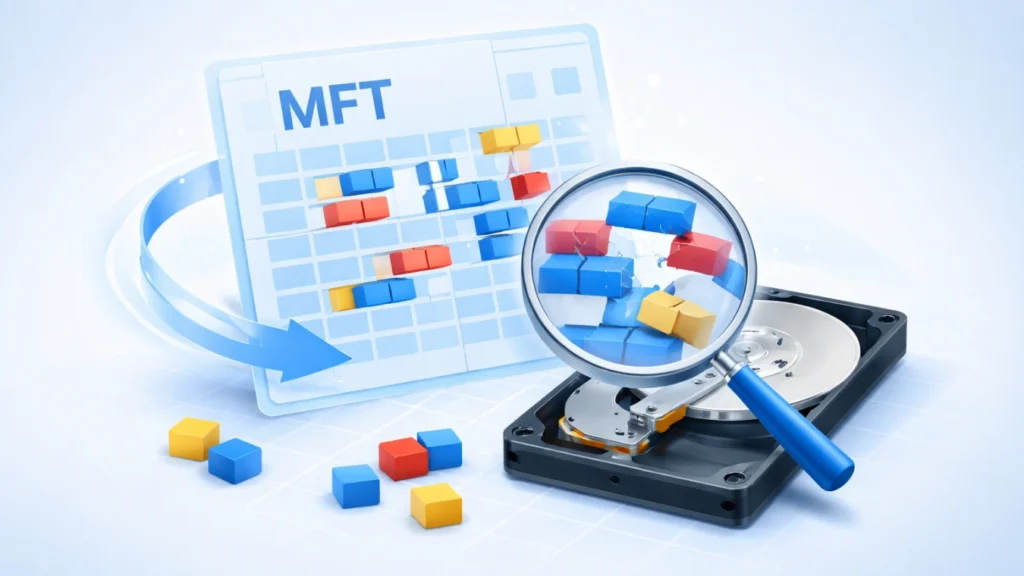
If your drive suddenly becomes inaccessible or shows as “RAW,” there’s a high chance the issue relates to master file table fragmentation or damage to the master file table structure. These problems often occur after improper shutdowns, disk corruption, or file system errors.
In real-world scenarios, users frequently lose access to entire partitions due to MFT corruption—without actually losing the underlying data. That’s where understanding MFT behavior and using reliable recovery tools becomes essential.
This guide explains what the MFT is, how fragmentation affects it, and how to fix errors safely while recovering your data.
Table of Contents
What Is the Master File Table Structure?
The master file table structure is the core of the NTFS file system. It acts like a database that stores metadata for every file and folder on your disk.
Key Components of MFT Structure
- File Records: Each file has an entry in the MFT
- Attributes: Include file name, size, timestamps, and location
- Data Runs: Point to the actual disk sectors where data is stored
Why It Matters
Without a healthy master file table structure, your system cannot:
- Locate files
- Access directories
- Maintain partition integrity
Even minor corruption can make an entire partition unreadable.
What Is Master File Table Fragmentation?
Master file table fragmentation happens when MFT entries are scattered across different disk locations instead of being stored contiguously.
Common Causes
- Frequent file creation/deletion
- Disk nearing full capacity
- Lack of defragmentation
- Improper system shutdown
Real Impact on Performance and Access
When master file table fragmentation increases:
- File access slows down
- Disk operations become inefficient
- Risk of corruption rises
- Partition may become inaccessible
In severe cases, the system fails to read the MFT entirely.
Signs of MFT Errors and Partition Issues
You may be dealing with master file table fragmentation or structural damage if you notice:
- Drive shows as RAW
- “File or directory is corrupted and unreadable” error
- Missing partitions in Disk Management
- Frequent system freezes when accessing a drive
These symptoms indicate logical—not physical—damage, which is often recoverable.
How MFT Errors Cause Partition Loss
The connection between master file table structure and partition accessibility is direct.
What Happens Internally
- MFT becomes fragmented or corrupted
- File references break
- OS cannot map files to disk sectors
- Partition appears empty or unformatted
Even though data still exists, the system loses the “map” to find it.
How to Fix Master File Table Fragmentation and Errors
1. Run CHKDSK (Basic Fix)
chkdsk X: /f /r
Pros:
- Built-in tool
- Repairs minor errors
Cons:
- May delete corrupted entries
- Risk of data loss
👉 Use this only if data is backed up.
2. Defragment the Disk (For Fragmentation Issues)
Defragmentation helps reduce master file table fragmentation by reorganizing file entries.
- Use Windows Defragment Tool
- Avoid running on failing drives
3. Use Professional Data Recovery Software (Recommended)
When partition loss occurs due to MFT errors, a safer approach is data recovery before repair.
Best Solution: Recover Data with Magic Data Recovery
When dealing with severe master file table structure corruption, recovery tools become critical.

Why Magic Data Recovery?
Core Problems It Solves:
- Partition loss caused by MFT errors
- RAW drive recovery
- File system corruption
- Accidental deletion or formatting
Key Advantages (Unique Selling Points)
- Advanced scan algorithms rebuild damaged master file table structure
- Supports NTFS, FAT32, exFAT, and more
- Recovers files without modifying original data
- User-friendly interface for non-technical users
Real Usage Scenarios
- External hard drive suddenly becomes RAW
- SSD partition disappears after crash
- USB drive inaccessible due to MFT corruption
Why It’s More Reliable Than Manual Fixes
Unlike CHKDSK, which may overwrite corrupted entries, Magic Data Recovery:
- Performs read-only scans
- Extracts data before repair
- Minimizes risk of permanent loss
If you’re looking for a more efficient and reliable solution, try Magic Data Recovery to restore your files before attempting repairs.
Supports Windows 7/8/10/11 and Windows Server
Best Practices to Prevent MFT Fragmentation
To reduce master file table fragmentation and maintain a stable master file table structure, follow these tips:
- Keep at least 15–20% disk space free
- Avoid forced shutdowns
- Run periodic disk checks
- Defragment HDDs regularly (not SSDs)
- Use a UPS for critical systems
Conclusion
Master file table fragmentation and issues with the master file table structure are leading causes of partition loss and inaccessible drives. While basic tools like CHKDSK can fix minor issues, they carry risks when data is involved.
For safer and more reliable recovery, Magic Data Recovery stands out by prioritizing data integrity and offering powerful recovery capabilities.
If your partition has become inaccessible, recovering your data first is always the smartest move.
Supports Windows 7/8/10/11 and Windows Server
FAQ
What is master file table fragmentation?
Master file table fragmentation occurs when MFT records are scattered across different disk locations. This reduces performance and increases the risk of corruption. Over time, fragmented MFT entries can make file access slower and may contribute to partition errors or inaccessibility.
How does the master file table structure work?
The master file table structure stores metadata about every file on an NTFS drive. It includes file names, sizes, timestamps, and storage locations. This structure allows the operating system to locate and manage files efficiently across the disk.
Can MFT corruption cause data loss?
Yes, MFT corruption can make data inaccessible. However, the actual files often remain intact on the disk. The problem lies in the system losing the reference to those files, which is why recovery tools can often restore them successfully.
Is CHKDSK safe for fixing MFT errors?
CHKDSK can fix minor issues but may delete corrupted entries during repair. This can lead to permanent data loss. It is recommended to recover important data first before running CHKDSK on a damaged drive.
How do I know if my partition is affected by MFT errors?
Common signs include RAW file system, missing partitions, error messages when accessing files, and system freezes. These symptoms indicate logical file system issues often related to MFT problems.
Can fragmented MFT be repaired without data loss?
Yes, but it depends on the severity. Mild fragmentation can be fixed with defragmentation tools. For severe cases, using data recovery software before repair ensures that files are not lost during the process.
Why is my drive showing as RAW?
A RAW drive usually indicates file system corruption, often caused by MFT damage. The system cannot read the file structure, making the partition appear unformatted even though data still exists.
What is the best tool to recover data from MFT errors?
Professional tools like Magic Data Recovery are highly effective. They can scan damaged drives, rebuild file structures, and recover lost data without overwriting existing content, making them safer than manual repair methods.

Jason is a data recovery and technical support specialist with over 15 years of hands-on experience. He has worked extensively with frontline users, troubleshooting difficult data loss cases and providing practical recovery solutions for accidental deletion, formatted drives, damaged file systems, lost partitions, system failures, and other recovery emergencies. His expertise also includes backup and restoration, file repair, and disaster recovery, with a strong emphasis on safe, reliable, and technically accurate guidance.