
FAT32 File Allocation Table: How It Works & Recovery
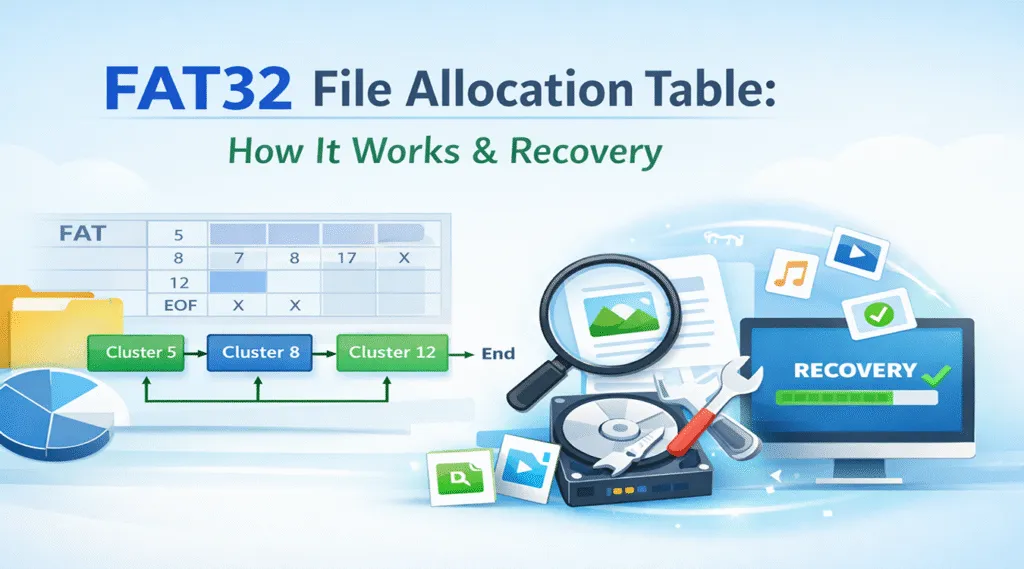
The fat32 file allocation table remains widely used across USB drives, SD cards, and external storage devices. Because of its simplicity, many systems still rely on this structure. However, it also introduces certain risks.
For example, files may suddenly disappear or become inaccessible. Therefore, understanding how the FAT32 file system manages data becomes essential. At the same time, knowing how to recover lost files helps prevent permanent loss.
Table of Contents
What Is the FAT32 File Allocation Table
The FAT is a system that tracks how files are stored on a disk. Instead of saving files in one continuous block, it splits them into clusters. Then, the system links these clusters together using a table.
Key characteristics of FAT32
- Stores files in cluster chains
- Uses a central table for tracking
- Supports multiple operating systems
- Works well on portable storage
Because of this structure, FAT32 offers strong compatibility. However, it does not include advanced protection features.
How the File Allocation Table 32 Works
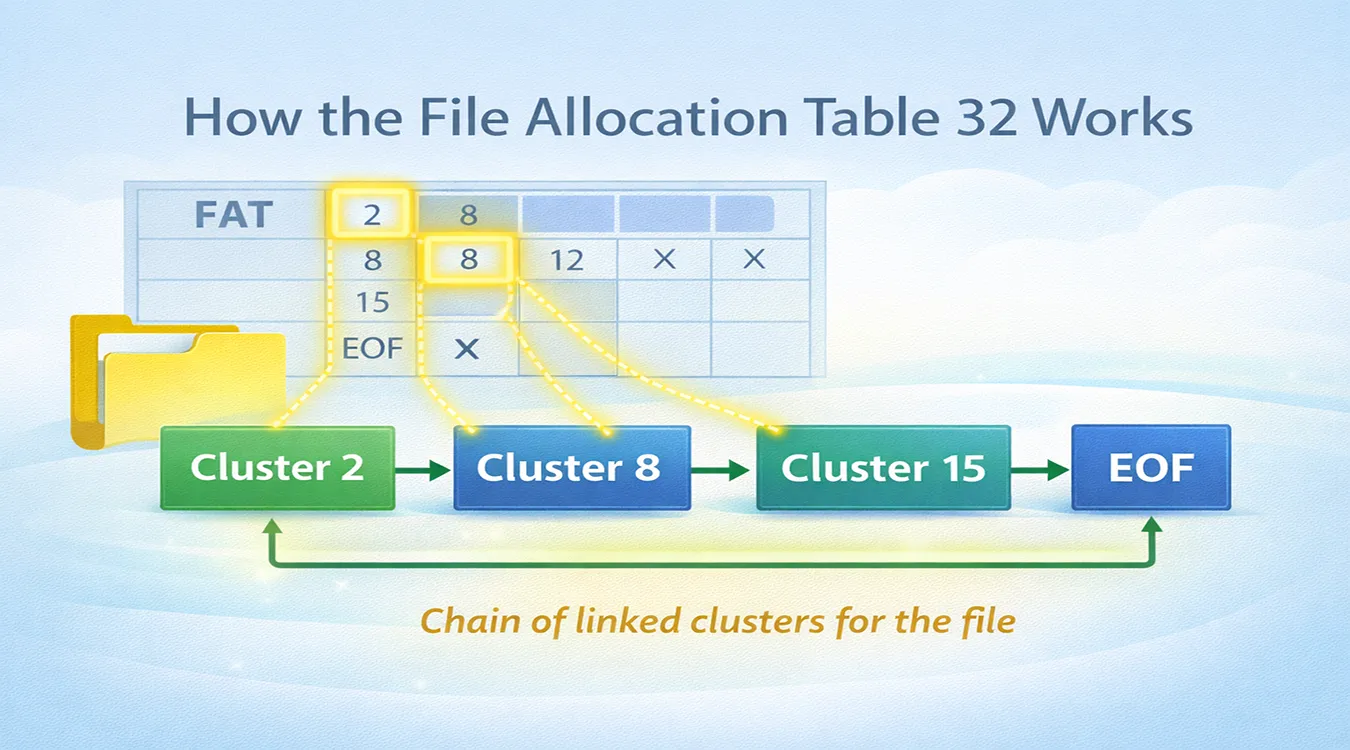
To fully understand the file allocation table 32, you need to focus on cluster chains. Each file depends on a sequence of linked clusters.
Basic workflow of FAT32
- First, the system saves a file
- Next, it assigns available clusters
- Then, each cluster links to the next
- Finally, the table records the chain
For instance:
Cluster 2 → Cluster 8 → Cluster 15 → End
Therefore, when you open a file, the system reads this chain step by step. However, if one link breaks, the entire file may fail to open.
FAT32 File Allocation Table Structure Explained
The FAT consists of three main regions. Each part plays a critical role.
Reserved region
This area stores boot records and essential file system information. Without it, the system cannot initialize properly.
FAT region
This is the core of the FAT. It tracks how clusters connect. Therefore, any damage here directly affects file access.
Data region
This region stores actual file content. However, it relies entirely on the FAT region for navigation.
As a result, if the FAT region becomes corrupted, files may still exist but remain inaccessible.
Extended File Allocation Table and FAT Variants
The concept of an extended file allocation table refers to improvements built on FAT technology. Over time, several versions appeared.
Common FAT variants
- FAT12 – limited storage capacity
- FAT16 – improved but still restricted
- FAT32 – widely used today
- exFAT – extended version for modern storage
Compared to FAT32, exFAT supports larger files and improves efficiency. However, FAT32 still dominates due to its compatibility.
Common FAT32 File Allocation Table Problems
Although the FAT works efficiently, real-world usage often introduces risks. In fact, several common issues can lead to data loss.
Typical problems in FAT32 systems
- Accidental file deletion
- Sudden power interruption
- Unsafe device removal
- File system corruption
- Bad sectors
Consequently, files may disappear without warning. However, in many cases, the data still exists on the disk.
Why FAT32 File Allocation Table Data Loss Happens
The file allocation table 32 depends entirely on accurate cluster links. Therefore, when these links break, data loss occurs.
Main causes of FAT32 failure
- Broken cluster chains
- Corrupted FAT entries
- Damaged directory structures
As a result, the system cannot locate files. Even worse, users may assume the data is gone. However, in reality, the file content often remains intact.
How to Recover Data from FAT32 File Allocation Table
When the fat32 file allocation table becomes corrupted, standard repair methods often fail. Therefore, you need a tool that bypasses the file system. Magic Data Recovery provides exactly this capability.
Why Magic Data Recovery is effective
- It scans disk sectors directly
- It rebuilds lost file structures
- It works even when FAT is damaged
- It supports file preview before recovery
It ignores the damaged FAT structure, which significantly improves recovery success rates.

When to Use FAT32 File Allocation Table Today
Even today, the fat32 file allocation table remains useful. However, you should use it in specific scenarios.
Recommended use cases
- USB drives for cross-platform sharing
- SD cards in cameras
- Embedded systems
- Older devices requiring FAT support
On the other hand, for large files or critical data, more advanced systems perform better.
Conclusion
The fat32 file allocation table remains simple and widely supported. However, it also introduces structural risks. Because the file allocation table 32 relies on cluster chains, even small errors can cause major data loss.
Therefore, prevention matters. More importantly, recovery tools play a critical role. Magic Data Recovery provides a reliable solution by scanning raw data and rebuilding lost files.
If you encounter FAT32 data loss, acting quickly and using the right tool will greatly increase recovery success.
Supports Windows 7/8/10/11 and Windows Server
FAQs
What is the FAT32 file allocation table used for?
The fat32 file allocation table tracks how files are stored using cluster chains. It allows the system to locate and read file data efficiently. However, when the table becomes corrupted, files may become inaccessible even though the actual data still exists on the disk.
How does file allocation table 32 differ from NTFS?
The file allocation table 32 focuses on simplicity and compatibility. In contrast, NTFS offers advanced features like permissions and journaling. Therefore, FAT32 works well for portable devices, while NTFS provides better stability and security for modern systems.
What is an extended file allocation table?
An extended file allocation table refers to newer FAT-based systems such as exFAT. These systems improve storage limits and efficiency. For instance, exFAT supports larger files and reduces fragmentation, making it suitable for modern storage devices.
Can FAT corruption be fixed?
In some cases, repair tools can fix minor corruption. However, severe damage often prevents successful repair. Therefore, recovering data first is safer. Using a recovery tool ensures that files are preserved before attempting any repair operations.
Why do files disappear in FAT32 systems?
Files disappear when the FAT loses track of cluster chains. This can happen due to corruption, power loss, or improper removal. As a result, the system cannot locate the file, even though the data may still remain on the disk.
Is FAT32 still safe for modern use?
FAT32 remains safe for basic storage and compatibility needs. However, it lacks advanced protection features. Therefore, it is best suited for non-critical data. For important files, using more modern file systems or backups is recommended.

Vasilii is a data recovery specialist with around 10 years of hands-on experience in the field. Throughout his career, he has successfully solved thousands of complex cases involving deleted files, formatted drives, lost partitions, and RAW file systems. His expertise covers both manual recovery methods using professional tools like hex editors and advanced automated solutions with recovery software. Vasilii's mission is to make reliable data recovery knowledge accessible to both IT professionals and everyday users, helping them safeguard their valuable digital assets.