
Disk Drill for Windows 10 Review & Best Alternative
When files disappear on Windows 10, most users immediately search for a hard drive recovery tool. As a result, Disk Drill for Windows 10 often appears as a popular choice. However, choosing the right software is not just about visibility or brand recognition.
In reality, recovery success depends on the situation. For example, deleted files are easier to restore, while formatted or corrupted drives require deeper scanning. Therefore, this guide does more than review disk drill windows 10. It explains real performance, compares it with gt recovery for windows and Magic Data Recovery, and shows when a better solution becomes necessary.
Supports Windows 7/8/10/11 and Windows Server
Table of Contents
What Is Disk Drill for Windows 10 and How It Works
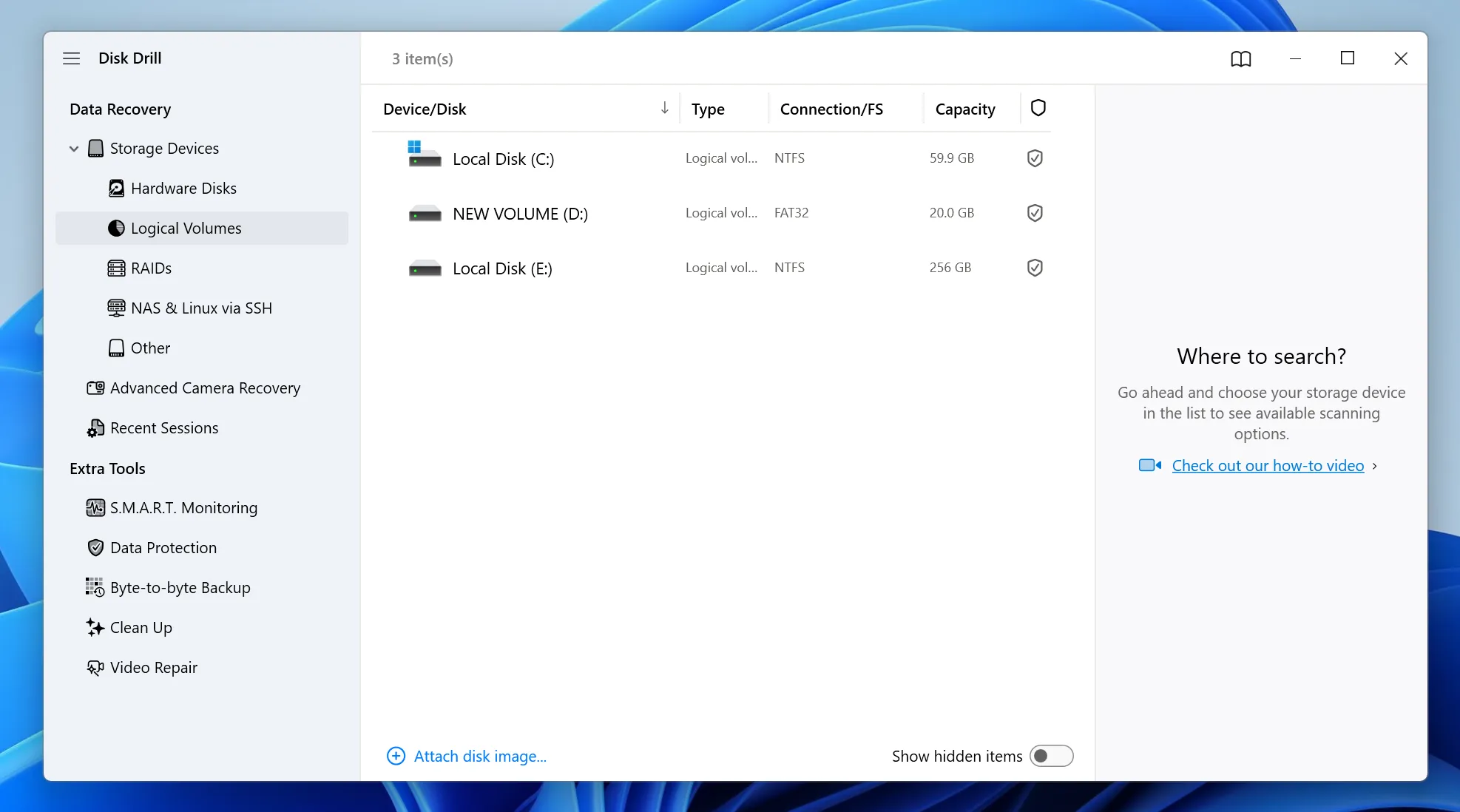
Disk Drill for Windows 10 is a data recovery tool designed to retrieve lost files from storage devices. It supports HDDs, SSDs, USB drives, and memory cards.
First, the software scans the file system for deleted entries. Then, it performs a deeper scan that searches raw sectors. As a result, it can locate files even when file system data is missing.
Although the interface is simple, recovery depth varies depending on the scenario. Therefore, understanding how it works helps set realistic expectations.
Key Features of Disk Drill Windows 10
Scan Modes for Different Recovery Needs
First, the tool provides Quick Scan for recently deleted files. Then, it switches to Deep Scan for more complex situations. This layered approach improves detection coverage.
File Preview Before Recovery
In addition, users can preview files before restoring them. Therefore, they can confirm file quality and avoid unnecessary recovery.
Device and File System Support
Moreover, disk drill windows 10 supports NTFS, FAT32, and exFAT. It also works with various devices, which makes it suitable for everyday recovery tasks.
Recovery Vault Protection
Another feature tracks deleted files in advance. However, it only works if enabled before data loss occurs.
Pros and Cons of Disk Drill for Windows 10
Pros
- Easy to use, even for beginners
- Supports multiple file types
- Provides preview before recovery
- Works across common storage devices
Cons
- Deep scan can take a long time
- Free recovery is limited
- Performance drops on RAW drives
- Cannot recover overwritten files effectively
Although the tool works well in simple cases, limitations appear in advanced scenarios.
Real Performance of Disk Drill for Windows 10 in Different Scenarios
Deleted Files Recovery
For recently deleted files, Disk Drill for Windows 10 performs well. In most cases, Quick Scan restores files within minutes.
Formatted Drive Recovery
However, when recovering formatted drives, results become less consistent. Deep Scan may find files, but folder structures are often missing.
RAW or Corrupted Drive Recovery
In addition, recovery from RAW drives depends heavily on scan depth. While files can be detected, accuracy may decrease.
Overwritten Files Recovery
Most importantly, overwritten files remain difficult to recover. Once new data replaces old data, recovery tools rarely rebuild complete files. Therefore, acting quickly after data loss is essential.
Why Disk Drill for Windows 10 Is Not Always Enough
Although Disk Drill for Windows 10 covers general needs, certain scenarios require stronger recovery capabilities. For example:
- A USB drive becomes unreadable
- A partition turns into RAW format
- Files disappear after formatting
In these cases, standard scanning methods may fail. Therefore, using a tool with deeper analysis becomes critical.
Disk Drill vs GT Recovery vs Better Solutions
When comparing tools, performance differences become clearer:
| Feature | Disk Drill | GT Recovery | Magic Data Recovery |
| Deep Scan | Yes | Limited | Advanced |
| RAW Recovery | Moderate | Weak | Strong |
| Overwritten Recovery | Weak | Weak | Partial Support |
| Ease of Use | High | High | High |
| Free Recovery | 500MB | Free | 500MB |
Clearly, while Disk Drill for Windows 10 performs better than GT Recovery, it still lacks strength in complex recovery situations.
Best Alternative to Disk Drill for Windows 10
When recovery becomes complex, a more advanced solution is necessary. This is where Magic Data Recovery provides a clear advantage.
What Problems It Solves
- Recovers data from RAW or damaged drives
- Retrieves files after formatting
- Detects lost files without file system structure
Key Advantages
- Advanced raw sector scanning
- Works across HDD, SSD, and USB devices
- Finds files beyond standard recovery methods
- Allows preview before recovery
Real Scenario Example
For instance, if a USB drive suddenly shows as unrecognized, basic tools may fail. However, deeper scanning can still locate recoverable data fragments.
Why It Is More Reliable
Instead of focusing on simple recovery, it prioritizes data retrieval before repair. As a result, it reduces the risk of permanent data loss.
How to Recover Files Safely on Windows 10 with a Better Solution
Recovering files safely is not just about using a tool. Instead, it requires a method that reduces risks and improves recovery success.
Although Disk Drill for Windows 10 works for basic recovery, it may struggle with RAW drives or corrupted partitions. Therefore, a deeper recovery solution is often needed.
In such cases, Magic Data Recovery provides a more reliable approach with advanced scanning. The following steps show how to recover files safely using this method.
Step 1: Install the Recovery Tool Properly
First, install Magic Data Recovery on a different drive. This prevents overwriting lost data and protects recoverable files.
Supports Windows 7/8/10/11 and Windows Server
Step 2: Select the Lost Partition
Next, open the program and choose the drive where files were lost. Then, start the scan from the main interface.

Step 3: Scan for Recoverable Files
After that, begin scanning. Meanwhile, the system lists recoverable files as the scan progresses.

Step 4: Preview Files Before Recovery
Then, preview the files to confirm their condition. This step ensures you recover only useful data.

Step 5: Recover Files to a Safe Location
Finally, save recovered files to another location. This avoids overwriting remaining data and protects recovery results.

Conclusion
Disk Drill for Windows 10 works well for basic HDD recovery tasks. It offers ease of use and supports common devices. However, it struggles with deeper recovery scenarios such as RAW drives or overwritten files.
Therefore, if your data loss is simple, it can be a practical option. However, for complex situations, choosing a more advanced solution significantly improves recovery success. That is why tools like Magic Data Recovery provide a more reliable approach when data truly matters.
Supports Windows 7/8/10/11 and Windows Server
FAQs
Is Disk Drill safe to use?
Yes, it is safe because it performs read-only scans. However, installing it on the same drive where data was lost can reduce recovery chances. Therefore, always install recovery software on a different drive to protect your data.
Can Disk Drill recover overwritten files?
In most cases, it cannot fully recover overwritten files. Once new data replaces the original data, recovery becomes extremely difficult. Therefore, stopping disk usage immediately after data loss greatly improves recovery chances.
Is Disk Drill Windows 10 free?
It offers limited free recovery. Users can scan and preview files without cost, but full recovery requires payment. Therefore, it works well for testing but may not be enough for large recovery tasks.
What is better than Disk Drill for Windows 10?
For complex scenarios such as formatted or corrupted drives, tools with deeper scanning capabilities perform better. Therefore, choosing software that supports raw recovery can improve overall success rates.
Does Disk Drill Windows 10 work on SSD drives?
Yes, it supports SSD recovery. However, SSDs use TRIM technology, which may erase deleted data quickly. Therefore, acting immediately after data loss is essential for successful recovery.
How long does Disk Drill for Windows 10 take to scan?
Scan time depends on drive size and scan type. Quick scans take minutes, while deep scans may take hours. Therefore, larger or damaged drives require more time for complete analysis.
Can GT Recovery for Windows replace Disk Drill?
Not completely. While gt recovery for windows works for simple recovery tasks, it lacks advanced features. Therefore, it cannot handle complex recovery scenarios as effectively as more advanced tools.

Vasilii is a data recovery specialist with around 10 years of hands-on experience in the field. Throughout his career, he has successfully solved thousands of complex cases involving deleted files, formatted drives, lost partitions, and RAW file systems. His expertise covers both manual recovery methods using professional tools like hex editors and advanced automated solutions with recovery software. Vasilii's mission is to make reliable data recovery knowledge accessible to both IT professionals and everyday users, helping them safeguard their valuable digital assets.