
How to Find Youtube to MP3 Software Keys

In the digital age, YouTube to MP3 converters have become indispensable tools for numerous users. Whether you wish to extract audio from your favorite YouTube videos for offline listening or for alternative purposes, these converters play a pivotal role. Popular software like Video Converter Fox, Wondershare UniConverter, VideoProc Converter, ClipGrab, and 4K YouTube to MP3 are extensively used in the market. However, users frequently encounter the issue of misplacing their license keys.
The license key is the gateway to unlocking the full functionality of the software. Losing it can be inconvenient and hinder your ability to use the software properly. This is particularly true for those who have purchased 4K YouTube to MP3 or other YouTube to MP3 converters. Some software developers may not offer an easy way to retrieve the lost key, and with the infrequent updates of some software, obtaining assistance becomes even more challenging. Here is the tool which is recommended for finding your 4k youtube to mp3 license key.
Supports Windows 7/8/10/11 and Windows Server
Why License Keys for YouTube to MP3 Converters Might be Lost

There are several reasons why license keys for YouTube to MP3 converters might be lost, including but not limited to:
Software Updates and Reinstallations: Sometimes, when software is updated or reinstalled, the license key information might not be properly preserved, leading to its loss.
System Crashes and Virus Attacks: As mentioned earlier, system crashes or virus attacks can corrupt or delete important files, including those containing license keys.
Human Error: Simple human errors, such as typos when entering the key or accidentally deleting the file, can also result in the loss of a license key.
Fortunately, there is a solution – Magic Recovery Key. Magic Recovery Key is a robust tool specifically engineered to retrieve lost license keys. It boasts a broad range of applications and can tackle situations where you have lost the license key for various programs.
Using Magic Recovery Key to Find Your YouTube to MP3 Converter License Key
To leverage Magic Recovery Key in finding the license key of your YouTube to MP3 converter, follow these steps:
Download and Install: Begin by downloading and installing Magic Recovery Key on your computer. Ensure you download it from the official website to guarantee its authenticity and security.
Supports Windows 7/8/10/11 and Windows Server
Launch the Program: Once installed, launch the program. It will list the license key of your Youtube to MP3 software on this computer.

Save or Copy Your License Keys : You are able to save or copy your Youtube to MP3 license keys to activate the software or save it to safe drive for future use.
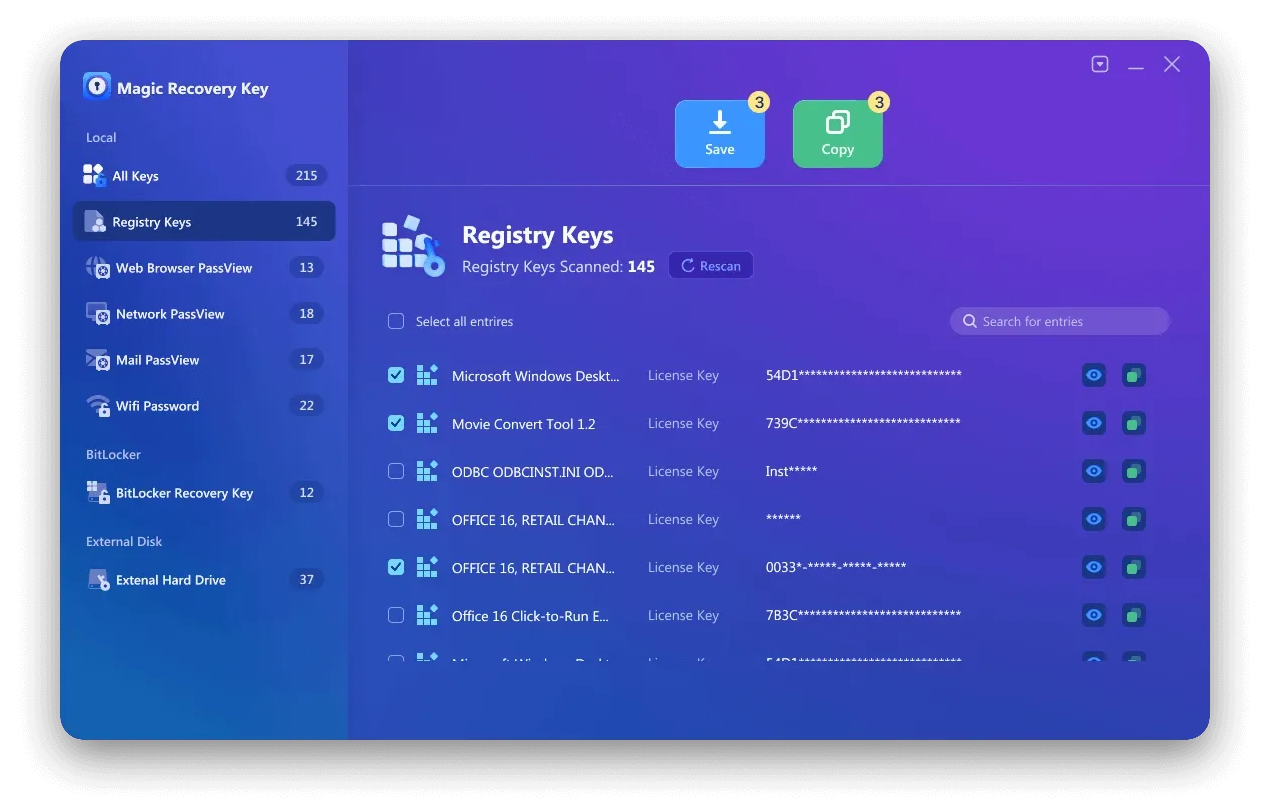
Magic Recovery Key not only aids in finding the license key of YouTube to MP3 converters but also provides support for numerous other software. It features a user-friendly interface, making it accessible even for novice users. With its high success rate in key recovery, you can rely on it to resolve your license key issues.
Conclusion
If you are grappling with the loss of the license key for your YouTube to MP3 converter, do not hesitate to try Magic Recovery Key. It will save you time and effort and ensure that you can continue using your favorite software without any hindrance. Get Magic Recovery Key today and regain control over your software usage. Magic Recovery Key is also able to find license key of Microsoft Office.
Supports Windows 7/8/10/11 and Windows Server
FAQs about Recovering 4K YouTube to MP3 License Key
How can I recover my lost 4K YouTube to MP3 license key?
What should I do if the 4K YouTube to MP3 key is not found?
Can Magic Recovery Key retrieve multiple software license keys?
Is it safe to use Magic Recovery Key for license retrieval?
Can I use the recovered 4K YouTube to MP3 license key on another computer?

Erin Smith is recognized as one of the most professional writers at Amagicsoft. She has continually honed her writing skills over the past 10 years and helped millions of readers solve their tech problems.