
Recover a Recently Deleted Google Account
Deleting a Google account by mistake can feel stressful, especially when Gmail, Google Drive, Photos, YouTube, contacts, or app purchases are tied to it. The good news is that you may still be able to recover a recently deleted google account if you act quickly and follow the right process. This guide explains the safest free recovery methods first, including Google’s official recovery page, Google support options, and practical tips that improve your chances.
Before you try any third-party solution, start with Google’s own tools. They are free, safer, and designed to verify that you own the account. If your main problem is that you forgot the account password, the final section also explains when Magic Recovery Key may help you find saved browser passwords or related credentials from your own computer.
Table of Contents
Can You Recover a Recently Deleted Google Account?
Yes, you may be able to recover a recently deleted google account, but timing matters. Google says a deleted account may still be recoverable if it was deleted recently. However, if the account was deleted a while ago, Google may not be able to restore it.
That means you should not wait, test random tools, or repeatedly create new accounts using the same information. Instead, go directly to the official recovery flow and provide the most accurate information you can.
For personal Gmail accounts, Google does not publish a guaranteed recovery window. Some online articles mention estimated time ranges, but those are not official. For Google Workspace accounts, the rule is clearer: an administrator can usually restore a deleted user account up to 20 days after deletion.
Step 1: Use the Official Google Account Recovery Page
The first and most important way to recover a recently deleted google account is Google’s official account recovery page. This process asks questions to confirm that the account belongs to you.
Follow these steps:
- Go to Google Account Recovery.
- Enter the deleted Gmail address or linked phone number.
- If Google recognizes the account as recently deleted, continue the recovery flow.
- Enter the last password you remember.
- Complete verification through recovery email, phone number, security prompts, or another available method.
- Reset your password if Google asks you to do so.
Google recommends answering the questions as accurately as possible. Also, wrong guesses do not automatically remove you from the recovery process, so do not skip questions if you can provide a reasonable answer.
Step 2: Use a Familiar Device, Browser, and Location
If you want to recover recently deleted google account access, Google needs signals that show you are the real owner. A familiar login environment can help.
Use:
- A phone, laptop, or desktop where you used the account before.
- The same browser, such as Chrome or Safari.
- A regular location, such as your home, office, or school.
- The same Wi-Fi network if possible.
This matters because Google checks sign-in patterns to reduce account theft. For example, recovery from your usual laptop at home looks more trustworthy than recovery from a new device in another country.
Step 3: Enter the Most Recent Password You Remember
Many users fail to recover a recently deleted google account because they rush through the password step. Even if the password is old, Google may use it as an ownership signal.
Try these password types:
- Your last known Google password.
- Older passwords you used before the deletion.
- Password variations with different capitalization.
- Passwords saved in your browser or password manager.
- Passwords you may have used during account creation.
Avoid random guesses. Instead, write down a short list of likely passwords and try them carefully. Google says details matter, including spelling, uppercase letters, and lowercase letters.
Step 4: Check Your Recovery Email and Phone
To recover a recently deleted google account, you may need access to a recovery email or phone number. Check every inbox and device linked to the account.
Look for:
- Verification codes.
- Google security alerts.
- Account recovery emails.
- Messages titled “Your Google support inquiry.”
- Prompts on trusted Android devices.
Also check your spam or junk folder. Google specifically advises users to look there if they expect an account recovery message but cannot find it.
Step 5: Try Again If Google Cannot Verify You
If Google says it cannot verify that the account belongs to you, do not panic. You can try again. Google states that users can repeat the recovery process, and there is no fixed limit on recovery attempts.
However, repeated careless attempts can make the process harder. Before trying again, improve your setup:
- Use a familiar device.
- Return to a regular location.
- Collect old passwords.
- Make sure your recovery phone can receive codes.
- Check your recovery email.
- Avoid VPNs or unusual networks.
Then restart the official process and answer every question carefully.
Step 6: Contact Google Support the Right Way
Many users search for “contact Google support” when they cannot recover a recently deleted google account. The important point is that support options depend on your account type.
For personal Gmail accounts, Google says you cannot call Google for help signing in. Google also warns that it does not work with services that claim to provide account or password support. Never share your password or verification codes with anyone.
Free support options include:
- Google Account Help Center.
- Google Account Recovery page.
- Google Help Community.
- Official sign-in troubleshooting pages.
For Google Workspace accounts, contact your organization’s administrator first. If a user account was deleted, the admin may restore it from the Admin Console within the allowed window. Workspace administrators may also contact Google Workspace support through their admin tools.
Step 7: Recover a Deleted Google Workspace Account
If your deleted account belongs to a company, school, or organization, the recovery process works differently. You usually cannot restore it yourself.
Ask your Google Workspace administrator to:
- Sign in to the Google Admin Console.
- Go to Users.
- Open Recently deleted users.
- Select the deleted user.
- Click Recover.
- Assign the correct organizational unit and license if needed.
Google says Workspace admins can restore deleted user accounts up to 20 days after deletion. After that, recovery may no longer be possible through the Admin Console.
Common Mistakes That Reduce Recovery Chances
When trying to recover a recently deleted google account, avoid these mistakes:
- Waiting too long before starting recovery.
- Using a new device or unknown network.
- Skipping recovery questions.
- Guessing random passwords.
- Ignoring spam folders.
- Contacting unofficial “Google support” services.
- Sharing verification codes with strangers.
- Creating confusion with similar Gmail addresses.
In real recovery cases, small details matter. For example, using your regular laptop and remembering one old password may help more than submitting many rushed attempts from a new phone.
What If the Deleted Account Cannot Be Recovered?
Sometimes, Google cannot restore the account. This can happen when the deletion is too old, the account cannot be verified, or the account no longer exists in Google’s recoverable state.
If this happens, create a replacement Google account and secure it immediately:
- Add a recovery email.
- Add a recovery phone number.
- Set up passkeys or 2-Step Verification.
- Save backup codes.
- Use a password manager.
- Review recovery settings regularly.
- Export important data with Google Takeout when possible.
This does not bring back the deleted account, but it reduces the risk of losing access again.
How to Avoid Losing Your Google Account Again
After you recover a recently deleted google account, take a few minutes to secure it. Do not wait until the next emergency.
Recommended actions:
- Update your recovery email and phone number.
- Remove unknown devices.
- Review recent security activity.
- Change reused passwords.
- Turn on 2-Step Verification.
- Add recovery contacts if available.
- Keep a private record of important account details.
Google also recommends reviewing suspicious activity and securing your account if someone else may have used or deleted it.
Final Tip: If You Lost the Account Password, Try Magic Recovery Key
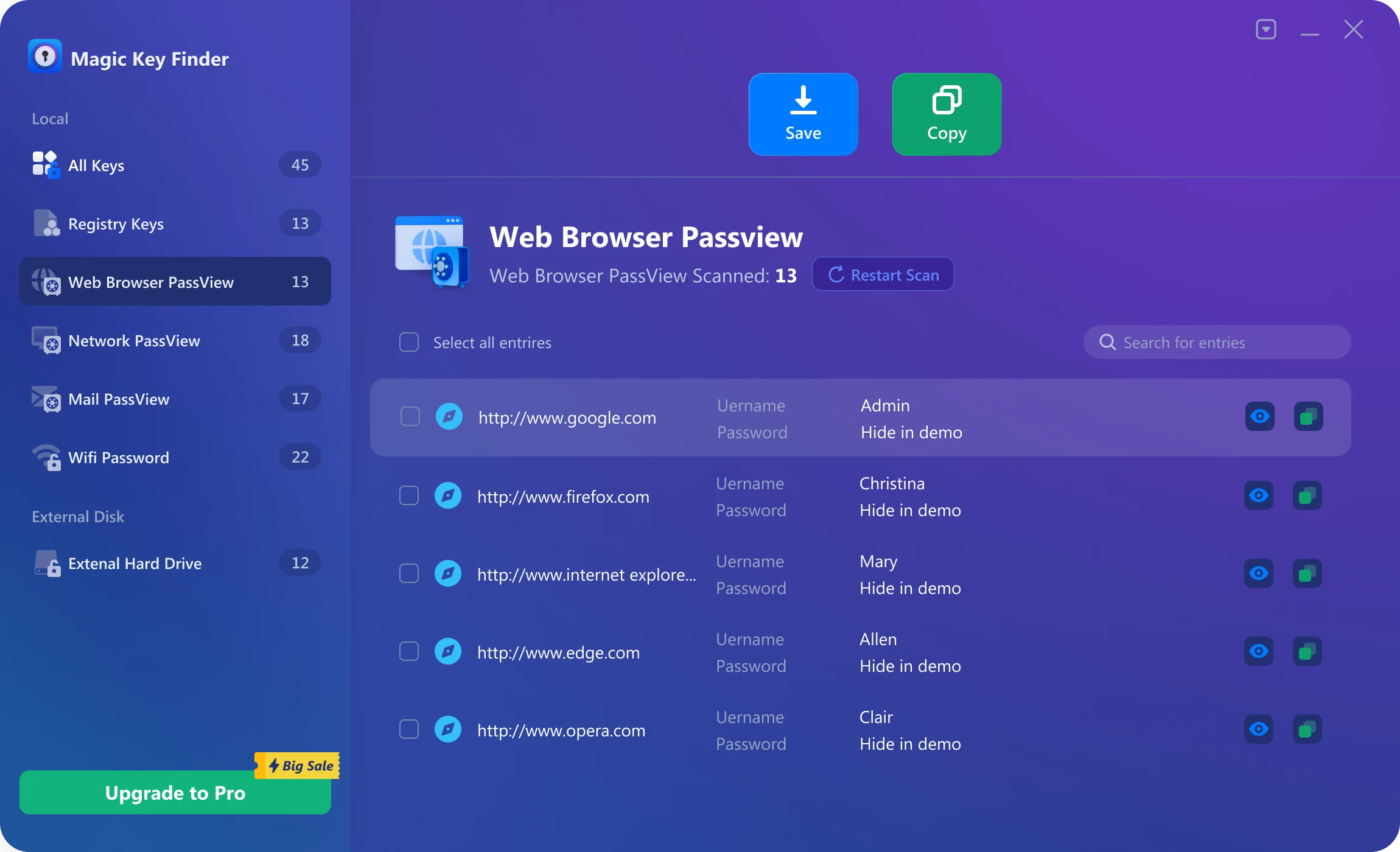
If your main barrier is a forgotten password, and you previously saved the login in a browser on your own Windows computer, Magic Recovery Key may help. It does not bypass Google’s security, restore a deleted account directly, or replace Google Account Recovery. However, it can help you locate saved browser account passwords, software license keys, Wi-Fi passwords, and related credentials stored on your computer.
This makes it useful when you cannot remember the last password needed to recover a recently deleted google account. For example, if Chrome or another browser saved the Gmail login before deletion, Magic Recovery Key may help you find that saved password and use it in Google’s official recovery form.
Compared with guessing passwords or trusting unofficial recovery services, this approach is more practical because it focuses on credentials already stored on your own device. If you are looking for a safer, more efficient way to check locally saved passwords, try Magic Recovery Key before giving up on the recovery process.
Supports Windows 7/8/10/11 and Windows Server
FAQs
Can I recover a recently deleted Google account for free?
How long do I have to recover a deleted Google account?
What should I do if Google says it cannot verify my account?
Can I contact Google support to recover a deleted Gmail account?
Can a Google Workspace admin recover a deleted account?
What information helps Google verify account ownership?
Can Magic Recovery Key recover my deleted Google account directly?
What should I do after recovering my Google account?

Jason is a data recovery and technical support specialist with over 15 years of hands-on experience. He has worked extensively with frontline users, troubleshooting difficult data loss cases and providing practical recovery solutions for accidental deletion, formatted drives, damaged file systems, lost partitions, system failures, and other recovery emergencies. His expertise also includes backup and restoration, file repair, and disaster recovery, with a strong emphasis on safe, reliable, and technically accurate guidance.