
Bitmap Allocator Explained: How It Works & Best Practices
In modern computing systems, efficient memory and storage management directly affects performance and reliability. Many developers and system engineers rely on the bitmap allocator to track resource usage due to its simplicity and low overhead.
However, real-world usage reveals challenges such as fragmentation, slow scanning in large systems, and even data loss when bitmap structures become corrupted. These issues are not just theoretical—they frequently appear in file systems and embedded environments.
This guide explains how a bitmap allocator works, explores its strengths and limitations, and provides practical solutions—including how to recover data when things go wrong.
Table of Contents
What Is a Bitmap Allocator and Why It Matters
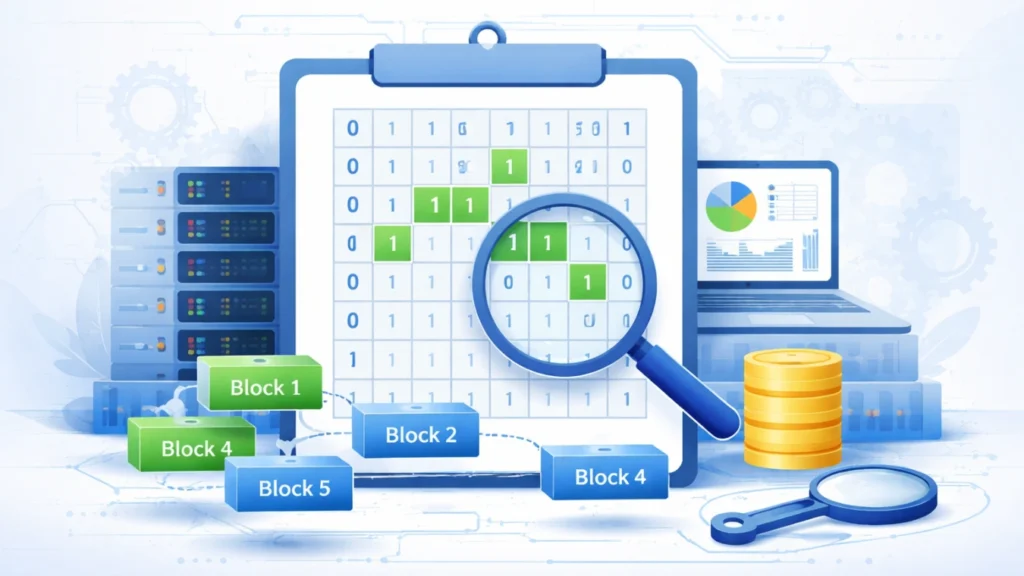
A bitmap allocator is a resource management technique that uses a sequence of bits to represent the allocation status of memory blocks or storage units.
Each bit corresponds to a fixed-size block:
- 0 → free block
- 1 → allocated block
This design allows systems to efficiently track thousands or even millions of blocks using minimal memory.
Unlike linked lists or tree-based allocators, a bitmap allocator focuses on simplicity and predictability. Because of this, it is widely used in:
- File systems (e.g., block allocation tracking)
- Operating systems (page allocation)
- Embedded systems with strict memory constraints
The importance of a bitmap allocator lies in its balance between efficiency and implementation simplicity.
How a Bitmap Allocator Works in Practice
Understanding how a bitmap allocator operates helps explain both its strengths and weaknesses.
Initialization and Structure
At system startup, the bitmap is initialized with all bits set to 0, indicating that all blocks are free. The size of the bitmap depends on the number of manageable blocks.
For example, 1,024 blocks require only 1,024 bits (128 bytes), making the structure extremely compact.
Allocation Process
When a request arrives:
- The allocator scans the bitmap for available (0) bits
- It identifies either a single free block or a sequence of contiguous blocks
- It marks those bits as 1
This process is straightforward but can become slower as the bitmap grows.
Deallocation Process
When memory or storage is released:
- The corresponding bits are reset from 1 to 0
- The blocks become available for future allocation
Optimization Techniques
To improve performance, advanced systems may:
- Cache recently freed blocks
- Use hierarchical bitmaps
- Maintain indexes for faster lookup
These optimizations reduce scanning time significantly in large-scale systems.
Advantages and Limitations of a Bitmap Allocator
Key Advantages
The bitmap allocator remains popular for several strong reasons:
- Low memory overhead: Only one bit per block
- Simple logic: Easy to implement and debug
- Deterministic behavior: Predictable allocation patterns
- Efficient for fixed-size blocks
These benefits make it ideal for systems where memory efficiency is critical.
Main Limitations
Despite its advantages, a bitmap allocator also introduces challenges:
- Scanning overhead: Large bitmaps take longer to search
- Fragmentation: Free space may exist but not in contiguous blocks
- Scalability issues: Performance decreases with size
- High risk under corruption: A damaged bitmap can misrepresent allocation status
In real-world systems, these limitations often require additional safeguards or hybrid allocation strategies.
Real-World Use Cases of a Bitmap Allocator
A bitmap allocator is not just a theoretical concept—it is actively used in many systems.
File Systems
Most modern file systems rely on a bitmap allocator to track disk block usage. It enables fast detection of free space and efficient storage management.
Operating Systems
Operating systems use bitmap-based allocation for:
- Memory pages
- Kernel resource tracking
Embedded Systems
Because of its minimal overhead, a bitmap allocator is highly suitable for embedded devices with limited resources.
Databases and Storage Engines
Some database engines use bitmap structures to manage space allocation efficiently, especially in block-based storage systems.
Common Problems and How to Fix Them
Even with proper implementation, a bitmap allocator can encounter issues.
Fragmentation
Over time, free blocks become scattered. This makes it difficult to allocate large contiguous regions.
Solution:
- Use defragmentation techniques
- Combine with buddy allocation systems
Performance Degradation
As the bitmap grows, scanning becomes slower.
Solution:
- Use segmented or hierarchical bitmaps
- Maintain free block indexes
Bitmap Corruption
This is the most critical issue.
When corruption occurs:
- Allocated blocks may appear free
- Data may be overwritten
- Files can become inaccessible
Solution:
- Maintain backup metadata
- Use journaling file systems
- Apply recovery tools when damage occurs
Recovering Data from Bitmap Allocator Failures
In real-world environments, bitmap corruption is often caused by:
- Sudden power loss
- Disk errors
- Improper shutdowns
- Software bugs
When this happens, traditional recovery methods fail because they rely on intact allocation metadata.
Why Standard Recovery Fails
A corrupted bitmap allocator provides incorrect information about which blocks are used. As a result:
- The system may overwrite valid data
- File structures become inconsistent
A Practical Solution: Magic Data Recovery
In such cases, using a specialized tool like Magic Data Recovery becomes essential.
Instead of relying on damaged bitmap data, it scans the storage device at a deeper level.

What Makes It Effective
- Raw data scanning: Locates recoverable files without bitmap dependency
- Structure reconstruction: Rebuilds files even when metadata is broken
- Broad compatibility: Supports multiple storage devices and file systems
Real Scenario Example
After a system crash, a file system using a bitmap allocator marks active blocks as free. New data overwrites part of the original files. With Magic Data Recovery, you can scan the disk and recover remaining intact data segments.
Why It’s a Reliable Choice
Compared to manual recovery:
- It reduces human error
- It works even with severe corruption
- It improves recovery success rates
If you are dealing with bitmap-related data loss, trying Magic Data Recovery is a practical next step.
Conclusion
The bitmap allocator remains a foundational technique in memory and storage management. Its simplicity and efficiency make it highly valuable across file systems, operating systems, and embedded environments.
However, it also introduces real-world challenges such as fragmentation, scalability limits, and data corruption risks. Understanding these issues—and applying best practices—helps maintain system stability.
When failures occur, especially those involving corrupted bitmap structures, tools like Magic Data Recovery provide a reliable and efficient way to recover lost data without depending on damaged metadata.
Supports Windows 7/8/10/11 and Windows Server
FAQs
What is a bitmap allocator in simple terms?
A bitmap allocator is a method used to track whether blocks of memory or storage are free or in use. Each block is represented by a single bit, making it a very efficient way to manage resources in systems like operating systems and file systems.
Why is a bitmap allocator considered efficient?
A bitmap allocator uses only one bit per block, which minimizes memory overhead. This allows systems to manage large amounts of storage or memory without requiring complex data structures, making it both space-efficient and easy to implement.
What problems can occur with a bitmap allocator?
Common issues include fragmentation, slower performance in large systems, and bitmap corruption. Corruption is especially serious because it can cause the system to misidentify used blocks as free, potentially leading to data loss or overwriting.
How do systems improve bitmap allocator performance?
Systems often improve bitmap allocator performance by using techniques like hierarchical bitmaps, caching, and segmentation. These methods reduce the time needed to scan for free blocks and make allocation more efficient in large-scale environments.
Is a bitmap allocator still used today?
Yes, the bitmap allocator is still widely used in modern systems. It is especially common in file systems and embedded environments where simplicity and low memory overhead are important design requirements.
What happens if a bitmap becomes corrupted?
When a bitmap becomes corrupted, the system may incorrectly mark used blocks as free. This can result in overwriting existing data, file system inconsistencies, and potential data loss, making recovery tools necessary in many cases.
Can lost data from bitmap errors be recovered?
Yes, data can often be recovered using specialized tools. Solutions like Magic Data Recovery scan the disk directly and reconstruct files without relying on the damaged bitmap, improving the chances of successful recovery.
When should you use a bitmap allocator?
You should use a bitmap allocator when working with fixed-size blocks and when memory efficiency is a priority. It is particularly suitable for embedded systems, simple file systems, and environments where low overhead is essential.

Jason is a data recovery and technical support specialist with over 15 years of hands-on experience. He has worked extensively with frontline users, troubleshooting difficult data loss cases and providing practical recovery solutions for accidental deletion, formatted drives, damaged file systems, lost partitions, system failures, and other recovery emergencies. His expertise also includes backup and restoration, file repair, and disaster recovery, with a strong emphasis on safe, reliable, and technically accurate guidance.