
How to Recover Deleted Files from Thumb Drive
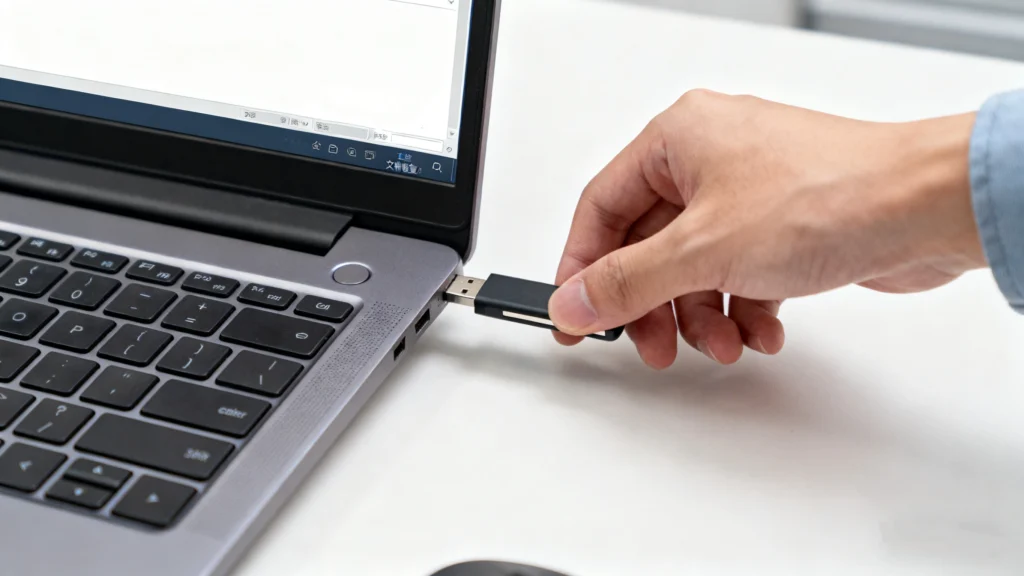
Accidentally deleting important files from a USB thumb drive is a common and frustrating experience. In many cases, photos, documents, or work files disappear instantly without any warning or recycle bin. Fortunately, how to recover deleted files from thumb drive is a problem that can often be solved—if the right steps are taken early.
This guide explains what really happens when files are deleted from a USB drive, which deleted file recovery methods actually work, and how to restore lost data safely. You will also learn when free tools such as Recuva are sufficient, and when a more reliable solution like Magic Data Recovery is the better choice.
Supports Windows 7/8/10/11 and Windows Server
Table of Contents
What Happens When You Delete Files from a Thumb Drive
When you delete files from a thumb drive, Windows does not immediately erase the data. Instead, the operating system removes the file entry from the file system table and marks the storage space as available.
In practice, this means the actual file content still exists on the USB drive. Because of this behavior, users can often recover deleted files from thumb drive storage as long as the space has not been reused.
Different data loss scenarios affect recovery results:
- Normal deletion: Files remain intact until overwritten
- Quick formatting: File system information is removed, but data often survives
- File system damage: Data still exists, but access becomes more complex
Understanding these differences helps users choose the right recovery approach.
Can You Recover Deleted Files from a Thumb Drive?
Yes, in most situations, it is possible to recover deleted files from thumb drive devices.
However, recovery success depends on several factors:
- Time: The sooner recovery starts, the better the chances
- Overwriting: New data reduces recoverability
- Drive condition: Logical damage is recoverable; physical damage is not
This section directly addresses search intent such as recover deleted files from thumb drive free, which reflects common user concerns.
Free Methods to Recover Deleted Files from Thumb Drive
Free recovery methods can be effective in simple scenarios. However, each option has clear limitations that users should understand.
Use Windows File Recovery
Windows File Recovery is a command-line tool provided by Microsoft for recovering deleted files.
How it works:
- Uses command syntax to scan storage devices
- Supports NTFS, FAT, and exFAT file systems
Best for:
- Users comfortable with command-line tools
- Recently deleted files
However, this tool lacks a graphical interface and offers limited preview capabilities, which makes it less suitable for non-technical users.
Use Command Prompt Tools (Attrib / Chkdsk)
Command Prompt utilities such as attrib and chkdsk can sometimes restore access to USB files.
What these tools do:
attribremoves hidden or system attributeschkdskrepairs logical file system errors
Pros:
- No additional software required
- Useful for simple file visibility issues
Cons:
- Cannot recover truly deleted files
- Risk of further data damage if misused
These tools are best suited for advanced users handling minor file system problems.
Use Free Third-Party Tools
Free third-party recovery software offers a more user-friendly approach.
Recommended options:
- Recuva: Suitable for recently deleted files
- Magic Data Recovery Free: Allows free recovery up to 500MB
While Recuva works well for basic deletion, Magic Data Recovery Free provides deeper scanning and better results for formatted or partition-related USB data loss.
Best Tool to Recover Deleted Files from Thumb Drive – Magic Data Recovery
When free methods fail or data loss becomes more complex, a professional-grade tool is required.
Why Magic Data Recovery
Magic Data Recovery is designed to handle a wide range of USB data loss scenarios.
Key capabilities include:
- Recovery from deletion, formatting, and partition errors
- Support for common file systems and file types
- Clear recovery preview and guided workflow
Compared with basic free tools, Magic Data Recovery offers higher accuracy and better reliability in real-world recovery situations.
Step-by-Step Guide to Recover Files Using Magic Data Recovery
Preparation
- Stop using the thumb drive immediately
- Do not save new data to the USB device
Step-by-Step Guide to Recover
1. Download and Install Magic Data Recovery on your computer.
Supports Windows 7/8/10/11 and Windows Server




Tips to Improve Recovery Success
- Stop using the USB drive immediately
- Never recover files to the original device
- Use deep scan for formatted or damaged drives
- Preview files to confirm integrity
Following these best practices significantly increases the chance to retrieve data deleted from USB safely.
Conclusion
Recovering deleted files from a USB thumb drive is often possible when users act quickly and choose the right method. Free tools work well for simple deletions, but they have limitations.
For more complex scenarios involving formatting or partition errors, Magic Data Recovery provides a more reliable and practical solution. If you are searching for an effective way to recover deleted files from thumb drive, using the right tool can make all the difference.
Supports Windows 7/8/10/11 and Windows Server
FAQs
Where do deleted files from a thumb drive go?
What happens when you delete a file from a USB drive?
How can I recover permanently deleted files from my drive?
How do I recover a file I accidentally deleted?
Can I recover deleted files from a flash drive?
Where do permanently deleted files actually go?
Can I recover something deleted from USB?
How to retrieve data deleted from USB?
How to restore deleted files on flash drive?

Jason is a data recovery and technical support specialist with over 15 years of hands-on experience. He has worked extensively with frontline users, troubleshooting difficult data loss cases and providing practical recovery solutions for accidental deletion, formatted drives, damaged file systems, lost partitions, system failures, and other recovery emergencies. His expertise also includes backup and restoration, file repair, and disaster recovery, with a strong emphasis on safe, reliable, and technically accurate guidance.