
Recovering Deleted Recycle Bin Files Guide

Accidentally deleting important files is a common Windows issue. Many users believe that once items are removed from the Recycle Bin, recovery is impossible. In practice, recovering deleted Recycle Bin files is often still achievable if action is taken quickly and the correct Recycle Bin recovery method is used.
This guide explains how Recycle Bin deletion works, what happens after files are permanently removed, and how to select an effective recovery approach after deletion. When built-in Windows options no longer work, professional software such as Magic Data Recovery becomes a practical solution.
Supports Windows 7/8/10/11 and Windows Server
Wondering if your files can be recovered? Find out in seconds with our quick check below.
Data Recovery Assessment
Answer 3 quick questions to estimate your recovery chances
Table of Contents
What Happens When Files Are Deleted to the Recycle Bin?
When a file is deleted in Windows without using Shift + Delete, the system moves it to the Recycle Bin rather than erasing it immediately. At this stage:
- The data remains on the original drive
- Only the file reference changes
- Recovery is simple and risk-free
This design allows users to undo accidental deletions easily. Understanding this behavior is essential for recovering deleted Recycle Bin files successfully.
Can You Recover Deleted Recycle Bin Files?
Files Still in the Recycle Bin
If the file has not been removed:
1. Open the Recycle Bin
2. Locate the deleted file
3. Right-click and select Restore
Windows returns the file to its original folder automatically.
Files Deleted from the Recycle Bin
After the Recycle Bin is emptied, Windows marks the file space as available but does not immediately overwrite the data. This means recovering deleted Recycle Bin files is still possible until new data occupies the same sectors.
Common causes include:
- Emptying the Recycle Bin
- Using Shift + Delete
- Disk cleanup operations
Built-in Windows Options to Recover Recycle Bin Files
Before using third-party tools, Windows recovery features are worth checking.
Restore Previous Versions
If System Protection was enabled:
- Right-click the original folder
- Select Restore previous versions
- Choose an earlier snapshot
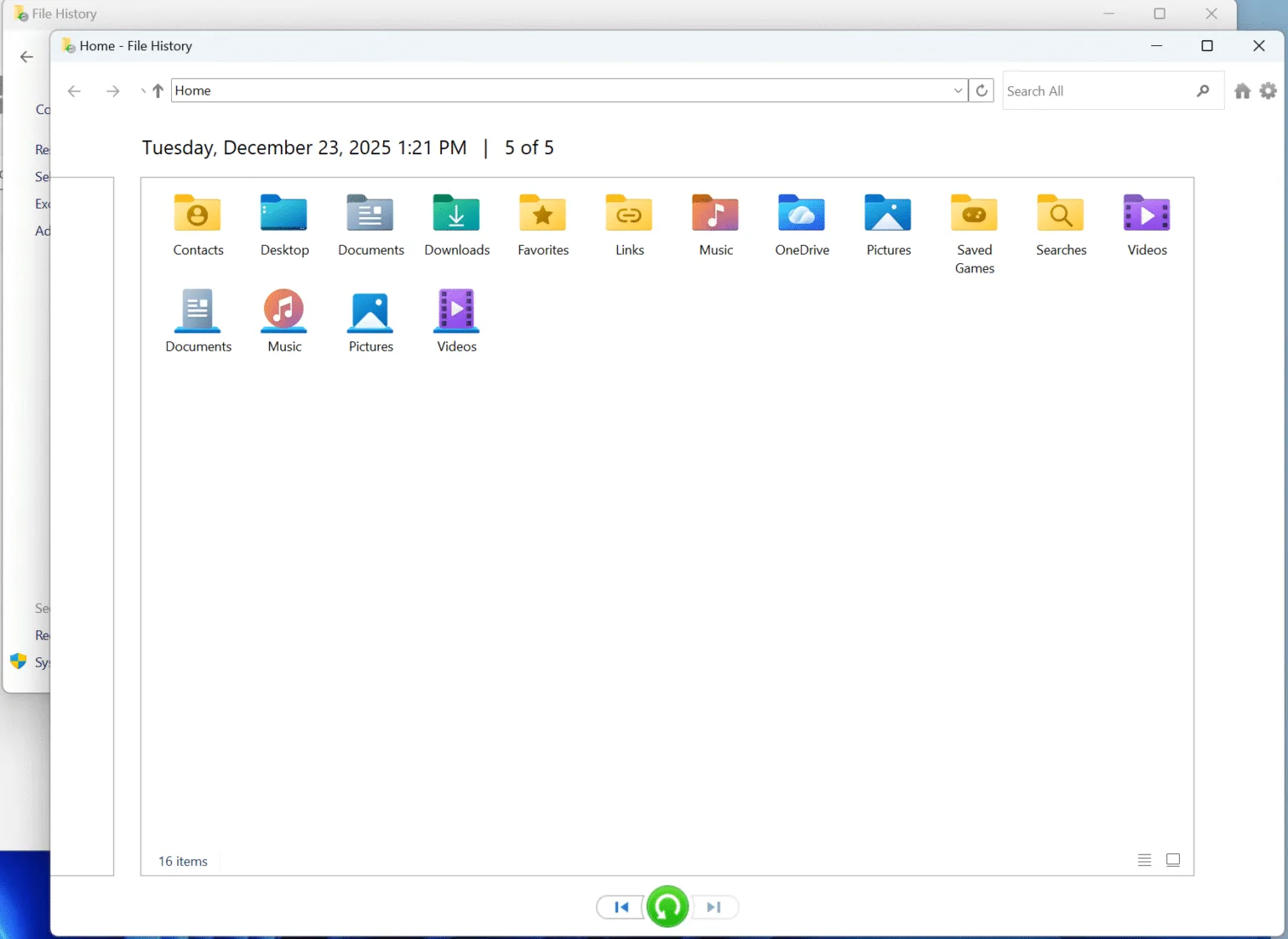
File History
If File History was active:
- Open Control Panel—System and Security — File History
- Browse backups
- Restore the required files
These options only work if backups existed before deletion.
How to Recover Permanently Deleted Recycle Bin Files
When Windows tools are unavailable, professional recovery software is required. At this stage, success depends on:
- How soon recovery begins
- Disk usage after deletion
- Storage type
This is where recovering deleted Recycle Bin files relies on specialized scanning technology.
Why Magic Data Recovery Is a Reliable Solution
Magic Data Recovery is designed to handle permanent deletion scenarios safely and efficiently, especially when files have been removed from the Recycle Bin and Windows options are no longer available.
How to Use Magic Data Recovery for Recycle Bin Recovery
Step 1: Download and install the software
Start by downloading Magic Data Recovery and installing it on a drive other than the one where files were deleted. This precaution helps avoid overwriting recoverable data during the recovery process.
Supports Windows 7/8/10/11 and Windows Server
Step 2: Choose the drive to scan
Open the program and select the drive where the Recycle Bin files were originally stored. In most cases, this will be the system drive. Once selected, begin the scan.

Step 3: Scan for deleted Recycle Bin files
Magic Data Recovery performs a deep scan automatically. As the scan progresses, it displays deleted and lost files that can potentially be restored.

Step 4: Preview files before restoring
Use the built-in preview feature to check file contents and confirm integrity. This step helps you focus only on the files that truly matter.

Step 5: Recover files to a safe location
Select the files you want to restore and save them to a different drive or external storage device. Avoid recovering data to the same drive to reduce the risk of data corruption.

Problems It Solves
- Files deleted after emptying the Recycle Bin
- Shift + Delete removals
- Accidental permanent deletion
Key Advantages
- Deep scan to locate deleted file traces
- Preview before recovery
- Read-only scanning to prevent overwriting
- Simple interface for everyday users
Real-World Use Case
For example, if a user empties the Recycle Bin containing work documents and has no backups, Magic Data Recovery can scan the affected drive and often locate recoverable file entries.
Compared with manual attempts or unreliable free tools, Magic Data Recovery offers a controlled and dependable process for recovering deleted Recycle Bin files.
Common Reasons Recovery Fails
Tips to Improve Recovery Success
To improve results when recovering deleted Recycle Bin files:
- Stop using the affected drive immediately
- Install recovery software on a different disk
- Begin recovery as soon as possible
- Avoid repeated trial attempts
Conclusion
Recovering deleted Recycle Bin files is often possible, even after permanent removal, when the correct Recycle Bin recovery steps are taken. While Windows recovery options help in limited cases, they are not always available.
Magic Data Recovery provides a balanced and reliable solution by combining advanced scanning, safe recovery, and ease of use. For users who need a dependable method rather than guesswork, it offers a clear path forward.
Supports Windows 7/8/10/11 and Windows Server
FAQ: Recovering Deleted Recycle Bin Files
How to recover permanently deleted files from Recycle Bin?
Can you recover deleted files after emptying the Recycle Bin?
Is deleted from Recycle Bin gone forever?
Can I still recover permanently deleted files?
Are permanently deleted files actually deleted?
Where does the Recycle Bin restore to?
How to recover permanently deleted files in Windows?
Where do permanently deleted files go?

Vasilii is a data recovery specialist with around 10 years of hands-on experience in the field. Throughout his career, he has successfully solved thousands of complex cases involving deleted files, formatted drives, lost partitions, and RAW file systems. His expertise covers both manual recovery methods using professional tools like hex editors and advanced automated solutions with recovery software. Vasilii's mission is to make reliable data recovery knowledge accessible to both IT professionals and everyday users, helping them safeguard their valuable digital assets.