
DMDE Data Recovery Review: Is It Safe and Effective?
Losing critical files because of accidental deletion, formatting errors, or a sudden system crash is incredibly stressful. When you look for a quick hard drive solution online, many tech forums and Reddit communities frequently recommend a highly specialized tool called DMDE Data Recovery.
However, is this technical software appropriate for everyone? In this detailed guide, we will explore everything you need to know about DMDE Data Recovery, testing its performance, features, and usability. Because this tool features an old-school interface that can easily confuse beginners, we will also introduce a modern, user-friendly alternative, such as Magic Data Recovery. Consequently, you can rescue your lost files securely without the steep learning curve.
Supports Windows 7/8/10/11 and Windows Server
Table of Contents
What Is DMDE Data Recovery?
Essentially, DMDE (DM Disk Editor and Data Recovery Software) is a powerful, low-level data triage utility designed to search, edit, and recover files from disks. Therefore, it has earned a strong reputation among digital forensics experts and data recovery technicians worldwide.
Unlike standard consumer utilities, this software focuses on direct drive communication. As a result, it can bypass Windows file system restrictions to repair corrupted partition tables and rebuild complex directory structures. Furthermore, it works seamlessly across various file systems, including NTFS, FAT12/16/32, exFAT, Ext2/3/4, and APFS.
Core Features of DMDE Recovery
To understand why professionals rely on this application, we need to look closer at its advanced architecture. The core mechanics of DMDE recovery revolve around deep data access and manual sector manipulation.
- Disk Editor (Hex Viewer): This technical feature allows users to view and edit raw sectors on a hard drive directly, which is useful for manual partition repairs.
- RAID Constructor: It can virtually reconstruct broken RAID 0, RAID 5, or RAID 6 arrays, allowing you to extract files without a physical RAID controller.
- Partition Manager: The tool scans and successfully unearths hidden or deleted partitions that standard operating systems fail to recognize.
While these utilities are highly effective, they require deep technical knowledge. Consequently, one wrong hex edit can permanently destroy your data.
Honest Pros and Cons of DMDE Data Recovery
Every software application has structural trade-offs. Therefore, here is a balanced look at what makes this tool great, alongside its significant drawbacks.
The Pros
- Excellent Cost-Efficiency: The Express license is highly affordable, costing around $20 per year for personal use.
- Portable Software: You do not need to install it on your computer, which drastically reduces the risk of overwriting your lost data.
- Deep Sector Scanning: The utility can read highly unstable disks where other automated software simply crashes.
The Cons
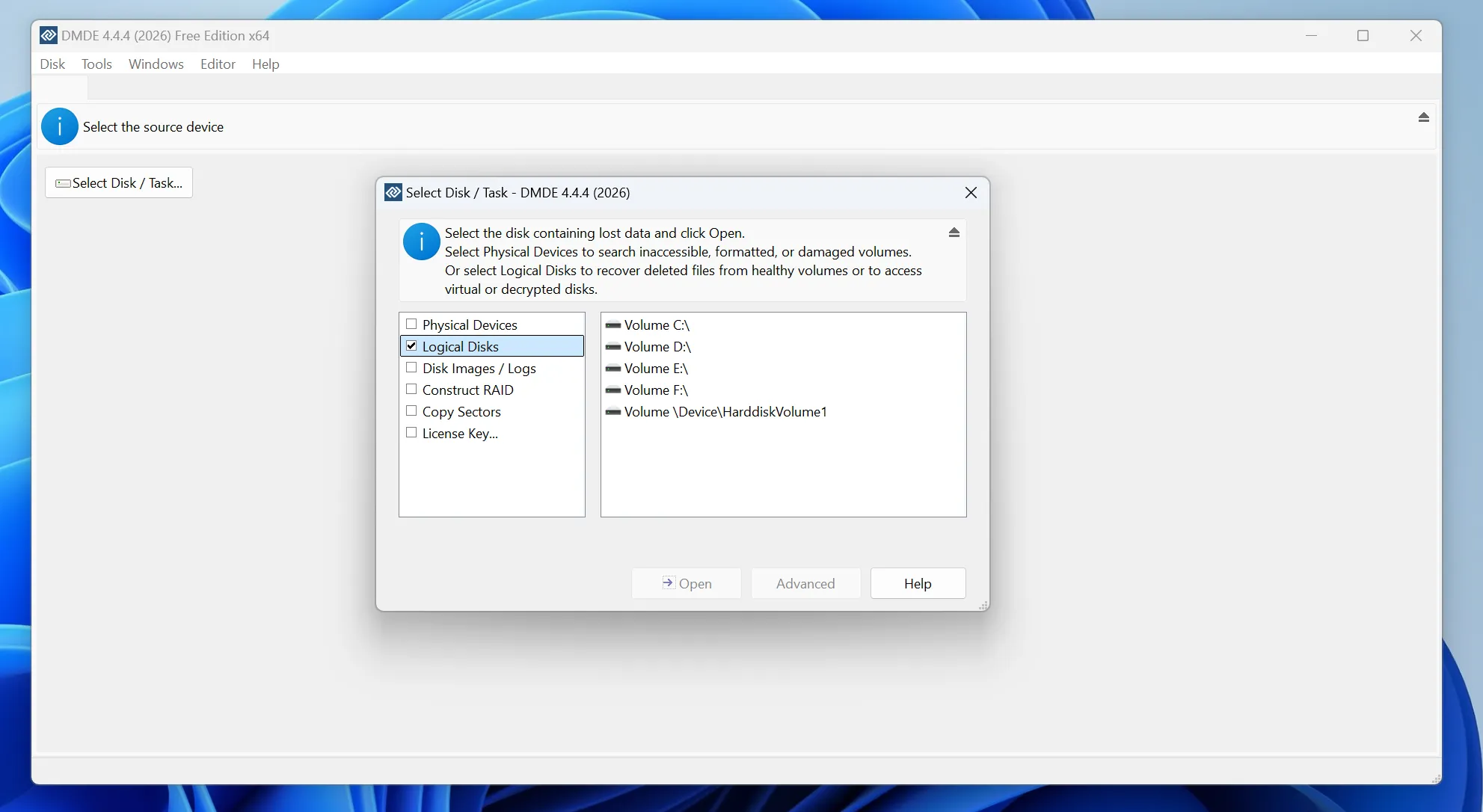
- Overwhelming Interface: The user interface looks like Windows 98, utilizing complex jargon that can easily intimidate casual computer users.
- Poor File Previewing: You cannot preview images, documents, or videos before saving them, meaning you are often recovering files blindly.
- Complex File Limitations: Navigating the single-folder restriction in the free edition feels tedious and time-consuming.
Why You Might Need a DMDE Recovery Alternative
Although DMDE Data Recovery is incredibly powerful, it is explicitly built for professionals. Most home users and office workers simply want to recover their photos, Word documents, or videos quickly without learning computer science.
The steep learning curve often causes users to make costly mistakes. For example, selecting the wrong parameter during a DMDE recovery session can accidentally overwrite healthy sectors. If you want a straightforward, stress-free recovery process, choosing an alternative with a guided layout is much safer.
The Best Alternative: Magic Data Recovery
If you are looking for a more efficient solution, you should try Magic Data Recovery. Developed by Amagicsoft, this comprehensive tool brings enterprise-grade recovery algorithms into a sleek, completely accessible wizard-driven interface.
How It Resolves Key Usability Pain Points
Magic Data Recovery addresses the specific weaknesses of old-school technical utilities. Instead of forcing you to navigate complex physical drive parameters, it guides you through a seamless, three-step rescue process.
Advantages
- Instant Visual Preview Engine: You can preview photos, PDF documents, and videos directly within the scanning window, ensuring you only restore the exact files you need.
- Advanced Content-Aware Scanning: The proprietary scanning engine searches for over 300 unique file signatures, locating data even on formatted or corrupted USB drives and SSDs.
- Absolute Safety for Beginners: The software operates in a strict read-only mode, which guarantees it will never alter your original data or harm your file system.
Common Practical Use Cases
Imagine you accidentally formatted your camera’s SD card before backing up your vacation pictures. Alternatively, suppose your internal hard drive suddenly displays a “RAW” file system error, blocking access to your business spreadsheets. In these scenarios, Magic Data Recovery reads the damaged sectors safely and brings your files back in just a few clicks.
How to Use Magic Data Recovery: Step-by-Step Guide
To help you rescue your data without frustration, we have outlined the straightforward retrieval process below.
Step 1: Download and Install Magic Data Recovery
First, download Magic Data Recovery and install the setup file on a healthy local drive. Make sure to choose a partition different from the drive containing your missing files to prevent accidental overwriting.
Supports Windows 7/8/10/11 and Windows Server
Step 2: Select the Target Location to Scan
Next, launch the program. Then, from the clean main interface, choose the specific partition or storage device where your precious files were originally deleted and click to initiate the scan.

Step 3: Scan the Chosen Location
Subsequently, the software automatically performs an Advanced Scan on your system. Meanwhile, the background algorithm dynamically lists all recoverable files in real-time as the scanning progress bar fills up.

Step 4: Preview Lost Files
Afterward, use the built-in preview function to confirm the structural content of your images, documents, or media. This intuitive step ensures you restore only the exact data you actually need.

Step 5: Recover Files to a Safe Location
Finally, select the target checkboxes for your missing files and save them securely onto an independent storage media. Never restore data back onto the same affected drive space, because doing so risks permanent data corruption.

Side-by-Side Comparison: DMDE vs. Magic Data Recovery
Feature | DMDE Data Recovery | Magic Data Recovery |
Target User | IT Professionals & Forensics Experts | Casual Users & Business Professionals |
User Interface | Highly Complex / Text-Heavy | Modern / Intuitive Wizard |
File Preview | Hexadecimal / Text Only | Full Visual Thumbnail Preview |
Free Version Limit | Max 4,000 files from 1 folder | Free Scan and File Previewing |
Risk Factor | Medium-High (Manual adjustments allowed) | Zero Risk (Strict Read-Only Mode) |
Conclusion
To summarize, DMDE Data Recovery remains an excellent, budget-friendly toolkit for experienced technicians who need to rebuild partition tables or edit disk hex sectors manually. Its advanced features are highly effective if you know exactly how to use them.
However, if you want a fast, reliable hard drive solution that does not require a technical degree, Magic Data Recovery is the superior choice. It combines industry-leading scanning technology with an easy-to-use interface, keeping your files safe throughout the entire process.
Supports Windows 7/8/10/11 and Windows Server
FAQs
Is DMDE Data Recovery safe to use for standard file retrieval?
Yes, the program itself is safe and free from malware. However, because it contains advanced partition editing features, manual errors by inexperienced users can lead to permanent data loss. Therefore, beginners should avoid changing hex values.
Can beginners easily navigate a complex DMDE recovery session?
Generally, no. The software uses professional technical terms like CHS geometry, boot sectors, and MFT clusters. Because these concepts require a background in storage architecture to understand fully, casual users often feel completely overwhelmed.
Why can't I recover my entire folder structure for free in DMDE?
The free edition enforces a strict limitation that prevents recursive directory restoration. Consequently, to bypass this restriction and preserve your original folder structure, you must purchase a paid license or move files folder by folder.
Does DMDE recovery work effectively on deeply corrupted RAW drives?
Yes, the deep sector scanning engine excels at reading unstable or corrupted drives. However, you must know how to interpret the log results correctly, otherwise you might scan the wrong sectors entirely.
Can I restore files to the same partition?
No, you should never do this with any tool. Saving files back to the same partition overwrites the remaining deleted data records. Therefore, always choose an independent storage device for safety.

Vasilii is a data recovery specialist with around 10 years of hands-on experience in the field. Throughout his career, he has successfully solved thousands of complex cases involving deleted files, formatted drives, lost partitions, and RAW file systems. His expertise covers both manual recovery methods using professional tools like hex editors and advanced automated solutions with recovery software. Vasilii's mission is to make reliable data recovery knowledge accessible to both IT professionals and everyday users, helping them safeguard their valuable digital assets.