
iBeesoft Data Recovery Review 2026: Is It Safe?

Losing critical files like family photos, business contracts, or creative projects can instantly trigger a wave of panic. When digital disaster strikes, many users turn to specialized tools to salvage their lost information. Consequently, you might have encountered a popular tool called iBeesoft during your search for a quick hard drive solution.
However, before you download any software and grant it deep read-access to your storage drive, you must understand exactly what you are installing. In this detailed iBeesoft Data Recovery review, we will analyze its actual performance, technical limitations, and user feedback. Furthermore, we will introduce a robust data recovery software alternative like Magic Data Recovery to help you make an informed decision for your valuable data.
Supports Windows 7/8/10/11 and Windows Server
Table of Contents
What is iBeesoft Data Recovery?
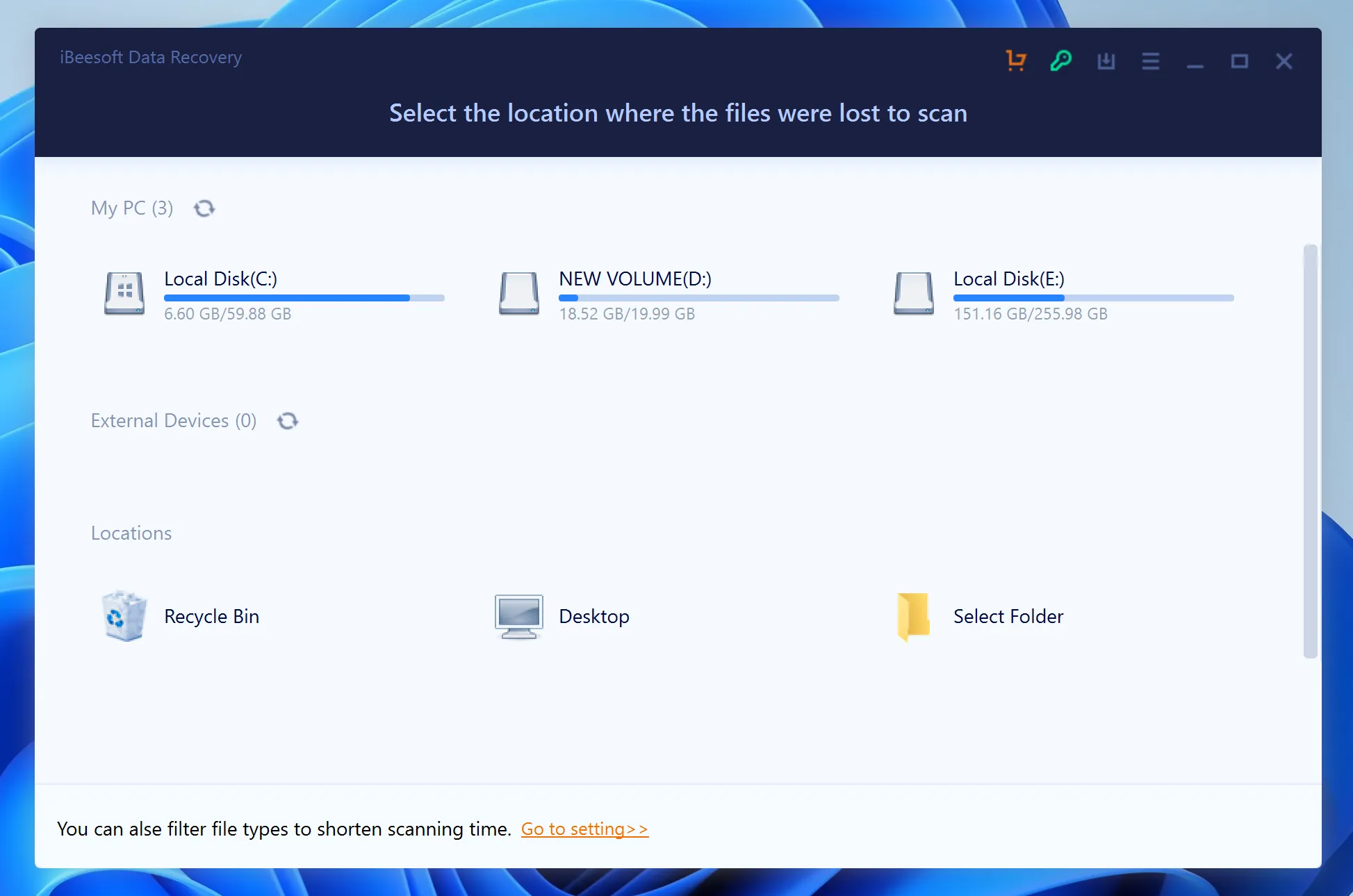
Essentially, iBeesoft Data Recovery is a shareware program designed to help users retrieve deleted or formatted files from various storage media. The software supports standard storage systems, which means it can scan Windows HDDs, SSDs, USB flash drives, and memory cards.
Supported File Systems and Formats
The program officially claims compatibility with several common file architectures:
- NTFS (The primary file system for modern Windows installations)
- FAT32 / exFAT (Commonly used on SD cards, digital cameras, and external drives)
- APFS / HFS+ (Via their Mac-specific version)
According to marketing materials, iBeesoft offers a free trial that allows users to preview files and recover up to 2GB of data without upfront payment. It features a clean, minimalistic interface with simple buttons designed for non-technical users. On the surface, the tool appears to be a straightforward, budget-friendly choice. However, real-world testing and expert evaluations reveal a vastly different story beneath that polished user interface.
The Hands-On Test: Performance & Hidden Limitations
To provide an authentic iBeesoft review, our technical team subjected the software to rigorous testing using real-world data loss scenarios. Specifically, we simulated a formatted exFAT drive and a corrupted NTFS partition. While the software successfully found basic, recently deleted items, it struggled significantly with more complex data loss events.
The “Clone” Reality and Missing Tech Innovation
A major concern raised by industry professionals on data privacy forums and specialized platforms like Reddit is the structural origin of the tool. Tech experts have documented that iBeesoft Data Recovery operates as a white-label clone or restricted modification of older scanning engines. Because the brand lacks a dedicated, proprietary R&D team to update its core recovery logic regularly, it struggles with modern storage hardware like NVMe SSDs and advanced TRIM command behaviors.
File Structure and Folder Corruption
During our testing on an exFAT formatted partition, the software exhibited poor performance in reconstructing directory trees. Instead of preserving original folder hierarchies, it dumped thousands of recovered files into generalized, nameless folders. As a result, users are forced to spend days manually renaming and sorting through unorganized individual items.
The 100MB Preview Limitation
Although the developer highlights a functional preview feature, our testing revealed a severe restriction. The built-in viewer can display small JPG images and basic text files quite easily. Nevertheless, if you attempt to preview a high-resolution 4K video, a large ZIP archive, or a massive Photoshop project exceeding 100MB, the software frequently freezes or throws an unexpected error. Without a reliable preview, you cannot confirm if a file is intact or completely corrupted before buying a license.
Subscription Hurdles and Customer Support Issues
Many genuine user complaints focus heavily on billing transparency rather than technical bugs. Customers frequently report that the purchasing page defaults to a recurring subscription model, which leads to unexpected automatic charges. When users encounter technical issues and attempt to contact customer support, they are often met with automated email responders instead of live human assistance.
iBeesoft Data Recovery: A Quick Pros and Cons Breakdown
Before buying a license, it helps to weigh the software’s practical strengths against its technical flaws. Below is a structured summary of our hands-on testing results:
Pros (Advantages) | Cons (Limitations & Risks) |
Beginner-Friendly Layout: Features a modern, clean interface that requires zero technical training or recovery experience. | Broken Directory Trees: Consistently fails to preserve original folder structures and filenames on exFAT or FAT32 partitions. |
Generous Free Trial: Offers a 2GB free tier, which works well for small-scale recovery tests or individual document retrieval. | The 100MB Preview Trap: The preview mechanism becomes highly unstable or crashes when loading video files larger than 100MB. |
Decent Quick Scanning: Locates and recovers freshly deleted desktop items or emptied Recycle Bin files quite adequately. | No Advanced Safety Features: Lacks vital risk-mitigation tools, such as bit-stream or sector-by-sector drive imaging for failing hardware. |
Multi-Device Support: Detects standard memory cards, USB flash drives, and digital cameras without complex configuration. | Hidden Billing & Support Issues: Triggers frequent customer complaints regarding automatic subscription renewals and unresponsive email support. |
Verdict: While iBeesoft works adequately for accidental, minor file deletions, its underlying technology remains highly unreliable for large-scale, formatted, or structurally complex data loss scenarios.
The Ultimate Alternative: Why Magic Data Recovery Outperforms iBeesoft
If you are dealing with critical business records or irreplaceable memories, you cannot afford to rely on an unoptimized tool. For a safer and significantly more thorough approach, we highly recommend a premium data recovery software alternative known as Magic Data Recovery.
Developed by Amagicsoft, this program is built specifically to address the technical blind spots found in basic shareware utilities. Instead of relying on licensed, outdated third-party code, Magic Data Recovery uses a proprietary scanning engine designed by data recovery specialists.
Advanced Directory and File Path Retention
When you lose data, you do not just lose the files; you also lose the context of where those files belonged. Unlike iBeesoft, which often randomizes file names during a deep scan, Magic Data Recovery performs virtual reconstruction of the original file allocation tables. This means your files are restored with their original filenames, creation dates, and folder paths completely intact.
High-Capacity Video and Large File Preview
Content creators, photographers, and drone enthusiasts require a robust verification method before spending money on software activation. Magic Data Recovery eliminates guesswork by incorporating a high-capacity raw preview module. You can preview massive 4K video files, multi-gigabyte databases, and complex archives seamlessly within the app, which ensures that your data is fully salvageable.
Sector-by-Sector Disk Imaging for Failing Hardware
Scanning a physically unstable or failing hard drive directly can cause permanent mechanical damage to the storage media. Professional recovery best practices dictate that you should always clone the drive first. Magic Data Recovery includes a built-in sector-by-sector disk imaging utility at no extra charge. You can safely create a bit-stream copy of your vulnerable drive and perform the scan on the image file, which completely protects your physical hardware from wearing out.
Head-to-Head Comparison: iBeesoft Data Recovery vs. Magic Data Recovery
To see how these two programs stack up in critical situations, review our direct structural breakdown below:
Feature / Metric | iBeesoft Data Recovery | Magic Data Recovery |
Core Engine Technology | Third-party white label clone | Proprietary advanced scanning logic |
Folder Structure Retention | Poor (Often breaks on exFAT/FAT32) | Excellent (Rebuilds original directory tree) |
File Preview Limits | Unstable for files over 100MB | Unlimited preview for video and large archives |
Hardware Safety Tools | None available | Built-in byte-level disk imaging |
Scan Reliability | Struggles with severely corrupted sectors | Deep parsing handles RAW and unreadable drives |
Pricing Policy | Automatic subscription defaults | Transparent licensing with professional support |
How to Recover Lost Data Securely (Step-by-Step Guide)
If you are ready to salvage your missing items without risking further corruption, follow this comprehensive guide to ensure a safe file retrieval process.
Step 1: Download and Install Magic Data Recovery
First, download the official setup file for Magic Data Recovery. Install the program exclusively on a healthy local partition that is entirely separate from the affected drive containing your lost files. This proactive approach effectively prevents accidental overwriting and protects your vulnerable data from being destroyed.
Supports Windows 7/8/10/11 and Windows Server
Step 2: Select the Target Partition or Drive to Scan
Next, launch the application to view the main user interface. From the available storage list, carefully choose the specific partition or volume where your files were originally deleted, then initiate the scanning process.

Step 3: Scan the Chosen Location
The utility will automatically execute a thorough Advanced Scan across the selected storage sectors. Meanwhile, the software populates a real-time list of all recoverable items on your screen as the detection progress advances.

Step 4: Preview Files Before Recovery
Once the detection phase concludes, utilize the integrated preview tool to inspect and confirm the actual file content. This specific verification step ensures that you select and restore only the precise documents or media you truly need.

Step 5: Recover Files to a Safe Location
Finally, mark the checkboxes next to your target files and click the save button to export them to a completely different healthy drive or external backup medium. You must never restore data back onto the same original drive space, because doing so risks permanent data corruption.

Conclusion: Skip iBeesoft and Choose a Robust Solution
While writing this iBeesoft Data Recovery review, we aimed to assess whether the software can handle unexpected, high-stakes data losses. Although its modern user interface is welcoming for beginners, its technical limitations present too many risks. The lack of proper exFAT directory building, combined with restricted file previewing capabilities and slow scanning engines, makes it an unreliable tool for advanced hard drive solution.
Your digital files represent valuable time, effort, and irreplaceable memories. Therefore, you should avoid cutting corners with unoptimized, white-label software solutions. If you are looking for a highly efficient, professional-grade solution to handle complex data loss situations smoothly, you should try Magic Data Recovery.
Supports Windows 7/8/10/11 and Windows Server
FAQs About iBeesoft Data Recovery
Is iBeesoft Data Recovery completely free to use?
No, iBeesoft Data Recovery is not entirely free. Although the brand offers a trial version that promises up to 2GB of free file restoration, severe internal bugs often restrict this experience.
Is iBeesoft safe to download for sensitive data recovery?
While the setup package does not contain malicious viruses, iBeesoft carries distinct operational risks. Because its outdated clone engine forces unstable deep scans on corrupted hardware, it can worsen physical drive stress. Therefore, professionals prefer using advanced alternatives with native byte-level cloning utilities to guarantee maximum drive safety.
Can iBeesoft recover original folder structures on formatted drives?
Usually, it fails this task on exFAT and FAT32 filesystems. Our hands-on testing confirmed that the utility frequently breaks the original directory trees during formatting scenarios. It moves your intact files into disorganized, generic folders, which forces you to rename everything manually after the process completes.
Why does the iBeesoft preview tool freeze on large files?
The program features an unoptimized media rendering engine with a strict internal memory threshold. When you attempt to preview high-resolution 4K video streams or heavy archive folders exceeding 100MB, the viewer crashes. Conversely, premium tools handle large files easily without dropping stability.
What is the best data recovery software alternative in 2026?
Magic Data Recovery stands out as the premier data recovery software alternative today. Built by Amagicsoft with custom proprietary algorithms, it rebuilds corrupted system partitions effortlessly. Furthermore, it supports unrestricted file previews and retains original folder hierarchies where standard white-label utilities completely fail.
How do I avoid overwriting missing data during installation?
To protect your lost data, you must never download or install software onto the partition containing those missing items. For instance, if you lost files on drive D, configure the installer to run on drive C. This simple choice prevents new system data from permanently replacing your deleted files.

Vasilii is a data recovery specialist with around 10 years of hands-on experience in the field. Throughout his career, he has successfully solved thousands of complex cases involving deleted files, formatted drives, lost partitions, and RAW file systems. His expertise covers both manual recovery methods using professional tools like hex editors and advanced automated solutions with recovery software. Vasilii's mission is to make reliable data recovery knowledge accessible to both IT professionals and everyday users, helping them safeguard their valuable digital assets.