
External Hard Drives With Lowest Failure Rate
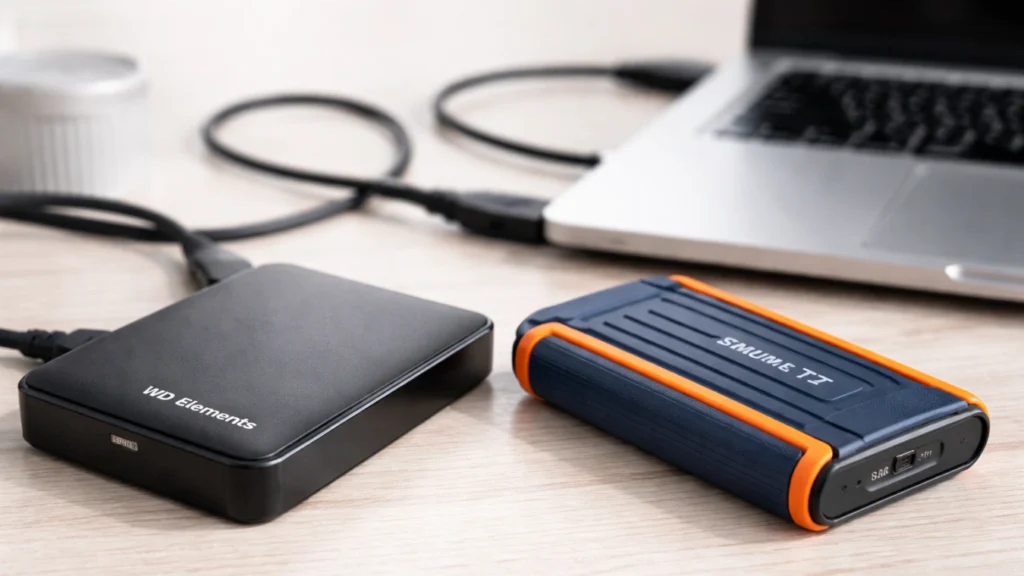
If you are searching for external hard drives with lowest failure rate, you are probably not just shopping for more storage. You are trying to avoid data loss, random disconnects, slow backups, and the stress that comes when an external hard drive suddenly stops showing up. That is exactly why this guide focuses on reliability first, then speed, warranty, portability, and real-world use. Unlike many roundup posts, this article separates marketing claims from evidence and explains what the available data actually tells us. Backblaze publishes large-scale HDD reliability data, while major review sites such as TechRadar, Tom’s Guide, and TechGearLab show which consumer external drives perform well in testing. Used together, they give a much more trustworthy buying framework.
Table of Contents
What “lowest failure rate” really means for an external hard drive
The first thing to understand is simple: there is no perfect public leaderboard for external hard drives with lowest failure rate. Most manufacturers do not publish large consumer external-drive annualized failure rate data. The strongest public reliability dataset still comes from Backblaze, which tracks hundreds of thousands of data-center drives and publishes annualized failure rates by model. As of the end of 2024, Backblaze managed 301,120 data drives, and its open dataset has been published since 2013. That scale matters because it is far more meaningful than a handful of user reviews.
However, there is one important caveat. Backblaze data mainly reflects internal enterprise-class HDDs in data-center conditions, not portable consumer external hard drives carried in backpacks, plugged into TVs, or used for Time Machine backups. So, the best way to judge external hard drives with lowest failure rate is to combine four signals:
1. Reliability trends of the underlying drive brand or platform
Backblaze’s 2024 report shows that WDC models had a quarterly AFR range of 0.0% to 0.85% from 2022 through 2024, while Toshiba models stayed in a relatively narrow 0.80% to 1.52% range. Seagate’s trend improved, but its line was still higher overall in that summary.
2. Whether the product is HDD or SSD
HDDs have moving parts and are more sensitive to shock. Samsung explains that HDDs use spinning platters and are sensitive to impact, while SSDs have no moving parts and therefore have fewer chances of damage from external impact. Samsung also states that an SSD can withstand much higher shock and vibration than a typical HDD.
3. Warranty length and recovery support
Warranty is not the same as failure rate, but it is still a useful confidence signal. For example, many WD My Passport models carry a 3-year warranty, Toshiba Canvio Flex carries a 3-year limited warranty, and Seagate highlights Rescue Data Recovery Services on many drives.
4. Real-world testing quality
Top review publications consistently evaluate transfer speeds, portability, software, and day-to-day usability. TechRadar recommends the WD Elements Portable as its best overall external HDD for most users, while Tom’s Guide rates the WD My Passport SSD highly for value and performance.
The key takeaway: the most reliable choice depends on your use case
If you want the external hard drives with lowest failure rate for travel, frequent movement, and daily plug-and-unplug use, an external SSD is usually the safer choice. The reason is practical, not hype: no moving parts means lower risk from drops and vibration. Samsung’s material explicitly states that SSDs have no moving parts and are less likely to suffer external-impact damage; its white paper also claims SSDs withstand substantially more shock and vibration than HDDs.
If you want the best cost per terabyte for large backups, media archives, or home office storage, a portable HDD can still make sense. In that case, brand platform quality, enclosure design, warranty, and how gently you treat the drive matter much more. That is where WD- and Toshiba-based portable HDDs tend to stand out in today’s market. Backblaze’s brand-level trends support WDC and Toshiba as safer bets than a purely price-first choice.
Best picks for external hard drives with lowest failure rate
Best overall HDD pick: WD Elements Portable
For buyers who want a simple, affordable, mainstream HDD, the WD Elements Portable is one of the strongest choices. TechRadar names it the best overall external hard drive because it balances capacity, portability, and value better than most rivals. More importantly, the broader WDC reliability trend in Backblaze’s dataset is one of the strongest among large-volume brands. That combination makes WD Elements a smart choice for people who still prefer an HDD. Do note that warranty length can vary by region and part number, with WD’s support policy listing both 2-year and 3-year variants for Elements Portable.
Best premium portable HDD: WD My Passport
If you want a more polished option with stronger software support, the WD My Passport is a better fit. WD’s warranty policy lists many My Passport variants with a 3-year warranty, which is a positive signal for long-term ownership. This drive is often preferred by users who want scheduled backups, encryption options, and a more refined everyday experience rather than the absolute lowest price. For many home users, that is the sweet spot between dependability and convenience.
Best alternative HDD: Toshiba Canvio Flex
The Toshiba Canvio Flex is a very good choice for users who move between PC, Mac, and USB-C devices. Toshiba’s warranty page lists Canvio Flex under its 3-year limited warranty lineup. At the same time, Toshiba’s brand trend in Backblaze’s reliability summary is steady and consistent. It may not attract as much attention as WD in consumer roundups, but it deserves serious consideration if you want a versatile, lower-risk portable HDD from a brand with stable reliability signals.
Best choice if failure avoidance matters most: external SSD
Strictly speaking, if your real priority is “lowest chance of failure during normal mobile use,” an external SSD deserves the top spot over any HDD. Tom’s Guide highlights the WD My Passport SSD for strong value and performance, and Samsung positions SSDs as inherently more resistant to shock because they have no moving parts. Samsung’s rugged T7 Shield also adds practical durability features like IP65 protection, drop resistance up to 3 meters, and a 3-year limited warranty. For creators, travelers, and students, that kind of physical resilience is often more important than raw capacity.
So, which brands are most trustworthy?
When people ask for external hard drives with lowest failure rate, they usually expect a brand answer. The most honest answer is this:
- For portable HDDs, WD and Toshiba look stronger than average based on publicly available reliability signals.
- For mobile durability, external SSDs are generally safer than HDDs because they are more resistant to shock and impact.
- Seagate remains common and often attractive on features, especially because many models include Rescue Data Recovery Services, but if your main goal is the lowest failure risk rather than bundled recovery support, the current evidence does not clearly put it ahead of WD or Toshiba on the HDD side.
How to choose external hard drives with lowest failure rate
Choose SSD if the drive travels with you
If your drive goes into a bag every day, or you edit photos, videos, or documents on the move, buy an SSD. A portable SSD is usually the better solution for a student, remote worker, or content creator because drops and vibration are everyday risks.
Choose HDD if you need the lowest cost per TB
If your main job is storing backups, family photos, CCTV exports, or large media libraries, an HDD still offers the best value. In that case, focus on WD My Passport, WD Elements, or Toshiba Canvio Flex before cheaper unknown brands.
Do not buy on capacity alone
A cheap 5TB drive may look attractive, but low price alone does not mean low risk. Review quality, warranty length, bundled software, and brand history all matter. That is one reason top-ranking expert guides do hands-on testing instead of listing specs only.
Keep at least one more copy of important files
Even the external hard drives with lowest failure rate can fail. Backblaze’s 2024 report still recorded a Q4 AFR of 1.35% across qualifying drives, and even strong-performing models were not failure-proof. Reliability reduces risk. It does not remove risk.
Common mistakes that increase external hard drive failure
A lot of users blame the brand when the real problem is usage. Here are the most common failure triggers:
Using an HDD as a travel drive. Portable HDDs do not like repeated drops, cable tugs, or movement during operation. Samsung’s HDD-vs-SSD explanation makes clear that HDDs are more sensitive to impact because of their spinning components.
Buying the cheapest enclosure without checking the platform. The outer case may look fine, but the internal drive quality still matters. That is why underlying WDC and Toshiba trends are useful reference points.
Ignoring warranty and recovery options. A longer warranty does not guarantee fewer failures, but it often reflects better product confidence and post-sale support. Seagate’s Rescue services can be valuable, and WD and Toshiba both publish clear warranty structures.
Using one drive as the only backup. This is the biggest mistake of all. A drive should be part of a backup system, not the backup system by itself. Backblaze’s published AFR data is the best reminder that every storage device has a real failure probability.
Final verdict
If you want the most practical answer to the external hard drives with lowest failure rate question, here it is:
For a traditional portable HDD, start with WD My Passport, WD Elements Portable, or Toshiba Canvio Flex. They align best with the available mix of public reliability trends, strong consumer reputation, and solid warranty support.
If your top priority is avoiding physical-drive failure in daily life, pick an external SSD instead of an HDD. SSDs have no moving parts, are less vulnerable to impact, and make more sense for users who travel often or work with active files. Models such as the WD My Passport SSD or rugged options like the Samsung T7 Shield are more reliable choices for mobile use.
Finally, even the best external hard drive can fail unexpectedly. If your external hard drive has already lost files due to deletion, formatting, corruption, or a sudden disconnect, Amagicsoft Magic Data Recovery is worth considering as a practical recovery solution. It addresses the core pain point—getting lost data back quickly—while staying easier for ordinary users than many technical recovery workflows. It is especially useful when the drive is still detected by the computer but important files are missing. If you are looking for a more efficient recovery option, it is a sensible tool to try before the situation gets worse.
Supports Windows 7/8/10/11 and Windows Server
FAQs
What are the external hard drives with lowest failure rate right now?
The safest consumer answer is not a single model but a shortlist: WD My Passport, WD Elements Portable, and Toshiba Canvio Flex for HDD users, plus external SSDs like WD My Passport SSD if you want lower physical-failure risk in mobile use. This conclusion is based on review testing, warranty signals, and Backblaze’s brand-level reliability trends.
Are SSDs more reliable than HDD external drives?
In everyday portable use, yes, SSDs are generally the safer choice because they have no moving parts. Samsung states that SSDs are less likely to suffer external-impact damage and can tolerate far more shock and vibration than typical HDDs. That makes external SSDs especially suitable for travel, commuting, and frequent cable reconnects.
Why is it hard to find exact failure-rate data for consumer external drives?
Because most brands do not publish large, neutral, real-world AFR data for consumer external drives. The best public dataset comes from Backblaze, but it tracks large numbers of data-center HDDs rather than ordinary portable USB drives. Consumer review sites usually test speed, software, thermals, and usability instead of long-term field failure rates.
Is WD more reliable than Seagate for external hard drives?
Public evidence leans toward WD on the HDD side, but the answer is not absolute. Backblaze’s 2022–2024 summary showed WDC models with a lower quarterly AFR range than Seagate overall. That said, Seagate still makes many popular drives and often includes Rescue Data Recovery Services, which adds value if recovery support matters to you.
Does a longer warranty mean a lower failure rate?
Not directly. A longer warranty is not proof that a drive fails less often. Still, it is a useful trust signal because it suggests stronger manufacturer confidence and better post-sale protection. WD My Passport and Toshiba Canvio Flex both carry 3-year coverage in many cases, which is better than entry-level one-year coverage.
Which is better for backup: HDD or SSD?
It depends on your backup style. An HDD is better for low-cost, high-capacity archive backups. An SSD is better for active backups, travel, and drives you plug in often. If your backup disk stays on a desk most of the time, an HDD is fine. If it moves with you, an SSD is the better long-term choice.
How can I make my external hard drive last longer?
Use the drive on a stable surface, eject it properly, avoid unplugging during transfers, keep one extra copy of important files, and never treat a portable HDD like a rugged travel device. Shock, cable strain, and heat all increase risk. For mobile use, switching from HDD to SSD is one of the smartest reliability upgrades.
What should I do if my external hard drive stops showing files?
Stop writing new data to the drive first. Then check whether the drive is still recognized by the operating system. If it is detected but files are missing due to deletion, formatting, or corruption, software recovery may still work. In that kind of scenario, Amagicsoft Magic Data Recovery can be a practical next step for recovering lost files from an external hard drive.

Jason is a data recovery and technical support specialist with over 15 years of hands-on experience. He has worked extensively with frontline users, troubleshooting difficult data loss cases and providing practical recovery solutions for accidental deletion, formatted drives, damaged file systems, lost partitions, system failures, and other recovery emergencies. His expertise also includes backup and restoration, file repair, and disaster recovery, with a strong emphasis on safe, reliable, and technically accurate guidance.