
Best Buy Data Recovery Guide
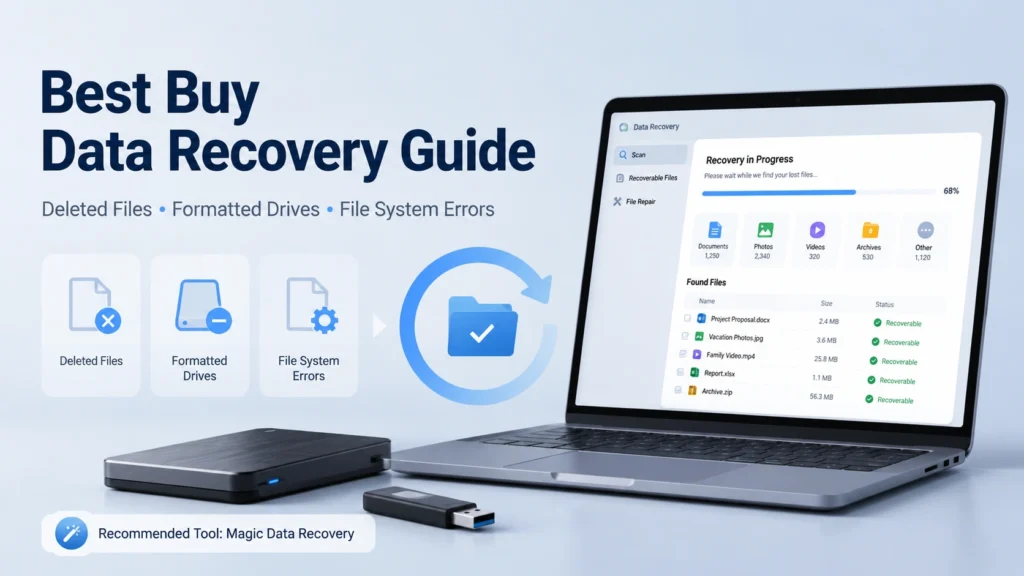
Losing important files can turn a normal day into a stressful one. Maybe you deleted a folder by mistake. Maybe a USB drive asks you to format it. Or perhaps your hard drive shows a file system error and Windows cannot open it. In these moments, many users search for best buy data recovery because Best Buy and Geek Squad are familiar names.
However, the right recovery path depends on what happened to your device. A physically damaged hard drive needs a different solution than a formatted partition or deleted photos. This guide explains how best buy data recovery works, when it makes sense, and when data recovery software like Magic Data Recovery may be a faster and more practical option.
Supports Windows 7/8/10/11 and Windows Server
Table of Contents
What Is Best Buy Data Recovery?
Best Buy data recovery usually refers to data recovery support provided through Geek Squad. Users can bring in storage devices such as hard drives, USB drives, memory cards, or laptops and ask for help recovering lost data.
In simple cases, support may involve checking whether files can still be found on a working device. In more complex cases, the device may need deeper diagnosis or lab-level service. This can be useful when the storage device has physical problems, such as clicking sounds, mechanical failure, or severe damage.
Still, not every data loss case needs an in-store or lab service. If your drive still appears in Windows, does not make unusual noises, and only lost files after deletion, formatting, file system errors, reinstalling Windows, or virus damage, software recovery is often worth trying first.
When Should You Consider Best Buy Data Recovery?
You may consider best buy data recovery when the storage device shows signs of physical failure. For example, the drive may not spin, the computer may not detect it at all, or the device may make clicking or grinding sounds. In these cases, repeated DIY attempts can make recovery harder.
Best Buy or another professional recovery service may also fit users who do not feel comfortable handling storage devices themselves. If the lost data is extremely valuable and the device may be damaged, expert diagnosis is safer.
However, there is one important rule: stop using the device as soon as possible. New data can overwrite lost files. Whether you choose best buy data recovery, a local repair shop, or recovery software, the first step is always to avoid saving new files to the affected drive.
Common Data Loss Scenarios and the Best Solution
Different data loss problems require different approaches. Before choosing best buy data recovery, identify your situation.
Accidental Deletion
If you deleted files and emptied the Recycle Bin, the files may still exist on the drive until new data overwrites them. In this case, software recovery is often a good first step. Magic Data Recovery can scan the drive and help locate recoverable deleted files.
Formatted Drive
Formatting does not always erase file content immediately. It may rebuild the file system structure and mark the space as available. If you formatted the wrong drive, stop using it and run a deep scan with recovery software.
File System Error
A drive may show messages like “You need to format the disk before you can use it” or appear as RAW. This often means the file system structure is damaged. A recovery tool can scan the device sector by sector and look for recoverable files.
System Reinstallation
After reinstalling Windows, files from the previous system may become inaccessible or overwritten. Recovery is not always complete, but software can still find remaining files if they have not been replaced by new system data.
Virus or Malware Damage
Some viruses delete, hide, or corrupt files. After removing the threat, use recovery software to scan the affected drive. Avoid installing the tool on the same partition where files were lost.
Physical Damage
If the hard drive has mechanical failure, water damage, burning smell, or serious impact damage, do not run software scans. In this case, best buy data recovery or another professional lab service may be more appropriate.
Best Buy Data Recovery vs Data Recovery Software
The biggest difference between best buy data recovery and recovery software is the recovery path.
Best Buy/Geek Squad support is service-based. You bring in the device, get help from technicians, and may need to wait for diagnosis or further processing. This works better for users who need hands-on support or suspect physical damage.
Data recovery software is self-service. You install the software on a safe computer, connect the affected drive, scan it, preview recoverable files, and save the results to another location. This approach is usually faster for logical data loss, such as deletion, formatting, file system errors, lost partitions, or virus damage.
Here is a simple comparison:
Option | Best For | Main Advantage | Main Limitation |
Best Buy data recovery | Physical damage, in-person help, complex device issues | Professional diagnosis and service process | May take longer and cost more |
Magic Data Recovery | Deleted, formatted, RAW, inaccessible, or virus-affected files | Quick self-service scan and preview | Not suitable for physically damaged drives |
Free tools | Small deletion cases, basic recovery attempts | Low cost | May lack deep scan, preview, or user-friendly workflow |
Why Try Magic Data Recovery Before a Service Visit?
If your device is still readable, Magic Data Recovery can be a practical alternative to best buy data recovery. It focuses on common logical recovery cases that everyday users face.
Magic Data Recovery supports recovery from deletion, formatting, file system errors, system reinstallation, virus damage, and other common data loss scenarios. It can scan hard drives, external drives, USB drives, memory cards, and other storage devices. More importantly, it gives users a clear way to find and preview lost files before saving them.

This matters because many users do not know whether their lost files are still recoverable. A preview-based workflow helps reduce guesswork. Instead of sending a device away immediately, you can first check whether the software can locate the files you need.
Supports Windows 7/8/10/11 and Windows Server
Core Advantages of Magic Data Recovery
Magic Data Recovery is not positioned as a replacement for professional lab recovery. Instead, it solves the cases where software recovery makes sense.
Handles Multiple Data Loss Scenarios
Many tools only work well for simple deletion. Magic Data Recovery covers more practical cases, including deleted files, formatted drives, file system errors, lost partitions, virus damage, and data loss after system reinstallation.
Works for Common Storage Devices
Users often lose files from external hard drives, USB drives, SD cards, laptops, or desktop drives. Magic Data Recovery supports these everyday storage devices and gives users one recovery workflow instead of separate methods for each device.
Helps Locate Files More Clearly
A good recovery tool should not only scan deeply. It should also help users find the right files. Magic Data Recovery allows users to search, filter, and preview recoverable files, which saves time when a scan finds thousands of results.
Gives Users More Control
With best buy data recovery, you may need to wait for diagnosis and further steps. With Magic Data Recovery, you can start scanning immediately, review recoverable files, and decide what to restore. This makes it suitable for urgent but non-physical data loss cases.
Reduces Unnecessary Service Trips
If the lost files appear in the scan results and preview correctly, you may not need to visit a store. If the drive fails to appear, disconnects repeatedly, or makes abnormal sounds, then a professional service remains the safer choice.
How to Use Magic Data Recovery Safely
Follow these steps to improve your recovery chances:
- Stop using the affected drive immediately.
- Install Magic Data Recovery on a different drive or computer.
- Connect the affected storage device.
- Select the drive or partition where files were lost.
- Run a scan and wait for the results.
- Use filters, search, and preview to locate important files.
- Save recovered files to another safe drive, not the original one.
This process helps avoid overwriting lost data. It also gives you a clear result before you consider paid service options.
When Not to Use Recovery Software
Software recovery is not always the right answer. Do not run scans if the drive has physical damage. Warning signs include clicking noises, burning smell, repeated disconnection, severe overheating, water damage, or a drive that does not spin.
In these cases, using software may stress the device further. A professional recovery service, including best buy data recovery or a specialized lab, may offer a safer path.
Also, avoid running CHKDSK, formatting the drive, reinstalling the system again, or copying new files to the affected disk before recovery. These actions can change the file structure and reduce the chance of successful recovery.
Best Buy Data Recovery: Pros and Cons
Pros
Best Buy data recovery can be useful for users who want face-to-face help. It may also be the better option when the device has hardware damage or needs professional diagnosis. For users who do not want to manage the recovery process themselves, a service-based approach can feel easier.
Cons
The process may take longer than software recovery. Costs can also vary depending on the device and the complexity of the recovery. In addition, if your issue is only accidental deletion or formatting, visiting a store may not be necessary.
That is why many users should first identify whether the problem is logical or physical. This one decision can save time, money, and stress.
Best Recovery Strategy: Service or Software?
Use this simple rule:
Choose best buy data recovery or another professional service if the drive is physically damaged, not detected, or making unusual sounds.
Choose Magic Data Recovery if the drive still works but files disappeared after deletion, formatting, file system errors, system reinstallation, virus damage, or partition problems.
This balanced approach avoids two common mistakes: paying for service too early or trying software on a failing drive.
Conclusion: Why Magic Data Recovery Is Worth Trying
Best buy data recovery can help in serious cases, especially when hardware damage may be involved. However, many real-world data loss problems come from deletion, formatting, file system errors, system reinstallation, or virus damage. These are exactly the situations where recovery software can be more efficient.
Magic Data Recovery gives users a practical first step. It supports common storage devices, scans for lost files in multiple scenarios, helps preview recoverable data, and lets you save files to a safe location. It does not promise impossible results, but it gives you a reliable way to check what can be recovered before moving to a more expensive service path.
If you are looking for a faster and more controlled solution before visiting a service center, try Magic Data Recovery and see whether your lost files can still be found.
Supports Windows 7/8/10/11 and Windows Server
FAQs
What is Best Buy data recovery?
Best Buy data recovery usually refers to data recovery services provided through Geek Squad. It can help users create a recovery plan for hard drives, flash drives, memory cards, and other storage devices. It is often useful for users who want in-person support or have devices that may need professional diagnosis.
Is Best Buy data recovery better than software?
It depends on the problem. If your drive has physical damage or cannot be detected, a professional service may be safer. However, if files were deleted, the drive was formatted, or the file system shows errors, data recovery software like Magic Data Recovery may be faster and easier to try first.
Can I recover files from a formatted hard drive?
Yes, formatted drive recovery may be possible if the lost files have not been overwritten. Stop using the drive immediately and scan it with recovery software. Magic Data Recovery can perform a deeper scan to look for files lost after formatting and help you preview recoverable results before saving them.
Should I use Magic Data Recovery before Best Buy data recovery?
You can try Magic Data Recovery first if the device still appears in Windows and has no signs of physical damage. It is suitable for deleted files, formatted drives, file system errors, system reinstallations, and virus-related data loss. If the drive makes noises or disconnects often, choose professional help instead.
Can data recovery software fix a physically damaged hard drive?
No. Data recovery software cannot repair physical damage. If the hard drive clicks, overheats, smells burned, or cannot spin, stop using it. Running scans on a failing drive may make things worse. In that case, consider best buy data recovery or a specialized data recovery lab.
Why should recovered files be saved to another drive?
Saving recovered files to the original drive can overwrite other lost data that has not been restored yet. Always choose a separate healthy drive, such as another external hard drive or a different partition. This simple step helps protect the remaining recoverable files during the recovery process.
Does Magic Data Recovery support virus-damaged files?
Magic Data Recovery can help recover files lost after virus damage, deletion, formatting, or file system errors. However, you should remove the virus first with reliable security software. After the system is safe, scan the affected drive and save recovered files to a clean storage location.
How can I improve my chances of data recovery?
Stop using the affected device immediately. Do not format it, reinstall the system, run repair commands, or copy new files to it. Install recovery software on another drive, scan the affected device, preview the results, and save recovered files elsewhere. Fast action often improves recovery chances.

Jason is a data recovery and technical support specialist with over 15 years of hands-on experience. He has worked extensively with frontline users, troubleshooting difficult data loss cases and providing practical recovery solutions for accidental deletion, formatted drives, damaged file systems, lost partitions, system failures, and other recovery emergencies. His expertise also includes backup and restoration, file repair, and disaster recovery, with a strong emphasis on safe, reliable, and technically accurate guidance.