
Disk Drill Media Recovery Review: Is It Worth It?
Losing your digital memories feels like a nightmare, but modern technology offers a reliable safety net. Many users initially search for Disk Drill media recovery because it is a household name in the data restoration industry. However, choosing the right tool for media recovery requires a deeper understanding of how these programs handle complex video and photo files.
In this guide, we will analyze the performance of Disk Drill. Furthermore, we will introduce an alternative, Magic Data Recovery, that often provides better value for your specific needs. Whether you are a professional photographer or a casual user, understanding these options will save you both time and money for photo or video recovery.
Supports Windows 7/8/10/11 and Windows Server
Table of Contents
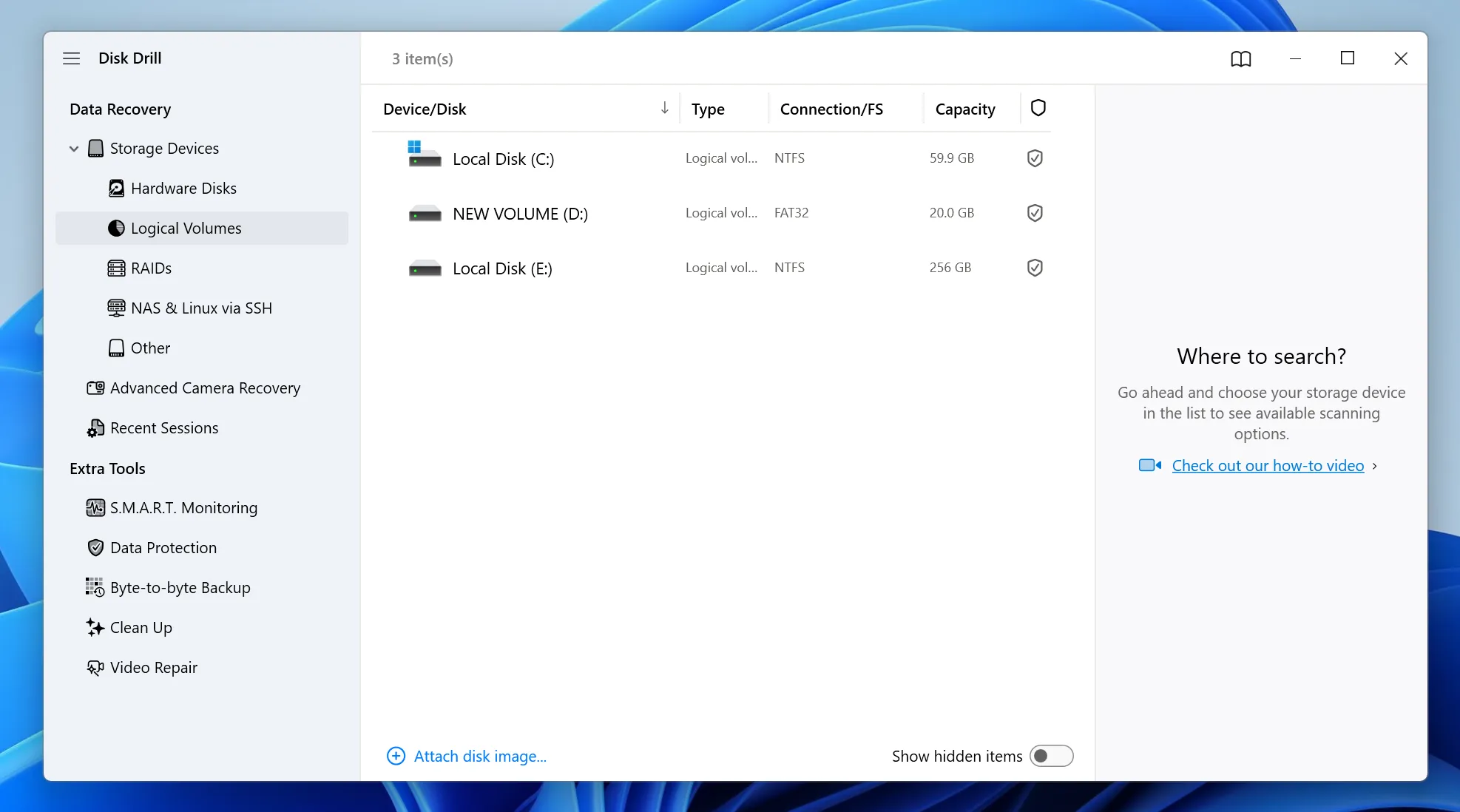
How Disk Drill Media Recovery Handles Your Data
Specifically, Disk Drill media recovery operates by scanning the raw sectors of your storage device. It looks for “file signatures” that indicate the presence of a photo or video. Because media files are often large, the software must work hard to ensure the fragments align correctly.
While the software is powerful, it often feels heavy on older systems. Consequently, many users look for a more streamlined approach to media recovery. If you only need to rescue a few specific videos, a bloated utility suite might not be the most efficient path forward.
The Technical Challenges of Modern Media Recovery
We must acknowledge that media recovery has become more difficult with the advent of high-capacity SD cards and 4K video formats. For instance, when a camera writes a large video file, it frequently splits the data across non-contiguous sectors.
Standard tools sometimes fail to reassemble these fragments, resulting in a file that exists but will not play. Therefore, you need a tool that specializes in deep-sector reconstruction. While Disk Drill media recovery attempts this, its success rate can vary depending on the file system‘s complexity.
Why You Should Consider Magic Data Recovery Instead
Although Disk Drill is popular, Magic Data Recovery offers a more targeted solution for users who value speed and cost-effectiveness. This tool focuses exclusively on high-success media recovery without the unnecessary background processes that slow down other programs.
Magic Data Recovery solves the most common frustrations found in premium software. For example, most tools hide their recovery features behind a steep paywall. In contrast, this software provides a generous 500MB free recovery allowance, which is often enough to save your most critical files immediately.
Unique Selling Points of Magic Data Recovery:
- Instant Usability: You can start your media recovery journey without restarting your computer.
- Superior Value: It offers a massive 500MB free recovery limit, whereas competitors often offer zero.
- Deep Scanning: The engine excels at finding professional RAW photo formats and 4K video files.
- Resource Light: It runs smoothly on both high-end workstations and older laptops.
If you are currently struggling with a corrupted memory card, we highly recommend that you try Magic Data Recovery for a faster result.

Comparing Disk Drill Media Recovery with Magic Data Recovery
Feature | Disk Drill Media Recovery | Magic Data Recovery |
Actual Free Recovery | 100MB | 500MB |
Installation Speed | Slow (Heavy Package) | Very Fast |
System Reboot | Often Required | Never Required |
Ease of Use | Moderate | Begginer Friendly |
As shown in the table, Magic Data Recovery provides a more accessible entry point for the average user. While Disk Drill media recovery is a solid professional choice, the high entry cost and system impact make it less ideal for quick, urgent tasks.
Conclusion: Finding the Right Path for Your Files
In conclusion, while Disk Drill media recovery remains a powerful contender in the market, it is not always the most practical solution for every user. Its complex interface and high price point can be significant barriers when you simply want to get your videos back.
Therefore, we recommend Magic Data Recovery as the superior alternative for most scenarios. It offers the perfect combination of professional-grade scanning power and user-friendly accessibility. With its 500MB free recovery offer and high-speed engine, it provides a stress-free way to handle your media recovery needs. Stop worrying about your lost data and start your recovery process today with a tool you can trust.
Supports Windows 7/8/10/11 and Windows Server
FAQ
Can Disk Drill media recovery restore files from a corrupted SD card?
Yes, it can often find files on corrupted cards by bypassing the file system. However, the success of your media recovery depends on whether the physical flash chips are still functional. If the computer recognizes the card as a "Removable Device," the software can usually perform a deep scan to extract your lost photos.
Is there a difference between data recovery and media recovery?
While they overlap, media recovery specifically focuses on complex file types like videos and high-resolution images. These files are prone to fragmentation. Because of this, specialized tools use advanced algorithms to reassemble the data bits. General recovery might find the file name, but media-centric tools ensure the actual video is playable after the process.
Why do I need a 500MB free recovery limit?
Most users only lose a handful of essential files at a time. A 500MB free recovery limit allows you to get those files back instantly without paying $80 or more. This makes Magic Data Recovery an incredibly practical choice for students, freelancers, and families who need an immediate solution for their urgent data loss.
Will using Disk Drill media recovery slow down my computer?
Disk Drill is a comprehensive suite that includes several background monitoring tools. Consequently, it consumes significant RAM and CPU power during a scan. If you are using an older laptop, you might experience lag. In contrast, lightweight alternatives like Magic Data Recovery are designed to be efficient and have a much smaller system footprint.
How long does a typical media recovery scan take to finish?
The duration depends entirely on the size of your storage device and its read speed. For a 64GB SD card, a deep scan might take 15 to 30 minutes. However, a 2TB hard drive could take several hours. Always ensure your laptop is plugged into a power source before starting any long media recovery operation.
Is it safe to recover files back to the same drive?
No, you should never do this. Saving files back to the original drive will likely overwrite the very data you are trying to rescue. To ensure a successful media recovery, always select a different destination, such as your computer's internal desktop or a separate external USB drive, to store the restored media files safely.
Can I recover 4K videos using these tools?
Yes, both Disk Drill media recovery and Magic Data Recovery support modern 4K video containers like MP4 and MOV. Because 4K files are very large, they are highly susceptible to fragmentation. Therefore, using a tool with a strong "Deep Scan" engine is vital to ensure the entire video stream is recovered without any digital artifacts.

Vasilii is a data recovery specialist with around 10 years of hands-on experience in the field. Throughout his career, he has successfully solved thousands of complex cases involving deleted files, formatted drives, lost partitions, and RAW file systems. His expertise covers both manual recovery methods using professional tools like hex editors and advanced automated solutions with recovery software. Vasilii's mission is to make reliable data recovery knowledge accessible to both IT professionals and everyday users, helping them safeguard their valuable digital assets.