
UltData Recovery Review: Fixes & Best Alternative
Losing precious photos, critical work documents, or sentimental videos can feel like a digital nightmare. In your search for a professional solution, you have likely encountered UltData Recovery (also known as UltData). It is one of the most visible names in the industry, promising a quick fix for deleted files across various devices.
However, many users discover that software performance varies significantly depending on the device and the type of data loss. Whether you are dealing with a “device not detected” error or the software simply isn’t finding your lost files, understanding the mechanics of recovery is essential. Therefore, this guide provides a deep dive into UltData Recovery, explores why mobile-based recovery often fails, and introduces Magic Data Recovery as a more robust desktop-level alternative for SD card recovery.
Supports Windows 7/8/10/11 and Windows Server
Table of Contents
What is UltData Recovery and How Does It Work?
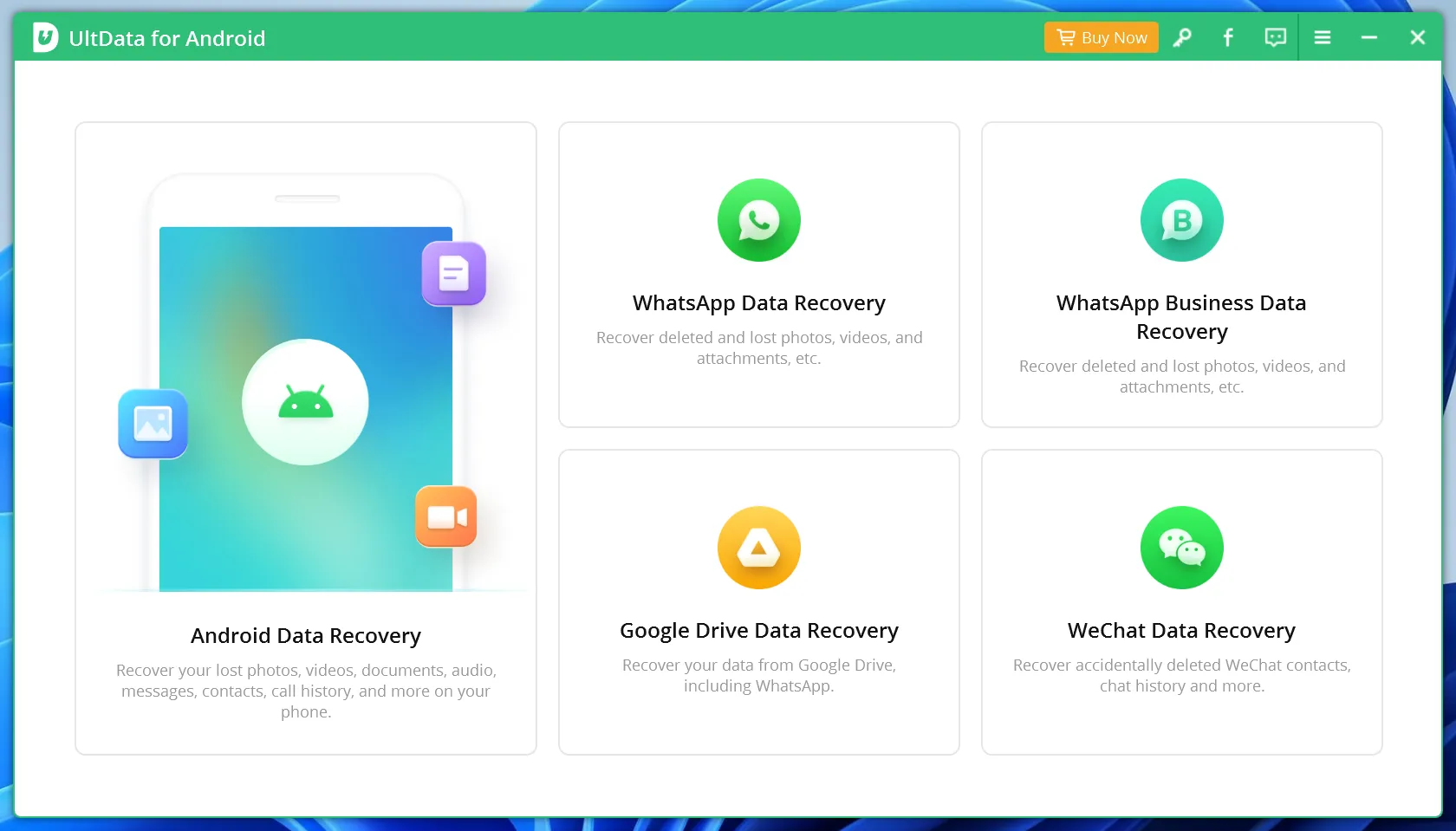
UltData Recovery is a suite of tools designed to retrieve lost information from various platforms, including Windows, MacOS, Android devices and iOS devices. Often searched as UltData, this software focuses on accessibility, allowing users to scan for deleted messages, contacts, and media files.
The software works by scanning the file system of your storage media to identify “pointers” to data that the operating system has marked as deleted. Although the UltData interface is user-friendly, its effectiveness is often dictated by the platform. For instance, desktop versions generally have higher success rates than mobile versions because of the administrative permissions required to access deep system layers. Furthermore, modern encryption makes mobile recovery increasingly difficult for standard apps.
Common Limitations of Mobile-Based UltData Recovery
Many users attempt to use UltData Recovery directly on their smartphones to recover deleted WhatsApp messages or internal gallery photos. However, this is where most technical hurdles arise.
First, modern mobile operating systems use “sandboxing” to protect data. Consequently, a standard app like UltData cannot “see” into other apps’ data without Root or Jailbreak access, which most users do not have. Second, every second you use your phone after losing data, the system creates new temporary files. This process can permanently overwrite the deleted space, which makes UltData Recovery ineffective. Finally, users often report that the software fails to recognize the phone via USB. If you find that UltData Recovery is failing to find your files on a mobile device, it is time to shift your strategy toward a more stable, hardware-focused approach.
Why Desktop-Level Scanning with UltData Recovery Alternatives is Superior
When software like UltData fails on a smartphone, the most professional recommendation is to move the operation to a PC. If your data was stored on an expandable memory card, you have a much higher chance of success.
By removing the SD card from the phone and connecting it to a computer via a card reader, you bypass the mobile operating system’s restrictions. This allows a professional tool to perform a “sector-by-sector” scan. Unlike a mobile app that is limited by permissions, a desktop tool can read every single byte on the card. Thus, even if the file system is corrupted, the raw data remains accessible for recovery.
A Powerful UltData Alternative--Magic Data Recovery
If you are looking for a more powerful solution after a failed attempt with UltData, Magic Data Recovery provides the professional-grade engine you need. While it does not recover data directly from phone internal memory, it excels in what experts call “Physical Media Restoration” like micro SD cards.
Core Problems Magic Data Recovery Solves:
- Corrupted SD Cards: If your phone says “SD card is damaged,” this tool can often still read the underlying data.
- Incomplete Scans: Where UltData Recovery might skip over fragmented files, Magic Data Recovery uses advanced algorithms to reconstruct them.
- Accidental Formatting: It can recover files from disks that have been accidentally formatted or converted to “RAW” status.
Unlike many generic tools, this software is built on a high-performance scanning engine. It supports a vast array of file systems including NTFS, FAT32, and exFAT. Furthermore, it offers a 500MB free recovery limit, which allows you to verify the results before committing to a purchase. Because of this transparency, you can be sure the software works before spending any money.

Magic Data Recovery vs. UltData: A Detailed Comparison
Feature | UltData Recovery | Magic Data Recovery |
Primary Focus | Mobile Sync/Messages | Professional Disk/SD Recovery |
Scanning Depth | Standard | Deep Sector-by-Sector |
Success Rate on SD | Moderate | High (Proprietary Engine) |
Free Trial | Limited Preview | 500MB Free Recovery |
While UltData is a popular choice for quick mobile tasks, it often lacks the technical “heaviness” required for serious data loss scenarios. On the other hand, Magic Data Recovery provides a more stable environment for complex file structures. Consequently, many professionals prefer the desktop-based approach for high-stakes recovery.
Expert Tips for Maximizing UltData Recovery Success
To ensure you get the most out of your UltData Recovery or Magic Data Recovery experience, keep these professional tips in mind:
- Stop Using the Device: As soon as you realize data is missing, power off the card or device.
- Check the Connection: Often, a “software failure” is actually a faulty USB cable or a cheap card reader.
- Avoid “Repair” Prompts: If Windows asks to “Fix” or “Format” the drive when you plug it in, always click “Cancel.” Fixing the file system can overwrite the very data you are trying to save.
Conclusion: Finding the Right Solution for Your Data
In conclusion, there is no “one-size-fits-all” in the world of data restoration. UltData Recovery is a functional tool for basic needs, but it frequently hits a wall when faced with complex mobile system restrictions or hardware corruption.
If you have tried UltData and it didn’t meet your expectations—especially when you are tring to recover photos or videos on a memory card—switching to a specialized desktop tool is the logical next step. Magic Data Recovery offers the precision and deep-scanning capabilities that mobile apps simply cannot match. By connecting your storage directly to a PC, you take full control of the recovery process.
If you are looking for a more efficient and reliable solution, you might want to try Magic Data Recovery. Don’t let a software limitation be the reason you lose your memories forever.
Supports Windows 7/8/10/11 and Windows Server
FAQ
Why is my UltData Recovery not finding any files?
This problem usually occurs because mobile operating systems restrict access to internal folders. If the data is on an SD card, you should remove it and use a desktop tool like Magic Data Recovery. Connecting the storage directly to a PC allows the software to perform a deeper, more thorough scan without system interference.
Can I use UltData to recover deleted WhatsApp messages?
Yes, UltData is specifically designed for mobile app data like WhatsApp. However, success depends heavily on whether the data has been overwritten by new messages. If the scan fails, it typically means the database fragments are gone. For media files, checking the SD card on a computer is often more successful.
Why does UltData Recovery say "Device Not Detected"?
This error often stems from driver issues or faulty USB cables. First, ensure you have enabled USB Debugging on your Android phone. If the software still fails to recognize the device, the hardware connection might be unstable. In such cases, using a desktop-based recovery tool with a dedicated card reader is much more reliable.
is it safe to use UltData Recovery on a water-damaged phone?
Using a water-damaged phone is risky because short circuits can permanently destroy data. Instead of running software like UltData while the phone is powered on, you should remove the SD card immediately. Then, use Magic Data Recovery on a stable PC to safely extract your files without further damaging the phone's hardware.
How much data can I recover for free with these tools?
Most professional tools only offer a preview for free. However, Magic Data Recovery provides a generous 500MB of free data recovery. This allows you to actually save your most important files and verify their integrity before purchasing. In contrast, UltData often requires a subscription just to save a single recovered file.

Vasilii is a data recovery specialist with around 10 years of hands-on experience in the field. Throughout his career, he has successfully solved thousands of complex cases involving deleted files, formatted drives, lost partitions, and RAW file systems. His expertise covers both manual recovery methods using professional tools like hex editors and advanced automated solutions with recovery software. Vasilii's mission is to make reliable data recovery knowledge accessible to both IT professionals and everyday users, helping them safeguard their valuable digital assets.