
File Allocation Table Structure Guide
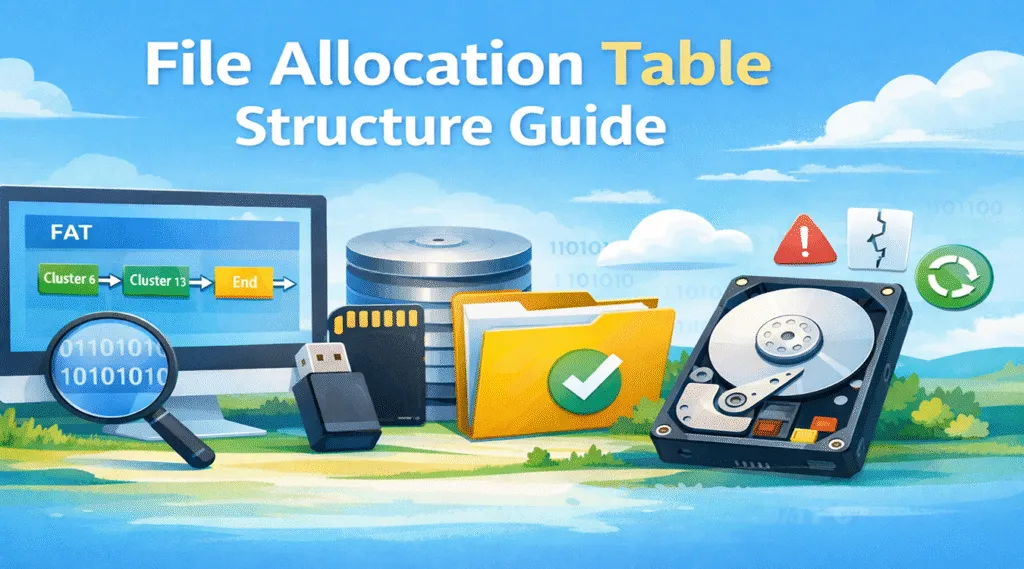
Modern storage devices rely on file systems to organize and access data efficiently. One of the most widely used designs is the file allocation table structure, commonly known as FAT. Even today, many USB drives, SD cards, and removable storage devices still rely on this technology.
However, many users only learn about the file allocation table in os when storage problems appear. For example, a USB drive may suddenly become unreadable, files may disappear, or the system may display a RAW file system error. In many cases, these issues relate directly to damage within the file allocation table structure.
Therefore, understanding how the file allocation table in operating system environments works can help you diagnose storage issues and protect important files. In this guide, we explain how FAT organizes data, how operating systems read files through this structure, and what solutions exist if the file system becomes corrupted.
Table of Contents
What Is the File Allocation Table in OS?
The file allocation table in os is a data structure that helps the operating system manage files on a storage device. Instead of storing files as one continuous block, the system divides data into smaller units called clusters.
Next, the file allocation table structure records how those clusters connect. In other words, the table works like a map that tells the operating system where each fragment of a file is located.
Because of this design, the file allocation table in operating system can:
- track file storage locations
- identify available disk space
- connect clusters that belong to the same file
- retrieve fragmented files efficiently
Moreover, FAT remains widely supported across many devices. As a result, removable storage such as USB drives and SD cards often rely on the file allocation table in os.
File Allocation Table Structure Explained
To understand the file allocation table structure, it helps to examine the key components that form the FAT file system.
Boot Sector
First, the Boot Sector appears at the beginning of the file system. It stores parameters that allow the operating system to interpret the disk layout.
Typical information includes:
- cluster size
- file system type
- number of FAT tables
- total sectors on the disk
When a device connects to a computer, the operating system reads this information first. Consequently, it can interpret the file allocation table in os correctly.
FAT Table
Next, the FAT table forms the core of the file allocation table structure.
Each entry represents a disk cluster and records whether the cluster is free or used. In addition, the entry identifies the next cluster in the file chain.
Example cluster chain:
Cluster 6 → Cluster 11 → Cluster 18 → End
Because of this chain structure, the file allocation table in operating system environments can reconstruct files even when clusters appear fragmented.
Root Directory
Meanwhile, the Root Directory stores metadata for files and folders.
Typical entries include:
- file name
- file size
- creation date
- starting cluster
When users open a file, the operating system reads the directory entry first. Then it follows the cluster chain recorded in the FAT.
Data Region
Finally, the Data Region stores the actual content of files.
Once the operating system identifies the cluster chain, it retrieves the file data from this region. In other words, the file allocation table in os acts as a navigation map rather than a storage location.
How the File Allocation Table Works in Operating System Environments
The file allocation table in operating system environments work through several logical steps.
First, the operating system receives a request to open a file.
Next, the system reads the directory entry to locate the starting cluster.
Then it checks the file allocation table structure to determine the next cluster in the chain.
Finally, the system reads all linked clusters until the entire file loads.
For example:
Cluster 4 → Cluster 9 → Cluster 13 → End
Although the clusters may appear in different physical locations, the file allocation table in os connects them logically.
Example of File Storage in the File Allocation Table Structure
Consider a file that is 10 KB in size.
If the cluster size equals 4 KB, the file occupies three clusters.
Example cluster chain:
Cluster 10 → Cluster 25 → Cluster 31
Even though these clusters remain physically separated, the file allocation table in operating system environments link them logically. Consequently, the operating system reconstructs the complete file when the user opens it.
FAT12 vs FAT16 vs FAT32 in Operating Systems
Common Problems with the File Allocation Table Structure
Although the file allocation table structure is simple and reliable, several issues may occur.
For instance, corruption may happen after:
- improper USB removal
- sudden power failure
- malware infection
- disk sector damage
- interrupted file transfers
As a result, users may encounter RAW drives, missing files, or disk access errors. Consequently, the operating system may fail to interpret the file allocation table in operating system environments correctly.
Recover Data When the File Allocation Table Is Corrupted
When the file allocation table structure becomes corrupted, the operating system may lose access to files. However, the data often still exists on the disk sectors.
Therefore, users should avoid writing new data to the affected drive. Otherwise, recoverable files may be overwritten.
A typical recovery workflow includes:
- stopping disk activity
- scanning the disk
- rebuilding file structures
- restoring files to another drive
Recover Files with Magic Data Recovery
When the file allocation table in operating system environments become corrupted, the system may no longer locate files correctly. However, the underlying data often remains intact.
In such situations, Magic Data Recovery provides a practical solution. This tool supports recovery from situations such as:
- corrupted FAT file systems
- RAW drives
- deleted files
- formatted storage devices
Unlike basic repair utilities, Magic Data Recovery scans the disk sector by sector. As a result, it can locate files even when the file allocation table structure becomes unreadable.

Conclusion
The file allocation table structure plays a fundamental role in how storage devices organize and retrieve data. By linking disk clusters, the file allocation table in os enables operating systems to manage files efficiently.
However, corruption in the file allocation table in operating system environments can prevent the system from locating files. Fortunately, recovery tools can often restore the missing data.
If you are looking for a reliable solution to restore data from a damaged FAT drive, trying Magic Data Recovery can significantly simplify the recovery process.
Supports Windows 7/8/10/11 and Windows Server
FAQ
What is the file allocation table structure?
The file allocation table structure defines how FAT file systems track file locations across disk clusters.
What is the file allocation table in OS?
The file allocation table in os records how clusters connect to store files on a storage device.
How does the file allocation table in operating system work?
The file allocation table in operating system links clusters together so the system can reconstruct complete files.
Why does FAT corruption occur?
FAT corruption often results from power failures, improper device removal, malware infections, or disk sector damage.
Can files still exist after FAT corruption?
Yes. Even if the file allocation table structure becomes damaged, the actual file data may still remain on the disk.
Where is FAT commonly used today?
FAT remains widely used in USB drives, SD cards, cameras, and embedded systems.
How can I recover files from a corrupted FAT drive?
You can scan the disk using professional recovery software such as Magic Data Recovery.

Vasilii is a data recovery specialist with around 10 years of hands-on experience in the field. Throughout his career, he has successfully solved thousands of complex cases involving deleted files, formatted drives, lost partitions, and RAW file systems. His expertise covers both manual recovery methods using professional tools like hex editors and advanced automated solutions with recovery software. Vasilii's mission is to make reliable data recovery knowledge accessible to both IT professionals and everyday users, helping them safeguard their valuable digital assets.