
Data Recovery Software Comparison: 2026 Guide
Losing important files can be stressful, whether it happens due to accidental deletion, disk formatting, system crashes, or unexpected power failures. With dozens of tools on the market, choosing the right hard drive solution is not easy. Many users search for a data recovery software comparison in order to determine which software is suitable for their exact cases.
This guide focuses on real-world decision factors rather than feature overload. By comparing popular tools, common recovery scenarios, and practical limitations, you will understand what truly matters.
Table of Contents
What Matters Most in a Data Recovery Software Comparison
First of all, not all recovery tools are created equal. More importantly, a proper data recovery software comparison should go beyond surface-level features and focus on how the software performs in real use.
Recovery Success vs. Marketing Claims
Many tools advertise advanced algorithms, yet recovery success depends on factors such as:
- How recently the data was deleted
- Whether the storage space has been overwritten
- File system integrity
In practice, simpler tools with reliable scanning logic often outperform overly complex solutions for common recovery tasks.
File Preview Before Recovery
Previewing files before restoring them is critical. It allows users to verify whether files are intact and worth recovering. Consequently, in any serious data recovery software comparison, preview capability should be considered essential, not optional.
Ease of Use for Non-Technical Users
In reality, most users are not data recovery experts. A clear interface, guided steps, and readable scan results significantly reduce the risk of mistakes. As a result, software that requires manual configuration may discourage beginners and increase recovery failure risks.
Free Version Limitations
Free recovery options vary widely. Some tools only allow scanning, while others support limited data recovery. Therefore, understanding these restrictions is an important part of a transparent data recovery software comparison.
Risk of Data Overwriting
Installing or running recovery software incorrectly can overwrite deleted data. Reputable tools emphasize safe installation practices and minimize write operations on affected drives.
Quick Comparison Table of Popular Data Recovery Software
Software | Best For | Free Recovery | File Preview | Ease of Use | Pricing Model |
Magic Data Recovery | Everyday file recovery | Limited free recovery | Yes | Very easy | One-time license |
Disk Drill | All-around recovery with extra tools | Up to a small free limit | Yes | Easy | Freemium / License |
EaseUS Data Recovery Wizard | Beginners who want guided recovery | Very limited | Yes | Easy | Subscription |
R-Studio | Advanced & professional recovery | No | Yes | Complex | High-cost license |
This table highlights usability and transparency, which are often overlooked in standard data recovery software comparison articles.
In-Depth Data Recovery Software Comparison
Magic Data Recovery – A Practical Choice for Most Users
Magic Data Recovery focuses on solving common data loss problems without unnecessary complexity. It is designed for users who want reliable results without a steep learning curve.
Key strengths include:
- Clear scan modes for deleted and formatted files
- File preview before recovery to verify data integrity
- Minimal setup steps that reduce overwrite risks
Use case example:A home user accidentally deletes work Excel file and then empties the Recycle Bin. By running a quick scan and previewing files before recovery, Magic Data Recovery helps confirm which documents are intact quickly, reducing wasted recovery attempts.
Compared with many tools, Magic Data Recovery prioritizes clarity, safety, and realistic recovery scenarios rather than overwhelming users with advanced options they may never need.

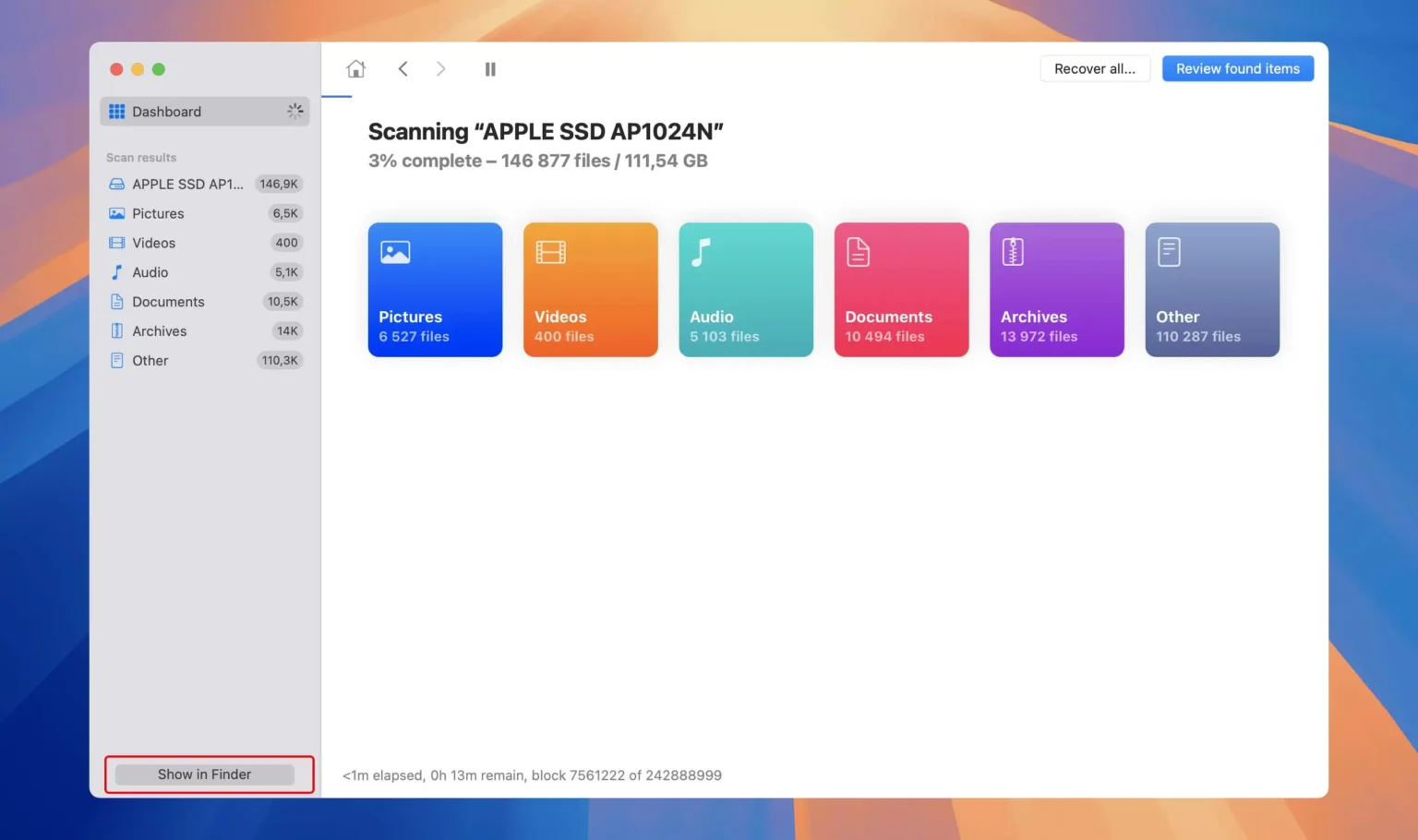
Disk Drill – Feature-Rich but Not Always Necessary
Disk Drill is frequently recommended in large review sites such as TechRadar and CleverFiles. It provides additional utilities beyond data recovery, which can be appealing to some users.
However, in real-world data recovery software comparison scenarios, many users only need straightforward recovery. Extra features may increase scan time and decision fatigue, especially for first-time users.
EaseUS Data Recovery Wizard – Easy to Use with Strict Limits
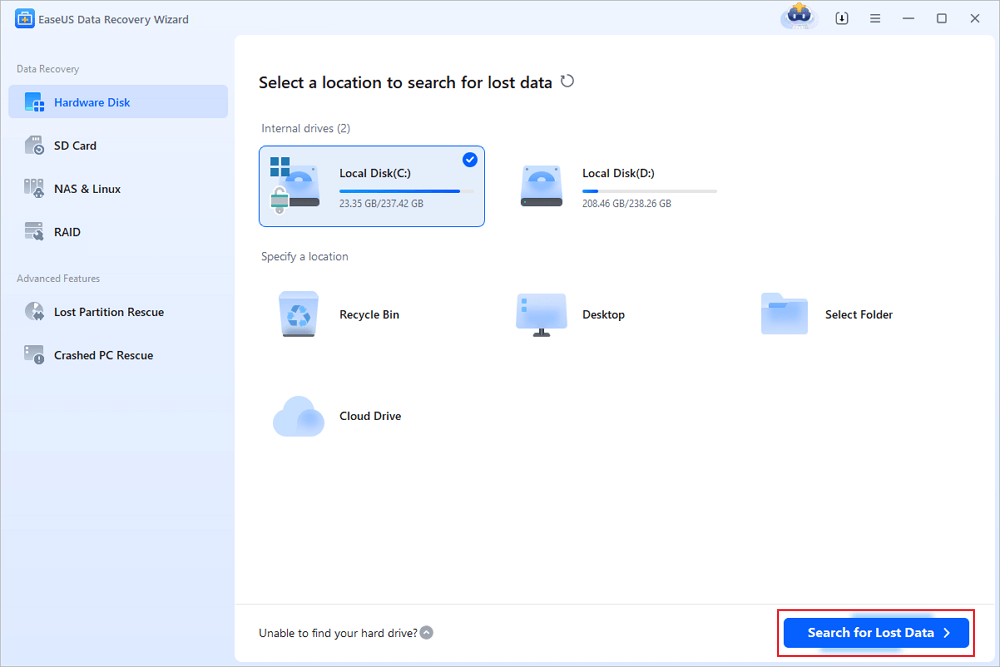
EaseUS Data Recovery Wizard is well known for its beginner-friendly interface and guided recovery steps. It performs well in simple recovery cases.
The main drawback highlighted in many data recovery software comparison reviews is the restrictive free version. Users often complete a scan and preview files but must upgrade before meaningful recovery can begin.
R-Studio – Powerful Professional Data Recovery Software
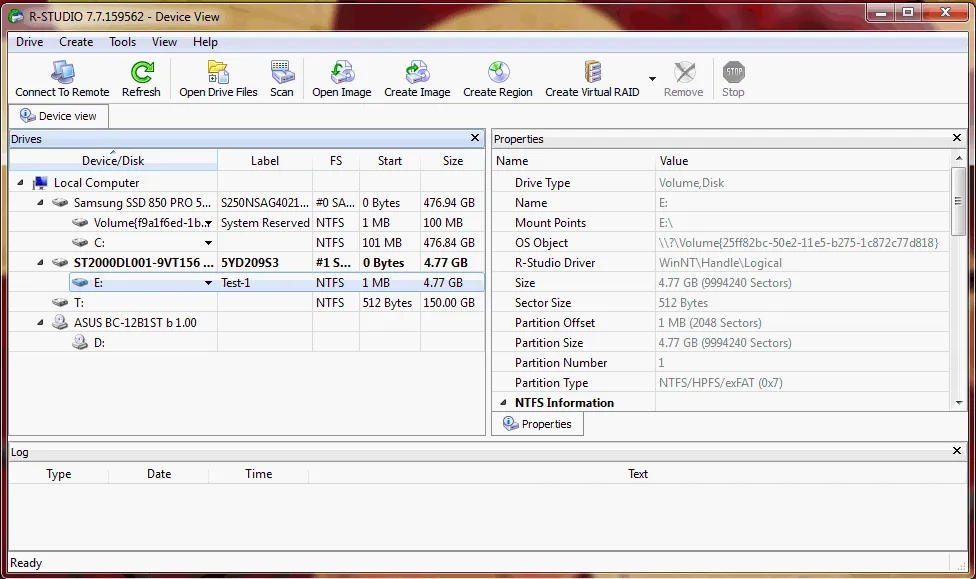
R-Studio is widely recognized as a professional-grade data recovery solution and is frequently mentioned in enterprise-focused data recovery software comparison articles. It supports advanced recovery scenarios, including damaged partitions, complex file systems, and network-based recovery.
Key characteristics of R-Studio include:
- Support for advanced file systems and RAID configurations
- Highly detailed scan results with extensive metadata
- Professional tools designed for experienced users
Limitations to consider:
- Steep learning curve for non-technical users
- No free data recovery; the trial version is for scanning and preview only
- Higher licensing cost compared to consumer-focused tools
Common Mistakes to Avoid During Data Recovery
Even the best tool cannot guarantee results if mistakes are made. Based on industry best practices:
- Avoid installing recovery software on the affected drive
- Stop using the device immediately after data loss
- Do not attempt multiple recovery tools simultaneously
These considerations are often missing from basic data recovery software comparison articles but are crucial for success.
Why Magic Data Recovery Is a Reliable Recommendation
In this data recovery software comparison, Magic Data Recovery stands out for addressing real user concerns rather than chasing advanced but unnecessary features. Its strengths include:
- Practical recovery modes for common data loss scenarios
- Transparent free version limitations
- Beginner-friendly interface that reduces errors
If you are looking for an efficient and straightforward solution, Magic Data Recovery offers a dependable balance between usability and recovery performance.
Conclusion
Choosing the right data recovery software can make a huge difference when dealing with data loss. Based on our comparison, Magic Data Recovery stands out as one of the best all-around solutions for both beginners and advanced users. If you need a hard drive solution that prioritizes clarity, reliability, and practical recovery results, it is worth considering.
Supports Windows 7/8/10/11 and Windows Server
FAQs About Data Recovery Software Comparison
Which is the best data recovery software?
Is there a free data recovery software that actually works?
What is the app that recovers permanently deleted files?
How to recover deleted files even after deleting from the recycle bin?
How to choose data recovery software?
What software do police use to recover data?
Can I do data recovery on my own?

Vasilii is a data recovery specialist with around 10 years of hands-on experience in the field. Throughout his career, he has successfully solved thousands of complex cases involving deleted files, formatted drives, lost partitions, and RAW file systems. His expertise covers both manual recovery methods using professional tools like hex editors and advanced automated solutions with recovery software. Vasilii's mission is to make reliable data recovery knowledge accessible to both IT professionals and everyday users, helping them safeguard their valuable digital assets.