
Home Backup Strategy Guide for Families: Protect Your Digital Life
Photos of your children, family videos, school documents, and financial files all live on digital devices today. Yet many families only realize the importance of a home backup strategy after data is lost.
Common problems include accidental deletion, device failure, ransomware, or corrupted backups. These issues can happen quietly and suddenly. Without a clear backup plan, recovery becomes difficult or even impossible.
This guide explains practical home backup strategy options for real family scenarios. You will learn what to back up, where to store it, and how to avoid common mistakes. For cases where backups fail or are outdated, we also introduce Magic Data Recovery as a reliable solution to restore lost family data.
Table of Contents
What Is a Home Backup Strategy?
A home backup strategy is a structured approach to protecting personal and family data by creating secure, recoverable copies. It ensures that important files remain accessible even when something goes wrong.
A good strategy answers three key questions
- What data should be backed up?
- Where should backups be stored?
- How often should backups be updated?
Core Components of a Home Backup Strategy
- Redundancy: Keep more than one copy of important files
- Storage diversity: Use local and cloud backups together
- Automation: Reduce the risk of human error
- Verification: Confirm backups can be restored
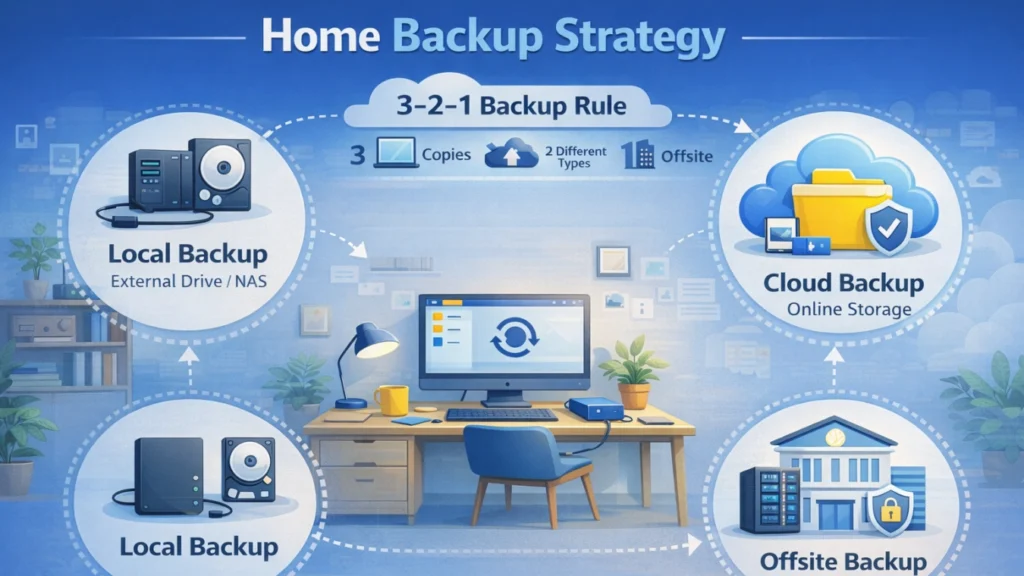
Many experts recommend the 3-2-1 rule, which works especially well for family users.
Common Family Scenarios That Require a Home Backup Strategy
Different households face different data risks. Understanding your situation helps you choose the most effective home backup strategy.
Below are common family scenarios with practical backup recommendations.
Family Photos and Videos Stored on a Computer
Photos and videos often exist on a single laptop or desktop, making them vulnerable to disk failure.
Recommended Backup Strategy
- Weekly backups to an external hard drive
- Continuous cloud photo backup
Why This Works
Local backups provide fast access, while cloud storage protects against theft or hardware damage.
Parents Working from Home with Important Documents
Work-related files and personal documents change frequently and require version protection.
Recommended Backup Strategy
- Daily automated cloud backups
- Monthly offline external drive backups
Why This Works
Cloud backups offer file versioning, while offline copies protect against ransomware attacks.
Children’s School Assignments and Learning Files
School files are often overwritten or deleted accidentally.
Recommended Backup Strategy
- Cloud storage with version history
- Weekly full device backup
Why This Works
Version control allows quick recovery of older files, while device backups protect against system crashes.
Multiple Devices in One Household
Phones, tablets, and computers create fragmented storage.
Recommended Backup Strategy
- Centralized cloud account for all devices
- Scheduled backups for each device
Why This Works
Central management improves consistency and reduces missed backups.
Common Home Backup Strategy Mistakes to Avoid
Even families with a home backup strategy often fall into avoidable traps.
Common mistakes include:
- Relying on a single backup location
- Never testing backup files
- Forgetting to back up external drives
- Ignoring warning signs of disk failure
Avoiding these mistakes significantly improves backup reliability.
When a Home Backup Strategy Is Not Enough
No backup plan is perfect. Certain situations still lead to data loss.
These include:
- Backups not updated before device failure
- Backup drives becoming corrupted
- Cloud sync overwriting healthy files
- Backup files failing to open
In these cases, data recovery becomes the next step.
Recovering Lost Family Data with Magic Data Recovery

Problems Magic Data Recovery Can Solve
- Accidental deletion
- Corrupted backup files
- Formatted drives
- System crashes
Why Magic Data Recovery Is a Reliable Choice
Magic Data Recovery offers:
- Deep scan technology to locate lost files
- Support for photos, videos, documents, and backup files
- Compatibility with hard drives, SSDs, USB drives, and memory cards
- File preview before recovery
These features make it suitable for everyday family users.
Real Family Use Case
A family accidentally formatted an external drive containing photo backups. Cloud backups were incomplete. Magic Data Recovery helped restore most files within minutes.
Best Practices to Improve Your Home Backup Strategy
Small improvements can make a big difference.
To strengthen your home backup strategy, consider:
- Automating backups whenever possible
- Using both cloud and local storage
- Testing backups every few months
- Keeping one backup offline
- Replacing aging storage devices
Conclusion
A strong home backup strategy protects your family’s digital memories and essential files from everyday risks. By understanding common scenarios and using layered backup methods, you reduce the likelihood of permanent data loss.
When prevention fails, Magic Data Recovery fills the gap between backup and recovery. It offers a reliable, easy-to-use solution for restoring lost family data without unnecessary complexity.
Supports Windows 7/8/10/11 and Windows Server
FAQs
What is the best home backup strategy for families?
How often should I back up family data?
Is cloud backup alone enough?
What files should families prioritize?
How do I know if my backups work?
What causes backup files to become corrupted?
Can I recover data without a backup?
Is Magic Data Recovery safe for home users?

Jason is a data recovery and technical support specialist with over 15 years of hands-on experience. He has worked extensively with frontline users, troubleshooting difficult data loss cases and providing practical recovery solutions for accidental deletion, formatted drives, damaged file systems, lost partitions, system failures, and other recovery emergencies. His expertise also includes backup and restoration, file repair, and disaster recovery, with a strong emphasis on safe, reliable, and technically accurate guidance.