
File Allocation Table Architecture Explained
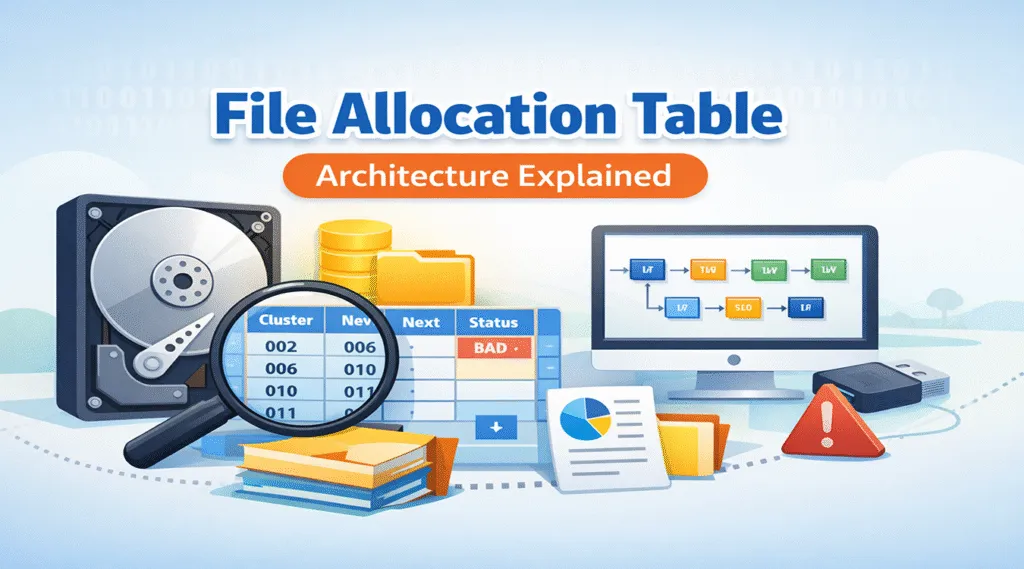
Understanding file allocation table architecture becomes important when USB drives, SD cards, or FAT32 devices suddenly stop working. In real situations, users may notice missing files, corrupted storage, or unexpected formatting prompts. Yet, most people still do not know how data is organized internally or what steps to take next.
This guide explains file allocation table architecture in a clear and practical way. It also shows how to view file allocation table structures when troubleshooting. At the same time, it introduces a safe recovery approach for situations where FAT corruption leads to data loss.
Table of Contents
What Is File Allocation Table Architecture
File allocation table architecture defines how FAT12, FAT16, and FAT32 manage data storage. Instead of storing files in one continuous space, the system divides them into clusters and tracks them using a table.
This design allows fragmented files to remain readable, since the system follows cluster links rather than physical order.
Key Components of FAT Architecture
To understand file allocation table architecture, you should know its main components:
- Boot Sector – contains file system metadata
- File Allocation Table (FAT) – records cluster relationships
- Root Directory – stores file information
- Data Area – holds actual content
These parts work together to create a simple and widely compatible system.
How File Allocation Table Architecture Stores File Data
In file allocation table architecture, files are stored as linked clusters rather than continuous blocks. A file might occupy clusters such as 2 → 6 → 10.
The FAT keeps track of these links. When the system reads the file, it follows the chain step by step. Because of this structure, files remain accessible even when fragmented.
However, fragmentation can still affect performance. Over time, scattered clusters may slow down reading speed and increase risks during corruption.
How File Allocation Table Architecture Works in Practice
Looking at real usage helps clarify how file allocation table architecture works.
File Creation
When you save a file, the system looks for free clusters and assigns a starting point. The FAT records this information immediately.
Data Writing
As the file grows, additional clusters are allocated. The FAT links them together so the file remains traceable.
File Reading
When opening a file, the system reads the first cluster and follows the chain. This process rebuilds the file in the correct order.
In simple terms, the FAT acts as a map. If the map breaks, the data may still exist, but the system cannot find it.
How to View File Allocation Table in Windows Systems
If you need to diagnose storage issues, learning how to view file allocation table becomes useful. Windows does not provide a direct viewer, but several methods can help.
Method 1: Disk Analysis Tools
Tools like DiskGenius or WinHex allow you to inspect FAT sectors and analyze cluster chains. They provide a visual way to understand how files are stored.
Method 2: Command-Line Utilities
Commands such as chkdsk and fsutil show file system details. While they do not display the full table, they help confirm whether the structure is intact.
Method 3: Hex Viewer
Advanced users can open the disk in a hex editor and locate FAT regions manually. This method offers deep access, although it requires technical experience.
Common Problems in File Allocation Table Architecture
Although file allocation table architecture is simple, it can still fail under certain conditions.
FAT Corruption
Improper removal or sudden power loss can damage the FAT. When this happens, files may disappear or become inaccessible.
Broken Cluster Chains
If links between clusters break, the system loses track of file structure. As a result, files cannot be opened.
Bad Sectors
Physical damage can interrupt cluster chains, leading to partial data loss.
In these situations, knowing how to view file allocation table helps identify the root cause.
Data Recovery Solutions for File Allocation Table Architecture
When file allocation table architecture fails, the data often still exists in the storage area. The problem is that the system no longer knows where to find it.
Recovery tools address this by scanning raw data and rebuilding file structures.
Why FAT Failure Leads to Data Loss
The FAT works like an index. Once it becomes damaged, file locations are lost and cluster chains break. Even so, the actual data is often still present, which makes recovery possible.
A Practical Tool for FAT Corruption Recovery: Magic Data Recovery
When manual fixes feel uncertain, Magic Data Recovery offers a more reliable option.
What Problem It Solves
- Recover files from corrupted FAT systems
- Restore lost cluster chains
- Access data from unreadable or RAW drives
Why It Is Reliable
Instead of modifying the original structure, the tool scans the disk and identifies recoverable files. It also allows preview before recovery, which helps avoid unnecessary mistakes.
Real Scenario Example
A common case involves a USB drive showing a formatting prompt. Many users consider formatting immediately. However, scanning the drive first often reveals that files are still recoverable.
Key Advantages
- Non-destructive recovery
- High success rate for FAT devices
- Simple interface
- Broad compatibility
This makes it a safer choice compared to repair-based approaches.

FAT vs NTFS in File Allocation Table Architecture
FAT file system and NTFS differ in both structure and capabilities. FAT focuses on simplicity and compatibility, while NTFS offers advanced features and better reliability.
Despite this, FAT remains widely used in portable devices. For that reason, understanding file allocation table architecture is still relevant.
When You Should View File Allocation Table
You should view file allocation table when:
- Storage appears empty but space is used
- Files suddenly disappear
- Devices request formatting
- Data becomes inaccessible
Checking early can help prevent further damage and improve recovery chances.
Conclusion
File allocation table architecture explains how many storage devices manage data. It shows how files are stored, linked, and accessed. More importantly, it helps you understand why corruption leads to serious problems.
When issues occur, repair tools may not always be safe. In comparison, Magic Data Recovery offers a more controlled and reliable solution. It focuses on retrieving data without altering the original structure, which improves the chances of successful recovery.
Supports Windows 7/8/10/11 and Windows Server
FAQs
What is file allocation table architecture and why does it matter?
File allocation table architecture defines how FAT systems store and track files using cluster chains. It matters because the system relies on this structure to locate data. When it fails, files may appear lost even though the data still exists.
How can I view file allocation table in Windows?
To view file allocation table, you can use tools like WinHex or DiskGenius. These tools display FAT entries visually. Command-line tools provide limited information, but dedicated disk tools offer deeper insights.
What causes FAT corruption most often?
FAT corruption usually results from unsafe removal, power interruptions, or bad sectors. These events can break cluster links and make files inaccessible. In many cases, the data remains intact, which allows recovery.
Can files be recovered after FAT damage?
Yes, recovery is often possible. Even if the FAT is damaged, the data itself may still be stored on the device. Recovery tools scan the disk and rebuild file structures without relying on the original FAT.
Is CHKDSK safe for FAT repair?
CHKDSK can fix certain issues, but it may also overwrite damaged structures. Because of this, it is not always the safest option. Using a recovery tool first reduces the risk of permanent data loss.
Why is FAT still used on modern devices?
FAT remains widely used due to its compatibility across systems and devices. USB drives and SD cards rely on it because it works with multiple operating systems without restrictions.
When should I check or view file allocation table?
You should view file allocation table when files disappear, storage behaves abnormally, or formatting prompts appear. Early inspection helps identify problems and increases the chances of successful recovery.

Vasilii is a data recovery specialist with around 10 years of hands-on experience in the field. Throughout his career, he has successfully solved thousands of complex cases involving deleted files, formatted drives, lost partitions, and RAW file systems. His expertise covers both manual recovery methods using professional tools like hex editors and advanced automated solutions with recovery software. Vasilii's mission is to make reliable data recovery knowledge accessible to both IT professionals and everyday users, helping them safeguard their valuable digital assets.