
USB Flash Drive Repair: Complete Guide to Fix & Recover Lost Data
Losing data from a USB flash drive can be frustrating and costly, especially when critical documents, family photos, or work projects disappear. Issues like accidental deletion, formatting, file system corruption, or hardware failure can strike without warning. Knowing how to handle USB flash drive repair and understanding the cost, effectiveness, and reliability of recovery options is crucial.
In this guide, we discuss practical repair methods, local service considerations for flash drive repair near me, and explain why Magic Data Recovery offers a faster, more cost-effective solution for restoring files. Additionally, we provide actionable steps to prevent USB drive failures in the future.
Supports Windows 7/8/10/11 and Windows Server
Table of Contents
Why USB Flash Drives Fail
USB flash drives are convenient but delicate. Common causes of failure include:
- Logical Failures: File system corruption, accidental deletion, or virus infection makes the drive unreadable but does not physically damage it.
- Physical Failures: Broken connectors, controller issues, or burned memory chips prevent the drive from being detected.
- User Errors: Unsafe removal, improper formatting, or overwriting data.
Understanding the type of failure is key: software repair works for logical issues, while physical damage often requires professional services.
Common USB Flash Drive Problems
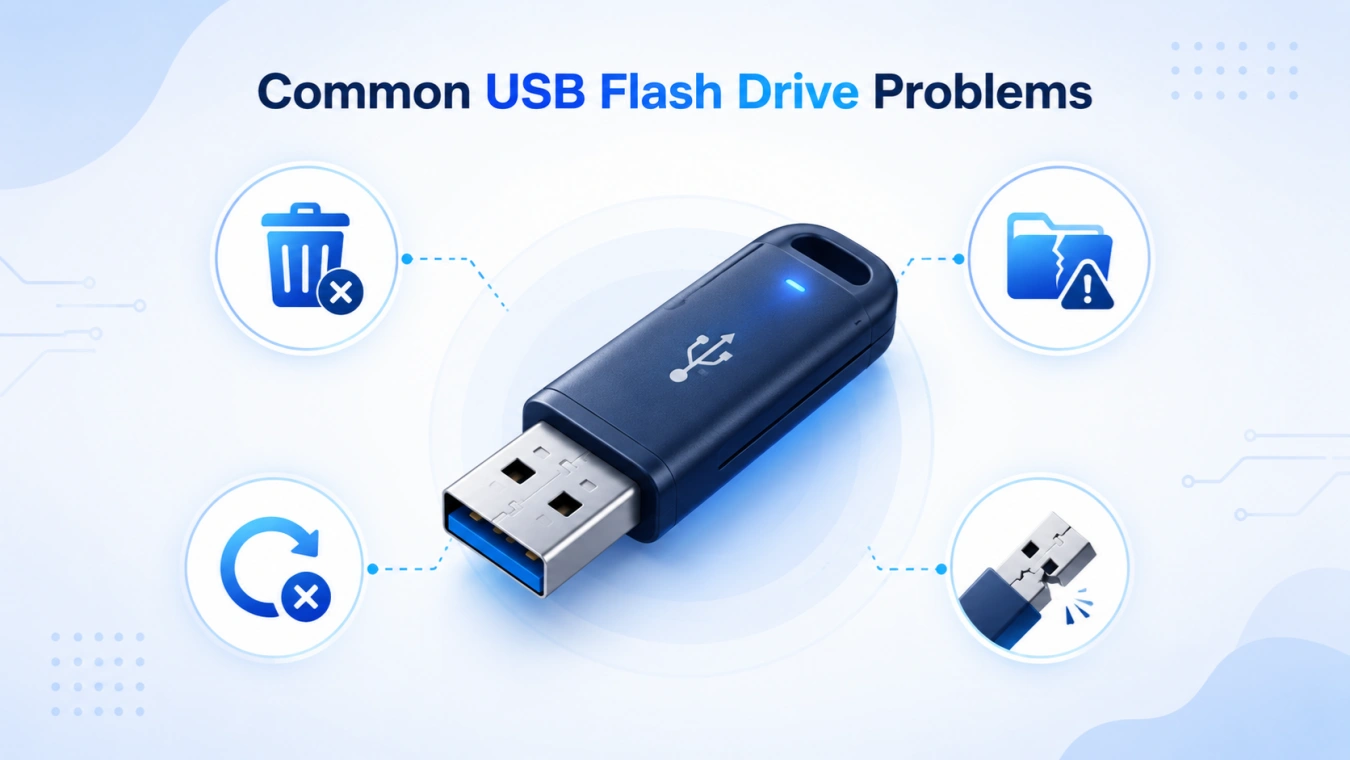
USB flash drives can fail in multiple ways, and understanding these failure types helps you choose the right repair approach. While some issues are purely logical and can be solved with software, others involve physical damage requiring professional intervention. Below, we break down the most common problems users encounter, explaining their symptoms and typical recovery methods.
Accidental Deletion
Files removed by mistake often remain on the drive until overwritten. Recovery software can scan unallocated sectors and reconstruct files, usually restoring them to their original folder structure.
File System Corruption
FAT32, exFAT, or NTFS drives can become corrupted when removed improperly or after power loss. Symptoms include RAW format, prompts to format, or missing files. Tools like Magic Data Recovery can rebuild the file system without overwriting data.
Format Errors
Formatting erases index tables but rarely removes actual data. Deep scan recovery locates file headers and reconstructs directories, restoring most files even after quick or full formatting.
Physical Damage
Broken USB connectors, damaged memory chips, or controller issues require specialized lab repair. Attempting DIY hardware fixes can worsen damage.
Flash Drive Repair Near Me — Market Costs & Effectiveness
Local repair options vary widely:
Pricing Overview
- Logical recovery (deleted/format issues): ~$150–$300
- Physical repair (broken connector, firmware issues): ~$300–$800+
- Advanced chip-off extraction: ~$800–$1,500+
Note: These price ranges are based on surveys of professional data recovery services in developed countries and regions (e.g., the U.S., Western Europe, Canada). In less developed or emerging markets, service fees can differ significantly due to local labor costs, technology availability, and market demand. For example, logical recovery might cost less than $100, while advanced chip-off extraction could be substantially cheaper, though professional quality and success rates may vary.
Effectiveness & Turnaround
- Professional labs report 95–98% success for logical recovery and ~85% for complex physical damage.
- Turnaround time ranges from a few business days to over a week.
- “No recovery, no charge” policies exist but often include diagnostic fees.
Insight: For many users, logical failures can be resolved faster and cheaper with software like Magic Data Recovery compared to professional services.
Recommended Tool: Magic Data Recovery

Magic Data Recovery is a professional-grade software for recovering lost USB flash drive data:
- Problems Solved: Deleted files, formatted drives, corrupted file systems (RAW/unreadable)
- Advantages:
- Deep scan engine rebuilds lost directories
- Supports NTFS, FAT32, exFAT, and multiple storage devices
- User-friendly interface suitable for non-technical users
- Use Case: Accidentally formatted a USB containing important work documents. Magic Data Recovery can reconstruct files within hours, avoiding expensive lab fees.
Compared to local services, software recovery is faster, cheaper, and secure, especially when the damage is logical.
Supports Windows 7/8/10/11 and Windows Server
Expert Tips for Successful Recovery
When data loss occurs, knowing how to respond promptly and correctly can improve recovery success rates:
- Stop using the drive immediately: Continued use can overwrite sectors containing deleted files, reducing the chance of successful recovery.
- Prioritize software recovery for logical issues: Before spending on professional services, use trusted recovery tools to restore deleted, formatted, or corrupted files. This approach is faster and more cost-effective.
- Validate recovered files: After recovery, check file integrity before saving to another device. Some files may be partially corrupted if sectors were overwritten.
- Use reputable recovery tools: Programs like Magic Data Recovery employ deep scanning and intelligent reconstruction algorithms that improve success rates compared to generic software.
- Document recovery steps: For important or sensitive files, keeping a recovery log helps track what has been restored, preventing accidental duplication or overwriting.
- Escalate only when necessary: If physical damage is suspected (e.g., USB not recognized, broken connector), stop DIY recovery and consult professional labs to avoid worsening the problem.
These enhanced precautions and recovery tips combine practical experience with technical expertise, helping users handle both prevention and recovery in a professional and reliable manner.
How to Avoid USB Flash Drive Damage
Preventing USB flash drive failure is always better than relying on recovery. Here are detailed strategies to protect your data and extend the life of your drives:
- Safely eject drives: Always use the system “Eject” or “Safely Remove Hardware” option. Abrupt removal during read/write operations can corrupt the file system and make the drive unreadable.
- Regular backups: Maintain both local and cloud backups. Even with a high-quality USB, unexpected logical or hardware failures can lead to permanent data loss.
- Minimize physical stress: Avoid bending, dropping, or exposing drives to water or extreme temperatures. Flash memory chips are sensitive, and physical trauma can lead to irreversible failure.
- Choose high-quality drives: Investing in reputable brands ensures better durability and error-checking mechanisms compared to cheap, low-quality devices prone to failure.
- Scan for viruses: Malware can corrupt data or the file system. Scan drives before and after transferring files, especially if used on multiple computers.
- Avoid unnecessary formatting: Only format when necessary. Frequent full formatting or large file deletion operations can increase wear on flash memory cells, shortening drive lifespan.
By following these practices, users can significantly reduce both logical errors (like accidental deletion or corruption) and physical damage, improving long-term reliability and reducing recovery needs.
Conclusion
USB flash drive repair is a spectrum ranging from simple software fixes to complex professional hardware extraction. Market research shows local repair services can be expensive and time-consuming, often costing $150–$1,500+ and taking days. Logical errors, which constitute the majority of USB failures, can usually be handled with trusted recovery software.
Magic Data Recovery offers a fast, cost-effective, and reliable solution to restore deleted, formatted, or corrupted files, while local services remain an option for severe physical damage. Start with software recovery, prevent future losses, and escalate only when necessary.
Supports Windows 7/8/10/11 and Windows Server
FAQs
What exactly is USB flash drive repair?
USB flash drive repair restores access to files and fixes the drive so it can be read and written normally. It addresses logical errors like deletion or corruption, as well as physical issues requiring specialized tools.
Can I recover files after formatting a USB drive?
Yes. Formatting typically removes directory tables, not the underlying data. Deep scan software can locate and reconstruct files, provided new data has not overwritten the old.
How much do local USB flash drive services typically charge?
Simple logical recoveries cost $150–$300. Physical repairs or chip-off extractions can exceed $800, with turnaround times ranging from several days to a week depending on complexity.
How long does professional USB repair take?
Standard recovery usually takes 2–7 business days. Complex chip-off or severe hardware issues can take over a week. Timelines depend on lab workload and damage severity.
What’s the difference between software and professional recovery?
Software recovery handles logical problems like deletion or corruption. Professional services address hardware failures such as broken connectors or burned memory chips that software alone cannot fix.
Does recovery software work if my USB drive isn’t recognized?
No. The drive must be detectable by your operating system. If hardware issues prevent recognition, professional services are required.
Is there a risk to running recovery software?
Trusted recovery software is low-risk for logical issues. However, running it on physically damaged drives can worsen damage, so assessment is recommended before attempting recovery.
Can I use Magic Data Recovery on other devices?
Yes. It supports memory cards, external drives, and USB sticks, making it versatile for various data loss scenarios, including accidental deletion, formatting, or corruption.

Jason is a data recovery and technical support specialist with over 15 years of hands-on experience. He has worked extensively with frontline users, troubleshooting difficult data loss cases and providing practical recovery solutions for accidental deletion, formatted drives, damaged file systems, lost partitions, system failures, and other recovery emergencies. His expertise also includes backup and restoration, file repair, and disaster recovery, with a strong emphasis on safe, reliable, and technically accurate guidance.