
Recover Deleted Files from Trash Bin: Complete Step-by-Step Guide
Losing important files after emptying the Trash Bin is a situation many users encounter. You delete files, clear the trash to free up space, and only later realize that critical documents, photos, or work files are gone. At that moment, one question becomes urgent: recover deleted files from trash bin—is it still possible?
This guide explains what really happens when files are deleted, whether recovery is still feasible after emptying the trash, and which methods work in different situations. More importantly, it shows when professional data recovery software becomes necessary and why Magic Data Recovery is a reliable deleted file recovery solution for recovering files that seem permanently deleted.
Supports Windows 7/8/10/11 and Windows Server
Wondering if your files can be recovered? Find out in seconds with our quick check below.
Data Recovery Assessment
Answer 3 quick questions to estimate your recovery chances
Table of Contents
What Happens When Files Are Deleted from the Trash Bin?
Before attempting recovery, it is essential to understand how the Trash Bin (also known as the Recycle Bin) works in Windows.
When you delete a file normally, system first moves it to the Trash Bin. At this stage, restoring it is simple because the file still exists in its original form. However, once you empty the Trash Bin, the file is no longer visible to the system.
Importantly, emptying the trash does not immediately erase the file’s data. Instead:
- The file’s reference is removed from the file system.
- The system marks the storage space as available for reuse.
- The actual data remains on the disk until it is overwritten.
This technical detail explains why recovering files deleted from recycle bin is often possible—provided you act quickly and avoid writing new data to the same drive.
Can You Recover Deleted Files from the Trash Bin?
The ability to recover deleted files from trash bin depends on several real-world factors. In practice, it is possible to recover deleted files in many cases, but not all.
Recovery Is Possible When:
- You emptied the Trash Bin recently.
- You didn’t save large files or install programs afterward.
- You haven’t heavily used the affected drive.
- The storage device is healthy and not physically damaged.
Recovery Becomes Difficult When:
- The disk space has been overwritten.
- You haven’t used extensively after deletion.
- A full disk cleanup or secure wipe was performed.
Understanding these conditions helps users choose the right recovery method instead of wasting time on ineffective solutions.
How to Recover Deleted Files from Trash Bin: 3 Practical Methods
Depending on how you delete the files, different approaches may work. Below are the most effective options, starting with the simplest.
Method 1: Restore Files Directly from the Trash Bin
If you haven’t emptied the Trash Bin, recovery is straightforward.
Steps:
- Open the Trash Bin on your desktop.
- Locate the deleted files.
- Right-click and select Restore.
The files will return to their original location. This method works instantly but is limited to files still present in the Trash Bin.
Method 2: Recovering Files Deleted from Recycle Bin Using Backups
If you emptied the Trash Bin, system backups may help.
Possible backup sources include:
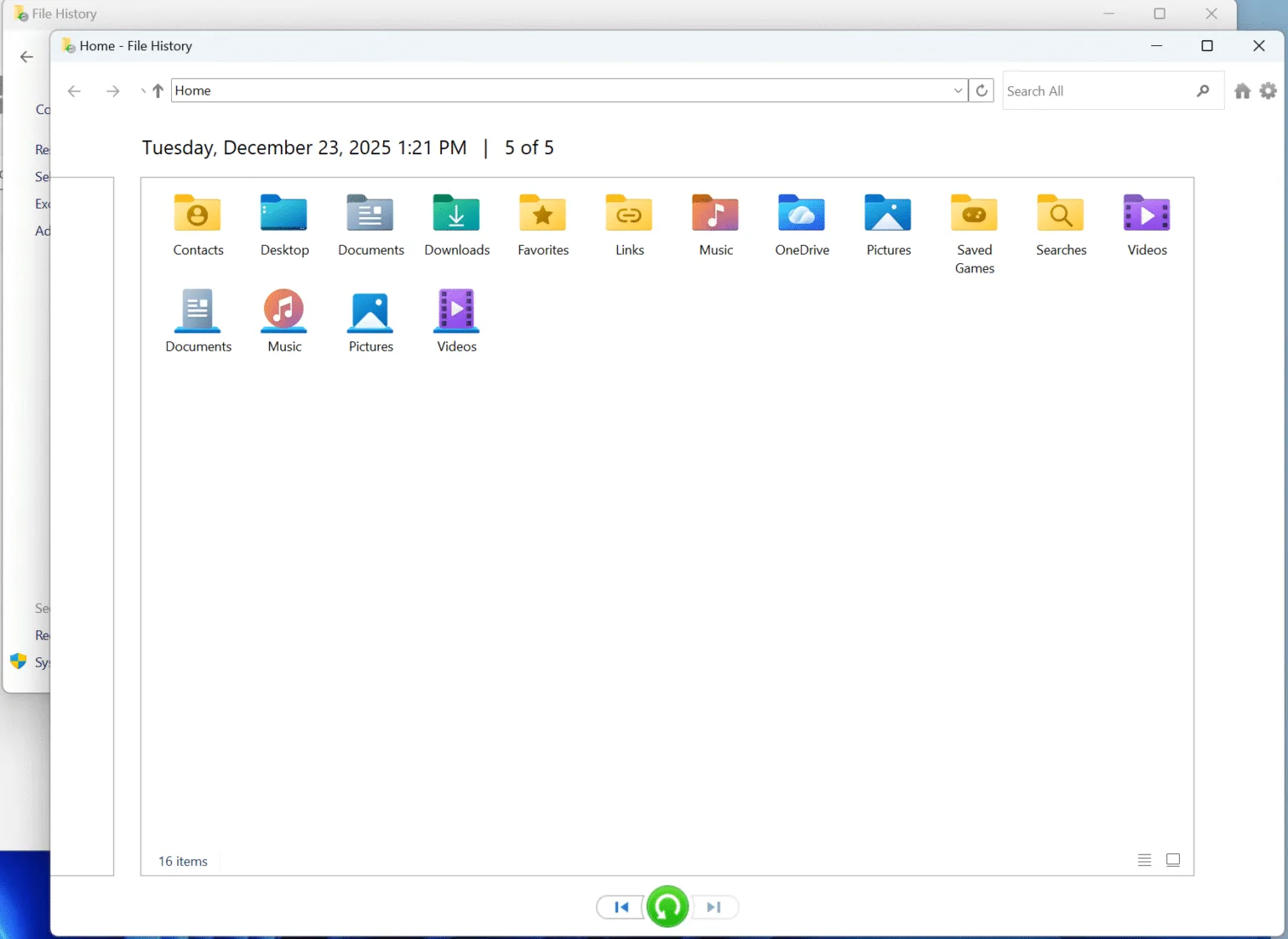
- Windows File History (Control Panel—System and Security — File History)
- Previous Versions
- External backups created earlier
These options only work if you have enabled backups before deletion. Many users discover backups too late, making this method unavailable in real situations.
Method 3: Recover Deleted Files from Trash Bin Using Magic Data Recovery
When files are permanently deleted and no backup exists, specialized recovery software is often the only effective solution.
Magic Data Recovery can scan storage devices at a deep level, identifying recoverable files even after the Trash Bin has been emptied. Instead of relying on file names alone, it analyzes file structures and signatures to locate lost data.
This approach is particularly effective for users asking how to recover deleted files from trash bin after permanent deletion.
How to Use Magic Data Recovery to Restore Deleted Files
Using recovery software correctly is critical. Improper use can reduce recovery success.
Step 1: Install Magic Data Recovery Safely
Download and install Magic Data Recovery on a drive different from the one where files were deleted. This prevents accidental overwriting of recoverable data.
Supports Windows 7/8/10/11 and Windows Server
Step 2: Select the Original Drive
Launch the software and choose the drive where the deleted files originally located to start a scan.

Step 3: Wait till the Scan Completes
Magic Data Recovery will list recoverable files When the scan completes.

Step 4: Preview Recoverable Files
Use the preview feature to confirm file integrity before recovery.

Step 5: Recover Files to a Secure Location
Save recovered files to an another partition. This final step ensures data safety and avoids overwriting remaining recoverable files.

Why Magic Data Recovery Is a Reliable Solution
Magic Data Recovery focuses on solving the real problems users face after emptying the Trash Bin.
Key advantages include:
- Effective recovery after permanent deletion.
- Support for common file types such as documents, photos, and videos.
- Preview capability to verify files before recovery.
- A recovery process designed to minimize data overwriting risks.
For users without backups who need a practical and trustworthy solution, Magic Data Recovery provides a balanced approach between ease of use and professional-grade recovery.
Conclusion
Recovering files after emptying the Trash Bin is a common challenge, but it is not always a lost cause. Understanding how deletion works allows users to choose the most effective deleted file recovery approach. When system tools and backups are unavailable, Magic Data Recovery provides a practical solution focused on real recovery scenarios rather than promises.
For users who need to recover deleted files from trash bin efficiently and safely, Magic Data Recovery stands out as a reliable option designed to handle permanent deletions with care and precision.
Supports Windows 7/8/10/11 and Windows Server
FAQ: Recover Deleted Files from Trash Bin
How to restore permanently deleted files from trash?
Can you recover deleted files after emptying the trash?
Can I still recover permanently deleted files?
How do I retrieve deleted trash?
Is deleted trash gone forever?
Are permanently deleted files actually deleted?
Does emptying Trash permanently delete files?

Vasilii is a data recovery specialist with around 10 years of hands-on experience in the field. Throughout his career, he has successfully solved thousands of complex cases involving deleted files, formatted drives, lost partitions, and RAW file systems. His expertise covers both manual recovery methods using professional tools like hex editors and advanced automated solutions with recovery software. Vasilii's mission is to make reliable data recovery knowledge accessible to both IT professionals and everyday users, helping them safeguard their valuable digital assets.