
External Hard Disk Shows RAW File System: Causes & Fixes
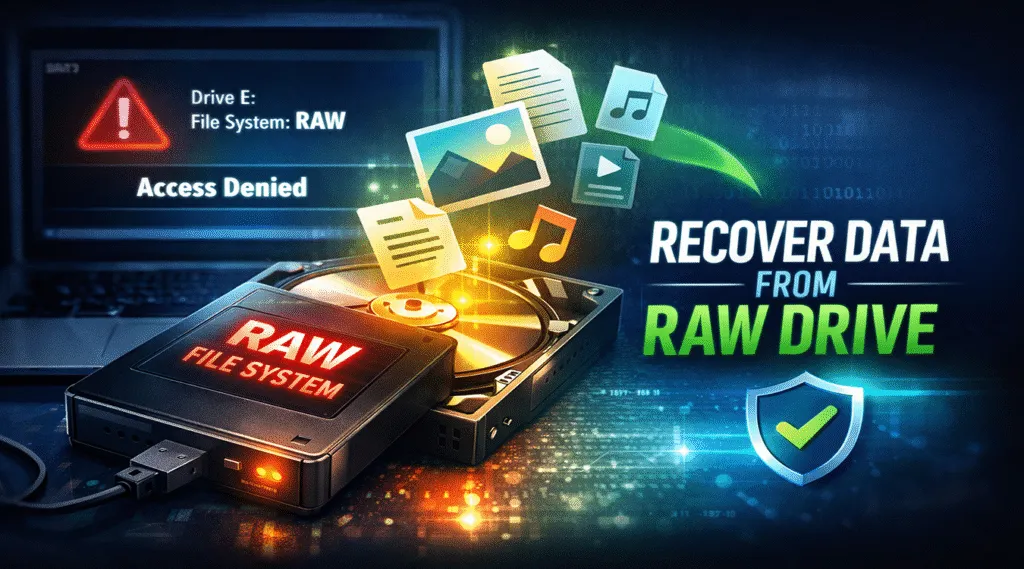
When an external hard disk shows RAW file system, many users immediately worry about data loss. In practice, this situation usually appears without warning: the drive is detected, yet files cannot be opened, and the system may ask you to format the disk. At this point, making the wrong move can permanently damage recoverable data.
Fortunately, a RAW file system does not always mean your files are gone. Instead, it often indicates that the operating system can no longer read the file structure correctly. Therefore, understanding the cause and following the right external drive recovery solutions is essential.
In this guide, we explain why an external hard drive showing RAW file system occurs, what risks to avoid, and how to recover your data safely before fixing the drive.
Table of Contents
What Does RAW File System Mean on an External Hard Drive?
An external hard drive file system RAW status means the operating system cannot recognize the drive’s logical structure. Normally, external hard drives use NTFS, FAT32, or exFAT to organize and index files. These file systems allow the system to locate data efficiently.
However, when the file system becomes RAW, the drive still exists physically, but its structure is unreadable. As a result:
- Files and folders are no longer accessible
- Drive properties may appear empty or incorrect
- Error messages prompt you to format the disk
Importantly, RAW indicates a logical problem rather than immediate data deletion.
Why Does an External Hard Disk Show RAW File System?
There are several common reasons why an external hard disk shows RAW file system. In most cases, these issues occur during normal daily use.
Common Causes of RAW File System Errors
Unsafe Removal
If a drive is disconnected while data is still being written, file system records may be damaged.
Sudden Power Loss
Unexpected shutdowns can interrupt critical operations, leading to corruption.
File System Corruption
System crashes, software conflicts, or interrupted updates may affect metadata.
Virus or Malware Activity
Some threats specifically target file system structures.
Bad Sectors or Aging Hardware
Over time, physical wear can interfere with data indexing.
Therefore, even reliable external drives can display RAW status under unfavorable conditions.
Is It Safe to Format a RAW External Hard Drive?
When an external hard drive shows RAW file system, Windows often suggests formatting the disk. Although this action can restore usability, it comes with significant risk.
Formatting will:
- Recreate the file system
- Remove references to existing files
- Reduce the chances of full data recovery
For this reason, industry best practices strongly recommend recovering data first. Only after files are safely backed up, you can consider formatting or reparing methods.
What to Do Before Fixing a RAW File System
Before attempting any repair, take a moment to protect your data.
- Stop using the drive immediately
- Avoid writing new data to it
- Do not repeatedly run repair commands
By following these steps, you reduce the risk of overwriting recoverable files.
How to Recover Data from an External Hard Drive Showing RAW File System
When an external hard drive showing RAW file system becomes inaccessible, data recovery should be the top priority.
Why Data Recovery Software Is the Safer Option
Built-in tools like CHKDSK often fail to handle RAW drives correctly. In contrast, professional recovery software scans the disk directly and locates files without relying on the damaged file system.
Using Magic Data Recovery as a Practical Solution
Magic Data Recovery is designed for scenarios where an external hard disk shows RAW file system and standard access is no longer possible.
Problems It Effectively Solves
- Recovers data from RAW file systems
- Detects damaged or lost partitions
- Retrieves files without formatting the drive
Key Advantages
- Compatible with external hard drives, USB drives, and SSDs
- Advanced scanning for RAW file systems
- File preview before recovery
- Simple interface suitable for non-technical users
Example Usage Scenario
For instance, if a backup drive becomes RAW after a power outage, Magic Data Recovery can scan the disk, locate recoverable files, and restore them to a safe location before any repair attempt. Compared with manual fixes, this method is more controlled and significantly reduces risk.

How to Fix RAW File System After Data Recovery
Once recovery is complete, attention can shift to repairing the drive itself.
Common Repair Methods
Reformat the Drive
After data is secured, formatting can rebuild a healthy file system.
Use Disk Management Tools
Recreating partitions may help restore normal recognition.
Check Drive Health
If RAW errors recur, hardware replacement may be necessary.
As a rule, repair actions should always follow data recovery.
Common Mistakes to Avoid
To improve recovery success, avoid these frequent errors:
- Formatting the drive immediately
- Using unreliable freeware tools
- Repeatedly running repair commands
Instead, follow a structured recovery-first approach.
Conclusion
When an external hard disk shows RAW file system, acting carefully makes a critical difference. Although RAW errors are alarming, they are often logical issues rather than permanent failures.
Magic Data Recovery is recommended because it focuses on safe access to data, supports RAW file systems, and provides a clear external drive recovery process before repair. By following a recovery-first strategy, users can protect valuable files and restore drive usability with confidence.
If you are looking for a reliable solution, Magic Data Recovery offers a balanced approach between safety and effectiveness.
Supports Windows 7/8/10/11 and Windows Server
FAQs About External Hard Disk Shows RAW File System
Why is my external hard drive showing RAW file system?
How do I change my external hard drive from RAW to NTFS?
What does it mean if the file system is RAW?
Why is NTFS showing up as RAW?
How to tell if an external hard drive is corrupted?
How to fix a RAW file system hard drive?
Should I reformat my external drive to NTFS?
Can I convert RAW to NTFS without losing data?

Vasilii is a data recovery specialist with around 10 years of hands-on experience in the field. Throughout his career, he has successfully solved thousands of complex cases involving deleted files, formatted drives, lost partitions, and RAW file systems. His expertise covers both manual recovery methods using professional tools like hex editors and advanced automated solutions with recovery software. Vasilii's mission is to make reliable data recovery knowledge accessible to both IT professionals and everyday users, helping them safeguard their valuable digital assets.