
Disk Drill Price: Is It Worth the Cost?

When users search for Disk Drill price, they usually want more than pricing details. Instead, they want to know whether the software actually works. After all, paying for data recovery only makes sense if files can be restored successfully.
However, many users notice a gap between expectations and results. While Disk Drill looks powerful, discussions across Disk Drill reddit often reveal mixed experiences. Some users recover files easily, while others struggle with deeper data loss.
Therefore, this guide breaks down the real Disk Drill cost, compares it with alternatives, and explains when it is worth paying—and when a more advanced hard drive recovery solution, such as Magic Data Recovery, may deliver better results.
Supports Windows 7/8/10/11 and Windows Server
Table of Contents
Disk Drill Price Breakdown (2026 Updated)
To evaluate the Disk Drill price, you must first understand its pricing structure.
Free Version
- Allows scanning and preview
- Does not provide full recovery
- Works mainly as a trial
Paid Plans
- Lifetime license: $149
- 1-year subscription: $89
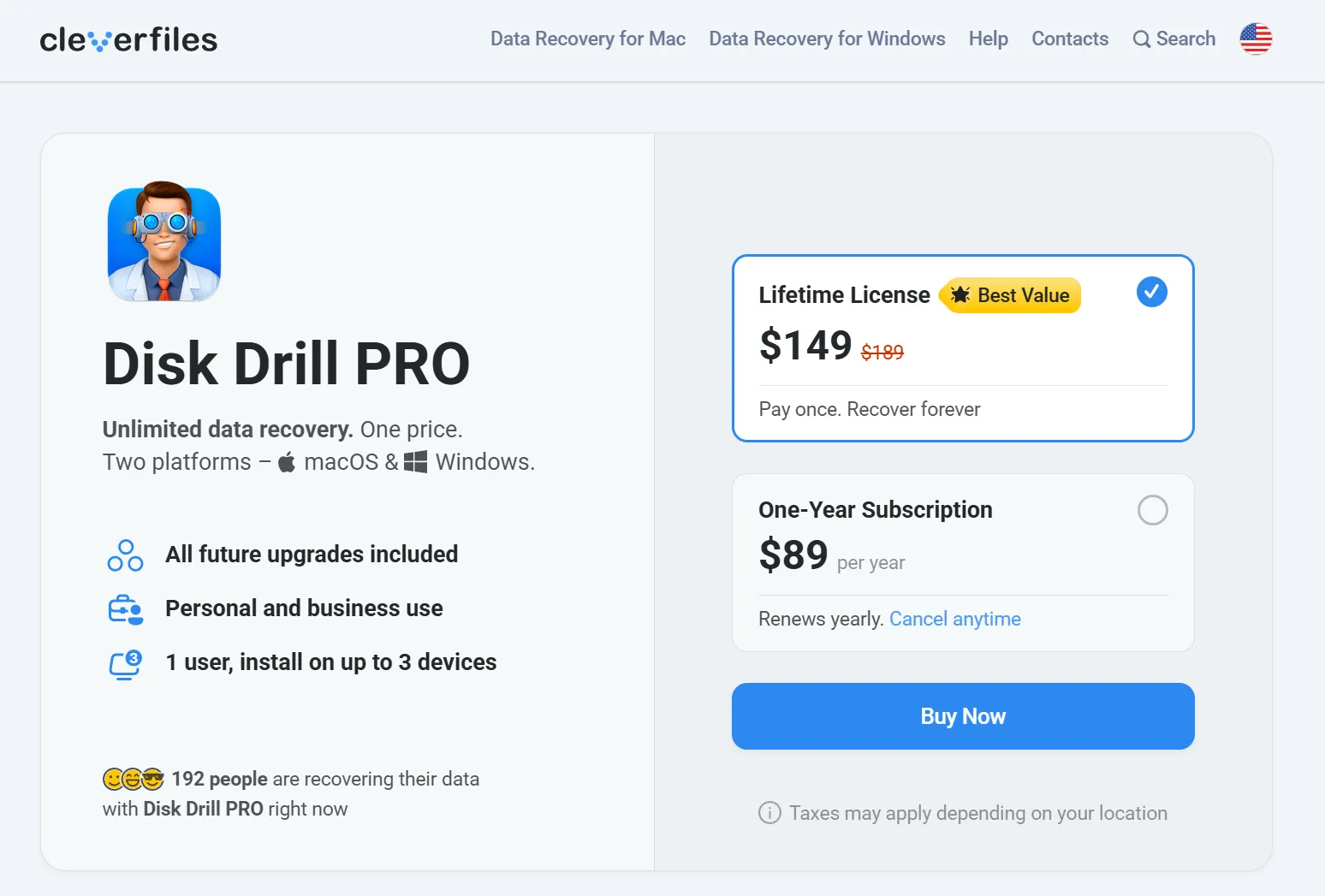
At first glance, the pricing seems reasonable. However, value depends on recovery success rather than features. Therefore, the Disk Drill cost should always be evaluated against real performance.
What You Get for the Disk Drill Cost
Although Disk Drill offers many features, not all of them translate into better recovery results.
Key Capabilities
- Supports common file systems (NTFS, FAT32, exFAT)
- Handles various file types
- Includes preview before recovery
Real-World Performance
- Works well for recently deleted files
- Slows down during deep scans
- Struggles with RAW or damaged partitions
As a result, the Disk Drill price may feel justified in simple cases but questionable in complex scenarios.
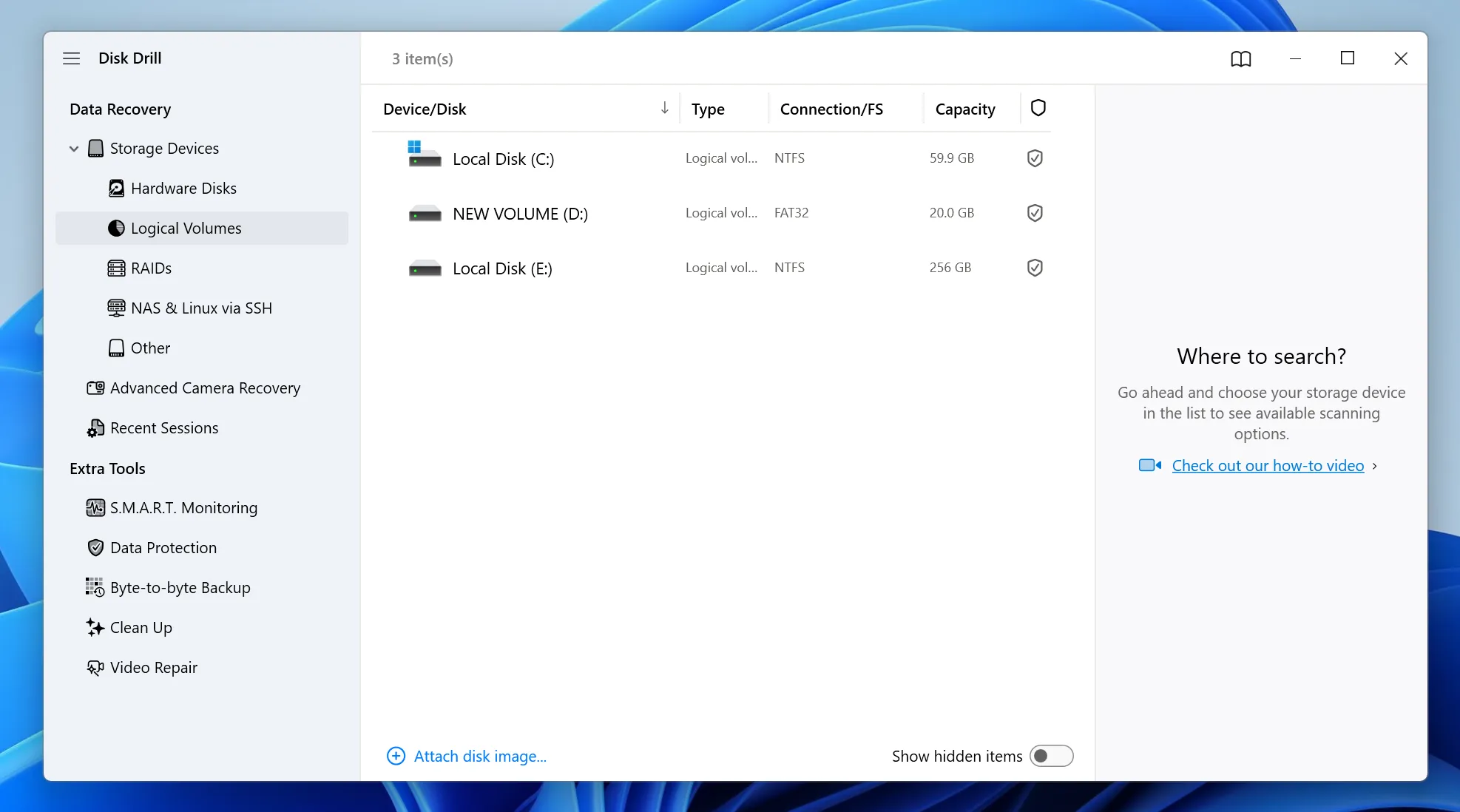
Disk Drill for PC: Performance on Windows Systems
Many users specifically search for Disk Drill for pc, expecting strong performance on Windows.
Where It Works Well
- Basic file recovery
- Simple partition scans
- Beginner-friendly workflow
Where It Falls Short
- Limited recovery from RAW drives
- Lower success with SSD (TRIM enabled)
- Slower deep scanning on large disks
Therefore, Disk Drill works best for light recovery tasks. However, advanced recovery often requires a stronger solution.
Disk Drill Reddit Reviews: Real User Insights
Looking at Disk Drill reddit discussions helps reveal real-world experiences.
Positive Feedback
- Easy to use
- Clean interface
- Good for beginners
Common Complaints
- “Not worth the price”
- Inconsistent recovery results
- Weak performance in complex cases
Because of this, opinions remain divided. In other words, the Disk Drill price does not guarantee consistent results.
Disk Drill Price vs Alternatives (Real Comparison)
To better evaluate the Disk Drill cost, comparing it with real alternatives provides valuable insight.
Data Recovery Software Comparison
| Feature | Disk Drill | Wondershare Recoverit | EaseUS Data Recovery Wizard | Magic Data Recovery |
| Starting Price | Medium–High | Medium–High | Medium | Medium |
| Ease of Use | ⭐⭐⭐⭐☆ | ⭐⭐⭐⭐⭐ | ⭐⭐⭐⭐⭐ | ⭐⭐⭐⭐⭐ |
| Deep Scan Capability | Medium | High | High | High |
| RAW Drive Recovery | Limited | Good | Good | Strong |
| Overwritten File Detection | Weak | Medium | Medium | Medium |
| Scan Speed | Moderate | Fast | Fast | Fast |
| Free Recovery Limit | 500MB | 500MB | 500MB~2GB | 500MB |
| Best For | Beginners | Media recovery | General users | Advanced recovery |
When the Disk Drill Price Is Worth It
In some cases, Disk Drill provides good value:
- Recently deleted files
- Light recovery needs
- Non-critical data
If your situation matches these scenarios, the Disk Drill cost may feel reasonable.
When the Disk Drill Price Is NOT Worth It
However, Disk Drill may not be suitable when:
- Files are overwritten
- Drives become RAW
- File systems are damaged
In these situations, recovery success matters more than price. Therefore, switching tools often leads to better results.
Better Solution: Magic Data Recovery for Advanced Recovery
When Disk Drill cannot deliver reliable results, using a more advanced tool becomes essential.
That is where Magic Data Recovery provides a clear advantage.
What Problems It Solves
- Recovers data from RAW or corrupted drives
- Handles complex data loss scenarios
- Finds files beyond standard file systems
Why It Works Better
- Uses raw sector scanning
- Reconstructs fragmented data
- Performs well even without file system structure
How to Use Magic Data Recovery (Step-by-Step)
Follow these steps to recover files more effectively:
Step 1: Download and Install Magic Data Recovery
First, download Magic Data Recovery and install it on a different drive. This prevents overwriting and protects lost data.
Supports Windows 7/8/10/11 and Windows Server
Step 2: Select the Lost Drive or Partition
Next, launch the software. Then, choose the location where files were lost and start scanning.

Step 3: Scan for Lost Files
After that, the software performs a deep scan automatically. Meanwhile, it displays recoverable files during the process.

Step 4: Preview Files Before Recovery
Then, preview files to confirm their content. This helps you select only the files you need.

Step 5: Recover Files Safely
Finally, save the recovered files to another location. Avoid restoring them to the same drive.

Conclusion
In conclusion, while the disk drill price offers reasonable value for basic hard drive recovery tasks, it does not always deliver consistent results in more demanding scenarios. As data loss becomes more complex, relying on a deeper and more reliable solution like Magic Data Recovery can significantly improve recovery success and reduce unnecessary risk.
Supports Windows 7/8/10/11 and Windows Server
FAQs
Is the Disk Drill price worth it for beginners?
Yes, the Disk Drill price can be worth it for beginners. The interface is simple, and recovery steps are easy to follow. However, it works best for recently deleted files. If your data loss is more complex, you may need a more advanced solution to achieve better recovery results.
What is included in the Disk Drill cost?
The Disk Drill cost includes access to scanning, file preview, and recovery features in the paid version. However, the free version only allows limited functionality. Therefore, users often need to upgrade before completing recovery, especially when dealing with large or important files.
Does Disk Drill for pc work well on Windows?
Disk Drill for pc performs well for basic recovery tasks on Windows systems. It supports common file systems and provides an intuitive interface. However, its effectiveness decreases when dealing with RAW partitions, SSD recovery, or severe data corruption.
What do Disk Drill reddit users say?
According to Disk Drill reddit discussions, user opinions vary significantly. Some users appreciate its ease of use, while others report inconsistent recovery results. In many cases, users feel the software works best for simple recovery rather than advanced data loss scenarios.
Can Disk Drill recover overwritten files?
In most cases, overwritten files cannot be fully recovered. Disk Drill may detect fragments, but complete restoration is unlikely. Therefore, it is always recommended to stop using the affected drive immediately and switch to a more advanced recovery method if needed.
What is a better alternative to Disk Drill?
A better alternative depends on your situation. For advanced recovery, tools like Magic Data Recovery provide deeper scanning and better results. They can recover files even when the file system is damaged or missing, making them more reliable in complex scenarios.
How can I improve recovery success rate?
To improve recovery success, stop writing new data to the affected drive immediately. Then use a reliable recovery tool with deep scanning capabilities. In addition, always save recovered files to a different location to avoid overwriting remaining recoverable data.

Vasilii is a data recovery specialist with around 10 years of hands-on experience in the field. Throughout his career, he has successfully solved thousands of complex cases involving deleted files, formatted drives, lost partitions, and RAW file systems. His expertise covers both manual recovery methods using professional tools like hex editors and advanced automated solutions with recovery software. Vasilii's mission is to make reliable data recovery knowledge accessible to both IT professionals and everyday users, helping them safeguard their valuable digital assets.