
PC 3000 Data Recovery Price & Review Guide
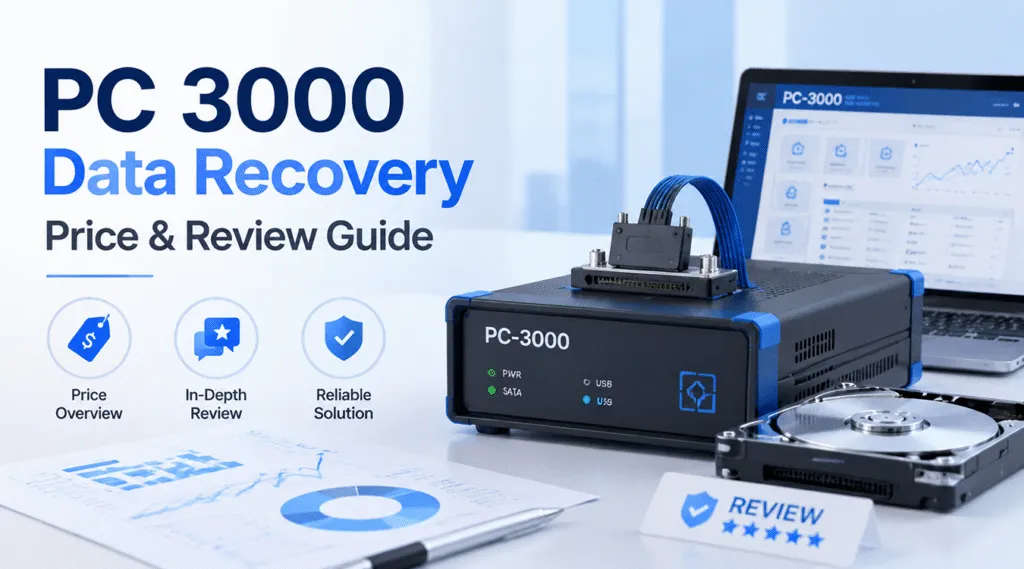
Losing critical business files can instantly cause widespread panic, especially when you are running a busy remote office or managing enterprise cloud backups. When standard computer troubleshooting fails completely, IT specialists and hardware technicians frequently point to one legendary industrial standard: PC 3000 Data Recovery. Developed by the engineering team at ACE Lab, this hardware-software suite represents the absolute pinnacle of professional hard drive recovery worldwide.
However, before you rush out to purchase this complex enterprise system, you must understand what it actually takes to operate it. Most importantly, you need to look closely at the realistic PC 3000 Data Recovery price to see if it makes financial sense for your business. In this comprehensive guide, we will break down the features, technical requirements, and total operational costs of this system. Furthermore, we will help you identify your specific type of data loss so you can choose the most efficient, cost-effective solution like Magic Data Recovery for your current situation.
Supports Windows 7/8/10/11 and Windows Server
Table of Contents
How PC 3000 Data Recovery Solves Severe Hardware Failures
To understand why professionals rely heavily on this tool, we must differentiate between physical drive repair and logical file retrieval. PC 3000 Data Recovery is not just a simple piece of software that you can download onto a standard laptop. Instead, it is a highly specialized hardware-software combination designed to interface directly with broken storage media.
When a hard drive suffers a severe mechanical failure, standard operating systems like Windows or macOS cannot recognize the device. Consequently, the operating system simply freezes or rejects the storage drive entirely. PC 3000 Data Recovery solves this exact problem because it utilizes specialized PCIe expansion boards and proprietary write-blocker controllers.
Therefore, technicians can boot the damaged drive into a safe factory mode without interface interference. This specialized environment allows advanced users to execute delicate technical procedures safely:
- Firmware Repair: This process allows users to overwrite corrupted system areas (SA) located directly on the hidden drive platters.
- Head Mapping: Technicians can disable a single broken magnetic head while safely reading data from the remaining functional heads.
- Forced Reading: The system forces the drive to read severely degraded sectors while successfully bypassing standard OS timeout restrictions.
Because this industrial tool manipulates the drive at the deep controller level, it can access data that standard computers find completely invisible.
Analyzing the Real PC 3000 Data Recovery Price Tag
When users begin researching industrial data solutions, they quickly notice that official retail sites rarely list exact retail costs. This lack of market transparency leads many people to ask: what is the actual PC 3000 Data Recovery price?
The short answer is that it always requires an enterprise-level financial investment. You cannot simply make a cheap, one-time purchase, because the actual entry barrier involves several distinct cost layers that add up quickly.
Initial Hardware Kits
The base PC 3000 Data Recovery price depends heavily on which specific edition you select for your workshop. For instance, the entry-level PC-3000 UDMA system, designed for standard SATA and PATA drives in small repair shops, starts at approximately $3,000 to $4,000. However, if you require the faster PC-3000 Express board or the highly portable PC-3000 Portable III system—which handles NVMe SSDs and USB drives directly—the initial investment easily climbs between $7,000 and over $12,000.
Mandatory Annual Updates
Furthermore, the initial hardware purchase is only the first step of your financial commitment. To maintain compatibility with newly released drive models and updated SSD controller firmware, you must pay for a mandatory annual software subscription. These critical updates usually cost between $1,000 and $1,500 every single year. As a result, the total cost of ownership continues to grow over time.
Donor Parts and Lab Equipment
In addition to the core tool, engineers must harvest physical parts from matching donor drives to fix mechanical damage. This requirement means you must build an extensive, costly inventory of identical hard drive models. Additionally, opening a hard drive safely requires a certified Class 100 clean bench environment to prevent microscopic dust from destroying the magnetic platters permanently.
Expense Category | Estimated Cost (USD) | Frequency |
PC-3000 Hardware Unit | $3,000 – $12,000+ | One-time initial purchase |
Annual Software Updates | $1,000 – $1,500 | Recurring yearly subscription |
Class 100 Clean Bench | $800 – $2,500 | Initial lab setup |
Donor Drive Inventory | $50 – $200 per drive | Ongoing per-case basis |
Do You Need a PC 3000 Data Recovery Solution?
Given the steep financial investment, you must determine whether your specific data loss scenario truly justifies using PC 3000 Data Recovery. Most data loss incidents actually fall into one of two distinct categories, each requiring a fundamentally different repair strategy.
Scenario A: Physical and Firmware Damage
This category includes storage drives that have suffered physical trauma or mechanical breakdown. You can easily recognize physical damage by listening for distinct warning signs:
- The external hard drive emits a rhythmic clicking, ticking, or loud beeping sound when connected.
- The drive spin motor fails to start up entirely, keeping the unit completely silent and cold.
- The computer BIOS or Disk Management completely fails to detect the drive model name or reports an incorrect capacity of 0 MB.
If you encounter these severe hardware symptoms, standard software tools cannot help you at all. Therefore, you will need to send the drive to a professional laboratory equipped with a PC 3000 Data Recovery system.
Scenario B: Logical Damage (The Most Common Issues)
Fortunately, the vast majority of data loss incidents do not involve mechanical breakdowns. Instead, the storage hardware remains completely healthy, but the data itself becomes inaccessible due to software errors. Common logical issues include:
- Accidental deletion of critical workplace folders or formatting a camera SD card by mistake.
- File system corruption that turns a healthy drive partition into an unreadable RAW state.
- Interrupted file transfers that leave drone footage, RAW images, or documents damaged.
Using an industrial hardware board for simple logical issues is highly inefficient. If your drive spins quietly and shows up correctly in your operating system settings, you only need an advanced, high-performance data recovery application to solve the problem safely.
A Smart Alternative to High PC 3000 Data Recovery Price Levels
If you find that your hard drive is physically functional but suffering from file system corruption, you do not need to pay the exorbitant PC 3000 Data Recovery price. Instead, you can utilize a practical consumer-focused alternative. If you are looking for an efficient solution to fix logical file loss right from your home office, you should try Magic Data Recovery.
This powerful application delivers professional-grade logical analysis without requiring expensive expansion cards or complex configuration menus. Furthermore, it provides an ideal balance of advanced scanning algorithms and simplicity, making it accessible to everyday users and business professionals alike.
Core Problems the Software Resolves
- Accidental Formatting: The software rebuilds original folder hierarchies after a quick format operation wipes the partition table completely.
- Accidental File Deletion: It recovers documents, media files, and archives that users have permanently emptied from the Recycle Bin.
- Partition Loss: The utility scans the storage media thoroughly to locate missing, deleted, or hidden partitions that standard file explorers cannot read.
Key Advantages and Unique Selling Points
Unlike industrial systems that require years of technical training, this software features an intuitive 3-step wizard interface. Users do not need to understand complex hex editors or firmware structures to achieve great results.
Furthermore, the application features advanced deep scanning algorithms that read raw data signatures directly from storage blocks. This capability allows it to piece together corrupted files, lost digital camera photos, and high-definition video files even when the main file system directory is completely ruined.
As a unique added benefit, the toolkit includes built-in recovery utilities designed to safely locate lost Windows license keys and saved credentials from local storage files. This helpful feature ensures you can quickly restore your entire working environment without needing to repurchase expensive software licenses after a system crash. Consequently, it offers a complete software rescue package at a fraction of the cost.
How to Recover Your Files Safely in Minutes Without PC 3000 Data Recovery
Recovering your important documents does not have to be a stressful or time-consuming project. By utilizing a clear layout and automated scanning, this software guides you through the process effortlessly. Follow these simple steps to restore your data safely:
Step 1: Download and Install Magic Data Recovery
First, download and launch Magic Data Recovery on a healthy computer partition. Always avoid downloading the application onto the drive that contains your lost files, as this can overwrite the data.
Supports Windows 7/8/10/11 and Windows Server
Step 2: Scan the Drive Where the Lost Files Located
Once open, select the specific drive partition, external USB flash drive, or memory card where your files were originally stored and start a scan

Step 3: Run the Deep Scan Process
Click the scan button to initiate the search immediately. The utility will automatically analyze the file structures, deploying deep sector scanning if it detects a corrupted partition table. A clear progress bar will display the estimated remaining time, allowing you to let the scan run quietly in the background while you focus on other tasks.

Step 4: Preview Files
Once the scan concludes, explore the neatly organized file directory view. You can use the built-in preview pane to inspect recovered photographs, audio clips, and documents before committing to a final save.

Step 5: Recover Your Files
Finally, select the items you wish to keep, click the recovery button, and choose a safe location on a separate storage device to save your files permanently.

Conclusion: Balancing Budget and Technical Needs
When choosing between different hard drive recovery methodologies, you must always evaluate the true condition of your storage hardware. The industrial PC 3000 Data Recovery system remains the undisputed global benchmark for repairing physically broken drives inside specialized labs. However, because the total PC 3000 Data Recovery price involves thousands of dollars in hardware, subscriptions, and specialized training, it remains impractical for standard consumer or office data crises.
For the vast majority of file loss cases caused by formatting mistakes, accidental deletions, or partition corruption, an advanced software solution provides a much more efficient fix. If you want to rescue your files immediately without risking further damage or spending an absolute fortune, download Magic Data Recovery today to scan your drive and view your recoverable files completely free of charge.
Supports Windows 7/8/10/11 and Windows Server
FAQs
What is the entry-level PC 3000 Data Recovery price for a new business?
The baseline hardware setup usually costs between $3,000 and $4,000 for the standard UDMA model. However, you must also budget an additional $1,000 annually for mandatory software updates and technical support subscriptions from ACE Lab.
Can a standard user operate a PC 3000 Data Recovery system at home?
No, because this system requires extensive training in firmware architecture and micro-soldering. Without professional knowledge, an untrained user can easily execute incorrect factory commands and erase the drive's data platters permanently.
What should I do if my hard drive is clicking loudly?
You should disconnect the drive immediately to prevent severe physical scratching of the internal platters. Clicking indicates a serious mechanical failure, meaning you must send it to a professional lab using PC 3000 Data Recovery tools.
Why is the total PC 3000 Data Recovery price so hidden online?
Because ACE Lab builds these industrial systems specifically for corporate clients, government agencies, and digital forensics labs. They customize the final software packages and hardware options based on individual lab requirements and regional licensing.
Is it cheaper to buy software or use a professional lab?
Software is significantly cheaper for logical issues like accidental deletion. Professional data labs charge high fees because they must offset their massive investments in PC 3000 Data Recovery hardware and clean room environments.

Vasilii is a data recovery specialist with around 10 years of hands-on experience in the field. Throughout his career, he has successfully solved thousands of complex cases involving deleted files, formatted drives, lost partitions, and RAW file systems. His expertise covers both manual recovery methods using professional tools like hex editors and advanced automated solutions with recovery software. Vasilii's mission is to make reliable data recovery knowledge accessible to both IT professionals and everyday users, helping them safeguard their valuable digital assets.