
RAID Data Recovery: Recover RAID Files
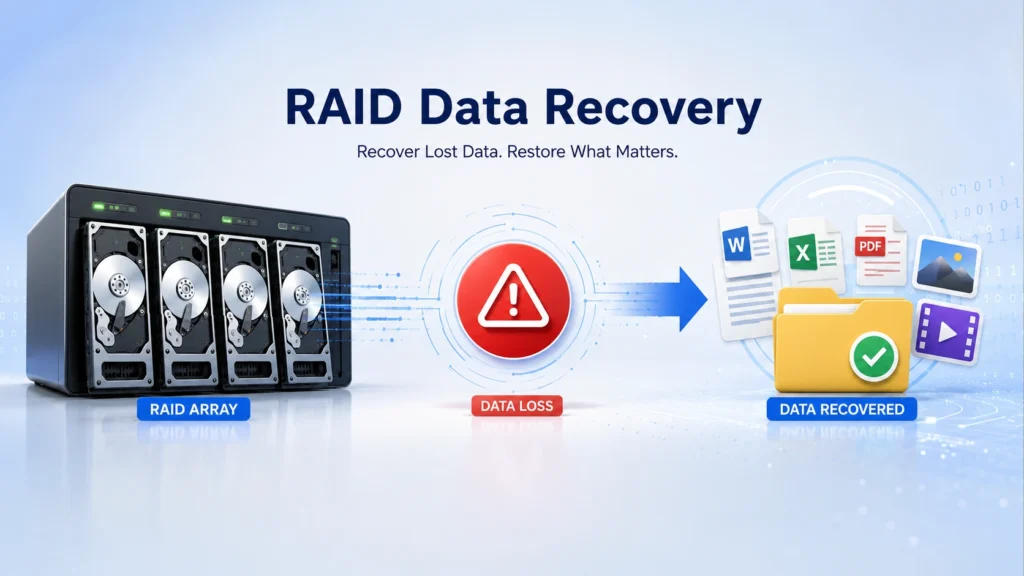
Losing files from a RAID array can feel more serious than losing data from a single drive. A RAID system often stores business files, media projects, server data, NAS folders, or backup copies. When deletion, formatting, file system errors, virus damage, or RAID failure happens, the first question is simple: can the data still come back?
The answer depends on one key point: whether the RAID structure still works. This guide explains RAID data recovery in clear terms, shows what to do first, and helps you decide when software data recovery solution can help and when you need a professional lab. It also explains where Magic Data Recovery fits into the process, especially for logical data loss on a healthy RAID array or RAID 1 cases.
Supports Windows 7/8/10/11 and Windows Server
Table of Contents
What Is RAID Data Recovery?
RAID data recovery is the process of restoring lost or inaccessible files from a RAID array. RAID stands for Redundant Array of Independent Disks. It combines multiple drives into one storage system to improve speed, redundancy, or both.
However, RAID does not replace a backup. It can protect against some drive failures, but it cannot prevent accidental deletion, formatting, file system corruption, malware damage, controller errors, or wrong rebuild attempts.
In real use, RAID recovery usually falls into two situations:
- The RAID structure still works, but files are lost.
- The RAID structure is damaged, degraded, broken, or cannot mount.
This difference matters because the recovery method changes completely.
Quick Answer: Can RAID Data Be Recovered?
Yes, RAID data can often be recovered if the RAID volume still mounts, the drives are physically healthy, and new data has not overwritten the lost files. Software recovery is usually suitable for deleted files, formatted RAID volumes, file system errors, and accessible RAID 1 cases. If the RAID structure is broken, multiple disks failed, or the controller lost its configuration, professional RAID recovery is safer.
Common RAID Data Loss Scenarios
Many users search for RAID data recovery after one of these problems appears:
- Important folders were deleted by mistake.
- A RAID volume was formatted accidentally.
- The file system changed to RAW or became unreadable.
- Virus or malware damaged files.
- The NAS or server shows missing files.
- A RAID 1 mirror has one readable disk.
- The RAID controller reports degraded status.
- Drives were moved to another machine in the wrong order.
Logical loss, such as deletion or formatting, often has a better chance of recovery if you stop writing new data immediately. Physical damage or a broken RAID configuration needs more caution.
Stop First: What You Should Not Do
Before starting RAID recovery, avoid actions that can make the situation worse.
Do not rebuild the array repeatedly. Do not initialize the RAID. Do not format the volume again. Do not run CHKDSK or repair tools on the original disks if the data matters. Also, do not save recovered files back to the same RAID volume.
Instead, power down the system if the drives make unusual noises, show S.M.A.R.T. warnings, or disappear from the controller. If the drives seem healthy and the RAID volume still mounts, use recovery software in read-only mode and save files to another disk.
RAID Structure Intact vs. RAID Structure Broken
Use this simple check before choosing a RAID data recovery method:
| Situation | What It Usually Means | Recommended Action |
|---|---|---|
| RAID volume still appears in Windows or NAS | RAID structure may be intact | Scan the accessible volume with recovery software |
| Files were deleted or the volume was formatted | Logical data loss | Stop writing new data and scan the RAID volume |
| One RAID 1 disk is still readable | Mirror data may still exist | Try RAID 1 recovery with Magic Data Recovery |
| RAID 5/6/10 cannot assemble | RAID parameters may be damaged | Use RAID reconstruction software or a professional lab |
| Multiple disks failed or make noises | Physical or complex RAID failure | Stop DIY recovery and contact a specialist |
This is the most important part of raid data recovery.
When the RAID Structure Is Intact
The RAID volume still appears in Windows, a NAS interface, or disk management. You may open the drive, but files are missing, folders look empty, or the partition became formatted or corrupted.
In this case, data recovery software may help. Magic Data Recovery can be a practical option when the RAID structure has not been destroyed. It can scan the accessible RAID volume and recover data lost due to deletion, formatting, file system errors, virus damage, and similar logical issues.
When the RAID Structure Is Broken
The RAID array cannot assemble, the controller lost parameters, disks are out of order, several disks failed, or the system shows the RAID as unknown. In this situation, normal file recovery software cannot safely reconstruct most RAID layouts.
Magic Data Recovery supports broken RAID structure recovery only for RAID 1. For other broken RAID types, such as RAID 0, RAID 5, RAID 6, RAID 10, or complex NAS arrays, you should use a specialized RAID reconstruction tool or contact a professional data recovery service.
This clear boundary helps users avoid risky DIY attempts.
RAID Data Recovery by RAID Level
Different RAID levels have different recovery risks. Before scanning or rebuilding, confirm the RAID type as accurately as possible.
RAID 0 Data Recovery
RAID 0 uses striping without redundancy. If one disk fails or the disk order is wrong, recovery becomes much more complex. For a broken RAID 0 array, avoid rebuilding or initializing the array.
RAID 1 Data Recovery
RAID 1 mirrors data across disks. If one mirror disk remains readable, Magic Data Recovery may help recover files from the accessible disk or RAID 1 volume.
RAID 5 and RAID 6 Data Recovery
RAID 5 and RAID 6 use parity, so disk order, stripe size, and failed disk count matter. If the RAID structure is broken, professional RAID reconstruction is usually safer than normal file recovery software.
RAID 10 Data Recovery
RAID 10 combines mirroring and striping. Recovery depends on which disks failed and whether each mirror pair still has a readable disk. If the array cannot assemble, avoid forced rebuilds.
How to Recover RAID Data Safely
Follow these steps before you start raid recovery.
Step 1: Identify the RAID Level
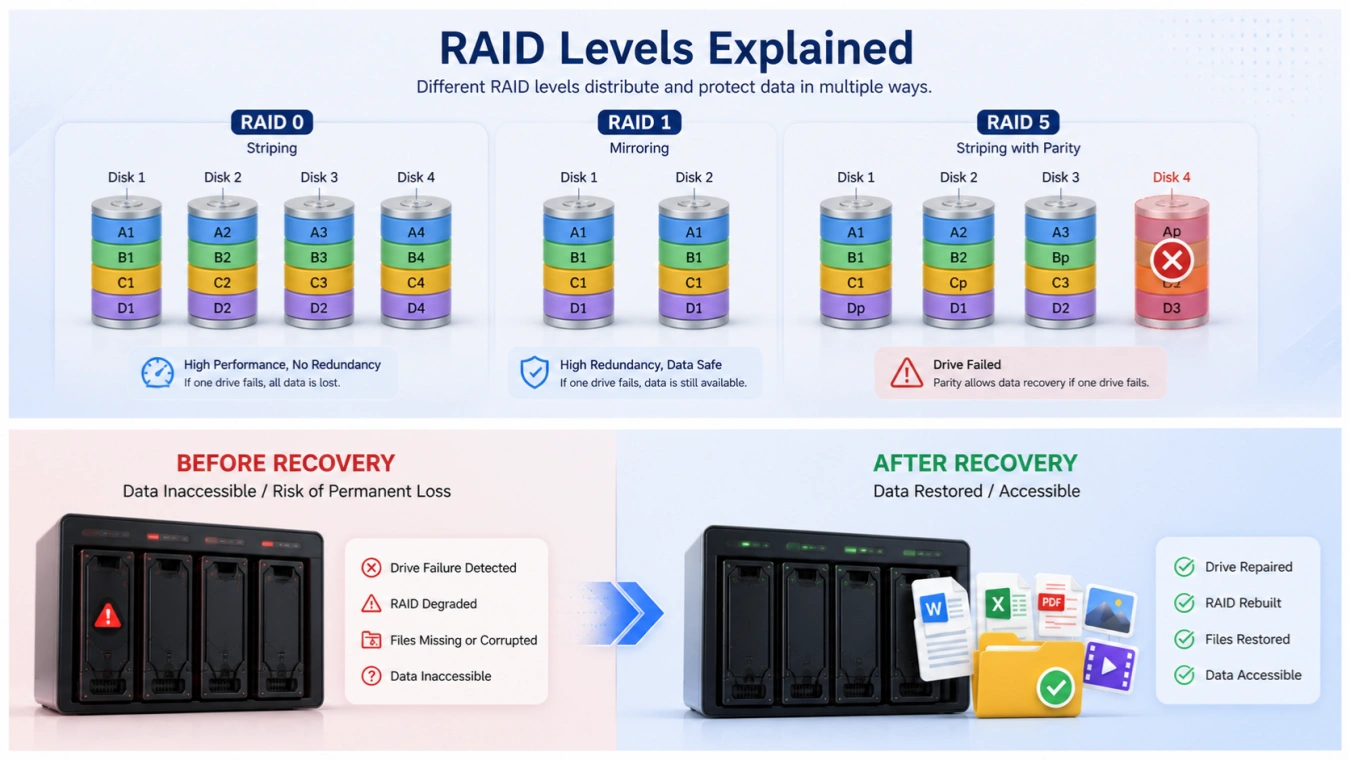
Find out whether you use RAID 0, RAID 1, RAID 5, RAID 6, RAID 10, JBOD, or a NAS-specific setup. RAID 1 mirrors data across disks, while RAID 0 stripes data without redundancy. RAID 5 and RAID 6 use parity, so disk order and stripe size matter.
If you do not know the RAID level, check your NAS dashboard, RAID controller utility, server documentation, or previous setup notes.
Step 2: Check Whether the Volume Still Mounts
If the RAID volume still appears as a normal drive, the structure may be intact. This is the best case for software-based RAID data recovery.
If the volume does not mount, appears as unallocated space, or the controller reports a failed array, avoid forced rebuilds. Take screenshots of the controller settings before changing anything.
Step 3: Stop Writing New Data
Every new file can overwrite deleted or formatted data. Therefore, stop copying, downloading, syncing, or installing anything on the RAID volume. If it is a NAS, disable scheduled tasks, cloud sync, and automatic backups temporarily.
Step 4: Scan the RAID Volume
When the RAID structure is healthy, run Magic Data Recovery and select the RAID volume. Use a deep scan if quick scan results do not show the files you need.
This approach works best for deleted files, formatted partitions, file system errors, virus-damaged data, and missing folders on an otherwise accessible RAID volume.
Step 5: Preview and Recover to Another Drive
Preview files before recovery whenever possible. Then save recovered data to a separate disk, external drive, or another storage location. Never restore files to the same RAID volume during the recovery process.
When to Use Magic Data Recovery
Magic Data Recovery is suitable for users who need a straightforward RAID data recovery solution when the RAID volume is still accessible or when the case involves RAID 1. It is designed to recover files from logical data loss scenarios such as deletion, formatting, file system errors, virus damage, and missing folders. It focuses on file recovery from accessible storage rather than rebuilding complex RAID parameters.

You can consider Magic Data Recovery when:
- Files were deleted from a RAID volume.
- The RAID volume was formatted by mistake.
- The file system shows errors, but the RAID still mounts.
- Virus damage caused missing or inaccessible files.
- A RAID 1 structure is damaged and one mirror disk remains readable.
- You want to preview recoverable files before saving them.
The product’s main advantage is clarity. It does not promise to solve every RAID disaster. Instead, it helps users recover data from common logical problems when the RAID structure remains intact. For broken RAID structures, it only supports RAID 1. That limitation makes the recommendation more trustworthy.
Supports Windows 7/8/10/11 and Windows Server
Magic Data Recovery vs. Other RAID Recovery Options
Many RAID recovery tools focus on rebuilding complex arrays. They may ask for disk order, block size, parity delay, offset, and controller type. These tools can be powerful, but they may feel difficult for ordinary users.
Magic Data Recovery takes a different path. It works better when the RAID volume is already readable or when the case involves RAID 1. That makes it useful for common office, home NAS, and small business situations where the loss came from deletion, formatting, corruption, or malware rather than a completely destroyed RAID layout.
Compared with manual methods, Magic Data Recovery is safer for non-technical users because it avoids risky repair commands and lets you scan before recovery. Compared with a lab, it is faster to try when the drives are healthy and the RAID still appears.
However, if you hear clicking sounds, smell burning, see multiple failed disks, or lose a RAID 5/6/10 structure, stop DIY recovery and contact a specialist.
Best Practices to Improve RAID Recovery Success
To improve your RAID data recovery result, follow these practical tips:
- Stop using the RAID volume immediately.
- Do not rebuild unless you fully understand the failure.
- Keep drive order unchanged.
- Label each disk before removing it.
- Use disk images for important cases.
- Recover files to a separate storage device.
- Check recovered files before deleting the original array.
- Build a real backup plan after recovery.
These steps reduce the chance of overwriting data or damaging the original disk layout.
When You Need Professional RAID Recovery
Software cannot solve every case. You should choose professional RAID recovery if the drives have physical damage, multiple disks failed, the controller lost configuration, or the RAID contains critical business data.
A lab can clone unstable drives, rebuild RAID parameters manually, and work with damaged media in a controlled environment. Although it costs more, it may be the safest option for complex RAID 5, RAID 6, RAID 10, server, and enterprise storage failures.
Conclusion
RAID data recovery starts with one question: is the RAID structure still intact? If yes, software can often help recover deleted, formatted, corrupted, or virus-damaged files. If no, the case becomes more complex and may require RAID reconstruction or a professional lab.
Magic Data Recovery is recommended when you need a clear, user-friendly solution for logical data loss on an accessible RAID volume. It is also useful for RAID 1 cases when the RAID structure is damaged. Because it does not overpromise support for broken RAID 0, RAID 5, RAID 6, or RAID 10 arrays, it gives users a more reliable and realistic recovery path.
If you are looking for a safer and more efficient raid recovery solution for deleted, formatted, or corrupted RAID data, try Magic Data Recovery and preview your files before recovery.
Supports Windows 7/8/10/11 and Windows Server
FAQs
What is RAID data recovery?
RAID data recovery means restoring lost, deleted, formatted, or inaccessible files from a RAID storage system. It may involve scanning a working RAID volume, recovering files from a mirrored RAID 1 disk, or reconstructing a broken array. The right method depends on whether the RAID structure is still intact.
Can I recover deleted files from a RAID array?
Yes, you can often recover deleted files if the RAID volume still works and new data has not overwritten the deleted files. Stop using the RAID immediately, scan it with reliable recovery software, and save recovered files to another drive. Magic Data Recovery can help when the RAID structure remains intact.
Can I recover data from a formatted RAID array?
Magic Data Recovery can recover formatted RAID data when the RAID structure has not been damaged. For example, if the RAID volume still appears as a readable disk or partition, the software can scan it for lost files. However, it cannot rebuild most broken RAID structures except RAID 1.
Can RAID recovery software recover a broken RAID array?
Magic Data Recovery supports broken RAID structure recovery only for RAID 1. This is because RAID 1 stores mirrored copies of data, so one disk may still contain usable files. For broken RAID 0, RAID 5, RAID 6, RAID 10, or complex NAS arrays, use a dedicated RAID reconstruction tool or professional service.
What should I do first after RAID data loss?
Stop writing new data to the RAID volume. Do not format, initialize, rebuild, or run repair commands before checking the situation. If the RAID still mounts, scan it with recovery software and save files elsewhere. If the RAID is physically damaged or cannot assemble, consider professional help.
Is RAID recovery software safe to use?
RAID recovery software is safer when it works in read-only mode and scans the existing volume without changing disk data. Still, you should avoid installing software on the affected RAID or saving files back to it. For valuable data, create disk images first or ask a recovery specialist.
Why is RAID not the same as backup?
RAID improves availability or performance, but it does not protect against every data loss event. Accidental deletion, formatting, ransomware, file system damage, and wrong rebuilds can still affect the entire array. A real backup keeps separate copies of important data on another device, cloud location, or offline storage.
When should I stop DIY RAID data recovery?
Avoid DIY recovery when drives click, fail S.M.A.R.T. checks, disappear randomly, or the RAID has multiple failed disks. You should also avoid DIY attempts if a business-critical RAID 5, RAID 6, or RAID 10 array lost its structure. In these cases, wrong steps can reduce the chance of successful recovery.

Jason is a data recovery and technical support specialist with over 15 years of hands-on experience. He has worked extensively with frontline users, troubleshooting difficult data loss cases and providing practical recovery solutions for accidental deletion, formatted drives, damaged file systems, lost partitions, system failures, and other recovery emergencies. His expertise also includes backup and restoration, file repair, and disaster recovery, with a strong emphasis on safe, reliable, and technically accurate guidance.