
SD Card Recovery Near Me: Cost & Alternatives
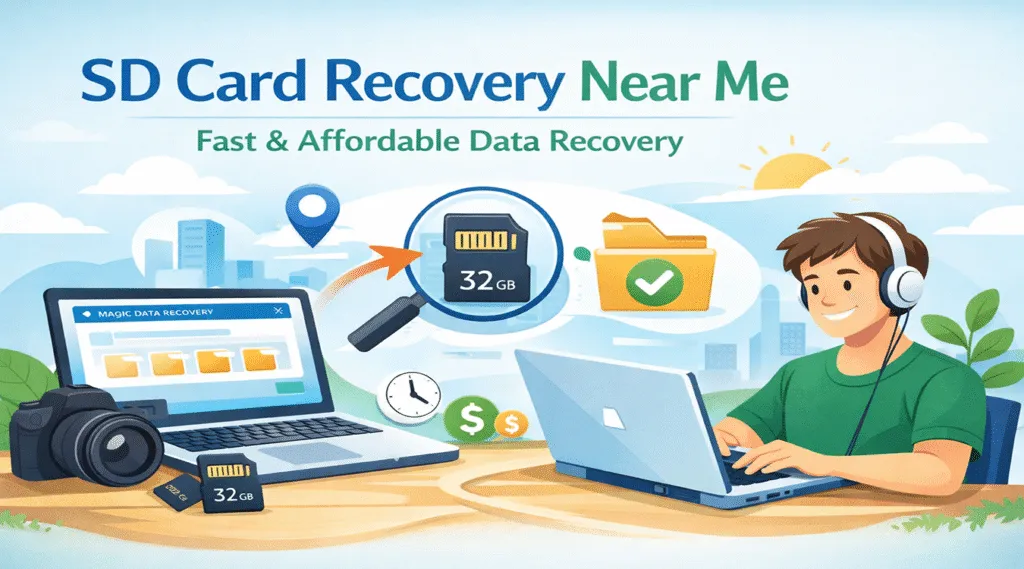
When you search for sd card recovery near me, you likely need fast help to recover important files from your SD card. However, before choosing a local service, it is important to understand how these services work, how much they cost, and whether a better option exists.
In many cases, local recovery services are expensive and not always necessary. Therefore, this guide explains real costs, compares options, and shows a practical alternative like Magic Data Recovery that often works faster and costs less.
Supports Windows 7/8/10/11 and Windows Server
Wondering if your files can be recovered? Find out in seconds with our quick check below.
Data Recovery Assessment
Answer 3 quick questions to estimate your recovery chances
Table of Contents
What Does SD Card Recovery Near Me Mean
When people search for sd card recovery near me, they usually refer to nearby data recovery options. These typically include:
- Local repair shops
- Professional data recovery labs
- Electronics or phone repair stores
However, each option offers different levels of expertise. For example, basic shops may only handle simple issues, while advanced labs can deal with severe damage. As a result, choosing the right option depends on the type of data loss.
Common SD Card Data Loss Scenarios (Experience-Based)
From real-world usage, most SD card data loss cases fall into a few predictable categories. For example, many users accidentally delete photos or videos while organizing files. Similarly, formatting mistakes often occur when switching SD cards between cameras, phones, or computers.
In addition, file system errors may cause messages such as “the card needs to be formatted.” Meanwhile, malware or improper ejection can also corrupt stored data. Importantly, in these situations, the SD card itself is usually not physically damaged.
Because of this, distinguishing between logical and physical issues is critical when choosing between a local sd card recovery service and recovery software.
Local SD Card Recovery Service Near Me: Cost and Time Reality Check
Professional recovery services play an important role, especially when hardware damage is involved. However, they come with notable drawbacks.
Cost Comparison
Before selecting a service, you should understand the actual pricing structure. In general, sd card recovery near me services fall into these ranges:
- Logical data loss (deleted or formatted): $50–$150
- Corrupted SD card recovery: $100–$300
- Physically damaged cards: $300–$1000+
In addition, many services charge diagnostic fees. Moreover, recovery is not always guaranteed. Therefore, the final cost may increase depending on complexity.
Time Investment
Even for nearby services, the process usually involves:
- Dropping off or shipping the SD card
- Waiting for diagnostics (1–3 days)
- Recovery approval and processing (several more days)
For users who need files immediately, this delay can be frustrating.
When Local Services Make Sense
A professional service is recommended only when:
- The SD card is physically cracked or bent
- The card is not detected by any device
- There is electrical or water damage
Outside these cases, software recovery is often the more efficient option.
SD Card Recovery: Software vs Local Service Comparison
Factor | Local Recovery Service | Recovery Software |
Cost | High | Low one-time fee |
Time | Days or weeks | Minutes to hours |
Convenience | Requires travel/shipping | Recover at home |
Best for | Physical damage | Logical data loss |
For users searching sd card recovery near me due to urgency or budget concerns, software offers a compelling alternative.
Why Software Is a Smarter Option
For most users, software-based recovery offers a more practical approach. First, it allows immediate action without waiting for diagnostics or appointments. Second, it eliminates transportation risks associated with handing over storage media.
Moreover, recovery software addresses the most common causes of SD card data loss without requiring specialized equipment. As long as the SD card is still recognized by the system, scanning can begin right away.
Best Alternative to SD Card Recovery Near Me
Instead of paying high service fees, many users choose recovery software. For example, Magic Data Recovery provides a practical solution for most logical data loss scenarios.
It allows you to:
- Recover deleted or formatted files
- Scan RAW or corrupted SD cards
- Preview files before recovery
- Recover up to 500MB for free
More importantly, it avoids the risks and delays associated with local services. Therefore, it is often the better first step before considering sd card recovery near me.
Key Advantages of Magic Data Recovery
Magic Data Recovery is designed for everyday users while maintaining professional standards.
Advantage:
- Intuitive interface requiring no technical background
- Deep scan technology for higher recovery accuracy
- Supports photos, videos, documents, and RAW files
- Works with SD, microSD, SDHC, and SDXC cards
- Read-only recovery process to protect original data
Unlike many tools, it focuses on clarity and safety rather than complexity.
Realistic Usage Scenarios
Magic Data Recovery is ideal when:
- A photographer accidentally formats an SD card before backup
- A traveler loses vacation photos from a camera card
- A user deletes files from a phone’s microSD card
- A memory card becomes unreadable after improper ejection
How to Recover SD Card Data Without Local Services
Recovering files from an SD card does not require professional tools when the issue is not physical. Magic Data Recovery provides a guided process that helps users restore lost data safely while avoiding common mistakes that reduce recovery success.
Step 1: Download and Install Magic Data Recovery
Start by downloading Magic Data Recovery and installing it on your computer. Make sure the software is installed on your system drive or another storage device, not on the affected SD card. This prevents accidental overwriting and keeps the lost data intact.
Supports Windows 7/8/10/11 and Windows Server
Step 2: Select the SD Card to Scan
Insert the SD card into your computer using a card reader. Launch Magic Data Recovery, then select the SD card from the list of available devices on the main interface. Once selected, begin the scanning process.

Step 3: Scan the SD Card for Lost Files
Magic Data Recovery automatically runs an advanced scan designed to detect lost files on the SD card after deleting or formatting. As the scan continues, recoverable files appear in real time, allowing you to assess results without waiting for completion.

Step 4: Preview Files Before Recovery
Before restoring any data, use the built-in preview feature to check file content. Previewing photos, videos, or documents helps confirm file quality and ensures that you only recover the data you actually need.

Step 5: Recover Files to a Safe Location
After selecting the files you want to restore, choose a safe destination such as your computer’s internal drive or another storage device. Avoid saving recovered files back to the same SD card, as this may overwrite remaining data and reduce overall recovery success.

When You Should Choose Local SD Card Recovery
Although software works in most cases, there are situations where sd card recovery near me is still necessary. For example:
- The SD card is physically broken
- The storage chip is damaged
- The card cannot be detected in any device
In these cases, professional tools and cleanroom environments may be required. Therefore, local services become the only viable option.
Important Tips to Improve Recovery Success
To increase your chances of successful SD card recovery:
- Stop using the SD card immediately after data loss
- Avoid formatting or writing new data
- Use reliable recovery software early
- Choose professional services only for physical damage
These practices reflect real-world recovery experience and industry recommendations.
Conclusion
Searching for sd card recovery near me is a common first step after data loss. However, local services are not always necessary. While they are useful for physical damage, most data loss cases can be solved with software.
Therefore, before paying high recovery fees, it is better to try a reliable tool like Magic Data Recovery. In many cases, it offers an efficient and cost-effective way to recover your data on SD card.
Supports Windows 7/8/10/11 and Windows Server
FAQ
How much does it cost to recover an SD card?
Where can I take my SD card to be recovered?
Does Best Buy recover SD cards?
Can an SD card be recovered?
How much does Best Buy Geek Squad charge for data recovery?
Does Staples do data recovery?
How long does SD card recovery take?
How to recover deleted data from SD card for free?

Vasilii is a data recovery specialist with around 10 years of hands-on experience in the field. Throughout his career, he has successfully solved thousands of complex cases involving deleted files, formatted drives, lost partitions, and RAW file systems. His expertise covers both manual recovery methods using professional tools like hex editors and advanced automated solutions with recovery software. Vasilii's mission is to make reliable data recovery knowledge accessible to both IT professionals and everyday users, helping them safeguard their valuable digital assets.