
Backup Offer Strategy: A Practical Guide to Reducing Risk
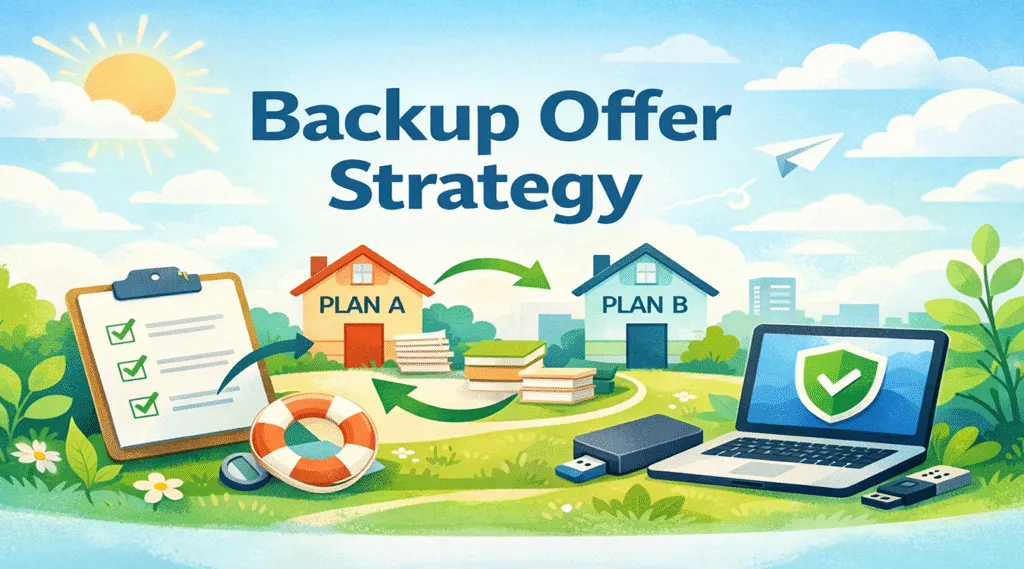
Data loss rarely arrives politely. A drive can fail mid-project, a file can be deleted in seconds, or an update can break access to important folders. Even if you back up regularly, gaps still happen. That is why a backup offer strategy matters in the data backup and recovery space.
In this guide, you will learn what a backup offer strategy means for data protection, how to build one step by step, and which best practices reduce downtime. In addition, you will see a practical recovery option when backups are missing, outdated, or inaccessible.
Table of Contents
What Is a Backup Offer Strategy in Data Backup and Recovery?
In data protection, a backup offer strategy is your planned “recovery fallback” when standard backups do not solve the problem. In other words, backups focus on prevention, while a backup offer strategy focuses on response.
A workable strategy typically includes:
- A routine backup plan (local, cloud, or hybrid)
- Clear scenarios that describe what can go wrong
- A ready-to-use recovery tool that can retrieve lost files
Because real-world failures are messy, this layered approach protects you better than a single method.
Why a Backup Offer Strategy Reduces Risk and Recovery Time
Backups help, but they have limits. People forget to back up new folders, cloud sync can fail silently, and external drives can be disconnected at the wrong time. As a result, relying on backups alone can increase stress and downtime.
A backup offer strategy lowers that risk by:
- Shortening the time between loss and recovery
- Giving you clear next steps instead of guesswork
- Protecting recent work that may not be in the last backup
Moreover, the strategy improves consistency. When you follow a repeatable plan, you avoid panic decisions that make recovery harder.
Common Data Loss Scenarios Where a Backup Offer Strategy Helps
Accidental Deletion and “Permanent” Removal
Accidental deletion is common, especially when users clean storage quickly. For example, you may delete the wrong folder, empty the recycle bin, or overwrite a file with a newer version. In these moments, a backup offer strategy provides a recovery path even if a recent backup does not exist.
Hardware Failure and Unreadable Drives
Storage devices wear down over time. Although SSDs and HDDs are reliable, failures still occur without warning. Consequently, the newest files may be missing from backups. A recovery-focused layer can help you retrieve data directly from the device.
System Crashes, Update Errors, and Corrupted Files
Operating system crashes and failed updates can corrupt files or break access permissions. Therefore, you may not be able to open files even if they still “exist.” With a backup offer strategy, you can switch from prevention to recovery instead of losing hours troubleshooting.
Malware and Ransomware Incidents
Some malware damages files or blocks access before backups run. While preventing data loss matters, recovery options still play a role. For this reason, a backup offer strategy should include safe recovery steps and a reliable recovery tool.
How to Build an Effective Backup Offer Strategy Step by Step
A strong plan does not need complexity. Instead, it needs clear priorities and simple actions you can repeat.
Step 1: Identify Your Critical Data
First, list the files that would hurt to lose. Typical examples include:
- Work documents and client deliverables
- Photos and personal archives
- Databases and financial records
- Project folders and design assets
Next, group them by importance. This step helps you back up the right things and recover the right things.
Step 2: Choose Backup Methods That Fit Your Reality
Then pick backup methods you will actually use. Common options include:
- Full backups for complete copies
- Incremental backups for frequent changes
- Cloud backups for off-site protection
However, do not rely on one location. Instead, combine at least two storage targets (for example, cloud + external drive).
Step 3: Define Failure Scenarios and Your Response
Now write down the situations you want to handle. For example:
- “I deleted files and emptied the recycle bin.”
- “My drive is detected, but folders are missing.”
- “My laptop crashed and documents will not open.”
This is where the backup offer strategy becomes real. You are not creating theory; you are writing a checklist you can follow.
Step 4: Add Clear Switch Triggers
After that, decide when to switch from troubleshooting to recovery. Triggers can include:
- You cannot find the files within 10–15 minutes
- Your last backup is older than your acceptable window
- The device shows errors or unusual behavior
Consequently, you avoid wasting time while the situation gets worse.
Step 5: Keep a Recovery Tool Ready
Finally, prepare a recovery tool as your fallback. This step matters because recovery often needs quick action. With a backup offer strategy, you keep your tools accessible, your steps documented, and your expectations realistic.
Best Practices That Strengthen a Backup Offer Strategy
To keep your plan reliable, use these practices:
- Test restores regularly: a backup is only useful if you can restore it.
- Verify backup coverage: confirm your critical folders are included.
- Use versioning when possible: it helps with accidental overwrites.
- Document your steps: write a short “what to do first” checklist.
As a result, you reduce mistakes during stressful moments.
Common Mistakes That Weaken a Backup Offer Strategy
Many plans fail because of avoidable habits. Fortunately, you can fix most of them quickly.
- Only one backup location: one failure can wipe out the only copy.
- No restore testing: you discover problems when it is too late.
- Waiting to choose recovery tools: delays can reduce recovery chances.
On the other hand, simple, tested routines usually outperform complex systems that you never maintain.
Why Magic Data Recovery Fits a Strong Backup Offer Strategy
When backups are missing, outdated, or inaccessible, you still need a reliable recovery path. That is where Magic Data Recovery fits naturally. It supports a backup offer strategy by helping you retrieve lost files from common storage devices.
Core Pain Points It Helps Solve
- Accidental file deletion
- Data loss after disk formatting
- Corrupted partitions or storage errors
- System crashes that interrupt saving
Unique Selling Points That Matter
- User-friendly workflow: you can start without advanced technical skills.
- Deep scan capability: you can search beyond basic file listings.
- Broad file and device support: it works with many common storage types.
Practical Example
Imagine you finish a report, your system crashes, and the folder disappears before the scheduled backup runs. You could spend hours guessing what happened. Instead, you can follow your backup offer strategy: stop writing new data to the drive, run a scan, preview recoverable files, and restore what you need. As a result, you protect both your deadline and your peace of mind.
Why This Can Be More Reliable Than “Backups Only”
Backups depend on preparation and timing. If you missed the latest backup window, you may lose recent work. However, recovery tools can help even when your backup plan has gaps. Therefore, Magic Data Recovery works well as the recovery layer inside a backup strategy when backups are missing or outdated.

Conclusion
A backup offer strategy strengthens data protection because it prepares you for recovery, not just prevention. It reduces downtime, improves decision-making, and protects valuable files when failures occur.
Since backups cannot cover every scenario, recovery tools matter. Magic Data Recovery is recommended because it provides a practical, user-friendly recovery option that fits naturally into a backup offer strategy. If you want a safer approach to data backup and recovery, adding it to your plan is a smart next step.
Supports Windows 7/8/10/11 and Windows Server
FAQ
What does a backup offer strategy mean in data recovery?
If I use cloud backup, do I still need a backup offer strategy?
How often should I test restores?
Can I recover data without any backup?
What should I do immediately after data loss?
What is the biggest mistake people make during recovery?
Where does Magic Data Recovery fit in this plan?

Vasilii is a data recovery specialist with around 10 years of hands-on experience in the field. Throughout his career, he has successfully solved thousands of complex cases involving deleted files, formatted drives, lost partitions, and RAW file systems. His expertise covers both manual recovery methods using professional tools like hex editors and advanced automated solutions with recovery software. Vasilii's mission is to make reliable data recovery knowledge accessible to both IT professionals and everyday users, helping them safeguard their valuable digital assets.