
Best Free Undelete Software for Windows 11/10 in 2026
Accidentally deleted a file on your Windows PC? In many cases, deleted documents, photos, videos, and USB files can still be recovered—as long as the original data has not been overwritten. The right free undelete software can scan your drive, preview recoverable files, and help you restore them safely.
In this guide, we compare the best free undelete software for Windows PC, including Magic Data Recovery, Recuva, EaseUS Data Recovery Wizard Free, Wondershare Recoverit Free, and Disk Drill Free. You’ll learn what each tool can recover for free, where it works best as data recovery solution, and how to avoid mistakes that may permanently overwrite your deleted files.
Supports Windows 7/8/10/11 and Windows Server
Wondering if your files can be recovered? Find out in seconds with our quick check below.
Data Recovery Assessment
Answer 3 quick questions to estimate your recovery chances
Table of Contents
Quick Answer: What Is the Best Free Undelete Software?
For most Windows users, Magic Data Recovery is the best free undelete software to try first because it offers a simple interface, safe scanning, file preview, and 500 MB of free recovery.
If you need a completely free basic undelete tool, Recuva is a good option for recently deleted files. If you want to check whether large amounts of data are recoverable before upgrading, EaseUS, Recoverit, or Disk Drill may also be worth testing.
The Best Free Undelete Software: Detailed Comparison
Below is a comparison of popular free data recovery tools for Windows PC users. Each option has strengths and weaknesses depending on usage scenarios.
1. Magic Data Recovery – Best Free Undelete Software for Most PC Users
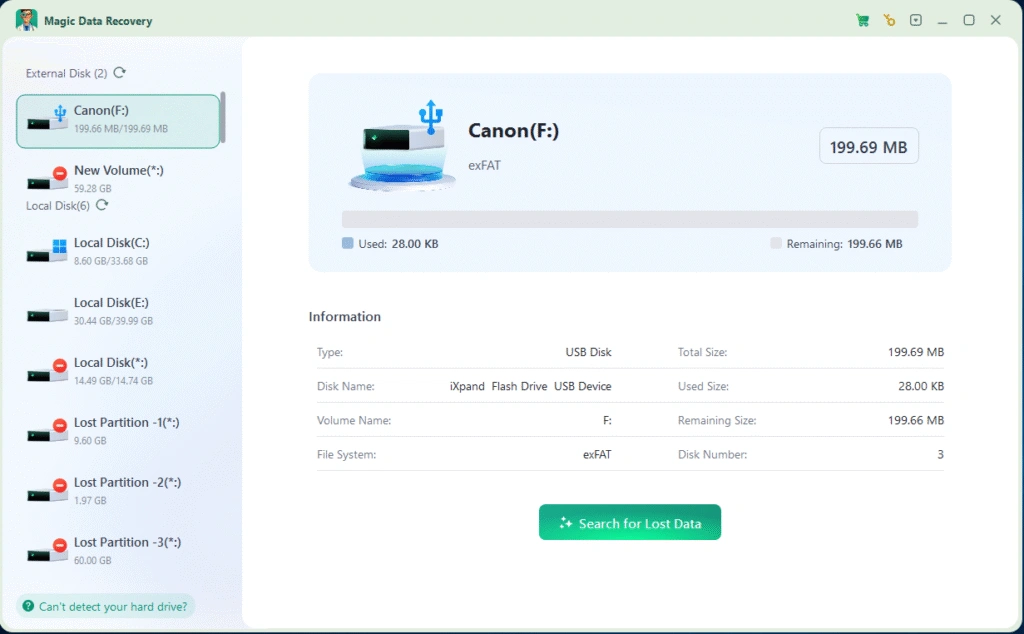
Magic Data Recovery is a beginner-friendly undelete tool for Windows users who need to recover recently deleted files from hard drives, external drives, USB flash drives, SD cards, and other common storage devices. It allows users to scan deleted files, preview recoverable items, and recover up to 500 MB for free.
Key Advantages
- Simple interface for non-technical users
- 500 MB free file recovery
- Supports documents, photos, videos, archives, and many other file types
- Works with HDDs, external hard drives, USB drives, and SD cards
- Helps users avoid restoring files to the original drive, reducing overwrite risk
Limitations
- Cannot repair physically damaged drives
- Recovery is not guaranteed if files have been overwritten
- SSD recovery may fail if TRIM has already erased the deleted data
Best For
Magic Data Recovery is best for Windows users who accidentally deleted files, emptied the Recycle Bin, formatted a storage device, or lost files from USB drives and SD cards.
2. Recuva

Recuva is one of the most recognizable free undelete tools for Windows. It can recover deleted files from Windows PCs, the Recycle Bin, digital camera cards, and other removable devices, making it a practical option for simple file deletion cases.
Pros
- Free for basic deleted file recovery
- Lightweight and easy to install
- Useful for recently deleted files from the Recycle Bin or removable storage
Cons
- Less suitable for complex data loss, formatted drives, or overwritten files
- Interface feels dated compared with newer recovery tools
- Windows-focused, not ideal for users who need cross-platform recovery
Best For
Recuva is best for users who want a simple free undelete attempt for files deleted recently from a Windows PC.
3. EaseUS Data Recovery Wizard Free
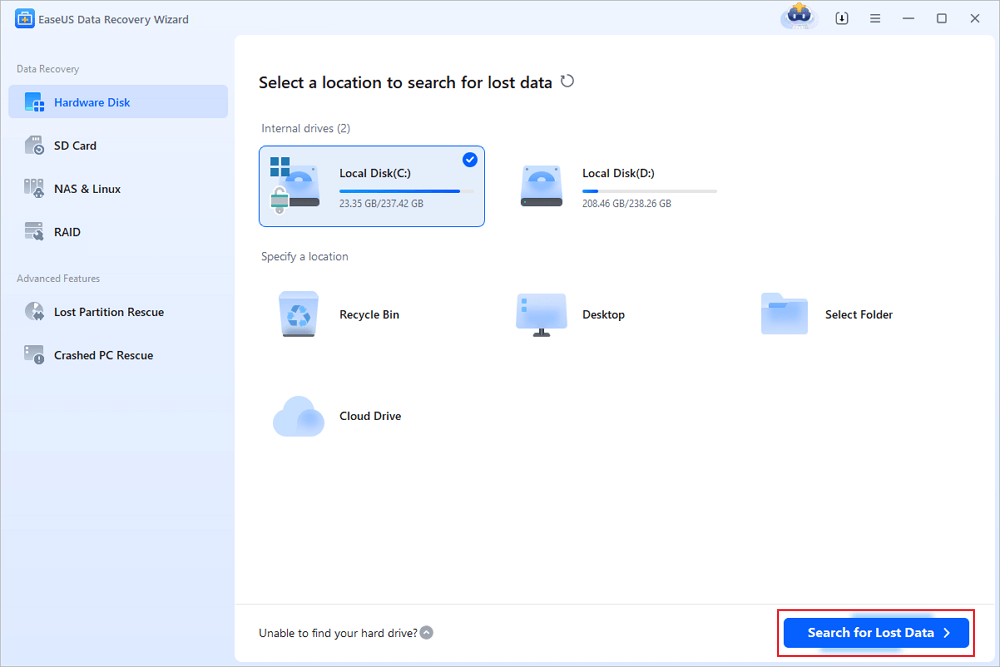
EaseUS Data Recovery Wizard Free is a popular data recovery tool with a modern interface and broad file type support. It is useful when users want to scan a device and preview recoverable files before deciding whether the free recovery limit is enough. Some third-party reviews note that the free version has a recovery size limit, which makes it better suited for smaller recovery tasks or pre-upgrade evaluation.
Pros
- Beginner-friendly interface
- Can preview recoverable files
- Supports many common file types and storage devices
Cons
- Free recovery capacity is limited
- Upgrade prompts may interrupt the experience
- Not ideal for users who need to recover large folders for free
Best For
EaseUS Data Recovery Wizard Free is best for users who want to confirm whether deleted files are recoverable before choosing a paid recovery option.
4. Wondershare Recoverit Free
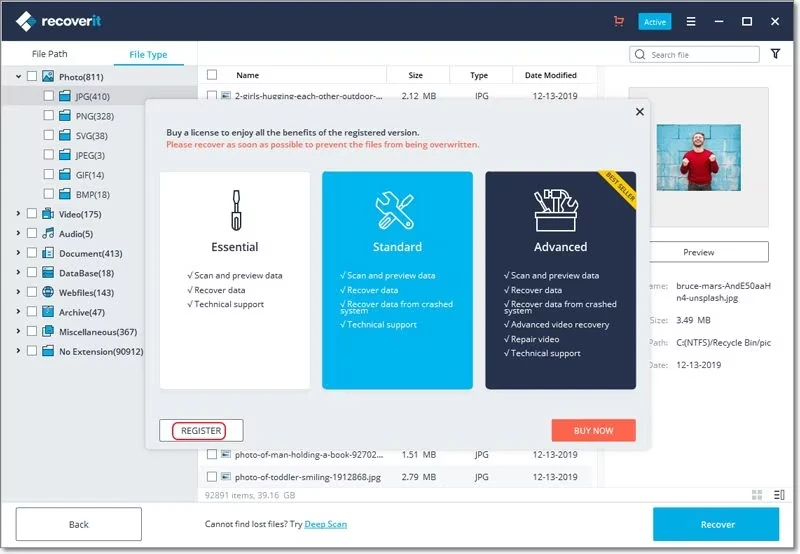
Wondershare Recoverit Free is designed for users who want to scan different storage devices and check whether lost files can still be found. It is especially useful for previewing recoverable photos, videos, and documents, but the free version has a limited recovery allowance, so it may be more suitable for recoverability checks than full recovery.
Pros
- Strong scanning and preview workflow
- Supports many storage devices
- Suitable for checking whether media files are recoverable
Cons
- Free recovery size is limited
- Paid upgrade may be required for larger recovery tasks
- May not be the best choice for users looking for truly free unlimited recovery
Best For
Recoverit Free is best for users who mainly want to scan and preview recoverable files before deciding whether to upgrade.
5. Disk Drill Free
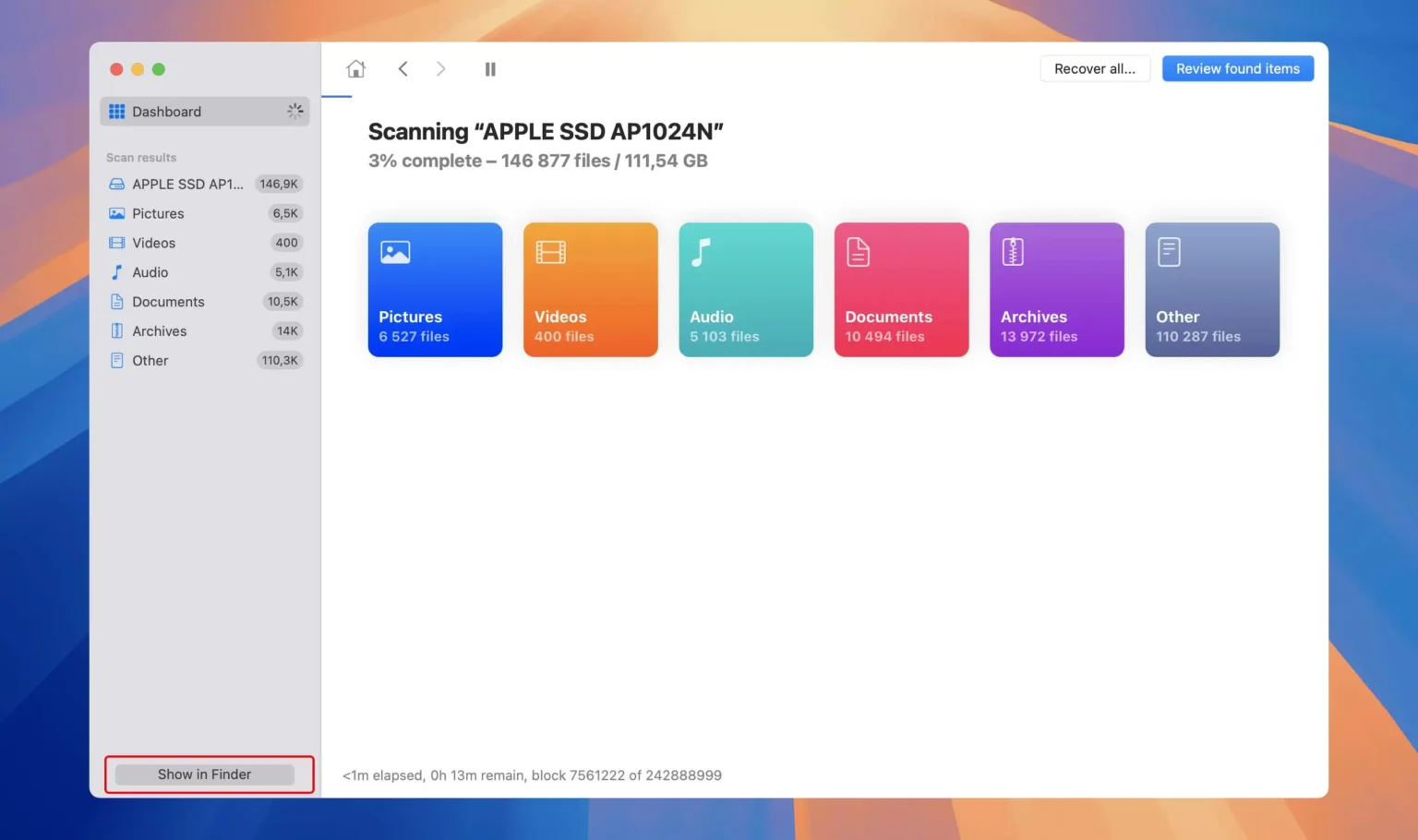
Disk Drill Free offers a modern interface, file preview, and advanced scanning options for users who want more control over the recovery process. It is available for Windows and macOS, but the free recovery allowance is limited, so it works best as a scan-and-preview tool for users who want to evaluate recoverability before paying.
Pros
- Modern and polished interface
- Supports file preview before recovery
- Useful for users who want detailed scan results
Cons
- Free recovery capacity is limited
- Some advanced features require a paid version
- May be more complex than necessary for simple undelete cases
Best For
Disk Drill Free is best for users who want advanced scan results and file preview before making a recovery decision.
Below is a comparison of popular free data recovery software for PC options. This table highlights the key differences that matter most when choosing the best free undelete software.
Software | Free Recovery Limit | Supported Systems | Best For | Main Limitation |
Magic Data Recovery | 500 MB free recovery | Windows 7/8/10/11, Windows Server | Beginners recovering deleted files from HDD, USB drive, SD card, or external drive | Not suitable for physically damaged drives |
Recuva | Basic free recovery | Windows | Recently deleted files from Windows PC, Recycle Bin, or removable storage | Lower success rate for complex data loss or deeply deleted files |
EaseUS Data Recovery Wizard Free | Limited free recovery capacity | Windows, Mac | Previewing recoverable files before deciding whether to upgrade | Strict free recovery limit |
Wondershare Recoverit Free | Very limited free recovery | Windows, Mac | Checking whether photos, videos, documents, or other files are recoverable | Paid plan required for meaningful recovery |
Disk Drill Free | Limited free recovery | Windows, Mac | Users who want advanced scan results and file preview | Many advanced features require a paid version |
Before You Start: Do These 4 Things First
Before using any undelete software, stop using the drive where the deleted files were stored. New downloads, software installation, browser cache, or file transfers may overwrite the deleted data and make recovery impossible.
Follow these rules:
- Do not install recovery software on the same drive where files were deleted.
- Do not save recovered files back to the original location.
- If the lost files were on an external drive, USB drive, or SD card, disconnect it until recovery.
- If the drive makes clicking noises or is not recognized, stop scanning and contact a professional recovery service.
How to Use Free Data Recovery Software for PC Safely
Magic Data Recovery offers a practical way with 500 MB free files to retrieve lost files while minimizing the risk of further data loss. The steps below explain how most users can safely complete the recovery process.
Step 1: Download and Install Magic Data Recovery
Download Magic Data Recovery from the official website and install it on a drive different from the one where the files were originally stored. Installing the software on the same drive may overwrite recoverable data and reduce success rates.
Supports Windows 7/8/10/11 and Windows Server
Step 2: Select the Drive or Partition to Scan
Select the disk or partition where the files were deleted and start a scan. This could be a system drive, an external hard drive, a USB storage device, or an SD card.

Step 3: Scan for Deleted Files
Magic Data Recovery starts an advanced scan automatically. As the scan runs, deleted files appear progressively, making it easier to locate specific formats such as documents, photos, or spreadsheets.

Step 4: Preview Files Before Recovery
Use the preview function to check file contents before restoring them. Previewing helps confirm that the files are intact and suitable for recovery, especially when dealing with important work documents.

Step 5: Recover Files to a Safe Location
Select the files you need and save them to a different drive or external storage device. Avoid restoring data to the original location to prevent file corruption or overwriting.

When Free Undelete Software Is Not Enough
Free versions come with limitations, and even upgrading to the Pro version may not resolve the issue if:
- SSD TRIM has permanently erased data
- Files were overwritten by new data
- The drive has physical damage
In such cases, local professional recovery company may be required.
Conclusion
Choosing the best free undelete software requires understanding your data‑loss scenario and the limitations of free tools. Among the available options, Magic Data Recovery stands out as a practical and trustworthy solution for everyday PC users. It focuses on safe recovery, clear usage logic, and real‑world effectiveness rather than aggressive marketing.
If you need a reliable way to recover accidentally deleted files without unnecessary complexity, Magic Data Recovery is a sensible place to start.
Supports Windows 7/8/10/11 and Windows Server
FAQs About the Best Free Undelete Software
What is the best free undelete software for Windows PC?
Can free undelete software recover files after emptying the Recycle Bin?
Can I recover Shift + Delete files for free?
Is free data recovery software safe?
Why can’t undelete software recover my files?
What is the best free undelete software for USB drives?
Should I recover files to the same drive?

Vasilii is a data recovery specialist with around 10 years of hands-on experience in the field. Throughout his career, he has successfully solved thousands of complex cases involving deleted files, formatted drives, lost partitions, and RAW file systems. His expertise covers both manual recovery methods using professional tools like hex editors and advanced automated solutions with recovery software. Vasilii's mission is to make reliable data recovery knowledge accessible to both IT professionals and everyday users, helping them safeguard their valuable digital assets.