
How to Fix a Bent USB Drive Without Losing Data
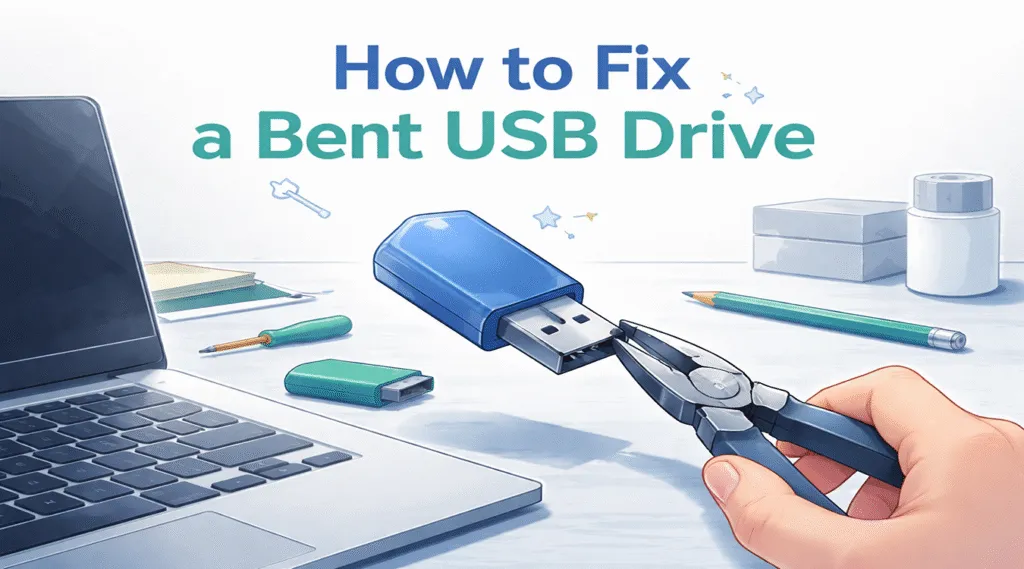
If you are searching for how to fix a bent USB drive, you are probably dealing with a physically damaged device and worrying about your files. However, in many real-world situations, a bent USB drive still stores recoverable data. Therefore, you should not rush into repairing it.
Instead, you should first check whether the system can detect the device. Meanwhile, recovering your data from the corrupted drive should always come before any physical fix. In this guide, you will learn how to fix a bent USB drive step by step, while also protecting your data using safer methods.
Table of Contents
What Happens When a Bent USB Drive Gets Damaged
A USB drive may look simple. However, it contains several important components:
- USB connector
- Printed circuit board (PCB)
- NAND flash memory
When the connector bends, alignment issues often occur. As a result, the device may not connect properly. In addition, internal solder joints may weaken or partially break.
However, the memory chip usually remains intact. Therefore, even if the device looks damaged, your data often still exists. This is why understanding how to fix a bent USB flash drive requires separating physical damage from data loss.
Can You Fix a Bent USB Drive Without Losing Data?
Before applying any solution, you should evaluate the condition of the device. This step is critical because it determines your next action.
Case 1 – Bent USB Drive Still Recognized
If your system detects the device, the situation is promising. For example:
- The drive appears in Disk Management
- The drive does not open normally
- The file system shows errors
Therefore, data recovery is still possible.
Case 2 – Bent USB Drive Not Detected
However, if the system does not detect the USB drive:
- The connector may be internally broken
- The PCB connection may have failed
In this case, hardware repair becomes necessary before recovery.
How to Check a Bent USB Flash Drive Before Fixing
To properly follow how to fix a bent USB drive, you must first confirm whether the device is detectable.
Check Detection in Disk Management
Steps:
- Press Win + X → Disk Management
- Locate your USB drive
- Check its status:
- RAW
- Unallocated
- Accessible but unreadable
If the device appears here, your data still exists. Therefore, you should proceed with recovery instead of repair.
How to Fix a Bent USB Drive Safely: Always Recover Data First
When learning how to fix a bent USB drive, you should always prioritize data recovery. Otherwise, you risk permanent loss.
Why Recovery Comes Before Repair
Many users try to straighten the USB connector first. However, this approach often causes more damage.
For example:
- Slight pressure may break internal solder points
- Repeated bending may disconnect circuits
- Forced insertion may damage both the USB and the port
Therefore, experts strongly recommend recovering data first when handling how to fix a bent USB flash drive.
How to Recover Data from a Bent USB Drive
If the system still detects your USB device, software recovery provides the safest solution.
Use Magic Data Recovery for Bent USB Drive Recovery
Magic Data Recovery directly solves the main problem: extracting data safely from a damaged device.
Key advantages:
- Scans raw sectors instead of relying on file structure
- Works even when the file system is corrupted
- Allows file preview before recovery
- Prevents further physical stress
Most importantly:
👉 If Disk Management detects your USB, recovery remains possible.
Therefore, this tool fits perfectly when dealing with how to fix a bent USB drive in a safe and controlled way.
Why This Method Is More Reliable
Compared with manual repair, this method offers several advantages. First, it avoids additional physical damage. Second, it preserves original data structures. In addition, it works even when the drive shows RAW errors.
Therefore, if you are unsure how to fix a bent USB flash drive, starting with recovery is always safer.

How to Fix a Bent USB Drive After Data Recovery
Once your data is safe, you can proceed with physical repair.
Method 1 – Carefully Straighten the Connector
- Use tweezers or pliers
- Apply gentle force
- Avoid repeated adjustments
Method 2 – Use a USB Extension Cable
Instead of inserting the USB directly, you can use an extension cable. As a result, pressure on the connector decreases, and the connection becomes more stable.
Method 3 – Seek Professional Repair
If the damage is severe, professional repair may be required. In this case, technicians can fix internal connections safely.
How to Prevent Bent USB Drive Damage in the Future
Prevention is equally important. Therefore, you should adopt safer usage habits.
- Use protective USB designs
- Avoid leaving drives plugged into laptops
- Use extension adapters
- Store devices carefully
As a result, you can significantly reduce future risks.
Conclusion
Understanding how to fix a bent USB drive requires a structured approach. First, you should check whether the device is detectable. Next, you should recover your data. Finally, you can attempt physical repair.
Magic Data Recovery stands out because it focuses on the most critical factor—data safety. Instead of risking further damage, it allows you to recover files as long as the system detects the device.
Therefore, if your USB drive is bent but still recognized, using a recovery-first strategy remains the safest and most effective solution.
Supports Windows 7/8/10/11 and Windows Server
FAQs
Can I fix a bent USB drive without losing data?
Yes, you can fix a bent USB drive without losing data if you follow the correct order. First, check whether the device appears in Disk Management. Then, recover your files before attempting any repair. This approach reduces risks and improves your chances of successful recovery.
What should I do first when my USB drive is bent?
First, you should check whether the system detects the device. If it does, you should recover your data immediately. After that, you can consider physical repair. This sequence helps prevent unnecessary damage and ensures better results.
Why does my USB appear but not open?
This situation usually indicates file system corruption. However, the system still detects the device. Therefore, recovery software can scan the drive and retrieve your files even if you cannot access them normally.
Is it safe to straighten a bent USB connector?
It can be safe if you apply minimal force. However, you should recover your data first. Otherwise, even small adjustments may damage internal components and lead to data loss.
Can I recover files from a physically damaged USB?
Yes, recovery is possible if the system detects the device. Even with physical damage, the memory chip may still function. Therefore, recovery tools can extract data successfully in many cases.
Should I format a bent USB drive to fix it?
No, formatting may erase recoverable data. Instead, you should recover your files first. After recovery, you can format the drive if needed.
What is the safest way to fix a bent USB flash drive?
The safest method includes three steps: detection, recovery, and repair. First, confirm detection. Next, recover your data using reliable software. Finally, perform physical repair. This structured approach minimizes risk and protects your files.

Vasilii is a data recovery specialist with around 10 years of hands-on experience in the field. Throughout his career, he has successfully solved thousands of complex cases involving deleted files, formatted drives, lost partitions, and RAW file systems. His expertise covers both manual recovery methods using professional tools like hex editors and advanced automated solutions with recovery software. Vasilii's mission is to make reliable data recovery knowledge accessible to both IT professionals and everyday users, helping them safeguard their valuable digital assets.