
Aiseesoft Data Recovery Review: Is It Worth It?
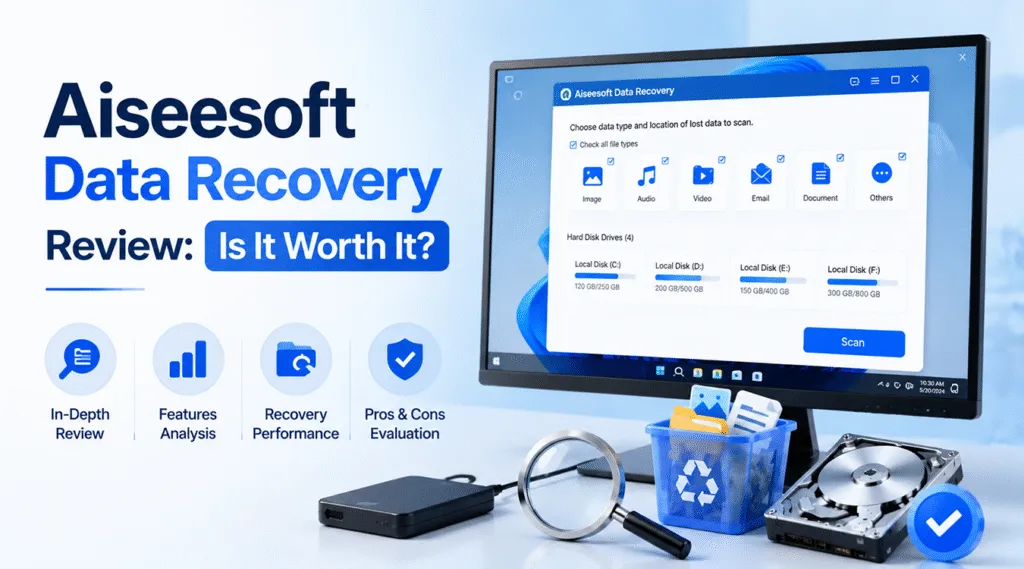
Data loss happens when you least expect it. Whether you accidentally emptied your Recycle Bin, formatted a drive by mistake, or faced a sudden system crash, losing critical files triggers immediate panic. In your search for an effective hard drive solution, you have likely come across Aiseesoft Data Recovery. This desktop application positions itself as an easy fix for retrieving deleted pictures, documents, and videos.
However, is it truly the most reliable option for your specific data emergency? Many data recovery software brands claim to rescue everything, but real-world performance varies heavily based on how your files were lost. Therefore, this comprehensive Aiseesoft Data Recovery review looks past the marketing promises. Consequently, we will explore what this tool does well, where it falls short during complex drive failures, and how to choose a professional alternative like Magic Data Recovery to get your valuable files back safely.
Supports Windows 7/8/10/11 and Windows Server
Table of Contents
What Is Aiseesoft Data Recovery?
Essentially, Aiseesoft Data Recovery is a mainstream, consumer-grade desktop software designed to salvage lost files from Windows and Mac computers. The program specifically targets everyday users who need a straightforward way to undo common mistakes. Furthermore, it supports a wide variety of storage devices, including internal hard drives, external solid-state drives (SSDs), USB flash drives, and memory cards.
The application focuses heavily on simplicity. As a result, users do not need a background in computer forensics to operate the interface. You simply select the types of files you want to find, choose the drive that contained them, and let the software run its scan. While this streamlined approach works wonders for minor mishaps, serious partition corruption often requires a more robust utility.
Key Features & Performance of Aiseesoft Data Recovery
To provide a fair and balanced evaluation, we must acknowledge where Aiseesoft Data Recovery genuinely succeeds. For standard, day-to-day data mishaps, the program delivers a smooth and accessible experience.
User-Friendly Interface & Fast Quick Scan
First, the installation process takes less than two minutes, and the primary dashboard layout is exceptionally clean. Users can check specific boxes for images, audio, video, emails, or documents before scanning.
If you just deleted a file a few moments ago, the Quick Scan feature inside Aiseesoft Data Recovery is highly efficient. It searches the file allocation table rapidly, so it often presents your missing items within sixty seconds. Additionally, the software includes an AI-assisted thumbnail repair option, which helps preview slightly corrupted images before you commit to saving them.
Comprehensive File Format Support
Second, Aiseesoft Data Recovery handles hundreds of common file extensions effortlessly. Whether you need to restore standard JPG images, MP4 videos, Microsoft Word documents, or archived ZIP folders, the application recognizes them easily. Because it reads multiple file systems, including NTFS, FAT32, exFAT, and Mac-native formats, it serves as a versatile tool for general external media cleanup.
The Hidden Downsides of Aiseesoft Data Recovery
While the tool shines during simple rescue missions, complex data loss scenarios expose its technical limitations. If you are dealing with severe drive corruption or formatted media, a closer look at Aiseesoft Data Recovery reveals several distinct disadvantages.
1. Disorganized Directory Trees in Deep Scan
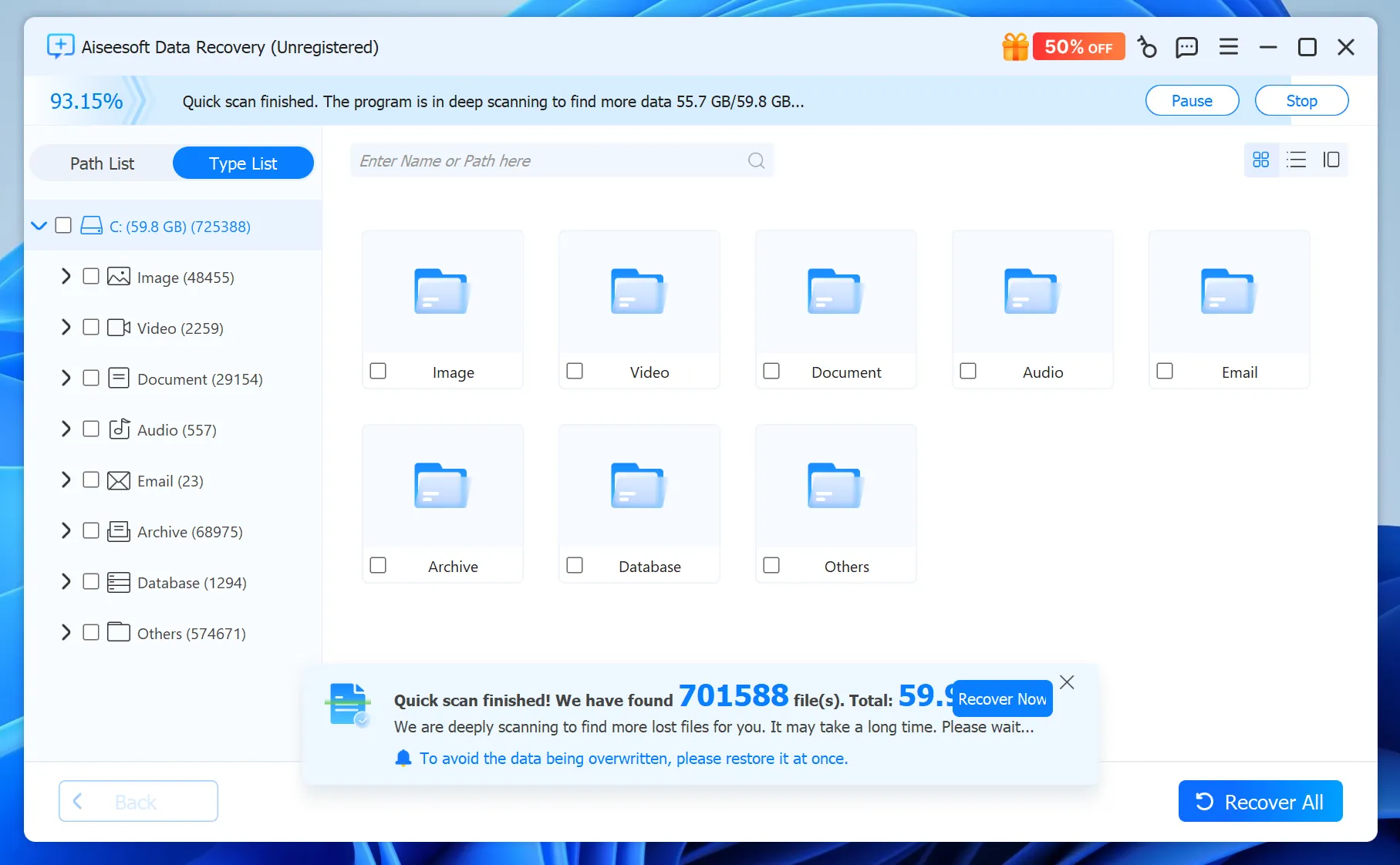
When a basic scan fails, you must rely on the Deep Scan mode. This mode bypasses the file system to read raw data sectors directly. Unfortunately, during this deep analysis, Aiseesoft Data Recovery frequently fails to preserve the original folder hierarchy.
Instead of seeing your familiar folder layout, you are often left with thousands of files dumped into generic categories with randomized names. Sifting through 50,000 renamed photos to find one specific family picture turns into an exhausting, time-consuming chore.
2. Struggles with Formatted and RAW Drives
When a storage device suffers a severe logical error, the file system can break entirely, causing Windows to label the partition as RAW. In our benchmarking tests on heavily damaged drives, Aiseesoft Data Recovery struggled to penetrate these RAW volumes. It either failed to initiate the deep scan entirely or recovered corrupted, unopenable fragments of files. If your hard drive requires deep forensic rebuilding rather than a surface scan, this utility may underperform.
Why Magic Data Recovery Is the Best Alternative
If you are dealing with a formatted drive, a corrupted external drive, or a massive folder structure that must remain organized, you need a professional-grade alternative. For this reason, Magic Data Recovery serves as a much more reliable solution than consumer-grade software.
The Core Pain Points It Resolves
Most users do not just want their data back; they want it returned exactly the way it looked before the disaster. Therefore, Magic Data Recovery addresses the main weakness of consumer software by focusing heavily on structural integrity. It rescues your files while actively working to repair and replicate the original directory tree, saving you hours of manual sorting.
Key Features
- Superior File System Reconstruction: Advanced low-level algorithms scan the drive to track down trace fragments of the original file allocation table, allowing Magic Data Recovery to reconstruct lost folder layouts after a format.
- Forensic RAW Drive Scanning: The engine features specialized reading modes that bypass Windows operating system limitations, allowing Magic Data Recovery to extract intact data from unreadable or unallocated partitions.
- No Bloated Features: Magic Data Recovery dedicates 100% of its processing power to disk forensics, meaning it runs faster and uses less system memory than multi-purpose utility suites.
Real-World Use Case
Imagine a professional photographer who accidentally formats an external 2TB hard drive containing five years of client portfolios. A standard tool might recover the raw images but scatter them randomly into thousands of nameless folders.
By using Magic Data Recovery, the photographer can scan the formatted drive, locate the original wedding or commercial session folders by their actual names, and restore the entire archive structure perfectly intact. This level of precision makes Magic Data Recovery an invaluable asset when dealing with massive, highly organized data volumes.
Feature Comparison: Aiseesoft vs. Magic Data Recovery
To help you visualize the technical differences, the following table compares both tools across critical data rescue performance metrics.
Performance Metric | Aiseesoft Data Recovery | Magic Data Recovery |
Basic Deletion Recovery | Fast and highly intuitive | Fast and precise |
Original Folder Tree Retention | Poor; frequently randomizes names | Excellent; prioritizes folder structure |
RAW Partition Support | Limited; prone to file corruption | High; native forensic sector reading |
Scanning Speed (Large Drives) | Moderately slow on deep scans | Optimized for fast multi-thread scanning |
Value for Professional Use | Low; built for casual users | High; built for critical data recovery |
How to Recover Lost Files Using Magic Data Recovery
Rescuing your vital files does not have to be a stressful experience. You can follow these simple steps to safely recover your data using our recommended alternative, Magic Data Recovery.
Step 1: Download and Install the Software
First, visit the official website and download the installation package for Magic Data Recovery. Always install the program on a separate drive from the one that lost the files to ensure you do not overwrite any missing data.
Supports Windows 7/8/10/11 and Windows Server
Step 2: Select the Target Location
Second, launch Magic Data Recovery to view a list of connected drives. Select the specific drive letter, external device, or corrupted partition that requires scanning, then click the start button.

Step 3: Preview and Filter Your Files
Third, as the scan progresses, Magic Data Recovery runs Advanced Scan automatically. Use the built-in search bar or file type filters to locate your most important documents, and use the preview window to verify their contents.

Step 4: Securely Export Your Data
Finally, check the boxes next to the folders you wish to rescue. Click the recovery button inside Magic Data Recovery and select a safe storage destination, such as a different external drive or a secure device, to complete the process.

Conclusion
To sum up our Aiseesoft Data Recovery review, the right choice depends entirely on the severity of your data loss situation. If you accidentally deleted a single document from your desktop or emptied a few pictures from your Recycle Bin yesterday, Aiseesoft Data Recovery offers a quick, visually pleasing hard drive solution that easily handles surface-level tasks.
However, data disasters are rarely that simple. If you are facing a formatted hard drive, an unreadable RAW partition, or a storage device containing complex deeply-nested folders, you need a tool with deeper technical capabilities.
We highly recommend Magic Data Recovery for these critical scenarios. Its advanced ability to rebuild damaged file systems, maintain original folder names, and penetrate corrupted media ensures that your files are returned to you exactly as you left them. Protecting your digital life requires Magic Data Recovery to keep your files safe when things go completely wrong.
Supports Windows 7/8/10/11 and Windows Server
FAQs
Is Aiseesoft Data Recovery completely free to use?
No, it is not completely free. The trial version allows you to scan your drive and preview recoverable files, but you must purchase a license key to save them. If you want a more transparent and robust alternative for complex drive formats, we suggest trying Magic Data Recovery.
Can Aiseesoft Data Recovery recover files from a formatted hard drive?
Aiseesoft Data Recovery can recover some files, but it often struggles during deep scans. It frequently loses the original file names and folder structures, leaving you with a messy list of disorganized items. For successful formatted drive restoration, Magic Data Recovery provides superior file system reconstruction.
Does Aiseesoft Data Recovery support direct SIM card data recovery?
No, it does not. Aiseesoft Data Recovery is strictly built for standard computer storage media like hard drives, SSDs, and USB flash drives. It cannot interface with mobile SIM cards directly.
Why did Aiseesoft change my file names to random numbers during the deep scan?
This happens because Aiseesoft Data Recovery reads raw data sectors directly when the file system is heavily damaged. Consequently, the software loses the original directory paths. Fortunately, Magic Data Recovery uses advanced algorithms specifically designed to rebuild these broken folder hierarchies and preserve original names.
What should I do if my external drive shows up as RAW?
When a drive turns RAW, stop using it immediately to avoid data overwriting. Standard consumer tools like Aiseesoft Data Recovery often fail to read these volumes. Instead, launch Magic Data Recovery, select the unreadable partition, and let its forensic scanning engine safely extract your files with their original structures.

Vasilii is a data recovery specialist with around 10 years of hands-on experience in the field. Throughout his career, he has successfully solved thousands of complex cases involving deleted files, formatted drives, lost partitions, and RAW file systems. His expertise covers both manual recovery methods using professional tools like hex editors and advanced automated solutions with recovery software. Vasilii's mission is to make reliable data recovery knowledge accessible to both IT professionals and everyday users, helping them safeguard their valuable digital assets.