
Is a Data Recovery Company Always Needed?
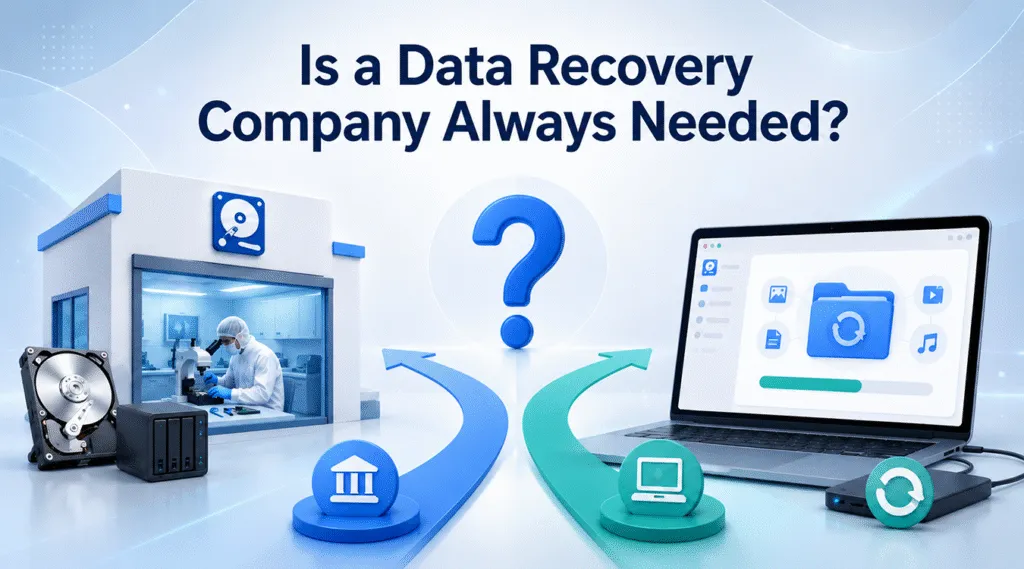
Data loss usually happens when you least expect it. One minute you are editing a crucial corporate report, and the next, your storage partition shows a terrifying RAW file system error. Alternatively, you might have accidentally formatted a memory card containing irreplaceable family photos. When crucial files vanish completely, your immediate instinct is likely to search for a professional data recovery company to salvage your valuable files.
However, rushing to ship your device to an expensive lab is not always the best first step. While a certified data recovery service is essential for physically crushed or severely burnt drives, many data loss scenarios actually stem from logical errors. Consequently, this comprehensive guide will help you answer the critical question: Is a data recovery company always needed? We will evaluate their actual costs and discover how Magic Data Recovery provides a faster, more secure, and highly cost-effective HDD recovery solution that you can use right from the comfort of your home.
Supports Windows 7/8/10/11 and Windows Server
Table of Contents
What Does a Top-Tier Data Recovery Company Actually Do?
To make an informed decision, it is vital to understand what happens behind the scenes at a professional laboratory. A reputable data recovery company typically categorizes data loss into two main types: physical damage and logical failure.
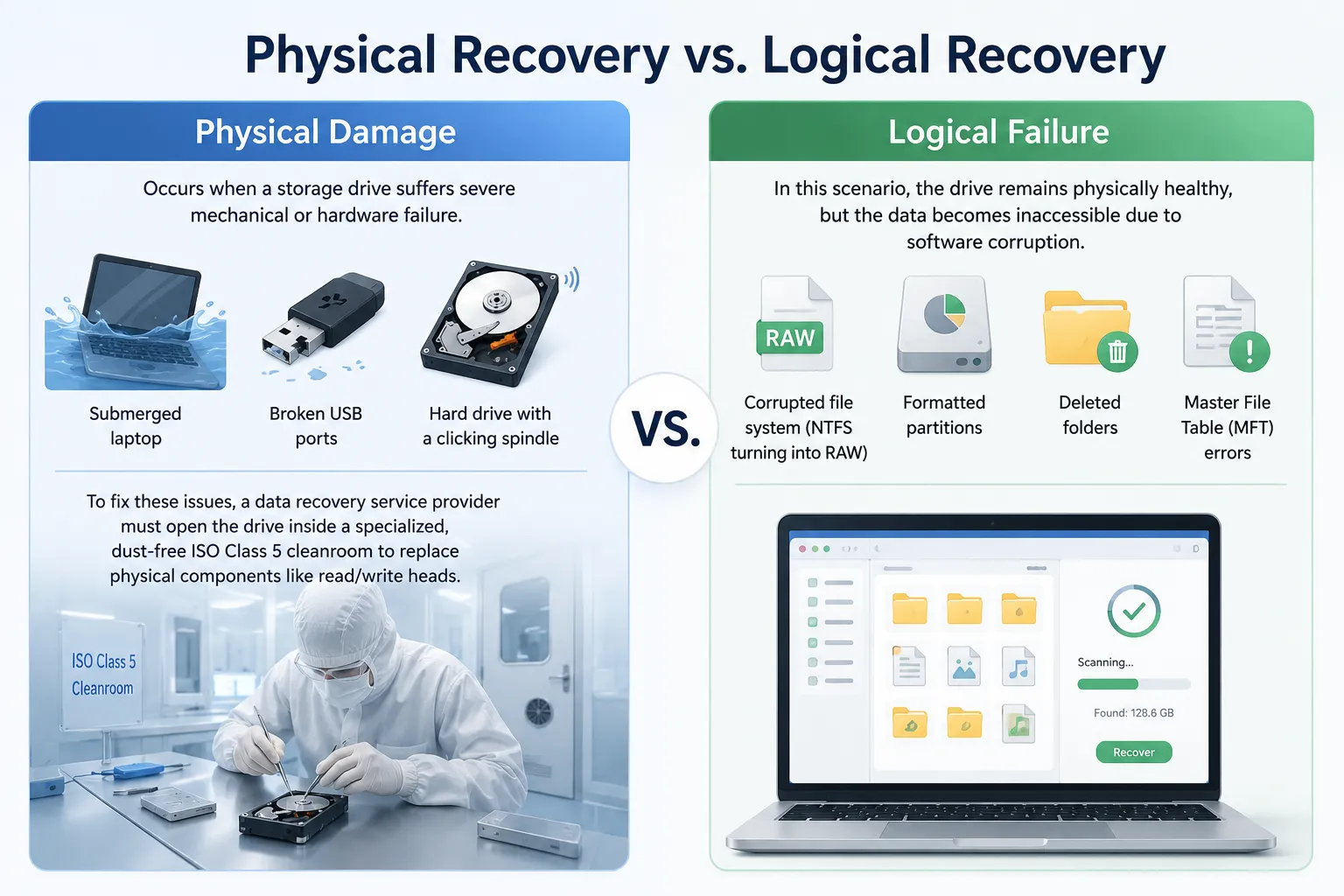
Physical Recovery vs. Logical Recovery
- Physical Damage: This occurs when a storage drive suffers severe mechanical or hardware failure. Examples include a submerged laptop, broken USB ports, or a hard drive with a clicking spindle. To fix these issues, a data recovery service provider must open the drive inside a specialized, dust-free ISO Class 5 cleanroom to replace physical components like read/write heads.
- Logical Failure: In this scenario, the drive remains physically healthy, but the data becomes inaccessible due to software corruption. Common examples include corrupted file systems (like NTFS turning into RAW), formatted partitions, deleted folders, or Master File Table (MFT) errors.
The Hidden Costs of Hard Drive Recovery Services
Many users assume that a professional data recovery company offers flat-rate pricing. In reality, traditional local shops and massive corporate labs often charge by the complexity of the recovery process rather than the volume of data.
Initial diagnostic fees can sometimes be free, but the eventual bill for physical cleanroom work frequently ranges from $300 to well over $1,500 per drive. In addition to high prices, you must factor in the shipping time and the weeks spent waiting for engineers to handle your drive.
How to Evaluate a Reliable Data Recovery Service
If your storage media has been run over by a heavy vehicle or caught in a fire, you absolutely must hire a physical data recovery company. When selecting a reliable provider, you should always utilize a strict checklist to protect your data and your wallet.
1. Transparent Pricing Models
A trustworthy data recovery company will always provide a clear price estimate after the initial diagnostic scan. You should carefully avoid businesses that demand huge upfront payments without reviewing the drive condition first. Furthermore, look for a strict “No Data, No Fee” policy to ensure you do not pay for failed recovery attempts.
2. Strict Security and Privacy Protocols
Your storage drives contain deeply personal information, financial documents, and private photos. Therefore, a professional data recovery service must possess verified security compliances, such as SOC 2 Type II or HIPAA certifications. These standards guarantee that your cloned data remains fully encrypted and heavily protected against data leaks while stored in their local lab.
3. Realistic Turnaround Times
Standard laboratory recovery procedures usually take anywhere from 5 to 30 business days. While some companies offer emergency expedited services to finish the job within 48 hours, these priority options will dramatically inflate your final invoice.
Why You Might Not Need an Expensive Data Recovery Company
Did you know that nearly 80% of daily data loss incidents are purely logical? If your computer still detects the drive letter, you do not need to spend hundreds of dollars at a physical data recovery company. Instead, you can utilize advanced software to handle the issue yourself safely.
The DIY Software Revolution
Modern data recovery software brings the complex algorithms used by lab technicians straight to your personal desktop. Instead of waiting weeks for a shipping container to arrive at a distant facility, you can initiate a deep scan immediately. This approach allows you to quickly bypass corrupted file system walls to extract missing files within a few clicks.
Time and Privacy Benefits
Opting for a local software solution completely eliminates the logistical nightmare of shipping physical media. You do not have to worry about a mail courier losing your valuable hard drive in transit. Most importantly, your private files never leave your sight, providing total peace of mind for sensitive data handling.
Introducing Magic Data Recovery: The Professional-Grade Alternative
If you want to skip the high costs and long wait times of a physical data recovery company, Magic Data Recovery offers an incredibly efficient, professional-grade solution. Developed by Amagicsoft, this robust utility serves as an elite alternative to traditional lab services for all logical data loss scenarios.
Feature Comparison | Traditional Data Recovery Company | Magic Data Recovery Software |
Average Cost | $300 – $1,500+ | Free Trial (Affordable Upgrade) |
Turnaround Time | 5 to 30 Business Days | 5 to 30 Minutes |
Data Privacy | Risk of third-party exposure | 100% Local and Completely Secure |
Free Evaluation Tier | Often paid or requires shipping | Recover up to 500MB completely free |
Core Problems It Solves
Magic Data Recovery addresses the exact problems that lead people to search for a data recovery company. For instance, it fixes major issues like accidental permanent deletions (Shift + Delete), unexpected drive formatting, sudden RAW partition errors, and corrupted memory card structures.
Unique Selling Points & Capabilities
- Universal File System Support: The software seamlessly parses complex NTFS, FAT32, exFAT, and EXT file structures.
- Visual File Preview: You can view recoverable photos, office documents, and videos directly inside the user interface before committing to any recovery actions.
- Risk-Free Evaluation: Unlike traditional companies that demand shipping fees just to check your drive, you can scan your device immediately. You can recover up to 500MB of data completely for free, allowing you to verify the integrity of your files without opening your wallet.
Common Usage Scenarios
Imagine you accidentally formatted your backup drive, or perhaps your camera displays a “card cannot be accessed” message. A traditional data recovery company would charge you a premium to look at these devices. With this software alternative, you simply plug the drive into your PC, run a scan, and watch your lost files reappear instantly. Therefore, if you are looking for a more efficient solution, you should try this tool.
Step-by-Step: How to Recover Your Data with a Smart Alternative
Using this advanced utility is remarkably simple. You do not need any specialized technical training to achieve lab-quality results. Please follow these straightforward steps to restore your missing files safely.
Step 1: Download and Install Magic Data Recovery
First, download Magic Data Recovery directly from the official website below. It is vital to install the utility on a healthy partition that is completely separate from the affected drive where your files were originally lost. This careful approach effectively prevents accidental overwriting and protects your vulnerable data from being destroyed.
Supports Windows 7/8/10/11 and Windows Server
Step 2: Select the Target Drive to Scan
Launch the application on your computer. The intuitive main interface will instantly display all connected storage media. From the provided list, simply choose the specific partition or storage device where your files were deleted and initiate the scanning process.

Step 3: Scan the Storage Device for Lost Files
Once started, the software automatically executes an intensive Advanced Scan of your drive sectors. As the deep algorithm progresses through the storage media, it will systematically list all recoverable files in real time on your screen.

Step 4: Preview Files Before Recovery
After the scanning engine locates your data, you can utilize the built-in visual preview function to verify the integrity of the file content. This excellent feature ensures that you pinpoint and select only the exact documents or photos you actually need to restore.

Step 5: Recover Files to a Safe Location
Finally, mark the checkboxes next to your target files and click the recovery button to save them securely. You must always choose a different drive or a separate storage device to hold the rescued data, because restoring files directly back to the same corrupted drive risks permanent data destruction.

Conclusion: Choosing the Right Data Recovery Company Path
When you experience sudden data loss, choosing between a physical data recovery company and an advanced software solution depends entirely on the health of your storage media. If your hard drive is making grinding noises or has been physically crushed, seeking out a professional physical laboratory is your only viable path forward.
However, if your drive is physically sound but suffering from accidental formatting, file system corruption, or deleted folders, utilizing a software alternative is undoubtedly the smarter choice. If you are looking for a highly efficient and reliable solution, we highly recommend trying Magic Data Recovery. With its powerful deep scanning capabilities and its generous 500MB free recovery limit, you can safely restore your vital files from hard drives today without incurring a massive financial burden.
Supports Windows 7/8/10/11 and Windows Server
FAQ
How much does a professional data recovery company cost?
Traditional laboratory services generally cost between $300 and $1,500 depending on the severity of the drive damage. Logical recoveries are usually cheaper than physical cleanroom procedures. However, they still require costly diagnostic and shipping fees, which makes software a better initial option.
Can raw SD cards or formatted hard drives be fixed with software?
Yes, file system errors like RAW structures and accidental formats are logical issues. Specialized software can bypass the broken file system architecture to read raw data sectors directly. Consequently, it makes expensive physical lab intervention completely unnecessary for most normal users.
Is Magic Data Recovery safe for my corrupted drive?
The software operates using a strict, read-only mechanism. It carefully scans your storage media without altering or writing any new data to the original sectors. Therefore, your files remain completely safe from accidental overwriting during the entire recovery process.
What is the success rate of a software alternative compared to a lab?
For logical data loss, high-quality software delivers a success rate identical to a physical lab. This is because both methods use similar digital scanning algorithms. However, software saves you weeks of waiting time and hundreds of dollars in service fees.
Can I recover files from a drive that won't turn on?
No, software cannot fix dead hardware. If your drive has suffered physical damage and does not spin or show up in Disk Management, software cannot read it. In this specific scenario, you must contact a physical data recovery company.
How do I avoid destroying my remaining data during recovery?
You must avoid installing new software or saving new files onto the damaged partition. Doing so overwrites the deleted data blocks. Instead, always run your recovery tool from a healthy drive and save the restored files to a separate storage device.

Vasilii is a data recovery specialist with around 10 years of hands-on experience in the field. Throughout his career, he has successfully solved thousands of complex cases involving deleted files, formatted drives, lost partitions, and RAW file systems. His expertise covers both manual recovery methods using professional tools like hex editors and advanced automated solutions with recovery software. Vasilii's mission is to make reliable data recovery knowledge accessible to both IT professionals and everyday users, helping them safeguard their valuable digital assets.