
FAT32 File Size Limit and System Limitations
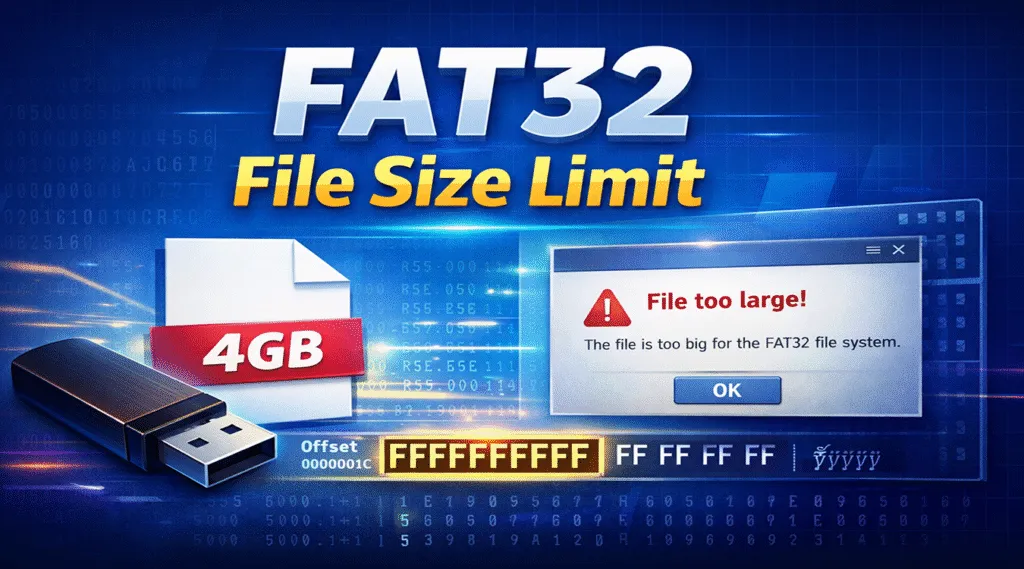
Have you ever tried copying a large video or backup file to a USB drive, only to see an error saying the file is too large for the destination file system? This frustrating issue is usually caused by the fat32 file size limit.
Although FAT32 is one of the most widely compatible file systems, it comes with strict limitations that can disrupt everyday tasks. Understanding these limits helps you avoid data transfer failures, unexpected errors, and even data loss.
In this guide, we’ll explain the fat32 file size limit, explore the fat32 file system limitations from both user and technical perspectives, and show practical solutions—including what to do if data loss occurs.
Table of Contents
What Is the FAT32 File System?
FAT32 (File Allocation Table 32) is a legacy file system introduced by Microsoft in 1996. Despite its age, it is still commonly used today due to its unmatched compatibility.
Typical FAT32 use cases include:
- USB flash drives
- SD and microSD cards
- External hard drives for TVs, cameras, and game consoles
However, this compatibility comes at a cost. Compared to modern file systems, FAT32 has several structural constraints that directly affect file storage.
These constraints are commonly referred to as fat32 file system limitations, and the most well-known among them is the file size restriction.
FAT32 File Size Limit Explained
Many users mistakenly believe this is a Windows limitation. In reality, it is a fundamental rule defined by the FAT32 file system itself.
FAT32 File System Does Not Support 4GB Files
The reason the fat32 file system does not support 4gb files is rooted in its internal design. FAT32 defines file size information using a fixed-length field that is only 4 bytes long.
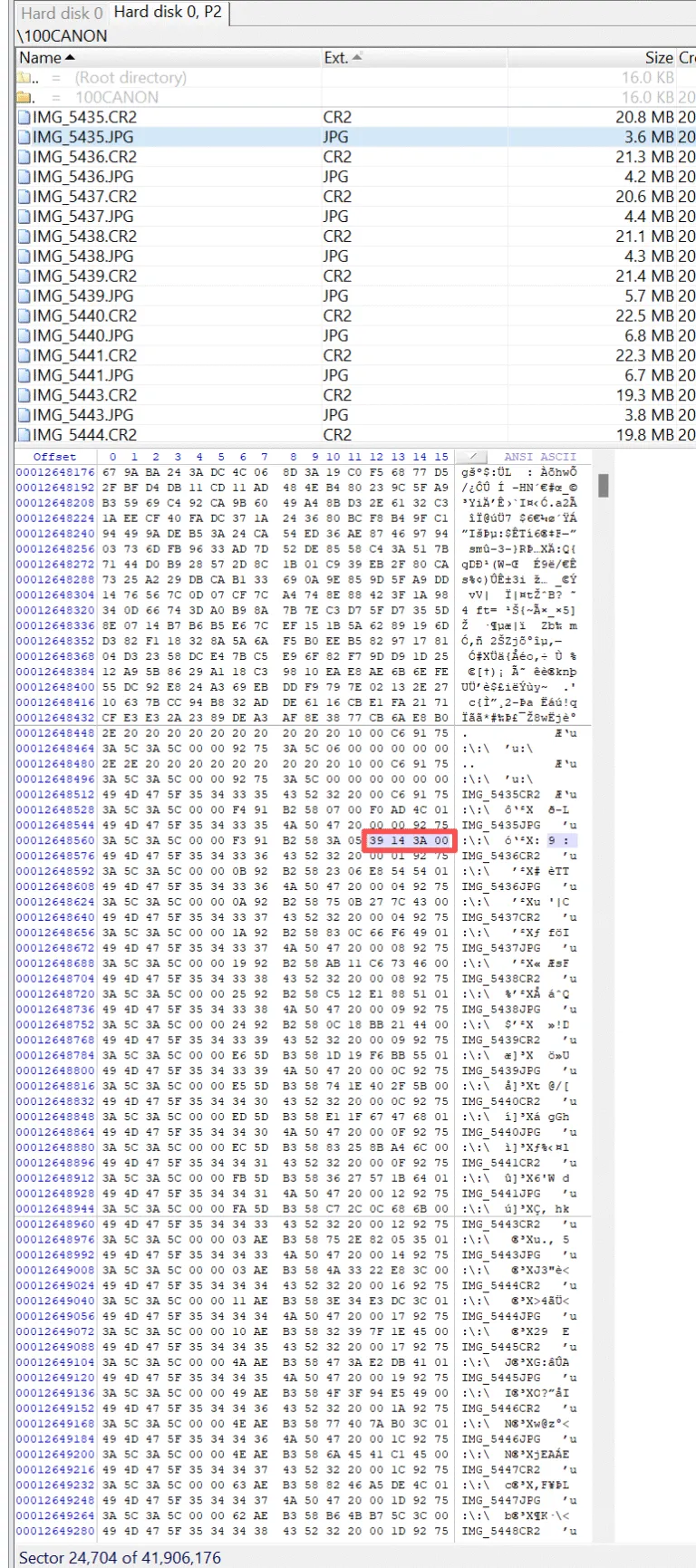
Because every byte takes up 8 bits, 4 bytes equal 32 bits. Therefore, the largest value that can be stored is:
0xFFFFFFFF
When converted from hexadecimal to decimal, this value equals 4,294,967,295 bytes, which is approximately 3.9999 GB. In practical terms, this number represents the absolute maximum file size that the FAT32 file system can address.
Once a file exceeds this limit, FAT32 no longer has a way to record its true size, which causes error message like “The file is too large for the destination file system“.
This limitation is structural rather than software-related. No operating system can bypass it without changing the file system itself. That is why the fat32 file size limit exists on all platforms and devices that rely on FAT32.
FAT32 File Size Limit vs File System Size Limit
It’s important not to confuse two different concepts:
Single File Size Limit
- Max file size: 4GB – 1 byte
- Controlled by 32-bit file size field
Partition / Volume Size Limit
- Theoretical maximum: up to 2TB
- Practical limits depend on OS and formatting tools
This distinction explains why a large FAT32 drive may exist, yet still reject large individual files. This is a classic example of the fat32 file system size limit being misunderstood.
Common FAT32 File System Limitations
Beyond file size, FAT32 has other notable drawbacks:
- No support for file permissions or encryption
- Higher fragmentation on large drives
- Inefficient handling of modern storage capacities
- Limited fault tolerance compared to NTFS or exFAT
These fat32 file system limitations explain why FAT32 is gradually being replaced, even though it remains useful for compatibility purposes.
How to Bypass the FAT32 File Size Limit
If you frequently work with large files, there are several proven solutions.
Option 1: Convert FAT32 to NTFS or exFAT
This method is suitable for users who want a permanent solution:
- Keeps existing data intact
- Ideal for Windows systems
- Removes the 4GB file restriction
Option 2: Split Large Files
This approach works well for temporary file transfers:
- Useful for videos or archives
- Requires reassembly later
- Adds extra steps to workflows
Option 3: Reformat the Drive
This option should be used with caution:
- Effective but risky
- Requires full data backup
- Often causes accidental data loss
Each approach has trade-offs, and choosing the wrong one can lead to unexpected problems.
What If Data Is Lost During FAT32 Conversion or Formatting?
Data loss is surprisingly common when users attempt to fix FAT32 limitations. Typical scenarios include:
- Accidental formatting of USB drives
- Interrupted file system conversion
- Corrupted FAT32 partitions
- Deleted files during troubleshooting
In these cases, a reliable recovery solution becomes essential.
Recover Lost Files from FAT32 Drives with Magic Data Recovery
When data loss occurs due to fat32 file system limitations, Magic Data Recovery offers a practical and trustworthy solution.
What Problems It Solves
- Recovers files from formatted FAT32 drives
- Restores data after accidental deletion
- Handles corrupted USB drives and SD cards
Why It’s Reliable
- Read-only scanning prevents further damage
- Supports FAT32, exFAT, and NTFS
- Designed for real-world recovery scenarios
Typical Use Cases
- USB drives reformatted to fix the fat32 file size limit
- SD cards used in cameras and drones
- External drives affected during file system conversion
Compared to manual recovery methods, Magic Data Recovery minimizes risk while maximizing recovery success.

Conclusion
The fat32 file size limit is a built-in design constraint that cannot be bypassed without changing how data is stored. While FAT32 remains useful for compatibility, its limitations make it unsuitable for modern large-file workflows.
Understanding why the fat32 file system does not support 4gb files helps users make informed decisions—whether that means switching file systems or preparing for recovery in advance.
When data loss occurs during these transitions, Magic Data Recovery provides a reliable and user-friendly solution backed by real-world use cases.
Supports Windows 7/8/10/11 and Windows Server
FAQs About FAT32 File Size Limits
How do I bypass 4GB limitation on FAT32?
Why is FAT32 limited to 32GB?
Is 64GB too big for FAT32?
Can a 2TB drive be formatted in FAT32?
Can FAT32 be larger than 4GB?
How to format a 64 GB drive to FAT32?
Can I format a 128GB flash drive to FAT32?
What is the largest USB drive?

Vasilii is a data recovery specialist with around 10 years of hands-on experience in the field. Throughout his career, he has successfully solved thousands of complex cases involving deleted files, formatted drives, lost partitions, and RAW file systems. His expertise covers both manual recovery methods using professional tools like hex editors and advanced automated solutions with recovery software. Vasilii's mission is to make reliable data recovery knowledge accessible to both IT professionals and everyday users, helping them safeguard their valuable digital assets.