
What Is the Master File Table & How to Fix MFT Corruption
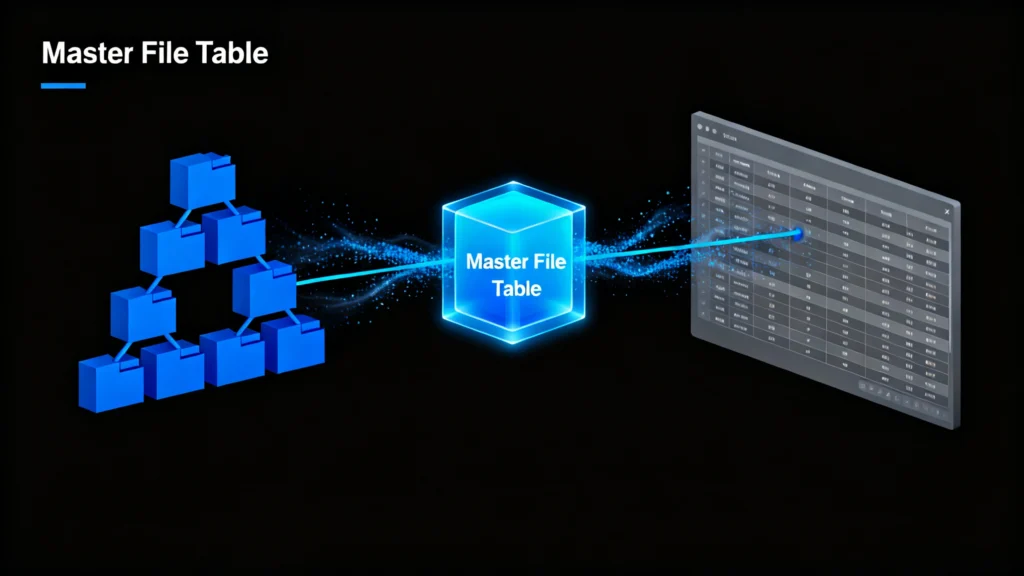
Table of Contents
Understanding the Master File Table: The Heart of Your File System
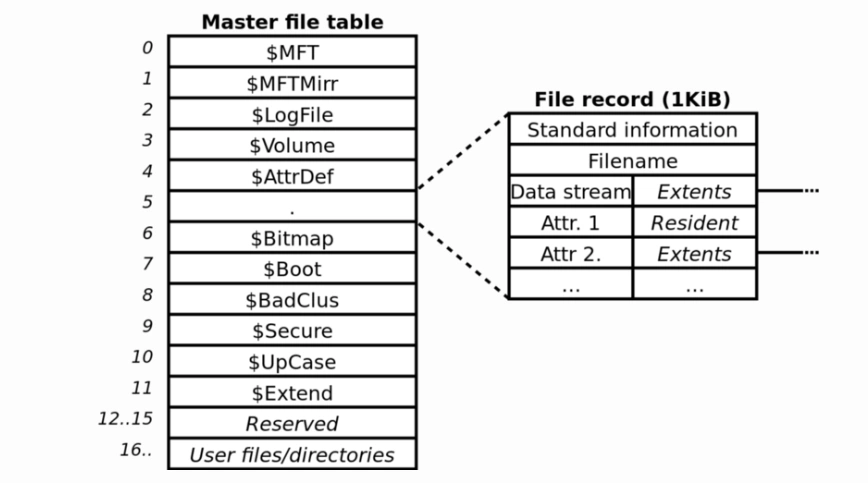
The Master File Table (MFT) is a core component of the NTFS file system used by Windows. Think of it as a detailed index or a “file system catalog” that stores essential metadata about every file and folder on a drive—including names, sizes, timestamps, and physical location pointers. According to Microsoft’s NTFS documentation, the MFT is crucial for system stability and data accessibility. Without a healthy MFT, your operating system cannot locate or open files, even if the data is physically still present on the disk.
Common Causes of MFT Corruption
Several factors can damage the Master File Table, including:
- Sudden power loss or improper shutdowns
- Virus or malware attacks
- Bad sectors on the storage drive
- File system errors or disk write failures
- Hardware malfunctions or aging drives
When the MFT is corrupted, you may experience symptoms such as missing files, inaccessible folders, “raw” drive status, or frequent system crashes.
How to Fix MFT Corruption and Recover Your Data
Before using professional tools, you can attempt some built-in Windows solutions to repair MFT-related issues.
Method 1: Use Windows CHKDSK Utility
The CHKDSK command scans your drive and fixes file system errors, including minor Master File Table inconsistencies.
- Open Command Prompt as Administrator.
- Type
chkdsk C: /fand press Enter (replaceC:with your drive letter). - Allow the scan to complete and restart your computer.
While CHKDSK can resolve some logical errors, it cannot help you recover lost files and may even overwrite your data in severe corruption cases.
Method 2: Professional MFT Corruption Recovery with Magic Data Recovery
When built-in tools fail, a dedicated recovery solution like Magic Data Recovery offers a safer and more effective approach. Unlike system utilities, Magic Data Recovery works in read-only mode, ensuring it never alters your original data.
Step-by-Step Recovery Process:
1. Download and install Magic Data Recovery from the official Amagicsoft website.
Supports Windows 7/8/10/11 and Windows Server




Summary
Master file table corruption is a serious but solvable issue. While Windows provides basic repair options, they are often limited and risky for your data. A specialized tool like Magic Data Recovery offers a reliable, safe, and efficient way to restore your files without further damage.
Don’t panic if your files seem lost—your data is not truly gone. With the right approach, you can recover what matters most.
Download Magic Data Recovery to safely scan your drive, rebuild the damaged MFT structure, and restore your inaccessible files in just a few clicks.
Supports Windows 7/8/10/11 and Windows Server
FAQs
What does a master file table do?
What is the difference between NTFS and MFT?
How to repair a corrupt master file table?
What is master file data?
What is the purpose of the master file?
How do you repair a damaged MFT?
What is MFT used for?
Is it safe to delete MFT?

Jason is a data recovery and technical support specialist with over 15 years of hands-on experience. He has worked extensively with frontline users, troubleshooting difficult data loss cases and providing practical recovery solutions for accidental deletion, formatted drives, damaged file systems, lost partitions, system failures, and other recovery emergencies. His expertise also includes backup and restoration, file repair, and disaster recovery, with a strong emphasis on safe, reliable, and technically accurate guidance.