
What Is a File Allocation Table? Complete Guide
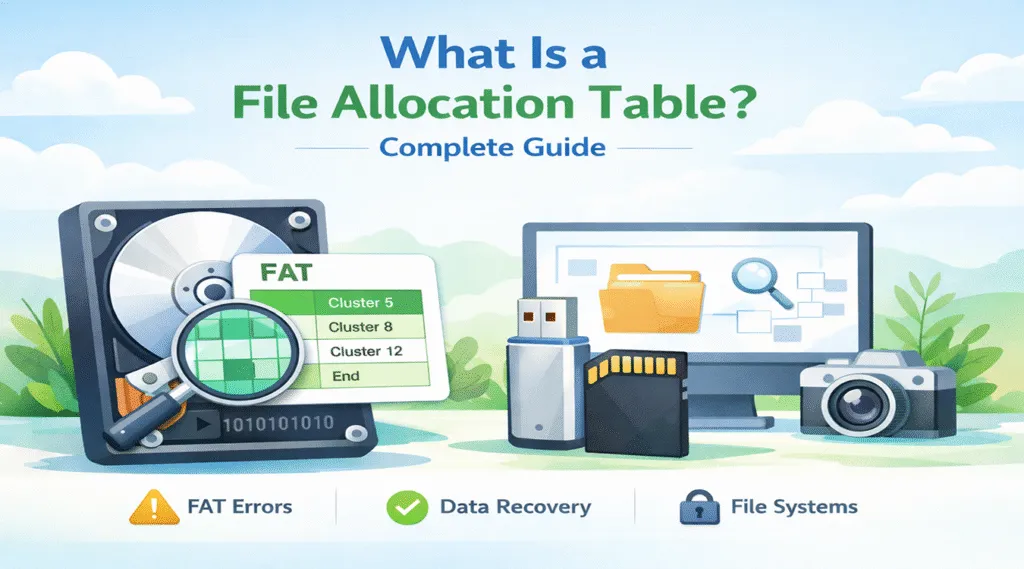
Many users suddenly discover that a USB drive becomes unreadable or a memory card asks to be formatted. In most situations, the issue relates to the file system. More specifically, the problem often involves the File Allocation Table (FAT). When the file system structure becomes damaged, the operating system can no longer locate files correctly. Consequently, the disk may appear empty or inaccessible even though the actual data still exists on the storage device. So, what is a file allocation table, and why does it remain widely used on modern storage devices?
Understanding FAT helps users troubleshoot storage errors more effectively. Moreover, it also helps prevent accidental formatting that may lead to permanent data loss. Because FAT is lightweight and highly compatible, manufacturers still use it on USB flash drives, SD cards, cameras, and other portable devices.
Therefore, this guide explains what is file allocation table, how it works, where it is stored, and what problems may occur. In addition, you will learn practical solutions for recovering files when FAT errors make a disk inaccessible.
Table of Contents
What Is a File Allocation Table (FAT)?
To clearly understand FAT, it helps to imagine a storage device as a large library. In this situation, the FAT works like the catalog system that tells the operating system where every file is located.
Technically speaking, the FAT is a data structure that records how files are stored on a disk. Each entry in the table corresponds to a cluster and indicates whether that cluster belongs to a file or remains free.
Therefore, when users ask what is the file allocation table, the simplest answer is this: it acts as the index that links file fragments together so the operating system can read them correctly.
Because the structure is simple, the FAT became extremely popular in early operating systems. Even today, it remains widely used on removable storage devices.
Typical examples include:
- USB flash drives
- SD and microSD cards
- Digital cameras
- Portable storage devices
Consequently, understanding what is fat file allocation table helps users identify many common storage problems.
How the File Allocation Table Works
After learning what is file allocation table, it becomes easier to understand how the system organizes files internally.
File Storage and Cluster Chains
When a user saves a file to a FAT-formatted drive, the operating system divides the file into smaller storage blocks called clusters.
However, these clusters do not always sit next to each other. Instead, the system may store them in different locations across the disk. Therefore, the FAT records the sequence of clusters so the operating system can reconstruct the file.
For example:
Cluster 8 → Cluster 21 → Cluster 37 → End of File
Thus, the system reads the cluster chain stored in the FAT whenever a user opens the file.
How the System Locates Files
Whenever a file is accessed, the operating system follows a structured process.
First, it reads the directory entry to identify the starting cluster. Next, it checks the FAT to locate the next cluster. Then it continues following the cluster chain until the entire file loads.
As a result, if the FAT structure becomes corrupted, the chain may break. Consequently, the system may no longer locate the file even though the data still exists on the disk.
Types of FAT File Allocation Table Systems
Once users understand what is a file allocation table, it becomes useful to explore the different FAT versions. Over time, developers created several variations to support larger storage devices.
FAT12
Initially, FAT12 appeared in early personal computers.
Important characteristics include:
- Designed for floppy disks
- Supports small storage capacities
- Rarely used in modern systems
Although outdated, FAT12 played an important role in the early development of file systems.
FAT16
Later, FAT16 expanded the capabilities of the FAT system.
Key features include:
- Supports larger disks than FAT12
- Common in early hard drives
- Still used in some embedded systems
However, storage technology quickly evolved. Therefore, FAT16 eventually became insufficient for modern devices.
FAT32
Today, FAT32 remains the most widely used FAT variant.
Major advantages include:
- Excellent compatibility across operating systems
- Reliable performance on removable storage
- Efficient file management for flash devices
However, FAT32 also has an important limitation. Specifically, the maximum file size is 4 GB. Consequently, large video files often require exFAT or NTFS instead.
Where Is the File Allocation Table Stored?
When users search what is the file allocation table, they often want to know where it is stored on a disk.
Typically, the FAT appears near the beginning of the disk partition. This location allows the operating system to access it quickly during file operations.
Additionally, many FAT file systems maintain two copies of the table:
- Primary FAT
- Backup FAT
Because of this design, the system may recover from minor corruption. Nevertheless, serious damage can affect both copies.
In that situation, users often encounter errors such as:
- Drive not accessible
- File system corrupted
- Disk requires formatting
Advantages and Disadvantages of the File Allocation Table
Although the FAT remains popular, it has both strengths and weaknesses.
Advantages
First, FAT offers outstanding compatibility. Almost every operating system supports it.
Furthermore, the FAT uses a simple structure. Consequently, devices such as cameras and USB drives can access files quickly.
Finally, FAT works extremely well for portable storage where cross-platform support matters most.
Disadvantages
Nevertheless, FAT also has limitations.
For example, the file allocation table lacks advanced security features. Additionally, file fragmentation may occur when clusters scatter across the disk.
Most importantly, FAT32 limits file sizes to 4 GB. Therefore, many modern systems prefer NTFS or exFAT for large drives.
FAT vs NTFS vs exFAT File Systems
After understanding what is a file allocation table, many users want to compare FAT with other file systems.
Feature | FAT32 | NTFS | exFAT |
Maximum File Size | 4 GB | Very large | Extremely large |
Compatibility | Very high | Windows focused | Cross-platform |
Best Use | USB drives | System disks | Large external drives |
Overall, FAT works best for portability. Meanwhile, NTFS offers advanced features such as permissions and journaling. In contrast, exFAT supports large files while maintaining cross-platform compatibility.
Common Problems With the File Allocation Table
Despite its simplicity, the FAT may still encounter several issues.
For example, problems often occur when users remove USB drives without safely ejecting them. Similarly, sudden power interruptions during file transfers may damage the FAT structure.
Other common causes include:
- Malware infections
- Disk sector damage
- Unexpected system crashes
Consequently, the drive may appear inaccessible. However, the data often still remains on the disk even when the FAT becomes corrupted.
Recovering Data When FAT Errors Make a Disk Inaccessible
When the file allocation table becomes damaged, the operating system may fail to locate files. As a result, the disk may appear empty or unreadable. At this stage, formatting the drive immediately can cause permanent data loss. Therefore, recovering files should always be the first step.
One reliable solution involves using Magic Data Recovery, a professional data recovery tool. Unlike basic repair tools, Magic Data Recovery scans storage devices directly. Consequently, it can reconstruct files even when the file allocation table becomes corrupted.

Why Magic Data Recovery Works for FAT Errors
First, the software analyzes disk sectors instead of relying entirely on the file system structure. As a result, it can detect files even when the FAT chain becomes broken.
Additionally, it provides several useful features:
- Recovery from corrupted FAT partitions
- Deep scanning of RAW drives
- Support for USB drives, SD cards, and external disks
- File preview before recovery
For instance, a camera memory card may suddenly become unreadable after improper removal. In that situation, Magic Data Recovery can scan the disk sectors and restore photos even if the FAT structure fails. Therefore, using a specialized recovery tool significantly improves the chances of retrieving files safely.
Conclusion
Understanding what is a file allocation table helps explain how storage devices organize files and why FAT remains widely used today. The file allocation table acts as the index of a disk, linking clusters together so the operating system can locate files quickly.
However, because FAT uses a simple structure, corruption may occur after improper device removal, power interruptions, or disk errors. Consequently, a drive may suddenly become inaccessible even though the data still exists.
Fortunately, specialized recovery software can help retrieve those files. Magic Data Recovery scans disk sectors directly and reconstructs files from damaged FAT partitions.
Supports Windows 7/8/10/11 and Windows Server
FAQ About the File Allocation Table
What is FAT in file systems?
FAT stands for File Allocation Table. It tracks how files are stored on a disk and connects clusters that belong to the same file.
What is the file allocation table used for?
The FAT tells the operating system where file clusters are located so it can read files correctly.
Is the FAT file system still used today?
Yes. Many removable storage devices still use the FAT because it supports multiple operating systems.
What is the difference between FAT and FAT32?
FAT refers to the file system family, while FAT32 represents a specific version that supports larger partitions and improved efficiency.
Why does FAT32 have a 4GB file size limit?
FAT32 uses a cluster addressing structure that limits the maximum size of a single file to about 4 GB.
Can a corrupted file allocation table cause data loss?
Yes. When the FAT becomes damaged, the system may lose track of file locations, making files appear missing.
Can files be recovered from a corrupted FAT drive?
Yes. Data recovery tools can scan disk sectors and rebuild files even if the FAT structure becomes corrupted.

Vasilii is a data recovery specialist with around 10 years of hands-on experience in the field. Throughout his career, he has successfully solved thousands of complex cases involving deleted files, formatted drives, lost partitions, and RAW file systems. His expertise covers both manual recovery methods using professional tools like hex editors and advanced automated solutions with recovery software. Vasilii's mission is to make reliable data recovery knowledge accessible to both IT professionals and everyday users, helping them safeguard their valuable digital assets.