
File Signature Table: Magic Numbers and Recovery Limits
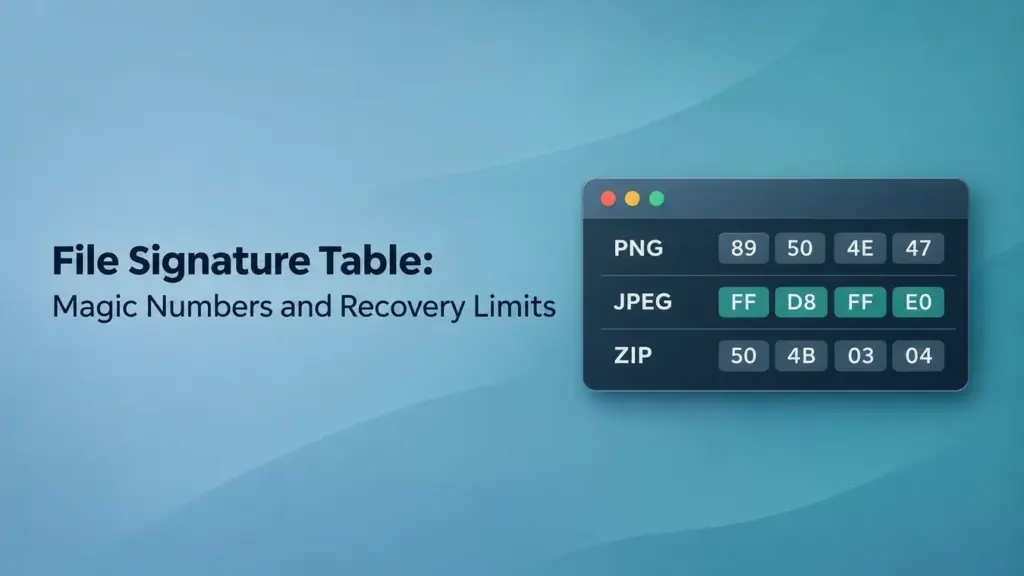
A file signature table lists recognizable byte patterns, their positions, and the file formats they help identify. These patterns, often called file magic numbers, let software recognize content without relying on its filename extension. Recovery tools can use them to find candidate files when directory entries or other file-system records are missing.
This matters when a recovered document has an unfamiliar name, a photo will not open, or a formatted drive has lost its folder structure. This guide explains common signatures, file headers and footers, and the limits of signature based file recovery. The inspection steps apply to Windows 10 and Windows 11.
Table of Contents
File Magic Numbers, Headers, and Footers
A signature is a recognizable pattern within a file. A header is a larger structure near its beginning and may contain a signature, version, dimensions, compression settings, or other fields. A footer or trailer provides information near the end, when the format defines one.
These terms describe related parts, but they are not interchangeable:
Term | What it describes | Practical meaning |
Filename extension | A suffix such as | Suggests which application should open the file |
File signature | Recognizable bytes at a defined or discoverable position | Helps identify a candidate format |
File header | Initial structural information | May identify the format and describe its contents |
File footer or trailer | An ending structure, if defined | May help locate or validate the end |
File-system metadata | Records maintained by NTFS, FAT, or another file system | Can describe names, directories, sizes, and storage locations |
Changing an extension does not convert the underlying format. Likewise, recognizable opening bytes do not prove that the rest of a file is present or correct.
Here, “signature” means a format-identification pattern. It does not mean a cryptographic digital signature.
File Signature Table for Common Formats
All values below are hexadecimal bytes in file order. Offsets are measured from the beginning of the candidate file, starting at zero.
Format | Identification bytes | Offset and conditions | Ending or validation clue |
PNG |
| Offset 0 of a PNG datastream | Ends with an IEND chunk; validate chunk lengths and CRCs |
JPEG |
| Offset 0; following markers vary |
|
| Standard file header at offset 0, followed by version information |
| |
ZIP |
| A local file header; commonly at offset 0 in an ordinary nonempty archive | Parse the central directory and end-of-central-directory record |
DOCX, XLSX, PPTX | Commonly | Ordinary unencrypted ZIP-based Office packages | Inspect package content types, relationships, and internal parts |
WebP |
| RIFF at offset 0; WEBP at offset 8; bytes 4–7 contain a size field | Check RIFF size and chunk structure rather than a universal footer |
Windows PE executable |
| MZ at offset 0; the field at offset | Validate the PE header and section information; MZ alone is insufficient |
This is a reference table, not a complete recovery rule set. An empty ZIP archive can begin with its end-of-central-directory record, and a self-extracting archive can have executable data before its ZIP records.
The ZIP end record begins with 50 4B 05 06, but those four bytes are not the complete record or necessarily the final bytes. Fields and an optional archive comment follow. The separate ZIP header guide explains the archive structures in more detail.
Shared Signatures and File-System Signatures
A matching signature may identify a format family rather than one exact extension.
For example, DOCX, XLSX, and PPTX normally use ZIP packaging. A scanner finding 50 4B 03 04 has found a possible ZIP record; it has not yet established that the archive is a Word document. Content types and internal parts, such as word/document.xml in a typical DOCX package, provide additional evidence.
WebP offers another example: RIFF alone is insufficient because other formats also use RIFF containers. The WEBP identifier at offset 8 narrows the identification.
A Volume Signature Identifies a Different Object
Hex editors also show signatures belonging to file systems. The NTFS text in the screenshot below belongs to a volume boot sector, rather than the header of an individual photo or document. Finding it does not identify the user files stored on that volume.
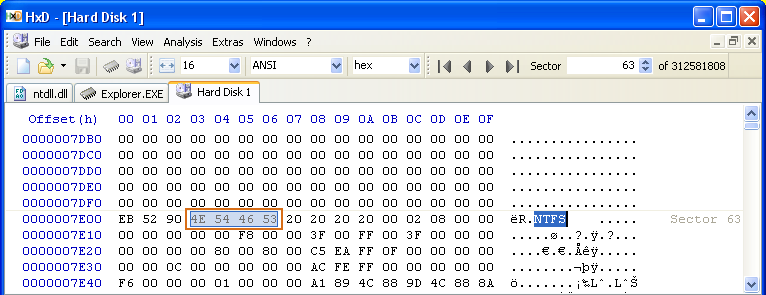
HxD developer screenshot showing the NTFS volume identifier, cropped and outlined for clarity.
How Signature Based File Recovery Works
Signature based file recovery, commonly called file carving, searches readable storage for patterns associated with supported file formats. It can locate content without depending on the original directory records.
A carver generally needs to perform several tasks:
- Locate a candidate start. Match an expected signature and its position relative to the proposed file beginning.
- Check the structure. Examine fields, record layouts, or format-specific consistency rules to reject unlikely matches.
- Determine the extent. Use internal sizes, parsed records, ending structures, or tool-specific stopping rules.
- Save and validate the candidate. Write it to separate storage and check whether it can be interpreted correctly.
A simple file header based recovery rule may recognize only the beginning. A more capable parser can interpret the format to determine its length and assess validity. Neither approach automatically supplies the original map of fragmented storage locations.
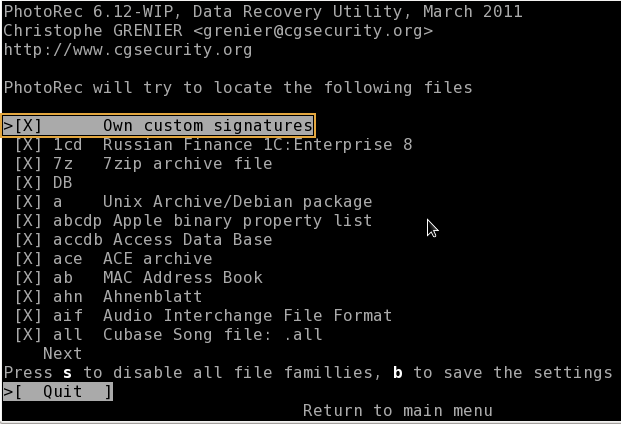
PhotoRec is a documented example of a file carver. Its custom signature definitions include an extension, an offset, and a byte pattern. Adding such a rule helps recognition; it does not automatically add a complete parser or solve fragmentation.
Signature Recovery vs Metadata Recovery
The main difference is the information used to locate and assemble a file.
Metadata recovery interprets surviving file-system records. On NTFS, the Master File Table can hold names, attributes, and mappings for file data. On FAT-based volumes, directory entries and the File Allocation Table contribute different parts of that information.
Recovery concern | Metadata recovery | Signature recovery |
Main evidence | File-system records and allocation information | File content patterns and format structures |
Original names and folders | May survive when relevant records remain usable | Usually unavailable from carving alone |
File length | May be recorded explicitly | Must be inferred or parsed |
Fragmented files | Surviving mappings can identify separate extents | Reconstruction depends heavily on format and tool |
Missing file-system records | Can limit reconstruction | May still locate recognizable content |
Overwritten contents | Cannot recreate replaced bytes | Cannot recreate replaced bytes |
These approaches can complement each other. A recovery application may present results from both methods in one scan.
“Deep scan” is not a standardized promise that a tool uses only signatures or can reconstruct every fragmented file. Its meaning depends on the program.
How to Inspect a File Header in Windows
For a readable file, Windows PowerShell 5.1 includes Format-Hex. Inspect a copy on healthy storage. If the file has disappeared completely, this command cannot locate it by its former path.
Replace the example path below with the actual location of the copied file:
- Format-Hex -LiteralPath ‘
E:\Inspection\sample.bin’ | - Select-Object -First 4
This displays the first four output rows without changing the file.
Read the output as follows:
- The left column gives the hexadecimal offset.
- Each pair of hexadecimal digits represents one byte.
- The text area shows printable characters; dots can represent nonprintable bytes.
For example, 25 50 44 46 2D corresponds to %PDF-. Finding it at the beginning supports PDF identification even if the extension is .bin.
For a suspected WebP file, check both RIFF at offset 0 and WEBP at offset 8. Checking only the first four bytes leaves the container type unresolved.
A hex editor can inspect other positions or the end of a copied file. Use read-only mode when available. Do not overwrite opening bytes merely to make them match the table: header editing cannot replace missing content or establish the correct format.
Why Recognized Files Can Still Fail to Open
A signature match establishes a candidate, not a complete recovery.
Fragmentation Breaks Simple Contiguous Carving
A file may occupy several nonadjacent groups of storage clusters. Without usable mappings, a carver may continue into unrelated data after recovering the first fragment.
Example: A video starts in one region, while its next fragment lies elsewhere. Finding the opening structure does not reveal where that next fragment begins. Some tools can reconstruct particular fragmented formats, but support is format-specific.
Short Matches and Embedded Files Create Extra Results
A short byte sequence can occur accidentally or inside another file. A JPEG thumbnail embedded in a larger document is real image content, but recovering it does not mean the containing document was recovered.
This helps explain duplicate-looking images, unexpectedly small files, and results that do not correspond to separate original files.
Ending Markers Need Context
The file header and footer must belong to a structurally consistent object. Stopping at the first apparent ending pattern can truncate a candidate; continuing too far can append unrelated data.
PDF incremental updates illustrate the problem: earlier %%EOF markers can remain inside a later saved version. PNG instead requires a valid chunk sequence ending in IEND, not simply an arbitrary occurrence of the text “IEND.”
Some Original Bytes Are No Longer Available
Overwriting destroys the previous contents of the affected locations. On SSDs, TRIM and subsequent controller behavior can also make deleted contents unavailable to ordinary reads.
Encryption creates a different boundary. A scanner examining an encrypted volume’s ciphertext cannot generally identify the original plaintext file headers. Authorized decryption or an unlocked view is needed first.
Choosing a Recovery Approach and Verifying Results
If important files are missing, stop writing to the affected device. Avoid reformatting or repairing its file system before protecting the data. A drive that repeatedly disconnects, reports read errors, or makes unusual mechanical noises needs assessment before repeated scans.
For stable, readable storage, use this order:
- Check backups and intact copies.
- Inspect recovery results based on surviving file-system records.
- Use file signature recovery when records are insufficient or specific files remain missing.
- Save recovered candidates to another physical drive.
- Validate the contents before treating the recovery as complete.
For a memory-card scenario, the formatted SD card recovery guide applies this distinction to practical recovery choices.
Validation should match the format. Open documents and check their pages, view images at full resolution, test archive extraction, and check video playback at several positions. A thumbnail or opening frame is insufficient evidence for a large file.
When a trusted original is available, a matching cryptographic hash provides stronger evidence of byte-for-byte equality. A hash calculated only after recovery cannot prove that the recovered file matches its lost original.
FAQs
Does every file type have a unique magic number?
Can renaming a recovered ZIP file to DOCX restore the document?
Is a file footer always required for recovery?
Can signature recovery preserve photo dates?
Can file carving recover overwritten files?
Does successful preview mean the entire file is intact?

Jason is a data recovery and technical support specialist with over 15 years of hands-on experience. He has worked extensively with frontline users, troubleshooting difficult data loss cases and providing practical recovery solutions for accidental deletion, formatted drives, damaged file systems, lost partitions, system failures, and other recovery emergencies. His expertise also includes backup and restoration, file repair, and disaster recovery, with a strong emphasis on safe, reliable, and technically accurate guidance.