
A Complete Guide to Data Loss Protection
Data loss is no longer a rare technical accident. Instead, it occurs daily due to accidental deletion, system crashes, malware, hardware failure, or file system error. For example, for individuals, losing data may mean losing years of photos or personal documents. In contrast, for organizations, the impact is often far more serious, including downtime, compliance risks, and reputational damage. Fortunately, the good news is that most incidents can be reduced or mitigated with a well-planned data loss protection strategy. This guide explains how it works, why prevention alone is not enough, and how recovery tools fit naturally into a complete solution.
Table of Contents
Understanding Data Loss Protection
In fact, it refers to a combination of technologies, policies, and operational practices designed to prevent data from being lost, leaked, corrupted, or permanently deleted. Its primary objective is to ensure data availability and integrity throughout its lifecycle.
Importantly, unlike basic backups, this strategy focuses on both prevention and response. It helps organizations detect risky behavior early, enforce security rules, and recover data when unexpected failures occur.
Common Causes
To start with, an effective strategy begins with understanding how data is typically lost.
Human Error
- Accidental file deletion
- Formatting the wrong partition
- Overwriting important data
Hardware Failure
- Mechanical hard drive failure
- SSD firmware or controller issues
- Power-related damage
Software and System Issues
- File system corruption (NTFS, RAW)
- Operating system crashes
- Failed updates or driver conflicts
Cybersecurity Threats
- Ransomware encryption
- Malware-based deletion
- Unauthorized access
Therefore, by identifying these risks, protective measures can be applied more precisely.
Three Types of Data Loss Prevention
Typically, in professional environments, this strategy often includes three categories of Data Loss Prevention (DLP). These are:
Endpoint DLP
This approach protects data on user devices such as laptops and workstations. It restricts actions like copying files to removable media.
Network DLP
Network-based DLP monitors data as it moves through email, web traffic, or internal transfers.
Cloud DLP
Cloud DLP focuses on data stored in cloud services and controls access and sharing permissions.
As a result, these methods form the foundation of enterprise-grade data loss protection.
Four Key Technical Models
Moreover, these categories align with four core technical models of DLP. Building on these categories, from a technical perspective, this strategy is commonly implemented through four DLP models:
1. Data at rest protection
2. Data in motion protection
3. Data in use protection
4. Data discovery and classification
Each model targets a different stage of the data lifecycle, ensuring consistent protection.
A Practical Example of Data Loss Protection in Action
For instance, consider a common situation: a user accidentally deletes a project folder and empties the Recycle Bin. However, preventive controls cannot stop this action because it is legitimate. In such cases, preventive measures have already failed. Therefore, recovery-focused tools become essential.
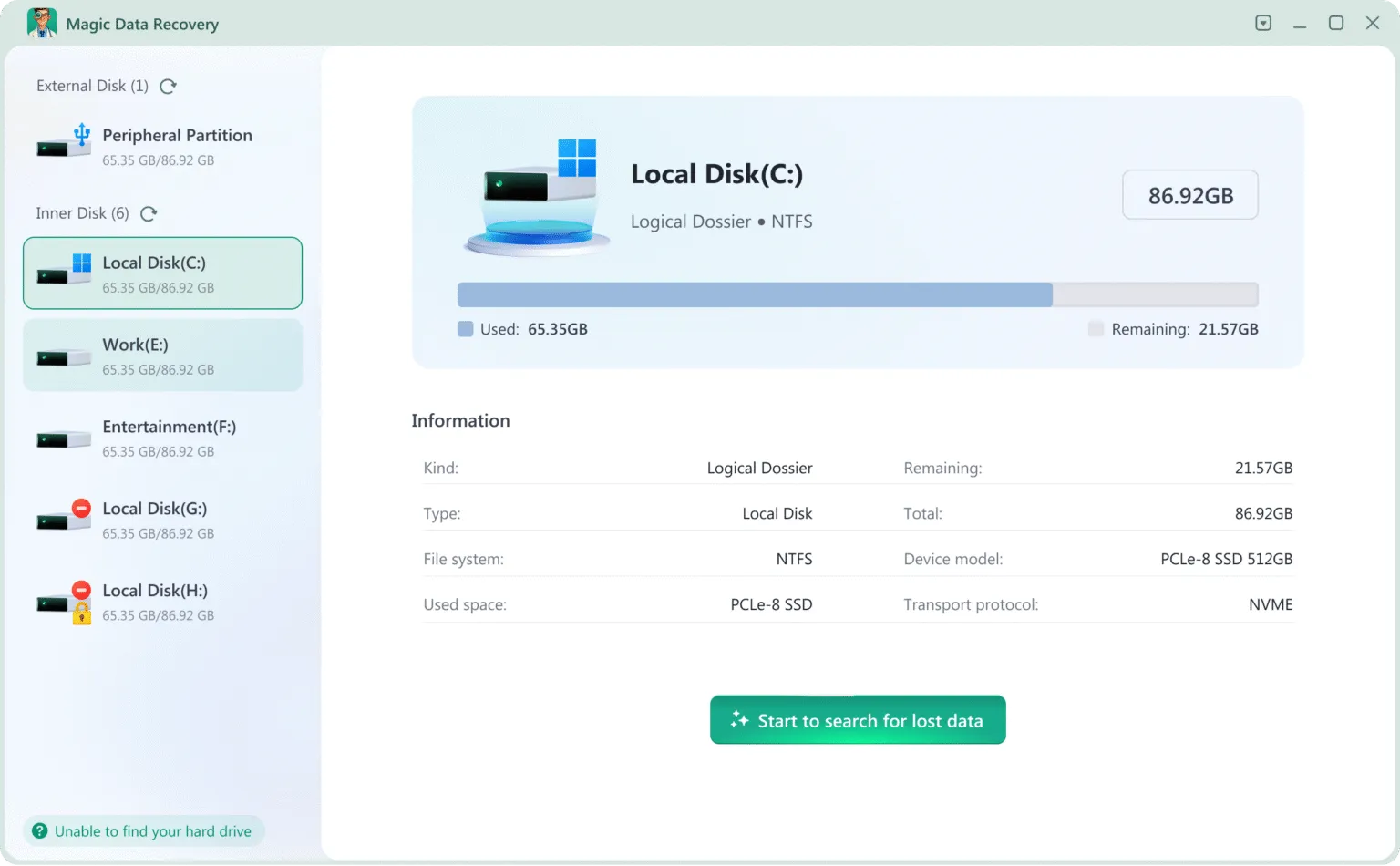
Consequently, at this stage, professional recovery software such as Magic Data Recovery scans storage in read-only mode, allowing deleted data to be recovered without risking further damage.
The Three Core Layers of Data Loss Protection
To build a robust defense, a balanced strategy incorporates three core layers:
- Preventive controls such as access restrictions
- Detective measures such as monitoring and alerts
- Corrective solutions such as backup and recovery
As a result, each layer supports the others, reducing overall risk.
Cost Considerations for Data Loss Protection
When implementing these protections, cost is a key factor. Expenses vary depending on scale and complexity:
- Entry-level DLP tools are often subscription-based
- Enterprise platforms require higher investment
- Backup solutions involve ongoing storage costs
- Recovery software typically uses one-time licensing
As a result, for many users, combining prevention with on-demand recovery offers a cost-effective approach.
The Seven Essential Controls in Data Loss Protection
To implement these layers effectively, an effective framework usually includes:
1. Automated backups
2. Access control and permissions
3. Encryption for sensitive data
4. Endpoint monitoring
5. Malware defense
6. User training
7. Reliable data recovery tools
Consequently, neglecting any of these areas increases the risk of permanent data loss.
Why Data Recovery Complements Data Loss Protection
However, despite robust preventive controls, no system is infallible. When prevention fails, recovery becomes the final safeguard. Even the most advanced protection systems cannot prevent every failure. When prevention and monitoring are no longer sufficient, recovery becomes the final safeguard.
Magic Data Recovery from Amagicsoft addresses this gap by:
- Recovering files from formatted or corrupted drives
- Supporting NTFS, FAT32, and exFAT file systems
- Using read-only scanning to prevent overwrites
- Handling system crashes and accidental deletion
Compared with built-in system tools, it provides deeper scanning and higher recovery reliability.
Common Use Cases for Data Loss Protection and Recovery
- Restoring files after accidental deletion
- Recovering data from a RAW or inaccessible drive
- Accessing files after malware damage
- Retrieving documents from a failed system disk
For this reason, these scenarios highlight why recovery is an essential part of data loss protection.
Conclusion
Reliable data loss protection depends on combining prevention, monitoring, and recovery into a unified strategy. While DLP systems reduce exposure, data recovery ensures resilience when failures occur.
If you need a dependable recovery solution to support your data loss protection efforts, Magic Data Recovery from Amagicsoft provides a safe and efficient option for restoring lost files.
Supports Windows 7/8/10/11 and Windows Server
FAQ
What is data loss protection?
What are the three types of data loss prevention?
What are the four types of DLP?
What is an example of DLP?
What are the three types of data protection?
How much does DLP cost?
What are the 7 data protections?

Vasilii is a data recovery specialist with around 10 years of hands-on experience in the field. Throughout his career, he has successfully solved thousands of complex cases involving deleted files, formatted drives, lost partitions, and RAW file systems. His expertise covers both manual recovery methods using professional tools like hex editors and advanced automated solutions with recovery software. Vasilii's mission is to make reliable data recovery knowledge accessible to both IT professionals and everyday users, helping them safeguard their valuable digital assets.