
A Practical Guide to Data Backup and Recovery
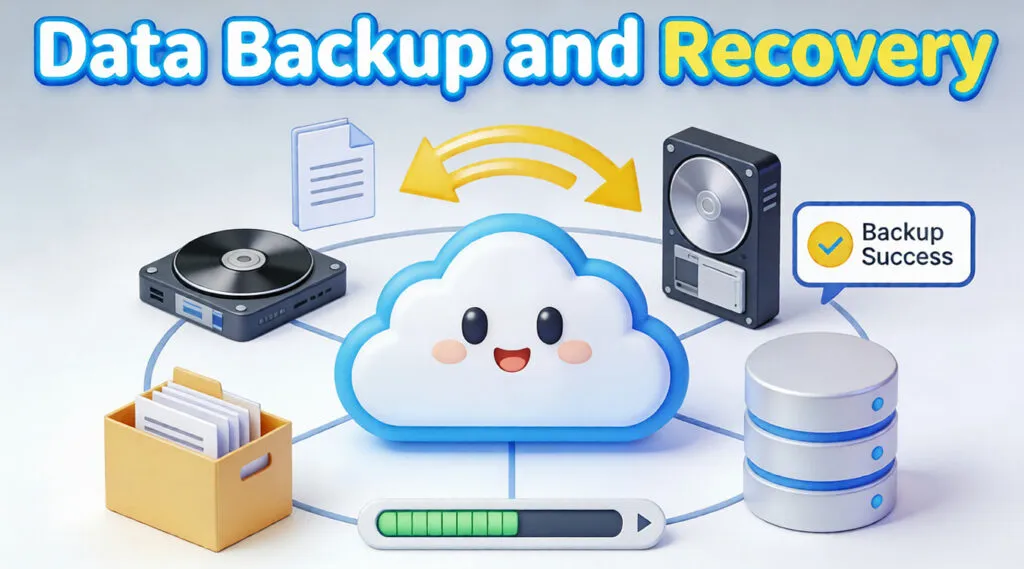
Data loss rarely announces itself in advance. A sudden system crash, accidental deletion, ransomware attack, or hardware failure can make critical files inaccessible within seconds. This is why data backup and recovery is not optional—it is a foundational practice for both personal users and businesses.
The good news is that lost data is often recoverable, and many incidents can be avoided entirely with a proper backup strategy. This guide explains how data backup and recovery works, the most reliable methods in real-world scenarios, and how professional recovery tools fit into a complete protection plan.
Table of Contents
What Is Data Backup and Recovery?
Data backup and recovery refers to the combined process of creating secure copies of data and restoring that data when the original files are lost, damaged, or inaccessible.
- Data backup focuses on prevention. It creates duplicate copies of files stored on separate devices or locations.
- Data recovery focuses on remediation. It attempts to restore lost or deleted data when no usable backup exists.
Together, these processes ensure business continuity, personal data safety, and operational resilience.
Why Data Backup and Recovery Is Essential Today
Modern storage file systems are fast and reliable, but no system is immune to failure. Common real-world risks include:
- Accidental deletion or formatting
- file system corruption
- Malware and ransomware attacks
- Power outages and hardware degradation
- Software updates that fail or interrupt storage access
Without a structured data backup and recovery strategy, even a minor incident can result in permanent data loss.
The 4 Types of Data Backups Explained
Understanding backup types helps you choose the right balance between speed, storage space, and protection.
Full Backup
A full backup copies all selected data every time.
- Highest reliability
- Requires more storage and time
Incremental Backup
Only backs up data changed since the last backup.
- Fast and storage-efficient
- Recovery requires multiple backup sets
Differential Backup
Copies data changed since the last full backup.
- Faster recovery than incremental
- Uses more space over time
Mirror Backup
Creates an exact real-time copy of data.
- Immediate synchronization
- No version history if files are deleted
Understanding the 3-2-1 Rule for Backing Up Data
The 3-2-1 rule is a widely accepted industry best practice in data backup and recovery:
- 3 copies of your data
- 2 different storage types
- 1 offsite or cloud-based copy
This approach protects against both local hardware failure and site-wide disasters.
What Happens If You Don’t Back Up Your Data?
Failing to implement data backup and recovery leads to measurable risks:
- Permanent loss of irreplaceable files
- Extended downtime for businesses
- High costs for emergency recovery services
- Increased vulnerability to ransomware extortion
In many cases, recovery without backups is possible—but never guaranteed.
The Four Types of Data Recovery
When data loss occurs, recovery methods vary depending on the cause.
Logical Data Recovery
Recovers deleted or formatted files without physical damage.
File System Recovery
Fixes corrupted structures such as NTFS or FAT tables.
Partition Recovery
Restores lost or deleted disk partitions.
Physical Data Recovery
Addresses hardware failures and typically requires a clean-room environment.
Software-based tools are most effective for logical and file system recovery scenarios.
Is There Any Free Data Recovery Software?
Free recovery tools can help in limited cases, such as recently deleted files. However, they often:
- Impose recovery size limits
- Lack support for complex file systems
- Provide limited scan accuracy
Professional tools are designed to safely scan storage in read-only mode and support advanced recovery scenarios.
How Magic Data Recovery Fits Into a Complete Recovery Strategy
When backups are unavailable or outdated, Magic Data Recovery provides a reliable recovery layer within your data backup and recovery plan.
Core Problems It Solves
- Accidental file deletion
- Formatted drives
- RAW or inaccessible partitions
- File system corruption
Key Advantages
- Read-only scanning for data safety
- Broad file system support (NTFS, FAT32, exFAT)
- Preview before recovery
- Clear step-by-step recovery workflow
Typical Use Cases
- Recovering documents after system crashes
- Restoring files from external drives
- Retrieving data after mistaken formatting
Compared to manual recovery attempts or generic freeware, professional tools provide higher accuracy and lower risk.

Best Practices for Reliable Data Backup and Recovery
- Automate backups on a schedule
- Test recovery regularly
- Use both local and cloud storage
- Monitor drive health proactively
- Maintain at least one offline copy
Consistency is more important than complexity.
Conclusion
The best data backup and recovery method is one that fits your usage patterns, storage environment, and risk tolerance. Prevention through backups should always come first, but recovery tools remain essential when backups fail.
For users who need a dependable way to restore lost files safely, Magic Data Recovery offers a practical, professional solution without unnecessary complexity. If you are looking for a reliable recovery option when you find the backups fail, consider trying Magic Data Recovery and recover files as soon as possible.
Supports Windows 7/8/10/11 and Windows Server
FAQ
What is data backup and recovery?
What are the 4 types of backups?
What is the 3 2 1 rule for backing up data?
Is there any free data recovery software?
What are the four types of data recovery?
What is the best data backup method?

Vasilii is a data recovery specialist with around 10 years of hands-on experience in the field. Throughout his career, he has successfully solved thousands of complex cases involving deleted files, formatted drives, lost partitions, and RAW file systems. His expertise covers both manual recovery methods using professional tools like hex editors and advanced automated solutions with recovery software. Vasilii's mission is to make reliable data recovery knowledge accessible to both IT professionals and everyday users, helping them safeguard their valuable digital assets.